
We may earn a commission if you buy through links on this page. It never changes a score or a ranking. How we make money
The bottom line
A low-cost source of copy-ready UI parts, best for teams already building with React and Tailwind.
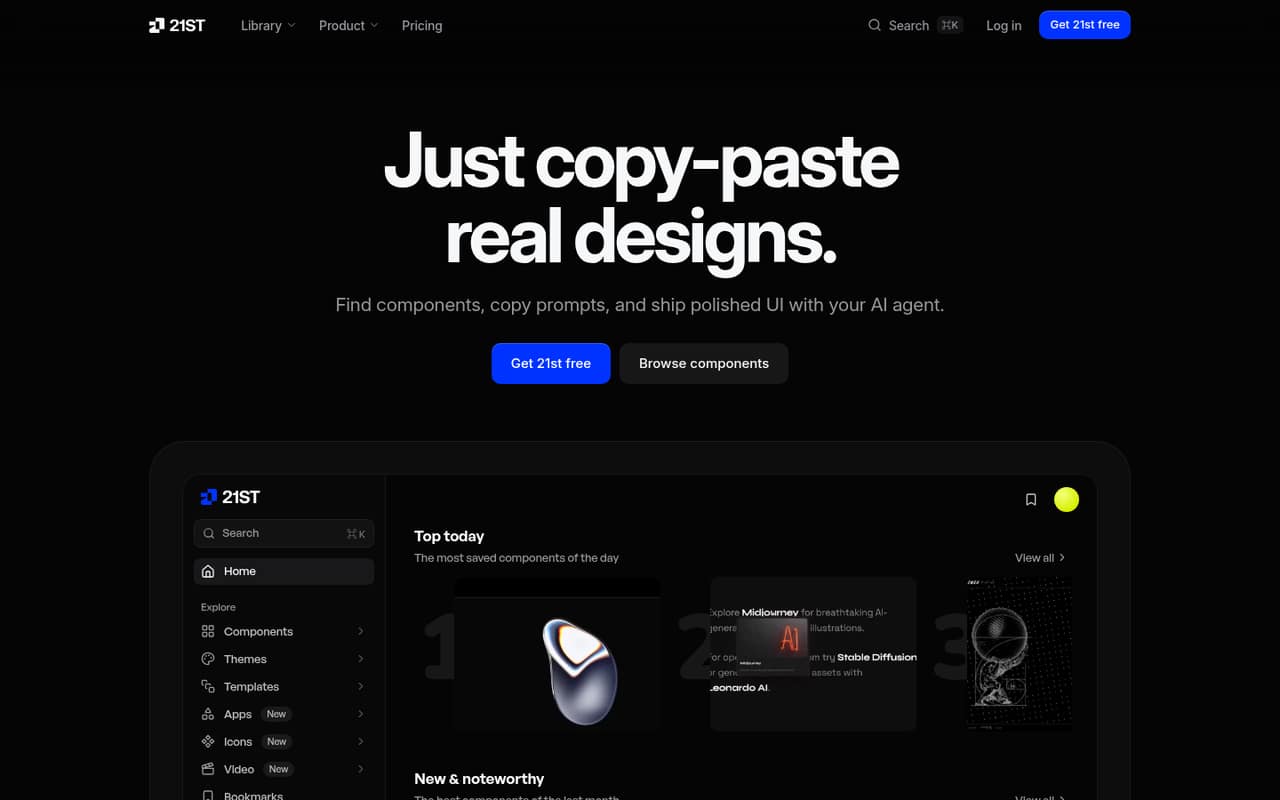
Small teams building React interfaces can get useful mileage from 21st.dev without paying: the free plan includes library search, two component copies a day, and five Design Bug Bot reviews. The library combines components and prompts with templates, themes, icons, and shaders.
When two daily copies become a bottleneck, Builder starts at $6 per month billed annually or $8 month to month. Team pricing is reasonable for a few seats, but AI credits and team features can add cost. Reddit reactions are mixed: some users value the library, while one objected to the free-plan limit.
Good fit if
- React teams needing UI starting points
- AI-assisted interface builders
- Small teams watching software spend
Skip it if
- Teams that need unlimited free copies
- Developers outside React conventions
- Teams needing published support commitments
ScoresHow it rates
What works
- Free plan includes two component copies daily
- Builder starts at $6 monthly with annual billing
- MCP and CLI access are included in Builder
- Components, prompts, templates, themes, and icons in one library
- Team plan includes shared collections and admin controls
What doesn't
- Free copying is capped at two components a day
- Team plan starts at two seats
- Team + AI monthly price is not published
- AI credit amounts vary by plan choice
- Support response times and channels are not published
01Who 21st.dev is for
21st.dev is for developers who need interface building blocks, especially small teams already working with React, TypeScript, Tailwind CSS, or shadcn conventions. It brings components from different authors and styles into a searchable library, with prompts to paste into an AI coding agent. The library also lists templates, themes, icons, and shaders, so it can help with more than individual buttons or cards.
For a one-person team, the free plan is a sensible place to start, and Builder is the low-cost paid option when two daily copies are not enough. For teams of two to 50, the Team plan adds shared collections, centralized billing, and admin controls. This is a source of starting points, not a substitute for a team’s design system or frontend skills. If your team does not use the listed React conventions, check whether the components fit your stack before budgeting for seats.
0221st.dev free plan and trial
The pricing page lists a Free plan at $0 with no card required. It includes browsing and searching the whole library, copying two components a day, and five Design Bug Bot reviews. That is enough to explore the catalog and try a few pieces, but the daily copy cap may feel tight if you are building several screens or comparing many options.
There is no separate free trial listed. If you need unlimited copies and installs, the cheapest paid route is Builder: $8 per month, or $6 per month when billed annually. Builder also lists MCP and CLI access, 17,500+ icons, and unlimited shaders, gradients, and ASCII art. AI credits are not included in that plan’s listed benefits.
03What a small team pays for 21st.dev
For one person, Builder costs $8 month to month or $6 per month with annual billing, which is $72 for the year. If you want AI features, Builder + AI is $20 monthly or $15 per month billed annually; the pricing page lists choices of 500, 1,000, or 2,000 AI credits a month.
For a team, the Team plan is $10 per user monthly or $7.50 per user monthly billed annually, with a two-seat minimum. Three seats come to $30 monthly or $22.50 per month on annual billing, billed as $270 for the year. Five seats come to $50 monthly or $37.50 per month on annual billing, or $450 for the year. Team includes five Design Bug Bot reviews per team, shared collections, and admin controls. Team + AI is listed at $18.75 per user monthly on annual billing; its monthly price is not published. Optional AI credit packs cost $5 per 100 credits and roll over month to month. Auto top-up is available with a customer-set monthly cap.
04Getting started with 21st.dev
The basic workflow is simple in concept: browse or search for a component, then copy its code or a prompt for use with an AI coding agent. Teams that already use React, TypeScript, Tailwind CSS, or shadcn conventions should find the library’s component approach familiar. If you use a different stack, check component compatibility before relying on it.
For teams that want to search or install from their coding workflow, the product lists MCP access for supported clients and a CLI. The specific client setup steps and supported-client list are not published in the pricing details, so check the vendor’s current instructions before making MCP or CLI a day-one dependency. A small team can begin with browser search and copying, then add those integrations if they suit its workflow. The 21st AI design tools, Bug Bot, and Shader Builder are optional rather than prerequisites.
05When small teams outgrow 21st.dev
The first limit most teams are likely to notice is the free plan’s two component copies a day. Builder removes that cap for individuals, but it does not include AI credits in its listed features. Teams wanting AI credits need Builder + AI or Team + AI; the latter’s monthly price is not published. The Team plan is limited to two to 50 seats, so larger organizations should ask the vendor about options beyond that range.
A Reddit thread about the free-plan change complains that users are now limited to two copies a day unless they pay $8 monthly. Other commenters pushed back on the expectation that the library should remain free, while a separate r/webdev discussion praised the site as a source of components. For a growing team, the practical decision is whether the library’s copy-and-install workflow and shared collections are worth the per-seat bill. If you need a broader design system, different framework support, or published support commitments, confirm those needs with the vendor before expanding.
From the threadsWhat users say
Reddit reactions are mixed: one thread criticizes the daily free-copy cap, while another developer describes the library as a useful source of components. Replies in the pricing discussion also argue that creators should be paid for their work.
they are a good source to use when i am making projects
Are you asking why people deserve to be paid for their work?
i still want a unique UI component that animates
Questions people ask
Does 21st.dev have a free plan?
Yes. The pricing page lists a free plan with library browsing and search, two component copies per day, and five Design Bug Bot reviews. It does not require a card. The daily copy limit is the main constraint; Builder offers unlimited copies and installs.
How much does 21st.dev cost for one person?
Builder costs $8 per month when billed monthly or $6 per month with annual billing. Builder + AI costs $20 monthly or $15 per month billed annually. The AI plan lists monthly credit choices of 500, 1,000, or 2,000.
How much is 21st.dev Team for three people?
The Team plan is $10 per user per month, or $7.50 per user per month with annual billing. Three seats therefore cost $30 monthly or $22.50 per month on annual billing, totaling $270 for the year. Team has a two-seat minimum.
What frameworks and tools does 21st.dev support?
The listed component conventions are React, TypeScript, Tailwind CSS, and shadcn. The product also lists MCP and CLI access for searching and installing components, with MCP available through supported clients. The supported-client list is not published in the pricing details.
Does 21st.dev include AI credits?
Builder + AI lists 500, 1,000, or 2,000 credits a month, while Team + AI lists those choices per seat. Builder does not list included AI credits. The pricing page also lists optional packs of 100 credits for $5, with unused pack credits rolling over month to month.