
We may earn a commission if you buy through links on this page. It never changes a score or a ranking. How we make money
The bottom line
Good document-to-payment coverage, but team seats and the lack of a free plan raise the cost.
Better Proposals combines proposal creation, interactive pricing, tracking, e-signatures, payments and post-signature onboarding. That can reduce handoffs between tools for a small team that regularly sends client documents.
There’s no free plan: Starter is $13 per month per user with annual billing, or $19 month to month, and covers one user. A team needs Premium, which costs $21 per user per month with annual billing or $29 month to month.
Good fit if
- Solo consultants sending client proposals
- Small teams wanting signatures and payments
- Teams with repeatable proposal templates
Skip it if
- Teams that need a free plan
- Businesses sending more than 50 documents monthly
- Teams needing approval controls on Premium
ScoresHow it rates
What works
- Creates proposals, quotes, contracts and other client documents
- Interactive pricing lets clients choose options
- Tracks opens, reads, forwards, downloads and signatures
- Collects digital signatures inside documents
- Can start onboarding after a client signs
What doesn't
- No free plan; only a 14-day trial
- Starter is limited to one user and 10 documents monthly
- A team of three needs $63 monthly on annual billing
- Premium includes 50 documents per month
- One Reddit post reports editor, tracking and mobile-layout frustrations
01Who Better Proposals is for
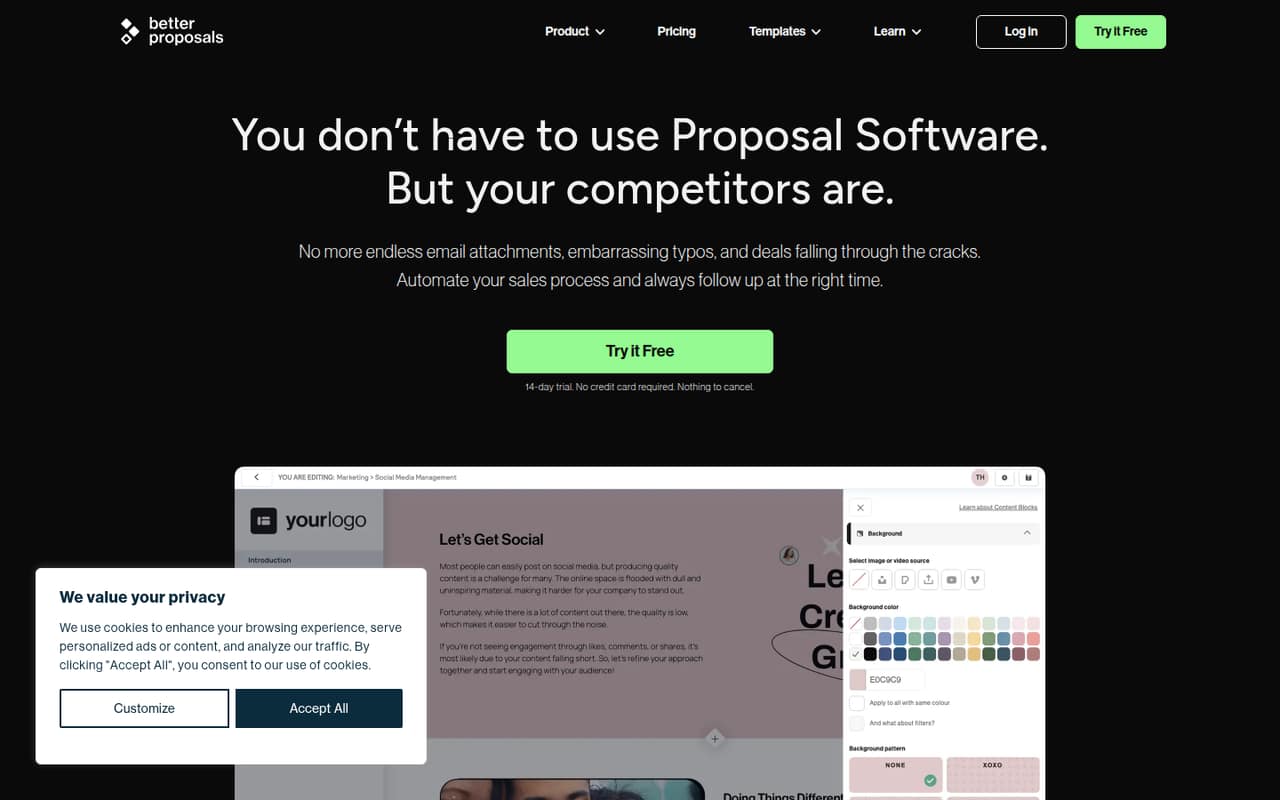
Better Proposals is for freelancers and small businesses that send proposals, quotes, contracts or other client documents and want to handle the next steps in the same tool. It combines a branded document editor and templates with interactive pricing, tracking, signatures, payments and onboarding flows after signing.
For one person, Starter is the entry plan: it includes one user and 10 documents per month. For a team of two to ten, Premium is the practical fit because it has unlimited user seats, though it costs per user and includes 50 documents per month. Its annual rate is $21 per user per month; paying monthly is $29 per user. That makes it a better fit for teams with a regular proposal process than for people who send a document only now and then. Enterprise is aimed at sales teams that need unlimited documents, approvals or more control over permissions.
02Better Proposals free plan and trial
Better Proposals has no free plan. The pricing page lists a 14-day free trial, but it does not publish which plan or features the trial includes, or whether payment details are required to start it. Confirm those terms with the vendor before signing up.
After the trial, the cheapest listed option is Starter: $13 per month per user with annual billing, or $19 month to month. It includes one user, 10 documents per month, digital signatures, payment integrations and unlimited templates. That is a straightforward entry point for a solo operator, but it will not cover a team that needs multiple user seats. For that, Premium starts at $21 per user per month with annual billing, or $29 month to month.
03What a small team pays for Better Proposals
Starter costs one person $13 per month with annual billing, or $19 month to month. A team that needs multiple seats has to choose Premium: the pricing page lists $21 per user per month with annual billing, or $29 per user month to month. That works out to $63 or $87 per month for three people, respectively. For five people, it is $105 or $145 per month.
Premium includes unlimited user seats, 50 documents per month, CRM integrations, a custom domain, API, Zapier and MCP Server. The plan page does not say whether the document allowance is shared or how it is counted, so ask before choosing it if your team sends many proposals. Enterprise is $42 per user per month with annual billing, or $49 month to month, and adds unlimited documents, content locking, manager approvals and advanced user permissions. The pricing page lists no add-ons. It does not state whether a connected payment provider has separate fees.
04Getting started with Better Proposals
The basic workflow is clear from the listed features: create a branded document using templates or reusable content, add pricing, send it, track client activity, collect a signature and take payment. You can also set up an onboarding flow, form or redirect for after signing. The editor supports real-time collaboration, which can help when more than one person contributes to a proposal.
The vendor does not publish a setup-time estimate or a step-by-step onboarding checklist in the information available here, so we would not assume a team can configure everything in one sitting. For day one, decide who owns templates and document creation, then check whether the integrations you need are on your plan. CRM integrations, a custom domain, API, Zapier and MCP Server are listed with Premium; Starter lists payment integrations. The pricing details do not name specific payment or CRM providers, so confirm compatibility before committing.
05When small teams outgrow Better Proposals
The first pinch point is seats: Starter is for one user, so a team needs Premium, which charges per user even though it offers unlimited seats. The next is document volume. Premium lists 50 documents per month; teams that need more have to consider Enterprise, which lists unlimited documents and costs $42 per user per month with annual billing or $49 month to month.
A sales team may also outgrow Premium when it needs content locking, manager approvals or advanced user permissions, since those are listed under Enterprise. One Reddit post discussing several proposal products, including Better Proposals, reports frustration with editor loading, tracking, mobile layout and paying for unused features. That is one user's broad complaint about the products named, not proof that every Better Proposals customer will hit those problems. Treat it as a reason to check the workflow and mobile presentation during the trial.
From the threadsWhat users say
One Reddit post groups Better Proposals with two other products in complaints about loading speed, tracking, mobile layout and unused features. That is a negative individual account, not enough evidence to call overall user sentiment broadly positive or negative.
Editor takes forever to load
zero tracking
Client opens it on mobile, layout is completely broken
Paying for features you never use
Questions people ask
What is Better Proposals used for?
Better Proposals is web-based software for creating and sending proposals, quotes, contracts and other client documents. It also supports document tracking, digital signatures, payment integrations and customizable onboarding flows after a client signs.
Does Better Proposals have a free plan?
No. The pricing page lists a 14-day free trial, but no free plan. The cheapest paid option is Starter at $13 per month per user with annual billing, or $19 month to month. Starter includes one user and 10 documents per month.
How much does Better Proposals cost for a team of three?
A three-person team needs Premium, listed at $21 per user per month with annual billing or $29 month to month. That totals $63 per month with annual billing or $87 month to month. Premium includes 50 documents per month and unlimited user seats.
Can clients choose options in a proposal?
Yes. Better Proposals has interactive pricing tables where clients can choose options and totals calculate automatically. The vendor does not publish the specific limits or configuration details for these pricing tables in the plan information.
Can Better Proposals collect signatures and payments?
Yes. The product supports digital signatures within documents and payment integrations. Starter lists both digital signatures and payment integrations among its features. The pricing details do not name the supported payment providers, so confirm your provider is compatible before subscribing.