
We may earn a commission if you buy through links on this page. It never changes a score or a ranking. How we make money
The bottom line
Strong public-sector procurement coverage; no free plan or published price to budget against.
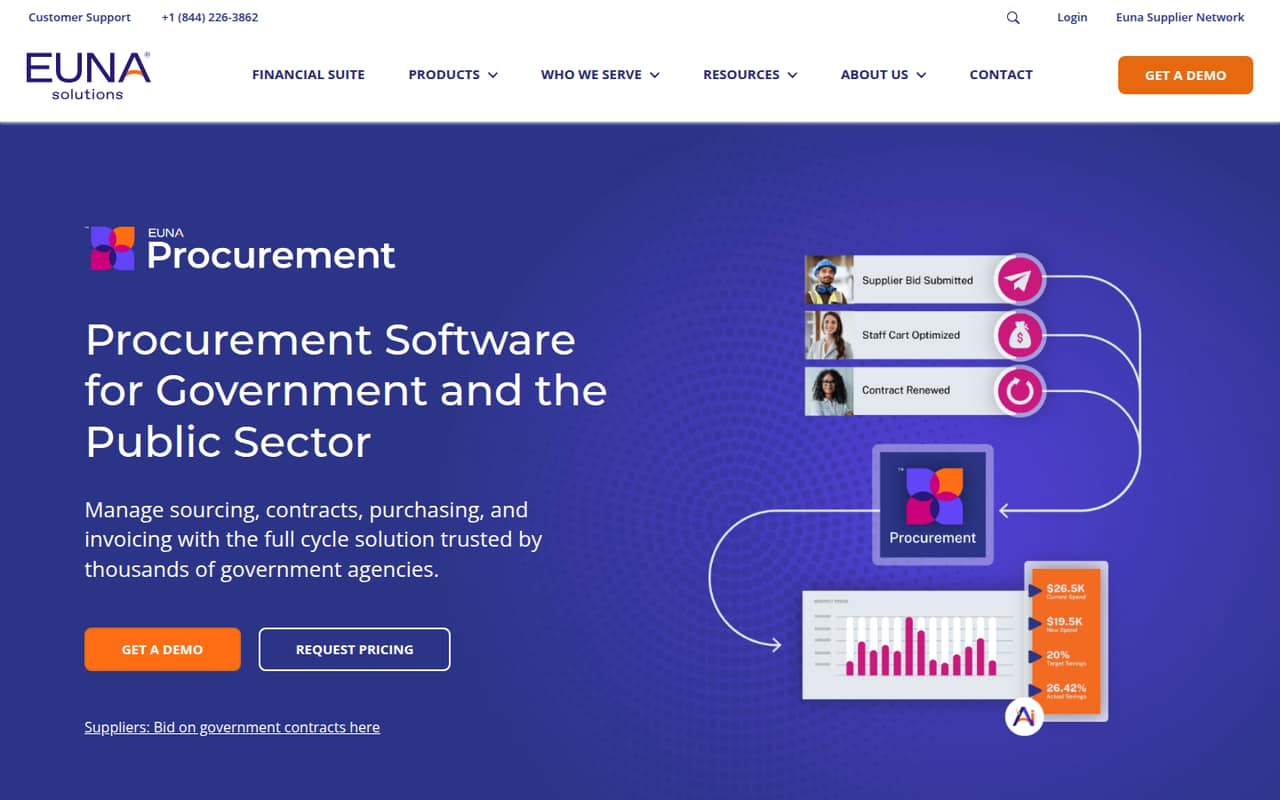
Bonfire by Euna brings sourcing, contracts, purchasing, invoices, and supplier management into one procurement platform for public-sector teams. Its listed features include AI-assisted invoice data extraction and suggested savings at checkout.
The pricing page lists no plans or prices, and it does not list a free plan. A free trial is not listed either. Small teams should ask Euna for a quote and confirm implementation needs before comparing the cost with their budget.
Good fit if
- Public-sector procurement teams
- Agencies managing several procurement workflows
- Teams needing purchasing controls
Skip it if
- Teams that need a free tool
- Buyers needing upfront seat prices
- Small businesses outside the public sector
ScoresHow it rates
What works
- Covers sourcing, contracts, purchasing, invoices, and suppliers
- Digital scorecards support bid evaluation
- AI extracts invoice data
- Purchasing can guide employees to approved suppliers
- Transaction and approval records support audit visibility
What doesn't
- No free plan is listed
- A free trial is not listed
- Starting price is not published
- Per-seat costs cannot be calculated
- Setup steps and integrations need vendor confirmation
01Who Bonfire by Euna is for
Bonfire by Euna is aimed at government and public-sector agencies that want to manage procurement work in one system. It covers sourcing, contracts, purchasing, invoices, and supplier management, so it fits teams coordinating several steps rather than a small business looking only for a simple way to collect bids.
For a team of one to ten, the fit depends less on headcount than on whether the agency needs that broad workflow coverage and can get budget approval for a vendor quote. The platform can help guide employees to approved suppliers and contract pricing, while procurement staff can evaluate bids with digital scorecards and track contracts and spend. The vendor describes AI support for purchasing savings and invoice data extraction. If your team needs only one of those functions, ask whether it can be purchased on its own; the pricing page does not list plans or modules.
02Bonfire by Euna free plan and trial
The pricing page lists no free plan. It also does not list a free trial, so a small team should not count on trying Bonfire at no cost before committing. The page does not identify a self-serve entry tier or a limited version for a few users.
The cheapest way in is not published. Ask Euna for a quote and confirm whether pricing depends on agency size, users, selected capabilities, or implementation. It is also worth asking whether the quote includes sourcing, contracts, purchasing, invoice processing, and supplier management, or whether those capabilities are priced separately. Until the vendor provides those details, there is no reliable way to estimate the smallest paid package or compare it with a fixed monthly software budget.
03What a small team pays for Bonfire by Euna
Bonfire by Euna’s pricing page does not publish a starting price, plan prices, or monthly and annual billing terms. That means we cannot calculate what one person, three people, or five people would pay, or tell whether the vendor charges per seat. The page also lists no add-ons or add-on prices.
For a small team watching subscription costs, request a written quote that covers the number of users you need now and the price for adding users later. Ask whether all the listed workflows are included: sourcing, contract management, purchasing, invoice processing, supplier management, and reporting. Confirm any separate fees for setup, data migration, support, or integrations before comparing the total with other procurement tools. Those costs are not published on the pricing page, so do not treat an unpriced quote as an all-in figure until Euna confirms what it covers.
04Getting started with Bonfire by Euna
Bonfire’s description outlines procurement workflows, but it does not publish a setup timeline, implementation checklist, or learning-curve details. For a small team, setup is therefore something to confirm with Euna rather than assume is self-serve. Ask who configures solicitation workflows, approval paths, supplier records, contract data, and purchasing rules, and what your team needs to prepare.
The listed capabilities include receiving invoices by email or cXML, extracting invoice data, and matching invoices to purchase orders and receipts. The description does not name other integrations or explain their setup requirements. Before signing, ask which systems can connect to Bonfire, whether those connections are included, and who maintains them. A short vendor walkthrough using your actual purchasing and approval steps can help your team estimate training and implementation effort without assuming a specific timeline.
05When small teams outgrow Bonfire by Euna
The available plan and pricing information does not set user limits, workflow limits, or upgrade thresholds, so there is no published point at which a team outgrows a particular tier. It also gives no seat prices to show how costs change as your team grows. Ask Euna to spell out those thresholds and the cost of adding users before you commit.
Bonfire’s listed scope is already broad, spanning sourcing, contracts, purchasing, invoices, supplier management, and reporting. A team may need a different tool if it wants a narrower, lower-cost product, or if a required integration or workflow is not supported; the public description does not confirm integration coverage. As your agency adds users or processes, review whether the quoted package still fits and whether every included capability is useful. Get renewal terms, user-count rules, and data-export options in writing so you can assess future flexibility.
Questions people ask
Does Bonfire by Euna have a free plan?
The pricing page lists no free plan. It also does not list a free trial. If you need to assess the software before paying, ask Euna whether it offers a guided demonstration or another evaluation option, and whether any evaluation has a cost.
How much does Bonfire by Euna cost?
Bonfire by Euna’s pricing page does not publish a starting price, plan prices, or billing terms. The cost for one user or a small team is therefore not available to calculate. Ask Euna for a quote that specifies user counts, included workflows, and any extra fees.
What does Bonfire by Euna do?
Bonfire by Euna is procurement software for government and public-sector agencies. Its listed capabilities cover sourcing, contracts, purchasing, invoice processing, supplier management, reporting, and audit records. The vendor also describes AI support for invoice data extraction and suggested purchasing savings.
Can Bonfire by Euna process invoices?
Yes. The vendor says Bonfire can receive invoices by email or cXML, extract invoice data with AI, and match invoices to purchase orders and receipts. Ask Euna which invoice formats and connections your agency needs, since the public description does not detail all integration options.
How long does it take to set up Bonfire by Euna?
A setup timeline is not published. The public description does not explain implementation steps, training, or configuration requirements. Ask Euna what your team must prepare, who configures workflows and approval paths, and whether setup or data migration carries a separate fee.