
We may earn a commission if you buy through links on this page. It never changes a score or a ranking. How we make money
The bottom line
Buffer’s free plan is useful; teams pay by channel, not by seat.
A small team that needs to schedule posts across several social channels may not need a paid tool right away: Buffer’s free plan covers up to three channels and one user. It also includes a queue, post ideas, and a mobile app, according to Buffer’s feature list.
For collaboration and approvals, the Team plan is the relevant upgrade. It costs $10 per channel per month when billed yearly, so three channels come to $30 a month equivalent for a team of three or five. The channel-based pricing is simple, but the annual commitment and unpublished monthly rates are worth checking first.
Good fit if
- Solo social media managers
- Small teams scheduling several channels
- Teams that need approval workflows
Skip it if
- Teams needing free analytics
- Teams with many channels and tight budgets
- Teams wanting published monthly rates
ScoresHow it rates
What works
- Free plan supports up to three channels
- Paid plans offer unlimited scheduled posts
- Team includes unlimited members and approvals
- Supports a wide range of social channels
- AI workflows can connect to Claude or ChatGPT
What doesn't
- Free plan has one user and limited posts
- Paid pricing is charged per channel
- Team collaboration requires the Team plan
- Monthly-billed prices are not published
- One Reddit user says the free plan lacks analytics
01Who Buffer is for
Buffer is for people who need a shared place to create, schedule, publish, and review social posts. A solo owner or marketer can start free, while a team of two to ten people should look at Team if several people need to work on posts or approve them. The pricing page lists Team with unlimited members and approval workflows.
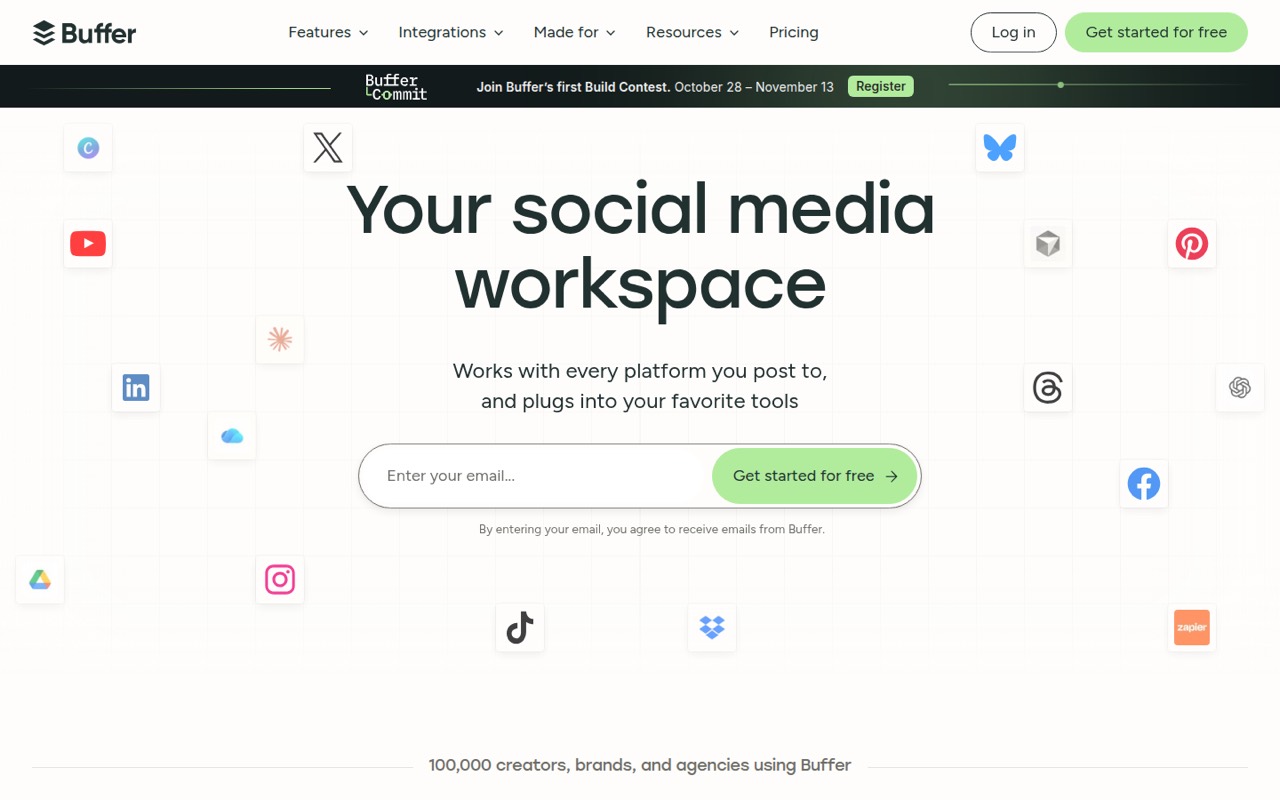
The tool covers publishing across channels including Instagram, TikTok, LinkedIn, YouTube Shorts, Pinterest, and Bluesky. It also offers comment management, analytics, a mobile app, a link-in-bio page, and an AI assistant. That makes it a reasonable fit when social publishing is a regular job, rather than an occasional task handled directly in each app.
For a tight budget, the key question is how many channels you need: paid plans are priced per channel, not per team member. If you only need a few scheduled posts and one person, start with Free before committing.
02Buffer free plan and trial
Buffer’s Free plan includes up to three channels, ten scheduled posts per channel, 100 ideas, one user account, and one API key. That is enough for a solo operator with a small publishing queue, but it does not give a team shared access. A Reddit commenter also reports that the free version does not include analytics.
The free plan is a sensible place to start if you mainly want to schedule posts and can work within the queue limit. You can use Buffer’s listed 14-day free trial if you want to try a paid plan, though Buffer does not specify the trial’s plan details in the pricing information. For unlimited scheduled posts, Essentials starts at $5 per channel per month when billed yearly; for collaboration and approvals, Team starts at $10 per channel per month on annual billing.
03What a small team pays for Buffer
Buffer charges Essentials and Team by channel, not by user. For one person using three channels, Essentials works out to $15 a month equivalent, billed yearly at $180. It includes one user account, so it is for individual use rather than team collaboration. The vendor lists a starting price of $5 per channel per month on annual billing; its monthly-billed rate is not published.
For a team of three or five using three channels, Team is $30 a month equivalent, or $360 for the year. That price covers unlimited team members and approval workflows, so the listed rate does not rise when you add those seats. The same plan is $10 per channel per month on annual billing. Monthly-billed rates are not published.
Those examples assume three channels. Each additional channel adds its per-channel rate, and Buffer lists no add-ons. Free costs nothing, but it is limited to one user and ten scheduled posts per channel.
04Getting started with Buffer
Expect to spend some time connecting the social channels you plan to use, setting up a posting queue, and deciding who creates or approves posts. Buffer’s listed features cover post creation, scheduling, publishing, and collaboration; Team adds approval workflows. That is a manageable setup for a small team, but it still takes a little planning to agree on channels and responsibilities.
For day-one content work, Buffer lists an AI assistant for ideas and editing, plus workflows that connect to Claude or ChatGPT for reviewing performance, planning content, and sending posts to the queue. It also offers a mobile app. Pick the channels your team actually uses first, then add more only if the workflow calls for them, since paid plans charge per channel.
We would not assume every channel has identical publishing options. Check Buffer’s current channel documentation for the exact workflow you need before moving a client or business account.
05When small teams outgrow Buffer
The first reason to upgrade is a free-plan limit: more than three channels, more than ten scheduled posts per channel, or a second user means Free no longer covers the job. Essentials removes the scheduled-post limit but still lists one user account. A team that needs shared work and approvals will need Team, which costs $10 per channel per month on annual billing.
Costs can climb as the channel count grows, even if the team stays small. For three channels, Team costs $30 a month equivalent; five channels would cost more, though the total depends on the channels selected. Buffer does not publish monthly-billed rates, so ask the vendor for those before budgeting.
One Reddit commenter says they use Buffer’s free version for one client and three channels, but might need to upgrade for another client. They also say the free version lacks analytics. That is a useful signal: the free plan can work for a narrow workload, but client growth or reporting needs may change the calculation.
From the threadsWhat users say
The Reddit discussion gives a small but practical view: one Buffer user likes the free option and Bluesky scheduling, while noting that analytics are missing. Other commenters focus on free scheduling limits in competing tools, so the sentiment is useful but limited.
I currently use buffer, I am using the free version but might have to upgrade for my next client
I like it because bluesky is a connected channel on it and not a lot of platforms have a schedule option for bluesky
Free version doesn't have analytics but you cam just view them on your platforms
Publer has a completely free version for up to 3 social accounts. 10 pending scheduled posts for each social account
Questions people ask
Does Buffer have a free version?
Yes. Buffer’s Free plan includes up to three channels, ten scheduled posts per channel, 100 ideas, one user account, and one API key. A Reddit commenter says the free version does not include analytics. If you need more scheduled posts or team access, compare the paid plans.
How much does Buffer cost for a small team?
Essentials is $5 per channel per month and Team is $10 per channel per month when billed yearly. For three channels, that is $15 or $30 a month equivalent, respectively. Buffer does not publish monthly-billed rates, so ask the vendor for the current price before budgeting.
Does Buffer charge per user or per channel?
Essentials and Team are priced per channel. Essentials lists one user account, while Team includes unlimited team members. That means a three-person and five-person team using the same number of channels pay the same listed Team price.
Does Buffer include analytics?
Buffer lists basic analytics and in-depth reporting among its features. A Reddit commenter specifically says the free version does not have analytics. Check the plan details for the analytics access you need before choosing a paid tier.
How long is Buffer’s free trial?
Buffer lists a 14-day free trial. The plan details included in the pricing information do not specify which plans or features the trial covers, so confirm that with Buffer before relying on it to evaluate a particular workflow.