
We may earn a commission if you buy through links on this page. It never changes a score or a ranking. How we make money
The bottom line
Useful coding agents for teams that review their work; verify the listed plans before paying.
Cursor is worth considering if your small team wants AI agents inside its coding workflow, with options for GitHub, Slack and the terminal. The key trade-off is control: Reddit users describe both time savings and the need to review changes closely.
The pricing details list a free tier and paid plans, but some inclusions—such as Grok chat and social features—don’t clearly match a coding editor. We’d confirm which plan includes the Cursor features your team needs before committing.
Good fit if
- Developers who review AI-generated code
- Small teams using GitHub pull requests
- Teams wanting agents in their editor
Skip it if
- Teams expecting unattended code changes
- Buyers needing clearly documented plan limits
- Developers who prefer terminal-only tools
ScoresHow it rates
What works
- Agents can plan, write, test and demo features
- Offers a desktop app, CLI and integrations
- Can launch multiple cloud agents in parallel
- GitHub workflow includes opening and reviewing pull requests
- Free plan is listed at $0
What doesn't
- Free usage is limited
- The listed Plus plan only includes Grok models
- Third-party model use is billed separately
- Reddit users report needing to review changes closely
- Annual prices and detailed usage limits are not listed
01Who Cursor is for
Cursor is aimed at developers who want an AI coding agent in their software workflow, not a hands-off replacement for a developer. Its agents can plan, write, test and demo features for review, and the product also offers a CLI and connections to Slack and GitHub. That makes it a fit for a solo developer or a small team of roughly 2–10 people already working with code and pull requests.
For a small team, the practical question is whether those features save enough time to justify another per-seat subscription and the work of reviewing AI changes. Reddit discussion is divided: some developers say Cursor saves time, while others say generated changes need careful oversight or don’t match their project patterns. We’d budget for an engineer to review the output, not assume that an agent can own a feature without supervision. Teams that want to try basic features can start with the free plan, but its listed requests are limited.
02Cursor free plan and trial
The pricing page lists a Free plan at $0 per month with limited agent requests and limited Chat requests. It also lists “Post, reply, and follow only” among the inclusions, wording that doesn’t clearly describe a coding editor. We’d confirm with Cursor what the free tier currently covers for coding before making it part of a team workflow.
The pricing page doesn’t list a free trial. It also doesn’t publish a specific number of agent or Chat requests for Free, so there’s no reliable way to estimate how long the allowance will last. The listed Plus plan costs $8 monthly, but its included features are Grok Chat, Voice, Imagine and Build, and it says only Grok models are available. That does not clearly establish Plus as the cheapest plan for Cursor coding. Ask Cursor which paid tier includes the coding features you need.
03What a small team pays for Cursor
The pricing page lists Plus at $8 per month, Premium at $30, Super at $100 and Ultra at $200. It lists Teams from $30 per user per month. But Plus is described as Grok-only, while Premium includes cloud agents, automations, code hosting and AI code reviews; the listed plan details don’t clearly explain which tier is the basic fit for everyday coding.
For three people on Teams, the listed starting price works out to at least $90 per month. Five seats start at $150 per month. Those are monthly calculations from the $30-per-user starting price, not quotes for a particular seat tier. Annual prices or a discount aren’t listed. The page says Teams usage ranges from 4–50 times Plus usage depending on seat tier, but doesn’t state which tier maps to each amount.
Third-party models in Cursor are billed separately at API list price, and usage top-offs are available after included allowances run out. The page also says Grok API use is billed separately. Before budgeting, confirm the relevant coding plan, included usage and likely model charges with Cursor.
04Getting started with Cursor
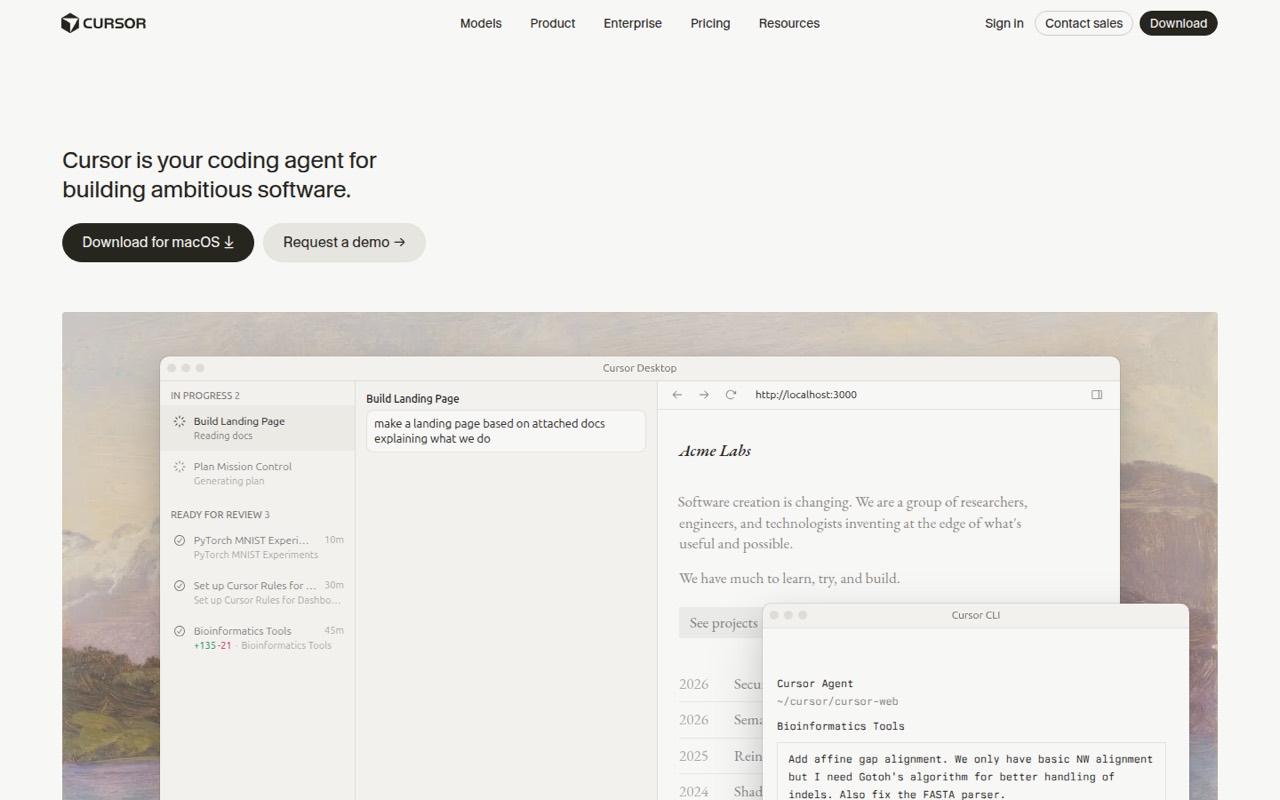
Cursor offers a desktop app and a CLI, which its product description says can be installed with a curl command. Its homepage also describes Slack and GitHub workflows: tag an agent in Slack to open or review pull requests, and use the agent to review and open pull requests in GitHub. Those are useful options for a team that already works in those tools, though the vendor's site doesn’t publish setup time or a step-by-step setup estimate.
There may be some project-specific instruction work. In one Reddit discussion, a commenter recommends a .cursorrules file for project conventions, or the Rules for AI setting for defaults. That suggests a team can spell out its stack and coding standards rather than relying on generic prompts. Keep the first tasks small and review the changes: Reddit users describe checking proposed work, asking for plans and using branches when they want more control. We’d treat setup as moderate, especially if the team wants consistent rules and review habits.
05When small teams outgrow Cursor
A team may outgrow the free plan when limited agent or Chat requests no longer cover its routine work. The pricing page doesn’t publish the specific request allowances, so teams should check their expected usage before choosing a paid tier. Model costs can also grow: third-party models are billed separately at API list price, and the page says users can buy top-offs when included usage runs out.
A growing team may need centralized billing, administration, SAML/OIDC SSO or team-wide privacy settings. The listed Teams plan starts at $30 per user per month, so the starting cost is at least $90 for three seats and $150 for five. Enterprise adds pooled usage, invoice or PO billing, SCIM seat management, spend controls and audit logs, with custom pricing.
There’s also a workflow limit: agents still need review. Reddit users describe both productivity gains and frustrations with mismatched code or large sets of changes. If your team needs tighter control, smaller tasks and a review step may help; if that overhead cancels out the time saved, compare other workflows.
From the threadsWhat users say
Reddit sentiment is mixed. Some users say Cursor saves time, while others prefer different workflows or warn that agent output needs close review.
Now, composer with agent mode enabled, Cursor works great and saves a lot of time
I don't use it in agent mode, ever. I look over all proposed changes and approve them one by one
Continue.dev + ClaudeDEV is better on VSCode
I don't need an IDE, i like the terminal
Questions people ask
Is Cursor a legit company?
Cursor is described as an AI coding agent built by Anysphere. That identifies the company behind the product, but it doesn’t answer questions about company finances, security practices or service reliability. If those matter to your purchase, ask Cursor for the information your team needs before signing up.
Does Cursor leak your code?
The listed Teams plan includes team-wide privacy settings, but the pricing details don’t explain how code is handled or what privacy options are included on each plan. Ask Cursor about code retention, model processing and plan-specific privacy controls before connecting a private repository.
Is Cursor’s $20 plan unlimited?
The listed prices don’t include a $20 plan. They show Free, Plus at $8, Premium at $30, Super at $100, Ultra at $200 and Teams from $30 per user monthly. The page describes usage allowances and top-offs, not unlimited use; ask Cursor for current limits before buying.
Do Cursor agents work without review?
Cursor’s homepage describes agents planning, writing, testing and demoing features for review. Reddit users report reviewing proposed changes closely, with some asking for plans and approving work one step at a time. We’d treat agent output as work to inspect, not as a substitute for review.
Is Cursor worth paying for?
It may be worth paying for if agents fit your development workflow and save enough time to justify the seat and usage costs. But the listed plan inclusions don’t clearly identify the cheapest tier for routine Cursor coding, and third-party models cost extra. Confirm plan fit before upgrading.
Sources
- Cursor homepage
- Cursor pricing page
- Reddit: So how many of you have permanently switched to cursor IDE and how’s that working out for you?
- Reddit: Whats alternative to Cursor now ?
- Reddit: My honest review after 3 months with CursorAI: Don’t use it
- Reddit: Why do you prefer Claude Code over AI-native editors like Cursor? What am I missing?