
We may earn a commission if you buy through links on this page. It never changes a score or a ranking. How we make money
The bottom line
Free, focused page-level SEO checks for teams that want quick answers without another subscription.
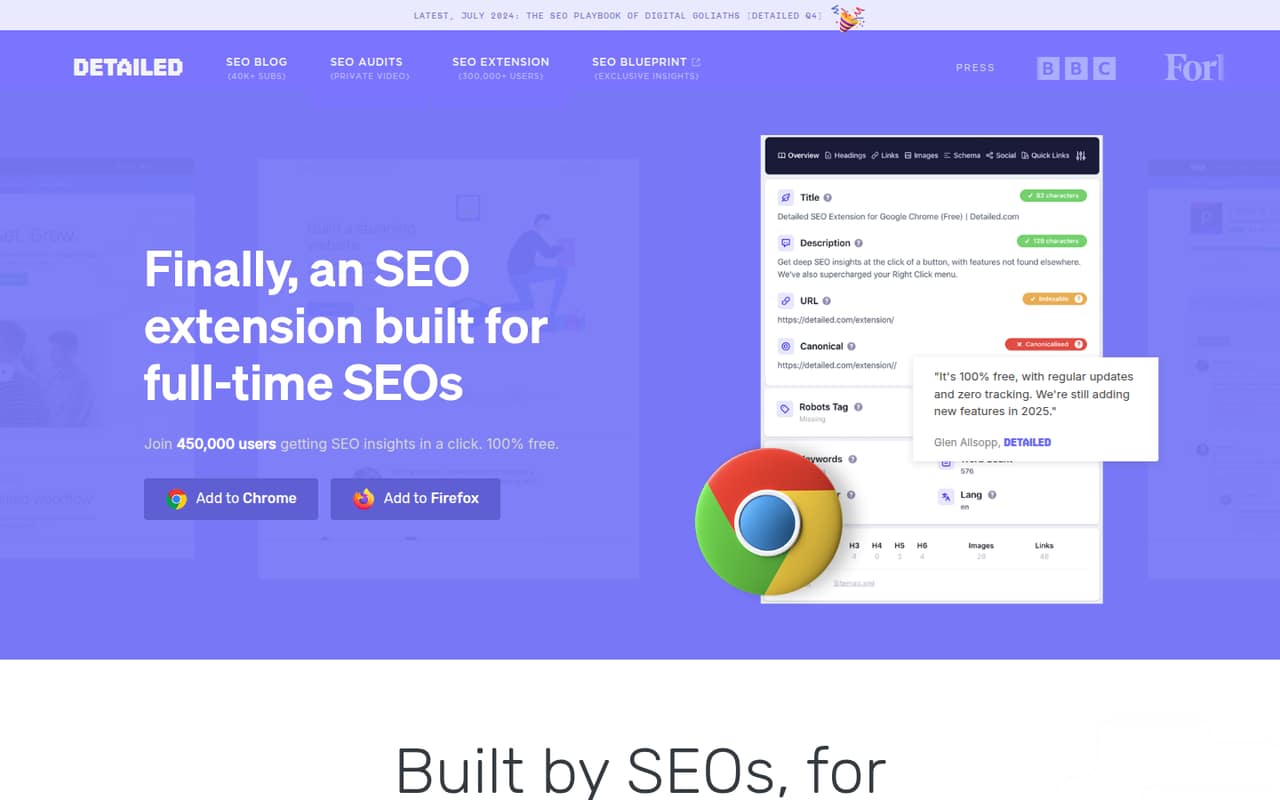
Detailed SEO Extension is a free browser add-on for checking page-level SEO details, from headings and schema to X-Robots headers and hreflang. For a small team, the strongest selling point is simple: there’s no listed subscription cost or feature limit.
It’s a focused checker, not an all-purpose SEO suite. The feature list covers useful on-page inspection and shortcuts to other tools, while pricing and support details beyond the free offer aren’t published.
Good fit if
- Small teams checking pages by hand
- Content teams reviewing headings and schema
- Budget-conscious SEO beginners
Skip it if
- Teams needing a full SEO platform
- People who need published support terms
- Teams using browsers beyond Chrome or Firefox
ScoresHow it rates
What works
- Free plan with no feature limits
- No tracking, per the pricing details
- Available for Chrome and Firefox
- Shows headings, schema, and X-Robots headers
- Includes shortcuts to major SEO tools
What doesn't
- No paid tiers or per-seat prices are listed
- Annual billing details aren't published
- Support terms aren't published
- Focused on page-level checks, not a full SEO workflow
- Limited to Chrome and Firefox
01Who Detailed SEO Extension is for
Detailed SEO Extension fits a solo marketer or a small team of roughly 1–10 people that wants quick page checks without adding a monthly software bill. It surfaces page-level SEO information in the browser, so a content editor or marketer can review a page without inspecting its source code.
The feature list covers headings, structured data, X-Robots HTTP headers, hreflang status codes and shortcuts to tools such as Ahrefs, Moz, Majestic and SEMrush. That makes it useful for routine checks while writing, editing or reviewing pages. It also extracts People Also Ask results from search results.
We’d treat it as a lightweight companion, not the center of an SEO operation. If your team mainly needs quick answers about a page, the free plan is a strong fit. If you need more than page-level inspection, check that the rest of your workflow is covered by other tools.
02Detailed SEO Extension free plan and trial
The pricing details list one plan: Free at $0 per month. It includes the extension’s features with no feature limits, no tracking, and access for Chrome and Firefox. The extension is described as free forever, so there’s no listed trial period or paid tier to graduate into.
That means a small team can use the listed page-inspection features without choosing a lower-priced plan or paying to unlock them. The plan’s stated scope includes page insights, heading overviews, schema markup, tool shortcuts, People Also Ask extraction and hreflang checks.
The vendor doesn’t publish a trial duration, because the listed offer is free rather than a time-limited trial. It also doesn’t list separate plan levels or feature caps.
03What a small team pays for Detailed SEO Extension
The pricing page lists the Free plan at $0 per month. On that listed price, one person costs $0 monthly; three people cost $0 monthly; and five people cost $0 monthly, assuming each person installs the free extension. There’s no paid seat price to multiply for these team sizes.
The equivalent annual cost at the listed $0 price is also $0 by arithmetic, but the vendor doesn’t publish annual billing or an annual plan. The pricing details don’t state a per-seat billing model, so think of this as a free extension each teammate can use, not a negotiated team subscription.
There are no add-ons listed. The pricing page also doesn’t list paid upgrades or extra feature charges. For budgeting, the main cost is the time your team spends checking pages and using any other SEO tools in its workflow; the extension itself has a listed starting price of $0.
04Getting started with Detailed SEO Extension
The first step is to install the extension for Chrome or Firefox. The vendor describes it as a way to view page-level SEO information without inspecting source code, so the basic workflow is to open a page and use the extension to review its details. A Reddit poster describes checking information with one click, though that’s an individual account rather than a setup guide.
The features should be familiar to anyone who works with page titles, headings, structured data or localized page references. The extension also provides shortcuts to Ahrefs, Moz, Majestic and SEMrush. Those shortcuts open the current page in the named tools; they don’t mean those services are included in the free plan.
The vendor doesn’t publish a setup-time estimate or detailed onboarding requirements. For a small team, the practical onboarding job is to install it in a supported browser and agree on when to use it during page reviews.
05When small teams outgrow Detailed SEO Extension
A team is more likely to outgrow the extension’s scope than its listed plan limits: the free offer has no feature limits, and no paid tiers or seat charges are listed. Its stated job is page-level SEO inspection. If your workflow also needs capabilities beyond the listed checks, such as a broader SEO platform, assess those needs separately rather than expecting this extension to cover them.
The Reddit discussion is generally positive but anecdotal. One poster calls it a daily time-saver, and another commenter says SEO professionals rotate between it and other extensions. Those comments point to a lightweight tool used alongside other products, not evidence that it replaces a larger SEO setup.
A Reddit post about the acquisition says the extension’s current tools and features remain free “for now.” That’s a reason to keep an eye on future announcements, not a listed price increase. Today, the pricing details still show a free plan.
From the threadsWhat users say
The Reddit mentions are mostly favorable: posters describe it as a free, useful tool for routine onsite checks, and one commenter includes it among extensions used regularly. These are individual anecdotes, not enough to establish broad sentiment about reliability or support.
One of the SEO tools I use probably 100 times a day is completely free, and it’s an absolute time-saver
most pros i know rotate between ahrefs toolbar, detailed seo, and keywords everywhere daily the rest are situational
All current tools and features of the Detailed SEO Extension remain free, and nothing is going behind a paywall for now
With just one click, you can instantly check:
Questions people ask
Is Detailed SEO Extension free?
Yes. The pricing details list a Free plan at $0 per month, with no feature limits and no tracking. The extension is described as free forever. The vendor does not publish a paid tier or a separate trial, so teams can start without a subscription rather than needing a trial conversion.
Is Detailed SEO Extension available for Chrome?
Yes. The pricing details list extensions for Chrome and Firefox. The feature set is designed to show page-level SEO information, including headings, schema markup, X-Robots HTTP headers and hreflang checks. The vendor’s pricing details don’t state browser version requirements, so check the extension listing before a team-wide rollout.
What does Detailed SEO Extension check on a page?
It shows page-level SEO elements, including X-Robots HTTP headers, heading tags, schema markup and hreflang references with status codes. It also provides shortcuts to Ahrefs, Moz, Majestic and SEMrush. The feature list describes these as inspection and navigation tools, rather than a full SEO reporting workflow.
Does Detailed SEO Extension charge per user?
The pricing details list the extension as free and don’t publish a per-seat price. At the listed $0 monthly price, one, three or five users have no extension subscription cost. The vendor doesn’t publish annual billing details, paid team plans or add-ons.
Does Detailed SEO Extension work in Firefox?
Yes. Firefox is one of the two browsers listed for the extension, alongside Chrome. The vendor describes the product as a browser extension for page-level SEO insights. Browser version requirements and organization-wide deployment instructions aren’t stated in the pricing details.
Sources
- Detailed SEO Extension homepage
- Detailed SEO Extension pricing, compiled via web search from prposting.com, detailed.com, hubgpt.fr
- Reddit: What are the 10 most used Chrome extensions for SEO in 2025?
- Reddit: The Best FREE Chrome Extension for Onsite SEO!
- Reddit: The Best FREE Chrome Extension for Onsite SEO!
- Reddit: Ahrefs acquired Detailed.com and the Detailed SEO Extension