
We may earn a commission if you buy through links on this page. It never changes a score or a ranking. How we make money
The bottom line
A $9 starting price and unlimited seats make Evaboot budget-friendly, but credits set the real limit.
A small team that already uses LinkedIn Sales Navigator may not need a separate lead tool. Evaboot combines lead exports, data cleaning, and professional email finding and verification, with Starter starting at $9 a month and no seat charge listed.
The catch is the monthly credit allowance: Starter includes 100, and each lead export uses one credit. Reddit discussion is mixed, with some people considering Evaboot simple and others questioning the contact data or flagging scraping risks.
Good fit if
- Small Sales Navigator prospecting teams
- Teams sharing a limited credit pool
- Lead exports with email discovery
Skip it if
- Teams needing a free plan
- High-volume teams on Starter
- Teams avoiding LinkedIn scraping risks
ScoresHow it rates
What works
- Starter costs $9 per month
- Unlimited seats and Sales Navigator accounts
- Email included when found on lead exports
- Includes an email verifier
- Supports recurring exports and automation access
What doesn't
- No free plan or trial is listed
- Starter has only 100 monthly credits
- Credits are shared across lead exports
- Annual billing is not listed
- Reddit users raise data and account-risk concerns
01Who Evaboot is for
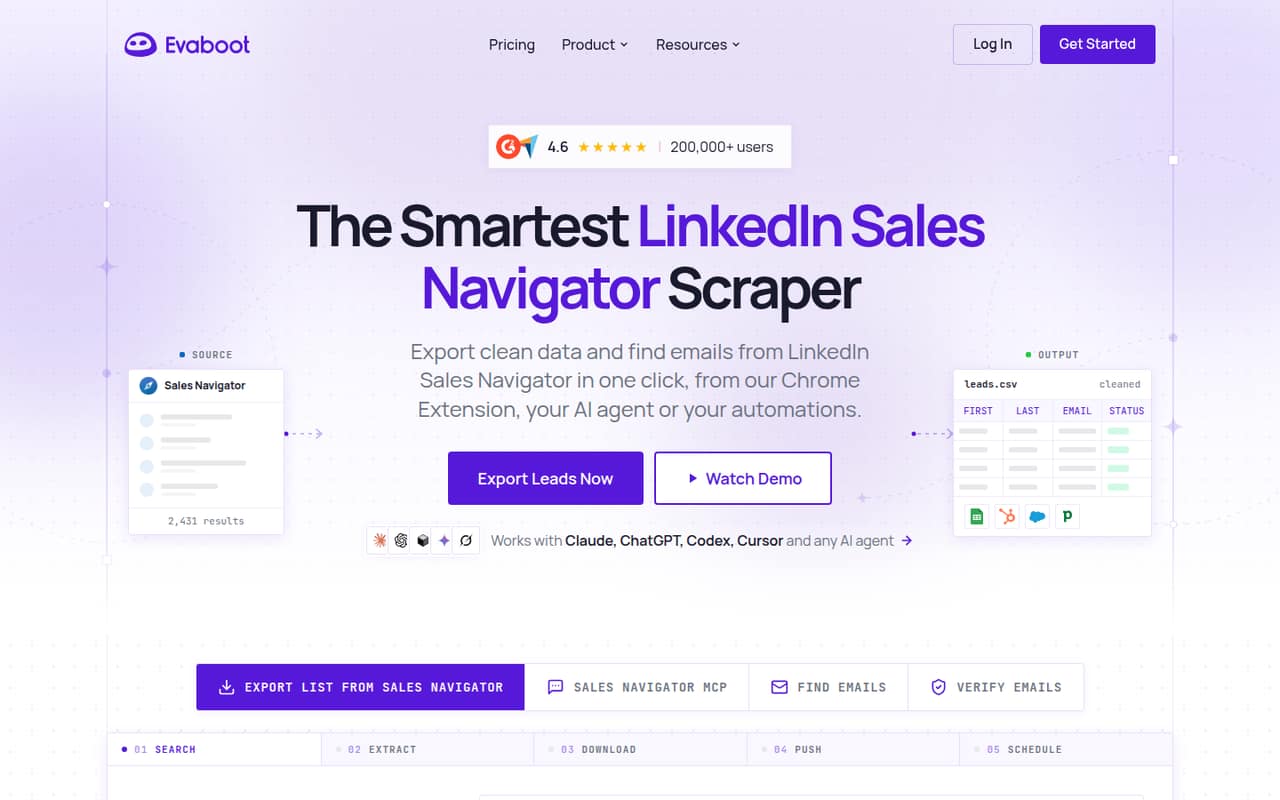
Evaboot fits a small sales team that already builds prospect lists in LinkedIn Sales Navigator and wants to export, clean, and enrich them without paying per seat. It can export lead and account lists, clean profile and company data, check results against search filters, and find and verify professional emails.
For a founder or one-person sales function, Starter’s $9 monthly price and 100 credits may be enough for a modest prospecting routine. A team of three or five can share the same plan because the pricing page lists unlimited seats, though they also share its credit allowance. Grow may suit a team exporting more leads each month. Evaboot also offers recurring exports and access through a Chrome extension, bulk uploads, Zapier, n8n, an API, and an AI agent. Teams that do not use Sales Navigator will get less from its core workflow.
02Evaboot free plan and trial
Evaboot does not list a free plan or free trial on its pricing page. There is no published free credit allowance or trial length to plan around, so a team should not count on testing the full workflow at no cost.
The cheapest way in is Starter at $9 per month. It includes 100 credits, unlimited seats and Sales Navigator accounts, plus Sales Navigator export, email finder, and verifier features. A lead export costs one credit, with an email included when found. That means a small team can share the monthly allowance, but each exported lead draws from it. If you need to check how a particular search, integration, or export behaves before paying, ask Evaboot whether it offers a demonstration or another evaluation option.
03What a small team pays for Evaboot
The pricing page lists monthly prices only: Starter is $9 for 100 credits, Grow is $29 for 400, and Scale starts at $49 for 1,000. Each plan lists unlimited seats, so one person, a team of three, or a team of five pays the same plan price if they stay within the same credit tier. On Starter, that works out to $9 per person for one seat, $3 each for three, or $1.80 each for five, before considering how the team uses its credits.
A three- or five-person team exporting more leads may need Grow: $29 total, or about $9.67 each for three and $5.80 each for five. Scale also lists 3,000 credits for $99, 6,000 for $149, and 15,000 for $299 monthly. One lead export uses one credit; an email is included when found. No add-ons or annual billing option are listed, so ask Evaboot about any extra costs or billing terms before committing.
04Getting started with Evaboot
The vendor lists several ways to use Evaboot: a Chrome extension, bulk uploads, recurring exports, Zapier, n8n, an API, and an AI agent. For a team starting with a Sales Navigator export, the extension is the most direct listed route; more involved automation options are there if the team needs them. Evaboot can also send leads to supported CRMs and sales tools, though the product details here do not name those services.
The vendor does not publish a setup-time estimate, so we would not budget a specific number of minutes or hours. A basic export looks like the simpler starting point; API or workflow automation will take more coordination than a single-user export. One Reddit thread described the tool as seeming simple to use, but that is not a substitute for a team-specific setup check. Before rollout, confirm your CRM is supported and decide who manages the shared credit pool.
05When small teams outgrow Evaboot
The first pressure point is volume, not seats. Starter’s 100 monthly credits can run out as a team exports more leads; Grow raises that allowance to 400 for $29, while Scale starts at 1,000 for $49 and has higher-volume tiers. Unlimited seats help avoid per-user charges, but every teammate drawing from the pool makes credit planning more important. Enterprise pricing is custom.
A second reason to reassess is confidence in data and the method. One Reddit commenter said they did not trust Evaboot to have enough contact information to justify paying; another warned that scraping Sales Navigator may violate LinkedIn’s terms and risk an account. Those are user reports, not a ruling on your specific use. If your team needs a larger contact database, a different source, or managed outreach, compare those options and check LinkedIn’s current terms before scaling up.
From the threadsWhat users say
Reddit discussion is mixed and too limited to treat as a clear consensus. Some users describe the tool as simple, while others question contact coverage or warn about scraping-related account risk.
This one seems pretty simple to use
Writing your own tool isn’t the most efficient way especially if you’re not into programming
I don’t trust that they have enough contact info yet worth paying for
scraping emails from Sales Navigator violates LinkedIn's ToS and they've been cracking down hard on this lately
Questions people ask
What does Evaboot do?
Evaboot exports lead and account lists from LinkedIn Sales Navigator, cleans profile and company data, and finds and verifies professional emails. It also offers recurring exports and access through a Chrome extension, bulk uploads, automation tools, an API, and an AI agent.
Does Evaboot include email finding?
Yes. The listed plans include an email finder and verifier. For lead exports, the pricing page says one credit is used per lead and an email is included when found. Evaboot can also find professional emails using a lead profile or a name and company website.
Does Evaboot charge per user?
The listed plans include unlimited seats and Sales Navigator accounts, so the published pricing is not per seat. The credit allowance is shared across the team’s exports, however. Starter costs $9 monthly for 100 credits; teams may need a higher tier if they export more.
Can Evaboot send leads to a CRM?
Evaboot says it can send leads to supported CRMs and sales tools. It also lists Zapier, n8n, an API, and MCP for AI agents. The product details do not name every supported CRM, so check with Evaboot before choosing a plan around a specific integration.
Is using Evaboot against LinkedIn's terms?
A Reddit commenter warns that scraping emails from Sales Navigator violates LinkedIn’s terms and may put accounts at risk. That is a user comment, not legal advice or a determination about your use. Check LinkedIn’s current terms and ask Evaboot how its workflow applies to your account before relying on it.
Sources
- Evaboot homepage
- Evaboot pricing page
- Reddit: How does everyone get emails off of LinkedIn? Tried evaboot or any other scrapers ?
- Reddit: Budget friendly suggestions for scraping emails from Sales Navigator
- Reddit: Has anyone used Evabot to extract contact information from LinkedIn sales navigator? Do you have a preferred one?