
We may earn a commission if you buy through links on this page. It never changes a score or a ranking. How we make money
The bottom line
Good for monitoring emerging topics; less compelling if you mainly need affordable SEO basics.
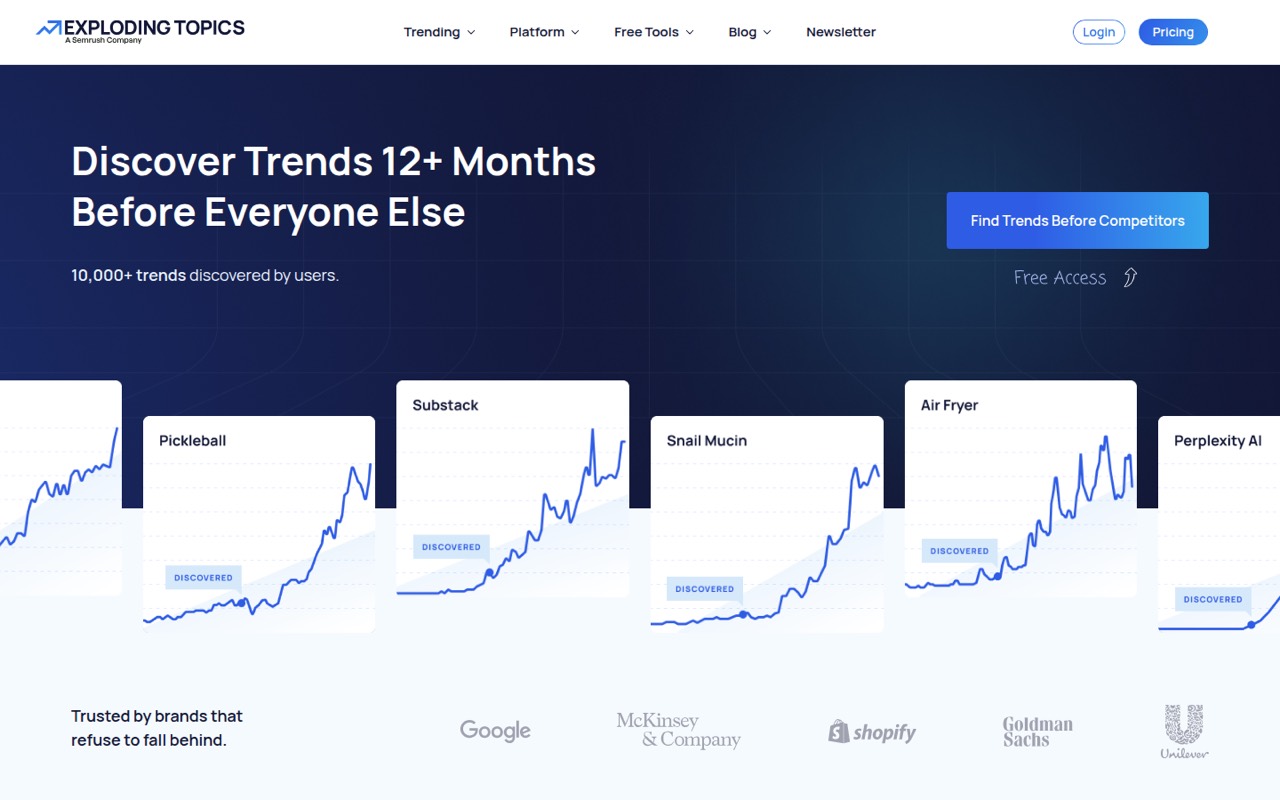
Exploding Topics tracks rising topics, products, startups, and keywords, with trend charts and tools such as Meta Trends and TikTok Insights. The vendor says it aims to spot trends 12 or more months before they peak, but a trend signal is not proof that a market will turn into sales.
There’s no free plan, though a 7-day trial and a free SEO toolset give you ways to explore. Paid plans start at $39 per month. For a small team, check whether the plan supports your intended number of users: the pricing page lists flat monthly rates, but not seat limits.
Good fit if
- Content teams planning topic calendars
- Founders researching emerging markets
- Marketers tracking product trends
Skip it if
- Teams that need a free trend plan
- Ecommerce teams needing regional data
- Buyers who need sales forecasts
ScoresHow it rates
What works
- Tracks trends, products, startups, and keywords
- Meta Trends groups related signals
- TikTok Insights covers emerging platform trends
- A 7-day trial is available
- Free SEO tools include keyword and backlink checks
What doesn't
- No free plan for the trend database
- Paid plans start at $39 monthly
- Seat limits are not listed
- Annual pricing is not listed
- Trend growth does not guarantee buyer demand
01Who Exploding Topics is for
Exploding Topics is for small teams that need a steady way to find topics worth researching, writing about, or building around. A founder can use it to scan emerging markets; a content marketer can look for subjects gaining interest; an ecommerce team can watch product trends. The database uses search-volume charts, while Trending Startups, Meta Trends, and TikTok Insights add other ways to spot activity.
For a team of 1–10, the fit depends on whether early trend signals are part of regular work. If you only need occasional keyword ideas, the $39 monthly entry plan may be hard to justify, especially with no free trend plan. If several people make content or product decisions from trend research, a shared subscription could make sense—but the pricing page doesn’t list seat limits, so confirm how team access works before budgeting.
02Exploding Topics free plan and trial
There’s no free plan for the trend database. The pricing page lists a 7-day free trial, but doesn’t specify in the listed plan details which features or usage limits apply during the trial. Check those terms before you start, particularly if you need to evaluate the database with several teammates.
The product also offers a free SEO toolset: keyword research, keyword difficulty, an SEO checker, a rank checker, and a backlink checker. The available details don’t state usage limits for those tools, so ask the vendor if you expect to use them heavily. For paid trend tracking, the cheapest listed plan is Entrepreneur at $39 per month. It includes 100 tracked trends and 10 trend analyses, plus the Trends Database, Trending Products, Meta Trends, and Channel Breakdown.
03What a small team pays for Exploding Topics
The pricing page lists flat monthly rates: Entrepreneur is $39, Investor is $99, and Business is $249. That’s the listed price for one account; the page doesn’t publish seat limits, so don’t assume the plan includes access for every teammate.
For a rough per-person comparison, dividing the Entrepreneur price by three gives $13 each per month, or $7.80 across five people. Investor works out to $33 each for three or $19.80 for five; Business is $83 each for three or $49.80 for five. Those are just the plan price divided by team size, not confirmed seat rates or a promise that those users can log in.
Entrepreneur covers 100 tracked trends and 10 analyses. Investor raises that to 500 and 100, and adds Trending Startups, Trend Forecasting, and CSV Export. Business includes 2,000 tracked trends, 500 analyses, and Trend Reports. Annual pricing and discounts aren’t listed, and the pricing page lists no add-ons.
04Getting started with Exploding Topics
The basic workflow is to search the trends database, inspect a topic’s search-volume chart, and decide whether it merits tracking or further analysis. The listed plans give different allowances for tracked trends and analyses, so a small team should agree on what to monitor before filling those quotas. Meta Trends and Channel Breakdown offer additional ways to organize or examine signals.
The pricing details don’t provide a setup-time estimate or list integrations for a small team’s day-one workflow. The product includes a Trends API, but the listed plan details don’t say which plan includes it or what setup requires. Ask the vendor about account sharing, API access, and any tools your team needs to connect. We can’t promise a particular learning curve or setup effort from the published plan information; a short trial is a practical chance to assess the interface and fit.
05When small teams outgrow Exploding Topics
The clearest upgrade trigger is hitting a plan’s tracking or analysis allowance. Entrepreneur includes 100 tracked trends and 10 analyses; Investor raises those limits to 500 and 100, while Business lists 2,000 tracked trends and 500 analyses. Investor and Business also add features such as Trending Startups, Trend Forecasting, and CSV Export. Business adds Trend Reports. The step from $39 to $99 or $249 per month is substantial for a small budget.
A growing team may also need confirmed multi-user access, regional coverage, or evidence that a rising topic converts into customers. The pricing details don’t state seat limits or regional filters, so ask the vendor before committing. In one Reddit thread, an ecommerce poster said the tool didn’t seem to cover the regions they needed. Another commenter questioned whether rising search volume translates into actual buyers. If those are core requirements, validate them during the trial rather than treating trend data as a demand forecast.
From the threadsWhat users say
Reddit comments show interest in the free tools and the idea of spotting trends early, alongside concerns about regional usefulness and whether rising interest leads to buyers. The discussion is limited, so it gives a few useful cautions rather than a clear consensus.
We did this with Exploding Topics to the point where the homepage is a free tool
but that doesn't seem to serve the regions/country we are at
I'd want proof the topics turn into actual buyers, not just keywords with rising volume
figuring out which trends will actually stick and which ones die quick
Questions people ask
Does Exploding Topics have a free plan?
There’s no free plan for the trend database. Exploding Topics lists a 7-day free trial, though the plan details don’t specify its feature or usage limits. The product also offers free SEO tools for keyword research, keyword difficulty, SEO checks, rank checks, and backlink checks; their usage limits aren’t stated in the available pricing details.
How much does Exploding Topics cost?
The pricing page lists Entrepreneur at $39 per month, Investor at $99 per month, and Business at $249 per month. These are flat monthly rates. A separate annual price or discount isn’t listed, and the plan details don’t state how many user seats each rate includes.
Which Exploding Topics plan should a small team choose?
Entrepreneur is the lowest-cost option, at $39 per month, with 100 tracked trends and 10 analyses. Investor costs $99 and includes 500 tracked trends and 100 analyses, plus Trending Startups and Trend Forecasting. For a team, confirm seat access with the vendor first because the listed pricing doesn’t publish seat limits.
What does Exploding Topics track?
The product tracks rising topics, products, startups, and keywords. Its listed features include search-volume charts, Trending Startups, Meta Trends, and TikTok Insights. The vendor says it aims to identify trends 12 or more months before they peak; that claim is about spotting interest early, not a guarantee that a trend will become a successful product.
Can Exploding Topics show trends by country or region?
Regional coverage isn’t specified in the listed plan details. One Reddit poster looking for ecommerce trends said Exploding Topics didn’t seem to serve the regions they needed. If country-specific coverage matters to your team, ask the vendor to confirm the exact markets and filters available before subscribing.
Sources
- Exploding Topics homepage
- Exploding Topics pricing page
- Reddit: I'm Brian Dean, founder of Backlinko and Exploding Topics. Backlinko had 5.8M visitors last year, thank to the SEO teachings I share there. AMA!
- Reddit: Tools that track trending products
- Reddit: I rebuilt my SAAS project 2.0 full upgrade... (ALTERNATIVE - EXPLODING TOPICS)
- Reddit: Is there a tool you wish existed that could make dropshipping easier?