
We may earn a commission if you buy through links on this page. It never changes a score or a ranking. How we make money
The bottom line
A strong free meeting assistant; budget for paid seats when you need shared tools or CRM syncing.
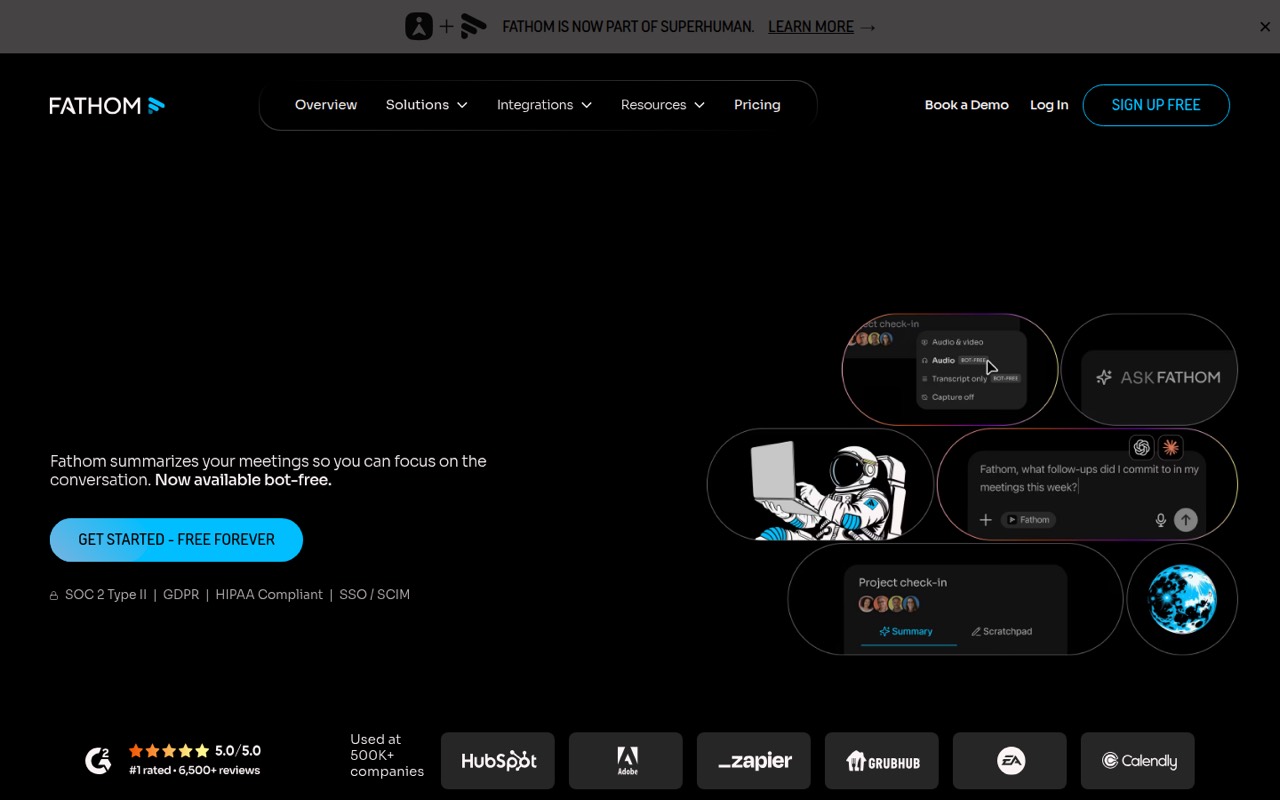
Small teams that want searchable meeting notes should give Fathom a look, especially because its Free plan lists unlimited recordings and transcriptions. It can capture with or without a bot, then create summaries and help teams find details in past conversations.
The free tier may be enough for individual use, but shared workspaces and CRM syncing cost extra. Reddit users praise the value and note quality, while some report setup friction and weaker integrations without a workaround.
Good fit if
- Teams tired of writing meeting notes
- Budget-conscious individual users
- Teams sharing calls and insights
Skip it if
- Teams needing CRM sync on a budget
- People who avoid installing software
- Teams seeking in-person recorder details
ScoresHow it rates
What works
- Free plan lists unlimited recordings and transcriptions
- Capture is available with or without a bot
- Free plan includes clips, playlists, and call search
- Team plan adds a shared workspace and comments
- Ask Fathom can surface insights across conversations
What doesn't
- Team plan has a two-user minimum
- AI-generated action items are listed on Premium
- CRM field sync starts on Business
- Launch Assist add-on price is not published
- A Reddit user reports install and local-admin friction
01Who Fathom is for
Fathom is for people who leave calls with a messy page of notes—or no notes at all. It records meetings, creates summaries and searchable transcripts, and can capture with or without a meeting bot. Action items and topic monitoring help teams keep track of decisions and follow-ups.
For a solo operator or a small team of up to 10, the Free plan is a low-risk starting point if individual summaries and call search are enough. The pricing page lists unlimited recordings and transcriptions at no charge. Teams that need shared folders, comments, trackers, or Ask Fathom will need Team, which has a two-user minimum. If your main need is meeting notes rather than CRM automation, that may be a reasonable trade. Business is the plan to consider when automatic CRM field sync and deal views matter; it costs more per seat.
02Fathom free plan and trial
Fathom's Free plan costs $0 and lists unlimited recordings and transcriptions, instant AI call summaries, bot-free or bot capture, and clips, playlists, and call search. For one person who wants meeting recaps and a way to revisit calls, that is a useful package without a trial countdown. The pricing page does not list a free-trial period.
The Free plan’s feature list does not include AI-generated action items, the conversational meeting assistant, or a shared workspace. Premium adds advanced summaries, action items, and the conversational assistant. Team adds shared folders and comments, trackers, and Ask Fathom, and requires at least two users. A Reddit commenter says the free version was more than adequate for their business, while another says paid may only be worthwhile if you need the advanced tools.
03What a small team pays for Fathom
For one person, Free costs $0. If you need Premium features, the pricing page lists $20 per user monthly or $16 per user per month with annual billing. That works out to $20 or $16 monthly for one seat; annual billing totals $192 for the year.
Team is the shared-workspace option and requires at least two users. At the listed $19 per user monthly rate, three seats cost $57 per month and five cost $95. With annual billing at $15 per user per month, the equivalent is $45 monthly for three seats or $75 for five—$540 or $900 billed for the year. The page advertises annual billing as saving 25% or more.
If you need automatic CRM field sync, Business is $34 per user monthly or $25 with annual billing. That is $102 or $75 monthly for three seats, before any add-ons. Launch Assist is listed as an add-on, but its price is not published. Enterprise is annual-only.
04Getting started with Fathom
The basic job is straightforward: capture a meeting, then use its summary, transcript, and search to find what matters. The pricing page lists both bot-based and bot-free capture, so a team can choose whether a bot joins its calls. It also lists clips and playlists on Free, with shared folders and comments on Team.
Plan a little time for setup across the team. One Reddit user says installing the software was needed to get through account setup; another reports that installation and local admin access were the biggest rollout pain until device management was in place. That is one team's account, not a universal requirement. The commenter says they documented a self-install flow.
If CRM connection is needed on day one, check whether your CRM is supported: a Reddit user says integrations can be limited outside supported CRMs and describes using Zapier for a workaround. Automatic CRM field sync is listed on Business.
05When small teams outgrow Fathom
The first reason to upgrade is usually a specific missing feature, not a recording limit: Free already lists unlimited recordings and transcripts. Premium adds AI-generated action items and a conversational meeting assistant. Team adds shared folders, comments, trackers, and Ask Fathom, but its two-seat minimum means a solo user cannot buy just one Team seat.
A growing team may hit the next price step when it wants CRM automation. Business adds automatic CRM field sync and Deal View, at $34 per user monthly or $25 per user per month with annual billing. The pricing page does not publish a minimum requirement for custom organization summaries, so ask Fathom before budgeting for that feature.
Reddit users report that the free version can be adequate when advanced tools are unnecessary. Others say integrations can be lacking without a supported CRM or a Zapier workaround, and one rollout report flags install and local-admin friction. Those are reasons to check your setup before a wider deployment.
From the threadsWhat users say
Reddit comments lean positive on Fathom's free plan and note quality, but mention integration gaps and some setup friction. Treat these as individual user reports, not a guarantee of how it will work for your team.
But I'm tight and get more for free with Fathom 😂
Notes quality is solid
integrations meh unless you wire Zapier
Biggest pain is install + local admin until MDM lands
Questions people ask
Is Fathom free?
Yes. The pricing page lists a Free plan at $0 per month with unlimited recordings and transcriptions, instant AI call summaries, bot-free or bot capture, clips, playlists, and call search. It does not list a free-trial period. Premium and Team add different advanced or shared features.
Does Fathom need a bot to record a meeting?
No. The pricing page lists bot-free or bot capture on Free, so a bot is not the only listed way to capture a meeting. The available plan details do not explain every platform or setup step, so check Fathom's current instructions for your meeting software before rollout.
Can Fathom create action items?
Yes. AI-generated action items are listed among Premium's features, along with advanced call summaries and a conversational meeting assistant. The Free plan's listed features do not include action items, so a team that needs them should compare Premium with the shared tools in Team.
Does Fathom integrate with a CRM?
Business lists automatic CRM field sync and Deal View for calls and summaries. A Reddit user says integrations can be limited without a supported CRM and describes using Zapier for a workaround. Check directly with Fathom that your CRM and required fields are supported before budgeting.
Is Fathom suitable for a small team?
It can suit a small team that wants call summaries and searchable transcripts without paying per seat, since Free lists unlimited recordings and transcriptions. Teams that need shared folders, comments, trackers, or Ask Fathom need Team, which has a two-user minimum.