
We may earn a commission if you buy through links on this page. It never changes a score or a ranking. How we make money
The bottom line
Gain brings client approvals and social publishing together, starting at $99 per month on annual billing.
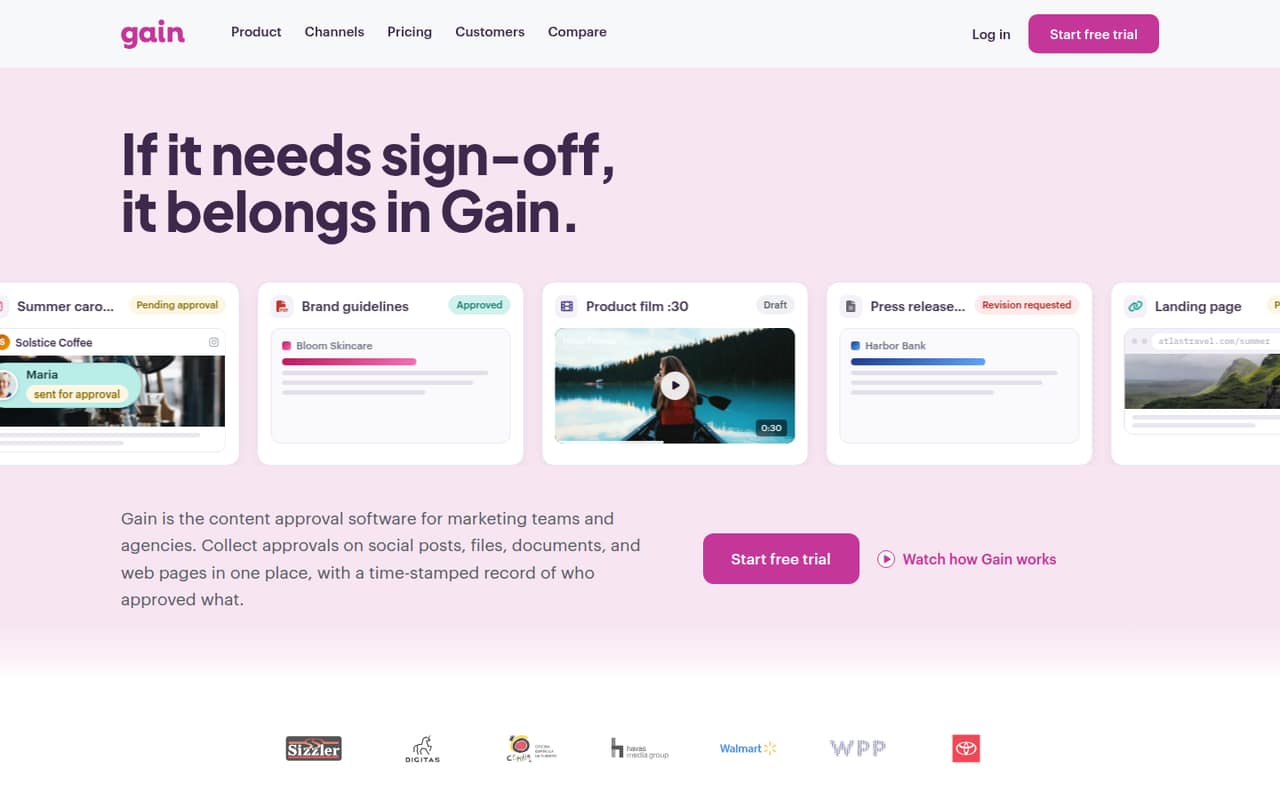
Gain is built for marketing teams and agencies that need clients to review social posts, files, documents, or web pages. It combines approval workflows, social scheduling and publishing, separate client workspaces, and a time-stamped decision history.
The catch for a small team is the entry price: Starter costs $99 per month when billed yearly, and there’s no free plan. That includes three team members, while monthly billing prices aren’t published.
Good fit if
- Agencies with several client brands
- Teams needing client approval records
- Social teams that publish often
Skip it if
- Solo users on a tight budget
- Teams wanting a free plan
- Teams needing published monthly pricing
ScoresHow it rates
What works
- Approvals cover posts, files, documents, and web pages
- Unlimited reviewers and approval workflows on Starter
- Social publishing covers nine platforms
- Separate workspaces help organize client work
- Time-stamped history records decisions and versions
What doesn't
- No free plan
- Starter costs $99 monthly when billed yearly
- Monthly billing prices aren't published
- Starter includes only three team members
- Names of the nine supported platforms aren't listed
01Who Gain is for
Gain is for marketing teams and agencies that collect approvals from clients or several internal reviewers. It keeps review steps, comments, change requests, and final decisions alongside the content, rather than spreading them across separate conversations. Teams can route social posts, files, documents, and web pages for approval, then schedule and publish approved social posts.
The smallest paid plan, Starter, is aimed at teams managing up to six brands. It costs $99 per month when billed yearly and includes three team members, six workspaces, unlimited reviewers, and unlimited approval workflows. That makes the price easier to justify for a small agency managing multiple clients than for a solo marketer or a team with only occasional approvals. If your job is simply to schedule social posts, the approval and client-workspace features may be more than you need.
02Gain free plan and trial
Gain doesn’t offer a free plan. The pricing page lists a 14-day free trial, but doesn’t specify trial seat limits or whether every paid feature is included. Check those details with Gain before you build a workflow around the trial.
The cheapest paid option is Starter, at $99 per month when billed yearly. It includes three team members, six workspaces, 15 GB of storage, unlimited reviewers and approval workflows, and unlimited social accounts and scheduled posts. There’s no published monthly-billing price, so a team that wants to pay month to month should ask Gain for a quote. For a one-person business, the trial is the only free way in; after it ends, the listed starting plan costs the same as it does for a three-person team.
03What a small team pays for Gain
Starter is $99 per month when billed yearly, or $1,188 for a year. It includes three team members, so the simple per-seat calculation is $33 per month per included seat. A one-person team still pays the full $99 monthly equivalent; the plan doesn’t have a one-seat price. A three-person team also pays $99 per month, or $1,188 yearly, and fills all three included seats.
A five-person team needs Agency, which includes six team members and costs $199 per month when billed yearly: $2,388 for the year. That works out to about $39.80 per included seat per month, or about $49.75 per actual seat for five people. The pricing page says annual billing saves 20%, but doesn’t publish monthly-billing prices. It lists no add-ons. Agency adds 12 workspaces and 100 GB of storage; Starter’s six workspaces and 15 GB are the lower limits to watch.
04Getting started with Gain
A small team will need to set up its client workspaces, decide who reviews each type of content, and configure approval steps and rounds. Then it can invite team members and reviewers, organize content by brand or campaign, and connect the social accounts it plans to publish from. Those steps follow the features Gain lists, but the vendor doesn’t publish a setup-time estimate here.
Gain’s feature list says social publishing covers nine platforms, but doesn’t name them. Confirm that your channels are supported before choosing the tool, and ask how connecting accounts works. The listed plan details don’t name other integrations either, so check whether Gain connects to the tools your team relies on. The workflow should be manageable if your team already knows who approves what; teams with messy review processes will need to agree on those rules before setup.
05When small teams outgrow Gain
The first clear upgrade trigger is needing more than three team members. Starter tops out at three, so even a four-person team has to move to Agency at $199 per month billed yearly. That plan includes six members and costs $100 more per month than Starter. A team managing more than six brands also exceeds Starter’s stated fit and may need Agency, which is aimed at up to 12 brands.
Storage and workspace limits can push an upgrade too: Starter includes 15 GB and six workspaces, compared with Agency’s 100 GB and 12. If your team grows beyond six seats or 12 brands, Agency Premium covers up to 20 members and 30 workspaces for $399 per month billed yearly. Enterprise offers custom members and workspaces, but pricing is custom. Teams that don’t need client approvals or publishing may also outgrow the product in the other direction: they could be paying for workflows they rarely use.
Questions people ask
Does Gain have a free plan?
No. Gain’s pricing lists a 14-day free trial, but no free plan. After the trial, the cheapest listed option is Starter at $99 per month when billed yearly. The vendor doesn’t publish a monthly-billing price, so ask Gain for that amount if you don’t want an annual commitment.
How much does Gain cost for a small team?
Starter costs $99 per month when billed yearly and includes three team members. That’s $1,188 per year. A five-person team needs Agency, listed at $199 per month when billed yearly, or $2,388 per year. Gain doesn’t publish monthly-billing prices.
How many social platforms does Gain support?
Gain says teams can approve, schedule, and auto-publish social posts across nine platforms. The platform names aren’t listed in the pricing and feature details here, so confirm that your channels are supported with Gain before subscribing.
Can clients review content in Gain?
Yes. Gain includes unlimited reviewers and approval workflows on Starter. Teams can collect approvals on social posts, files, documents, and web pages, and use separate workspaces for client calendars, channels, folders, and approval flows.
What does Gain keep in its approval history?
Gain tracks time-stamped comments, change requests, approvals, and versions. That gives teams a record of review decisions as content moves through an approval workflow. The listed feature details don’t specify how long that history is retained.