
We may earn a commission if you buy through links on this page. It never changes a score or a ranking. How we make money
The bottom line
A strong free secrets scanner; get a quote before depending on paid workflows.
GitGuardian helps find exposed credentials across code and other developer tools, with a free Starter plan for up to 25 developers. That makes it worth considering for a small team that needs secrets monitoring without adding a bill.
The catch is that paid prices aren’t published. Teams that need remediation playbooks, endpoint protection, or broader governance should ask for a quote before building those features into their security process.
Good fit if
- Small teams scanning code for secrets
- Teams wanting a free starting point
- Security owners managing machine identities
Skip it if
- Teams needing predictable paid pricing
- Teams wanting published setup times
- Organizations needing broad public monitoring on Starter
ScoresHow it rates
What works
- Starter costs $0 per month
- Starter covers up to 25 developers
- Unlimited real-time scanning on Starter
- Scans code and collaboration tools
- ggshield supports several developer workflows
What doesn't
- Paid-plan prices are not published
- Endpoint protection is an add-on
- Endpoint rates are not published
- Starter historical detections cap at 500
- Public monitoring limits vary by plan
01Who GitGuardian is for
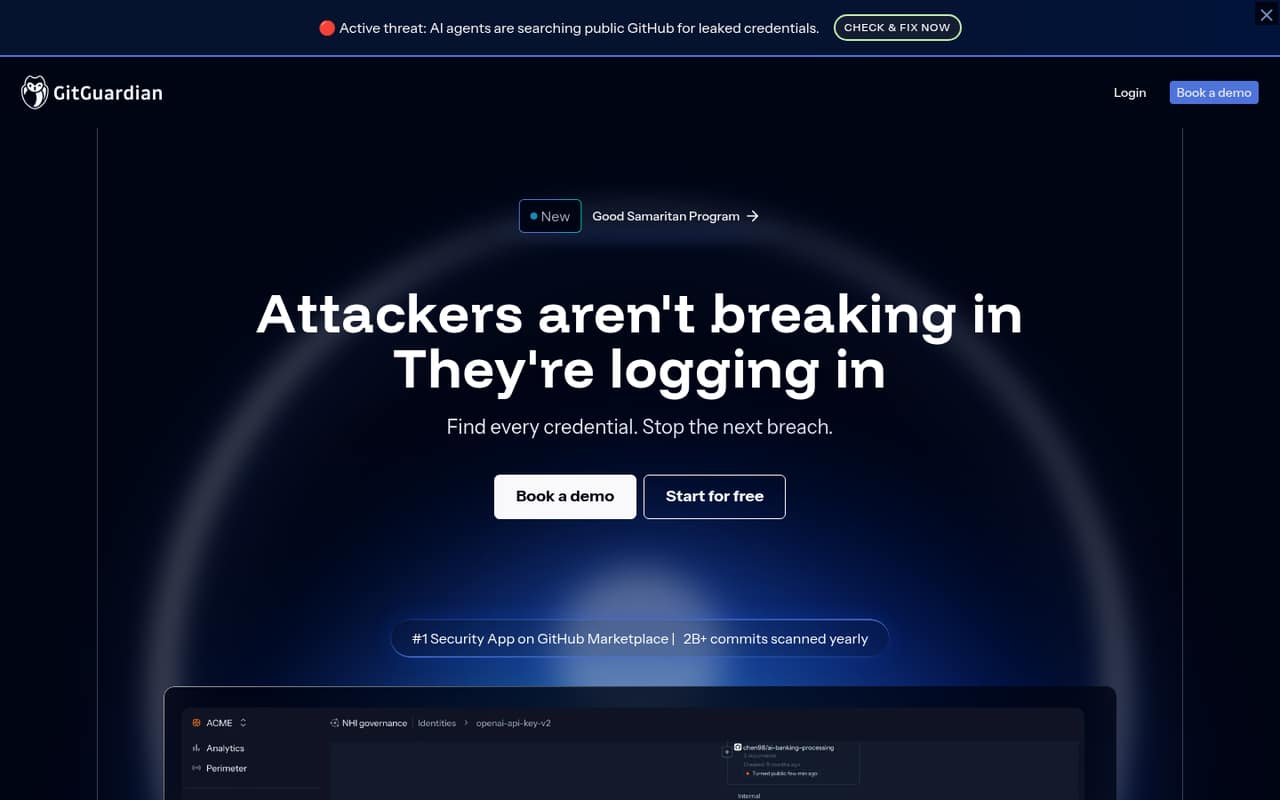
GitGuardian is for teams that need to find exposed credentials before they turn into a security incident. It monitors code, CI/CD, container registries, collaboration tools, public GitHub, and developer machines. It also helps teams track non-human identities such as service accounts, API keys, and AI agents.
For a team of 1–10 people, Starter is the natural first stop: the pricing page lists it at $0 per month for up to 25 developers. That gives a small team room to scan without paying for unused seats. The fit changes if you need remediation playbooks, endpoint protection, or more advanced public monitoring; those features sit on paid plans or add-ons, and their prices aren’t published. GitGuardian is most relevant when a leaked key could put customer data or production systems at risk. If your main need is a simple secret check in a small repository, start with the free plan and confirm which sources it covers for your setup.
02GitGuardian free plan and trial
The free Starter plan costs $0 per month and covers up to 25 developers. The pricing page lists unlimited real-time scanning, up to 500 historical scan detections, 10,000 API calls per month, and 1 GB of repository scanning capacity. A separate free trial isn’t listed.
That’s a solid entry point for a small team scanning its repositories, but it has boundaries: historical detections and repository capacity are capped, and the listed Starter features don’t include remediation playbooks or endpoint protection. Limited public secrets monitoring appears on Growth, not in the Starter plan details. If you need those capabilities, ask GitGuardian which paid tier fits and what it will cost. Paid plans show contact sales rather than a published price.
03What a small team pays for GitGuardian
For one person, three people, or five people, Starter is listed at $0 per month and supports up to 25 developers. That makes the direct seat cost $0 for each of those team sizes, as long as Starter’s limits meet your needs. The pricing page doesn’t describe Starter as an annual plan, and there’s no annual price to compare.
There’s no published per-seat price for paid plans, so we can’t calculate a monthly or annual total for a team of three or five. Teams (Business) and Growth both show contact sales; Custom (Enterprise) is also quote-based. Teams (Business) adds remediation playbooks, while endpoint protection is an add-on. Endpoint Protection is priced per endpoint per year, but rates aren’t published; the pricing page says standard endpoints cost less than developer endpoints. Premium Care is another add-on with no published price. Ask for the plan quote and any endpoint or care fees together.
04Getting started with GitGuardian
The listed coverage spans code, CI/CD, container registries, collaboration tools, public GitHub, and developer machines, so first decide which sources matter to your team. For a small team, starting with repository scanning and adding developer guardrails later is a reasonable way to keep the initial rollout focused. The feature list says ggshield supports pre-commit, pre-push, IDE, and AI coding workflows.
GitGuardian doesn’t publish a setup-time estimate in its pricing details, and the available information doesn’t specify the exact connection steps or a day-one integration checklist. We’d confirm the required permissions, supported services, and repository capacity with the vendor before rollout. The learning curve will also depend on whether you only want detections or plan to configure incident enrichment, routing, and remediation playbooks. Start with the source you most need to protect, then check whether Starter’s 1 GB repository scanning capacity is enough.
05When small teams outgrow GitGuardian
Starter may stop being enough when you exceed its 1 GB repository scanning capacity or 500 historical scan detections, or when you need remediation playbooks and endpoint protection. Teams (Business) lists playbooks and scans up to 12 GB of repositories; Growth lists scans up to 12 GB, up to 10 teams, limited public secrets monitoring, and SSO with SAML 2.0 and SCIM. Custom (Enterprise) lists up to 60 GB, unlimited teams, and custom detectors. Paid prices aren’t published, so budget for a sales quote rather than assuming a per-seat rate.
A Reddit thread about accidentally pushing API keys focuses on rotating exposed credentials and, if needed, rewriting repository history. It is not a review of GitGuardian, but it’s a useful reminder that detection alone doesn’t undo a leak. As your team grows, check whether the plan’s scanning limits, response workflows, and add-on costs match the way you handle incidents.
From the threadsWhat users say
The Reddit discussion is practical about what to do after a key is exposed, but it doesn’t review GitGuardian itself. Treat it as advice on leak response, not evidence about product satisfaction.
If they're in the history, assume they're exposed, so simply rotate them
There are bots out there scanning public repos for keys and other secrets
Yes, rotating is way easier than rewriting the repository's history (which sounds really complicated)
The BFG repo cleaner ( https://rtyley.github.io/bfg-repo-cleaner/ ) provides a fairly accessible way of doing it
Questions people ask
What does GitGuardian do?
GitGuardian looks for exposed credentials across code, CI/CD, container registries, collaboration tools, public GitHub, and developer machines. It also offers incident investigation and remediation workflows, plus governance features for non-human identities such as service accounts and API keys.
Is GitGuardian free?
Yes. The pricing page lists Starter at $0 per month for up to 25 developers. It includes unlimited real-time scanning, up to 500 historical scan detections, 10,000 API calls per month, and 1 GB of repository scanning capacity. Paid plans show contact sales.
How much does GitGuardian cost for a small team?
Starter costs $0 per month for teams of one, three, or five developers, within its 25-developer limit. Prices for Teams (Business), Growth, and Custom (Enterprise) aren’t published. Ask GitGuardian for a quote that includes any endpoint protection or other add-ons you need.
Does GitGuardian Starter monitor public GitHub?
The product monitors public GitHub for exposed credentials, but the pricing details list limited public secrets monitoring under Growth, not Starter. Ask GitGuardian to confirm which public monitoring features are included with the plan you’re considering.
What should I do if a secret is exposed?
A Reddit thread advises treating a key in repository history as exposed and rotating it. Rewriting history may also be relevant, but it doesn’t replace rotating a compromised credential. GitGuardian offers detection and remediation workflows; follow your team’s incident process for the affected key.