
We may earn a commission if you buy through links on this page. It never changes a score or a ranking. How we make money
The bottom line
Promising managed IT coverage, but the published prices look like ERP licensing and need verification.
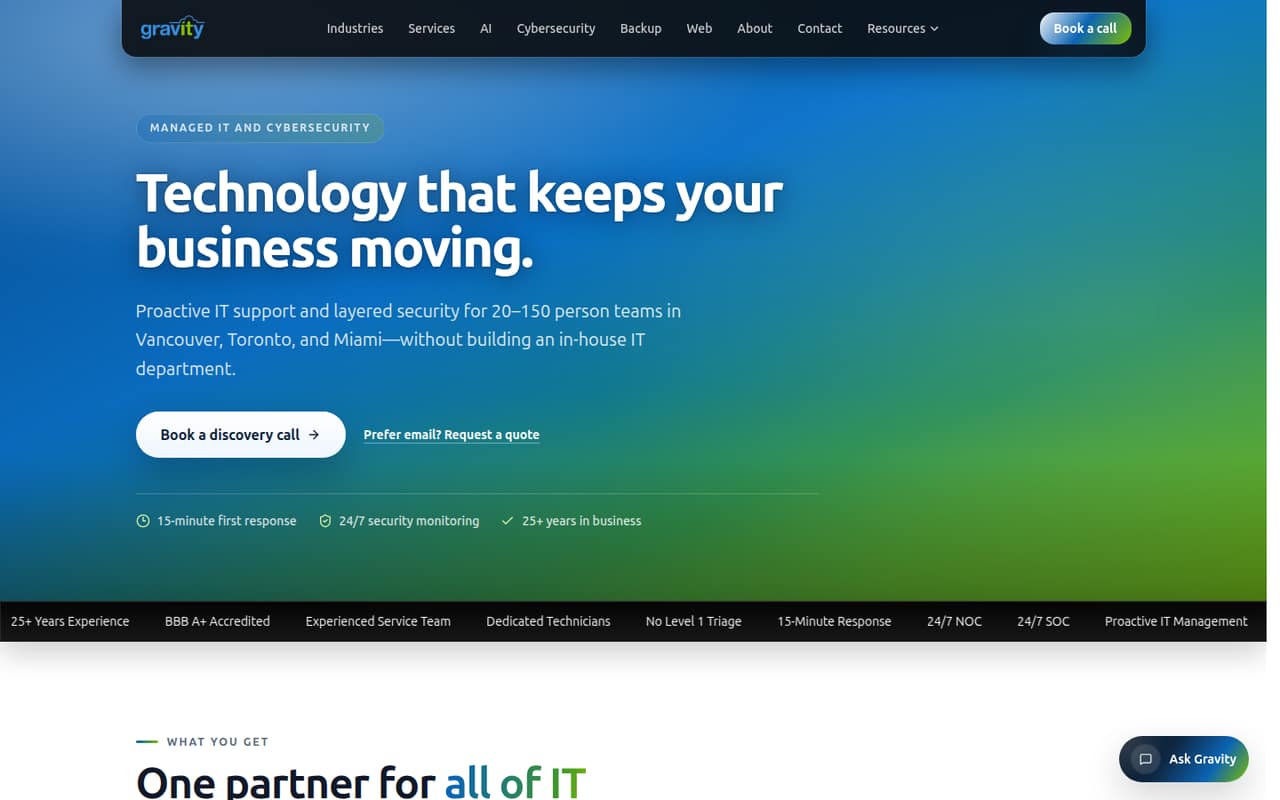
Gravity describes a managed IT service for 20–150-person teams, covering helpdesk, cybersecurity, device management, backups, AI automation and web services. That range could suit a team that wants one provider for several IT needs.
The pricing information lists annual-contract, per-user plans and ERP-style modules—not an obvious managed IT quote. We would confirm which prices apply before comparing Gravity with other providers or setting a budget.
Good fit if
- 20–150-person teams
- Teams consolidating IT and security
- Businesses needing backup and helpdesk
Skip it if
- Teams needing a free plan
- Buyers requiring clear service pricing
- Solo businesses or tiny teams
ScoresHow it rates
What works
- Helpdesk includes unlimited support
- Lists a 15-minute first-response SLA
- Combines security, device management and backup
- Offers AI automation and Copilot training
- Serves teams of 20–150 people
What doesn't
- No free plan or trial is listed
- Annual contract is required for listed subscriptions
- Pricing appears to describe ERP licensing
- Managed IT service rates are unclear
- Setup steps and supported integrations aren't published
01Who Gravity Software is for
Gravity describes its managed IT service for teams of 20–150 people in Vancouver, Toronto and Miami. It is aimed at companies that want helpdesk support, cybersecurity, device management and backup from one provider, rather than piecing those services together themselves.
The service covers 24/7 security monitoring, email filtering, phishing testing, device monitoring, patch automation, hardware tracking, cloud and on-premises backup, and recovery planning. It also offers AI automation, internal chatbots, business intelligence dashboards, Copilot training, and web services. That is a wide scope for a growing team without a large in-house IT department.
The budget fit is harder to judge. The listed prices use per-user ERP-style plans and modules, which do not clearly match managed IT services. Before treating any figure as your IT bill, ask Gravity for a quote that spells out covered users, devices, response terms and add-on charges.
02Gravity Software free plan and trial
The pricing information lists no free plan and no free trial. That means a small team should not expect to use Gravity’s managed IT service at no cost before committing. The listed subscriptions also require an annual contract, so ask about the term and cancellation conditions before signing.
The lowest listed price is the Nonprofit plan: $210 per user per month, with each additional user at $135 per month. That plan is specifically for nonprofit organizations. For other teams, the listed Starter plan begins at $375 per month for the first user, then $275 per additional user. These figures look like ERP licensing rather than managed IT service rates, so confirm they apply to the service you need. Ask Gravity for a written quote and a clear description of what it includes.
03What a small team pays for Gravity Software
The listed Starter price is $375 per month for the first user, plus $275 for each additional user. That works out to $925 per month for three people and $1,475 for five. Under the required annual contract, those totals are $11,100 and $17,700 per year, respectively, based on the listed monthly rates.
For nonprofits, the listed rate is $210 for the first user and $135 per additional user: $480 per month for three, or $750 for five. The Power Apps User plan lists $355 for the first user and $255 per additional user. Monthly billing is not published.
Several listed add-ons carry extra charges: Requisition Management is $200 per month for up to 100 users, while Revenue Recognition, Subscription Billing and Fixed Assets are each $100 per month. Transaction fees and other add-ons may also apply. These plan names and modules read like ERP pricing, so verify whether they apply to Gravity’s managed IT service before using these totals as your budget.
04Getting started with Gravity Software
Gravity lists onboarding assistance as part of its helpdesk offering, along with unlimited support and a 15-minute first-response SLA. That response target is not a promise that every issue will be resolved within 15 minutes. The service also covers device monitoring, patch automation, backup and recovery planning, so onboarding will likely need to account for the devices and systems the provider is responsible for.
The vendor does not publish setup timelines, required access, migration steps or a list of supported integrations in the available service details. It also does not explain how its AI automation or internal chatbot projects are scoped. Before signing, ask who handles device enrollment, email and identity setup, backup testing, and staff training—and whether those tasks cost extra. The range of services is clear; the practical onboarding workload is not.
05When small teams outgrow Gravity Software
Gravity positions its managed IT service for 20–150-person teams, so companies below that range may find the offering broader than they need, while teams above it should confirm whether coverage still fits. The service description does not publish user, device, storage or support limits, so there is no clear threshold at which a customer must upgrade.
The bigger pressure point is budget clarity. The listed per-user prices rise with each additional seat, but they appear tied to ERP-style licensing, not clearly to managed IT. Add-ons can increase the bill, and overage costs are not published. Ask for a quote that separates recurring service fees, project work, licenses and usage charges.
A growing team should also check whether the provider can support its locations, systems and security requirements as they change. If Gravity cannot give clear service boundaries and scaling costs in writing, compare providers that publish those terms before expanding the contract.
Questions people ask
What does Gravity Software do?
Gravity describes managed IT and cybersecurity for 20–150-person teams in Vancouver, Toronto and Miami. Its services include helpdesk support, device management, backup and disaster recovery, AI automation, and web services such as hosting, domains, DNS and SSL.
Does Gravity Software have a free plan or trial?
No free plan or free trial is listed. The listed subscriptions require an annual contract. Ask Gravity whether it offers a paid assessment or another way to review the service before committing, and confirm the contract term and cancellation conditions.
How much does Gravity Software cost for a small team?
The listed Starter rate is $375 per month for the first user and $275 per additional user: $925 monthly for three users or $1,475 for five. The subscriptions require an annual contract. These figures appear to describe ERP-style licensing, so confirm they apply to managed IT.
What support does Gravity Software include?
Gravity lists unlimited helpdesk support, onboarding assistance and a 15-minute first-response SLA. It also describes 24/7 SOC coverage for cybersecurity and 24/7 device monitoring. Ask whether the response target applies to every support request and what resolution or after-hours terms are included.
How long does Gravity Software setup take?
The vendor does not publish a setup timeline or detailed onboarding steps. Gravity lists onboarding assistance, but teams should ask who handles device enrollment, email and identity setup, backup planning, staff training and any migrations, along with whether those tasks carry separate fees.