
We may earn a commission if you buy through links on this page. It never changes a score or a ranking. How we make money
The bottom line
Good campaign-page tools, but no free plan and a $79/month annual starting price make it a stretch for many small teams.
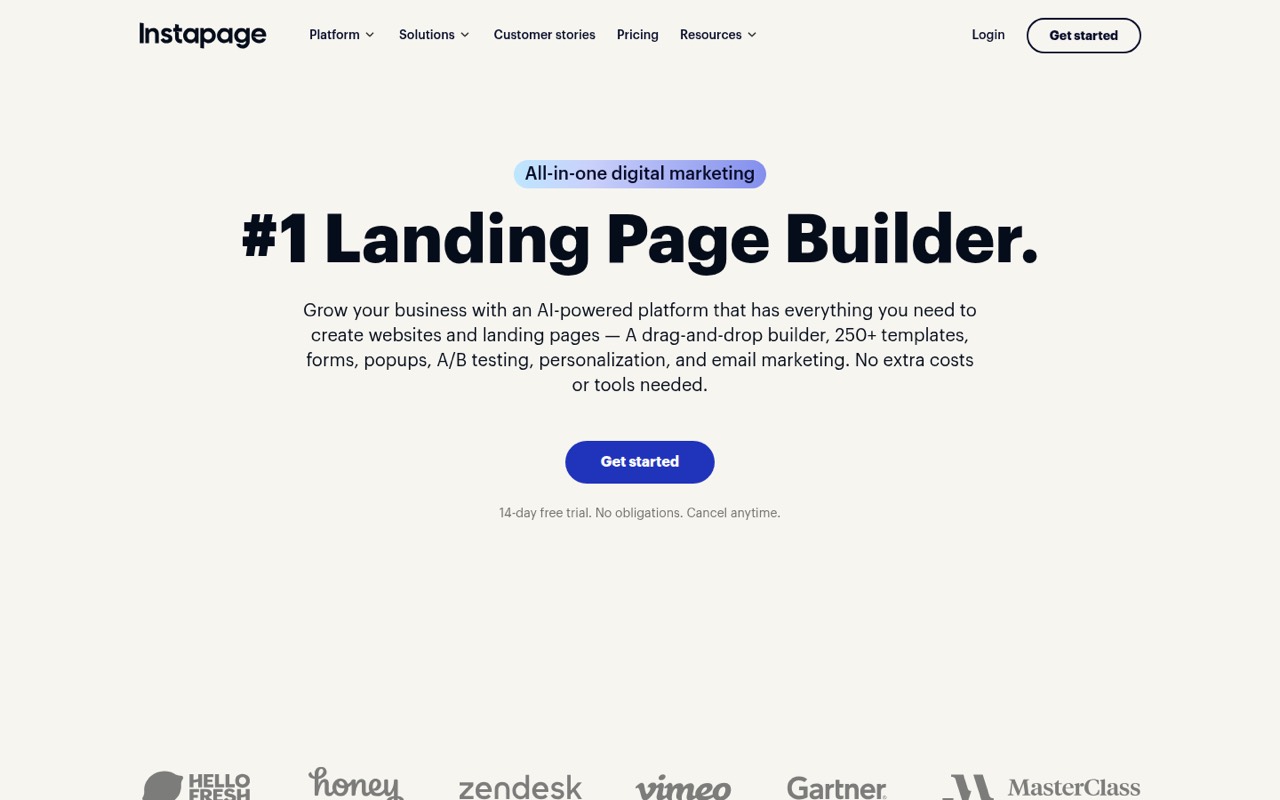
Instapage brings a drag-and-drop page builder, AI writing tools, ad-to-page matching, testing, analytics, and reusable blocks into one platform. That can suit a team running enough campaigns to make page experiments worthwhile.
The pricing page lists Create at $79 per month with annual billing or $99 month to month. There’s no free plan, and every listed paid plan includes up to 10 team members, so a one-person team pays the same base price as a team of five.
Good fit if
- Teams running paid campaigns
- Marketers testing page variations
- Agencies managing campaign pages
Skip it if
- Teams needing a free landing-page tool
- One-off pages on a tight budget
- Teams needing more than 10 seats
ScoresHow it rates
What works
- Drag-and-drop builder with custom-code options
- AI can draft copy and page variations
- AdMap connects ads with relevant landing pages
- Create includes unlimited published pages and conversions
- Global Blocks can update across pages
What doesn't
- No free plan
- Create starts at $79/month with annual billing
- Create and Optimize include only 10 team members
- Create caps traffic at 15,000 unique monthly visitors
- Convert pricing is custom
01Who Instapage is for
Instapage makes the most sense for a marketing team, agency, or small business running recurring campaigns and needing dedicated landing pages. The builder creates responsive pages, while AdMap links campaign ads and ad groups to relevant pages. AI tools can draft headlines, copy, calls to action, and page variations; testing and analytics help teams compare results.
For a team of one to 10, the main budget question is whether those campaign workflows justify a fixed subscription. The Create plan includes 10 team members, 15,000 unique monthly visitors, two subdomains, and 15 pages per Collection. A small team can share that allowance, but a solo founder pays the same base price as a five-person team. If you only need an occasional page or don’t plan to test campaigns, a lower-cost page builder may be a better fit. Instapage is aimed at teams that will use its campaign, experimentation, and personalization tools regularly.
02Instapage free plan and trial
Instapage has no free plan, according to the pricing details. It offers a 14-day free trial, but the trial’s visitor allowance, seat limit, and feature restrictions aren’t published in those details. Confirm those points before relying on the trial for a live campaign.
The cheapest listed paid option is Create: $99 per month with monthly billing, or $79 per month with annual billing. Create includes 15,000 unique monthly visitors, 10 team members, two subdomains, and 15 pages per Collection, along with unlimited published pages, conversions, and contacts. The trial is a way to evaluate the product before paying, not a lasting free tier for a small team. If you need to keep publishing after the trial, budget for Create or ask Instapage whether your use case qualifies for a different arrangement.
03What a small team pays for Instapage
The pricing page lists Create at $99 per month with monthly billing or $79 per month with annual billing. That’s the same subscription for one person, three people, or five: the plan includes up to 10 team members, with no lower per-seat price listed. Split among three people, that works out to $33 each monthly or about $26.33 each at the annual rate. For five, it’s $19.80 each monthly or $15.80 each at the annual rate. Annual billing totals $948 for Create, versus $1,188 across 12 monthly payments.
Optimize costs $199 monthly or $159 per month with annual billing. It includes 30,000 unique monthly visitors and server-side A/B testing; the pricing page also lists 50,000- and 100,000-visitor tiers without prices here. Convert has custom pricing and limits. The pricing page says annual billing saves up to 20%. No add-ons are listed, and additional seat pricing beyond the included 10 isn’t published. Ask Instapage for a quote if you need more seats or a custom visitor allowance.
04Getting started with Instapage
A small team can start by choosing a template or building a page, then adding copy, calls to action, and any custom code it needs. Instapage’s drag-and-drop builder and reusable blocks are intended to make page creation and repeat edits manageable. Connecting a campaign to the right page, setting up a subdomain, and deciding what conversion to track will still take planning.
The feature list includes analytics, heatmaps, AdMap, and A/B testing, so teams should decide which of those they’ll use before launch rather than treating page design as the whole setup. A Reddit post describes Instapage as integrating with over 120 marketing tools, but a team should verify that its specific ad, analytics, and email or CRM connections are supported. The pricing details don’t spell out setup steps or trial limits. Confirm those details, along with any custom-code needs, before moving a live campaign.
05When small teams outgrow Instapage
Create’s first ceiling is 15,000 unique monthly visitors. A team needing more traffic may look at Optimize, which lists 30,000 visitors and server-side A/B testing; the pricing page also lists 50,000- and 100,000-visitor tiers. Create also includes two subdomains and 15 pages per Collection. Teams that need more than 10 members will need to ask about Convert, which has custom seat and visitor limits and custom pricing.
A different kind of growing pain is the subscription itself. One Reddit thread calls Instapage too pricey, and a commenter on r/OnlineGrowthPlaybook describes it as too expensive for anyone who isn’t a PPC whale. Those are individual opinions, not a pricing comparison, but they underline the risk for budget-conscious teams: you pay a fixed plan price even if you don’t use all the seats. If you only need simple pages, or campaign testing isn’t part of your workflow, reassess the cost before upgrading.
From the threadsWhat users say
The Reddit comments we found are mostly negative about Instapage’s price, with one commenter favoring another landing-page tool. A separate comment supports the general convenience of landing-page tools, but that isn’t a direct review of Instapage.
Instapage is way too pricey!
Instapage is way toooo expensive for anyone that isn’t a PPC whale
I've used Unbounced and Instapage. Prefer Unbounced more
Why make your life harder? Use a landing page tool, it hire out custom landers you can easily duplicate and edit
Questions people ask
Does Instapage have a free plan?
No. The pricing details list no free plan, but Instapage offers a 14-day free trial. The trial’s visitor, seat, and feature limits aren’t published in the pricing details, so confirm them with Instapage before you start.
How much does Instapage cost for a small team?
Create costs $99 per month with monthly billing or $79 per month with annual billing. It includes up to 10 team members, so the base price is the same for one person or a team of five. Optimize costs $199 monthly or $159 with annual billing.
What is the difference between Create and Optimize?
Create lists 15,000 unique monthly visitors, two subdomains, and 15 pages per Collection. Optimize lists 30,000 visitors and server-side A/B testing. Both plans include 10 team members and unlimited published pages, conversions, and contacts.
Can I run A/B tests with Instapage?
The feature list includes A/B testing, and the Optimize plan specifically lists server-side A/B testing. Create’s pricing details don’t specify a testing allowance. Check with Instapage if A/B testing is essential to your workflow or plan choice.
What happens when my team needs more than 10 seats?
Create and Optimize each list 10 team members. Convert offers a custom team-member limit and custom pricing, so ask Instapage for a quote if your team needs more seats. The pricing details don’t publish the cost of adding seats to the other plans.