
We may earn a commission if you buy through links on this page. It never changes a score or a ranking. How we make money
The bottom line
Worth exploring for lead work; verify the workflow fit and credit costs first.
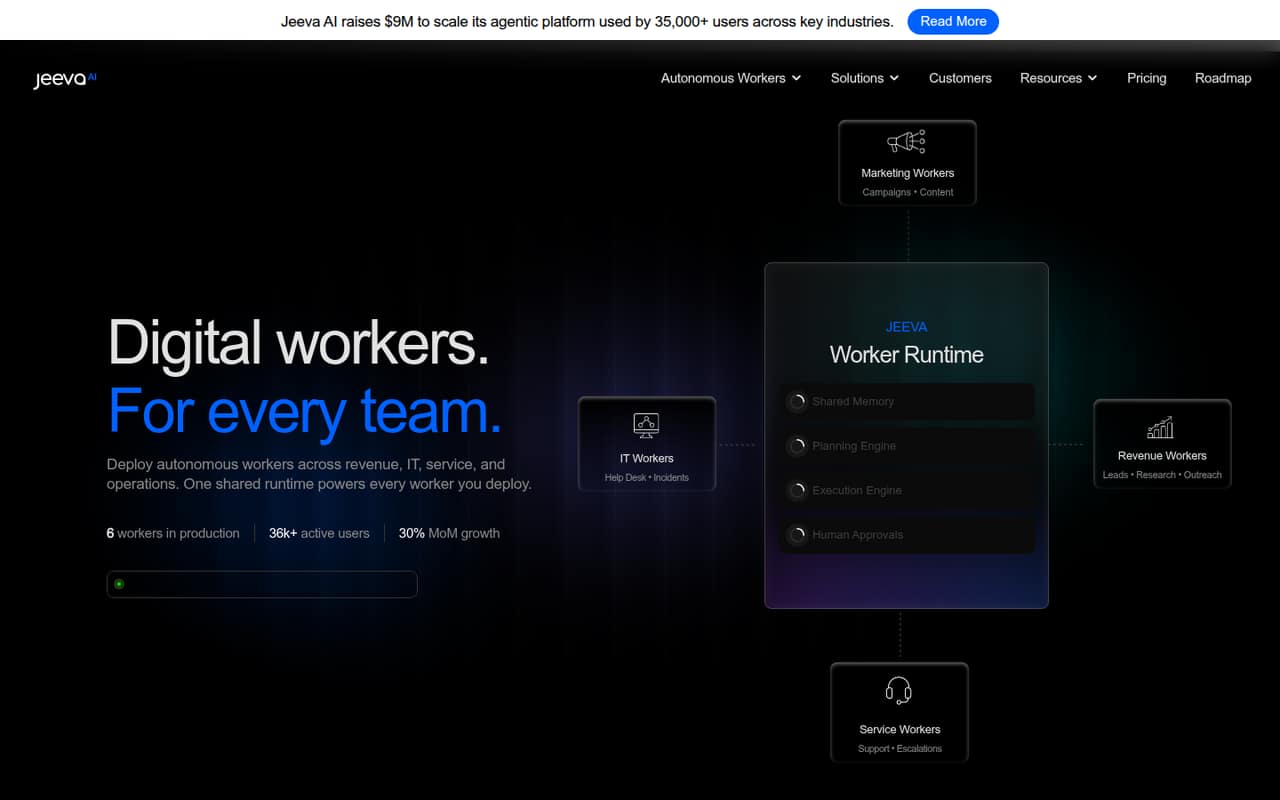
Jeeva AI describes autonomous digital workers that can plan tasks, retain context, and act across connected systems, with human approval for sensitive actions. That could suit a small team trying to automate routine work without adding headcount.
The free plan includes one seat and monthly email and phone limits. Paid prices are listed as annual-billing equivalents, while monthly rates and credit prices are not published. The pricing tiers focus on lead-finding and outreach, so confirm they cover the workers and workflows you need.
Good fit if
- Small teams exploring lead automation
- Solo users testing email discovery
- Teams comfortable with annual billing
Skip it if
- Teams needing published monthly prices
- Buyers needing clear setup documentation
- Teams requiring several included seats
ScoresHow it rates
What works
- Free plan includes 10,000 emails monthly
- Free plan includes email finding and verification
- No-code worker setup uses natural language
- Workers can retain context across tasks
- Human approval is available for sensitive actions
What doesn't
- Free plan is limited to one seat
- Paid monthly rates are not published
- Credit prices are not listed
- Paid tiers list one seat each
- Setup and integration details need confirmation
01Who Jeeva AI is for
Jeeva AI is aimed at teams that want software to handle routine work across revenue, IT, service, or operations. The pitch is an autonomous digital worker: describe its task in natural language, connect the systems it needs, and let it monitor signals, plan next steps, and take action. Sensitive actions can be routed for human approval.
For a team of one to five, the appeal is reducing repetitive work without hiring for every task. The free tier gives a solo user a way to explore lead-finding features, while paid plans start at an annual-billing equivalent of $95 per month for one seat. But the public plan details emphasize email and phone credits, lead lists, and outreach. If your priority is a broader operations or IT worker, ask Jeeva which plan supports that use case, what integrations it needs, and whether extra seats are available before budgeting.
02Jeeva AI free plan and trial
The pricing page lists a Free plan at $0 with one seat, 10,000 emails per month, 1,250 cell phones per month, and email finding and verification. It also says usage is pay per credit, so ask whether any actions beyond the listed allowances require extra credits and what those credits cost.
This is a free plan, not a stated time-limited trial; the vendor does not list a separate free-trial period. It is a useful starting point for one person exploring lead discovery, but it is not a team plan: additional seats and the price for them are not included. The page does not describe a free allowance for the broader autonomous-worker features, so confirm what the free tier lets you deploy before treating it as a test of those workflows.
03What a small team pays for Jeeva AI
The pricing page lists Growth at $95 per seat per month equivalent, billed annually, and Scale at $239 per seat per month equivalent, billed annually. Each lists one seat. That makes Growth $95 monthly equivalent for one person, $285 for three, or $475 for five. The annual bills work out to $1,140, $3,420, and $5,700 respectively. At Scale, those totals are $239, $717, and $1,195 monthly equivalent, or $2,868, $8,604, and $14,340 billed annually.
The page says annual billing saves 20%; monthly rates are not published. Growth lists 3,000 emails and 375 cell phones monthly, while Scale lists 7,200 emails and 900 cell phones. Both say pay per credit, but credit prices are not listed. Enterprise starts at 10 seats, with flexible credits and unpublished pricing. Essential has no published price or included features, so ask Jeeva for a written quote before comparing it.
04Getting started with Jeeva AI
Jeeva says workers can be deployed without code: describe the task in natural language, then the platform orchestrates execution. Its stated capabilities include shared memory, automatic planning, continuous execution, approval steps, and a secure runtime with permissions and auditing. Those features suggest a worker can do more than answer a one-off prompt, but they do not tell a small team how much configuration its own workflow will take.
The vendor does not publish a detailed setup checklist or a list of integrations in the information available here. The pricing page names email finding, lead lists, and outreach, but does not identify the connected systems required on day one. Before committing, ask for a workflow-specific demo, integration list, and explanation of approval and permission setup.
05When small teams outgrow Jeeva AI
The first pressure point is seats. Free, Growth, and Scale each list one seat, so a team of three or five would need several seat-priced plans unless Jeeva offers another arrangement. Enterprise is the tier that explicitly lists 10 or more seats, but its price is not published. Ask for a quote that includes the seats and credit volume your team expects.
The second pressure point is usage: the plans specify monthly email and phone allowances, and pay-per-credit use is an add-on with no published credit prices. That makes the real bill hard to predict if prospecting expands. A third is workflow fit. The product describes digital workers across several departments, while the published tiers concentrate on lead-finding and outreach. Move on if your required workflow, integrations, or full team cost cannot be confirmed in writing.
From the threadsWhat users say
The available Reddit discussion shows curiosity about using Jeeva for lead prospecting, not a verdict on quality.
Has any one tried Jeeva ai to find, prospect new leads
What’s the best way to implement it?
Questions people ask
What does Jeeva AI do?
Jeeva AI describes autonomous digital workers for revenue, IT, service, and operations. Workers can take incoming signals, plan actions across connected systems, retain context, and request human approval for sensitive tasks. The pricing page separately lists lead-finding and outreach features.
Is Jeeva AI free?
Yes. The pricing page lists a Free plan with one seat, 10,000 emails per month, 1,250 cell phones per month, and email finding and verification. It also notes pay-per-credit usage, so ask which actions require extra credits and what they cost.
How much does Jeeva AI cost?
Growth is listed at $95 per seat per month equivalent, and Scale at $239 per seat per month equivalent; both prices are billed annually. The page says annual billing saves 20%, but monthly rates and credit prices are not published. Enterprise pricing is also not listed.
Does Jeeva AI require coding?
Jeeva describes deployment as no-code: you describe a worker’s task in natural language, and the platform orchestrates execution. The vendor does not publish a detailed setup guide or integration list here, so ask for a walkthrough of your specific workflow before buying.
Who founded Jeeva AI?
The founder is not identified in the information available for this review. If the founder’s background matters to your buying decision, ask Jeeva directly or check the company’s current official materials.