
We may earn a commission if you buy through links on this page. It never changes a score or a ranking. How we make money
The bottom line
Good free coverage for small catalogs; get a custom quote before you outgrow 30 SKUs.
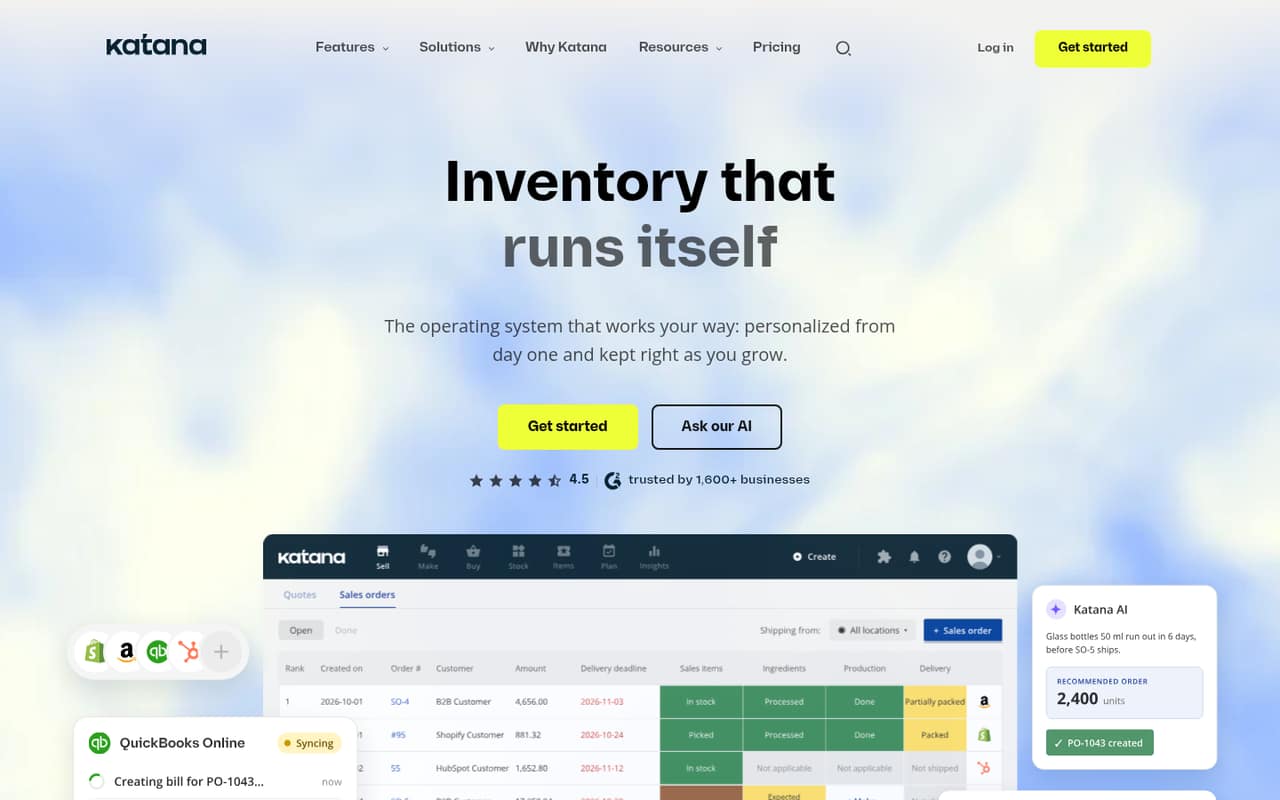
Katana brings inventory, sales orders, purchasing, and production into one system. Its Free plan costs $0 and includes all features, but caps your catalog at 30 SKUs.
For a team that needs more SKUs, the paid option is Advantage, with custom pricing under an annual contract. Katana doesn’t publish a starting price, so budget-conscious teams should ask for a quote before building workflows around it.
Good fit if
- Small businesses making physical products
- Teams with 30 SKUs or fewer
- Operations spanning multiple inventory locations
Skip it if
- Businesses needing a published paid price
- Catalogs that already exceed 30 SKUs
- Teams requiring month-to-month paid billing
ScoresHow it rates
What works
- Free plan includes all Katana features
- Free plan allows unlimited users and locations
- Tracks stock across warehouses and sales channels
- Connects production orders with materials and costs
- Supports lots, serial numbers, and barcode scanning
What doesn't
- Free plan is capped at 30 SKUs
- Advantage pricing is custom and unpublished
- Paid billing is listed as an annual contract
- No free trial is listed
- Setup timeline and effort are not published
01Who Katana is for
Katana is aimed at businesses that make or sell physical products and need inventory, orders, purchasing, and production in one system. For a team of one to ten, it may be a fit when spreadsheets are no longer enough to keep stock and work orders aligned, but the team is not ready to buy a larger system without first checking the price.
The Free plan is a practical starting point for a small product catalog: it includes all Katana features, unlimited users, integrations, and inventory locations, with a 30-SKU limit. That can suit a small team testing whether shared inventory and production planning meet its needs. Katana tracks stock across locations, warehouses, 3PLs, and inventory in transit. It also connects work orders with materials, schedules, and product costs. If you need more than 30 SKUs, or want custom integrations and reports, the next listed plan is Advantage, which requires a custom annual quote.
02Katana free plan and trial
Katana’s Free plan costs $0 per month and includes up to 30 SKUs, unlimited users, integrations, and inventory locations. The plan lists all Katana features, API access, an AI assistant, and a Knowledge Base. That is broad coverage for a small catalog: the limit is on the number of SKUs, not the number of people or locations.
The main stop sign is the 30-SKU ceiling. If your catalog grows past it, Katana lists Advantage as the other plan. Advantage includes unlimited SKUs, users, and integrations, but its price is custom and billed under one annual contract. The pricing lists no free trial. So the cheapest way in is the Free plan; if you need more than 30 SKUs, ask Katana for an Advantage quote before committing.
03What a small team pays for Katana
The Free plan is $0 per month for one person, three people, or five people. It allows unlimited users, so there is no per-seat charge listed for those team sizes. The trade-off is a limit of 30 SKUs.
For a team that needs more catalog capacity, Advantage has custom pricing under one annual contract. Katana doesn’t publish a per-user rate, a monthly equivalent, or a starting price, so we can’t calculate a reliable one-person, three-person, or five-person paid bill. The pricing page lists unlimited users on Advantage, not a seat-based price. It also lists custom integrations, reports, and automations, plus 24/7 live support and a dedicated Customer Success Manager.
No paid monthly billing or separate add-on prices are listed. Before signing, ask for the full annual amount, what the quote covers, and whether any setup or integration work costs extra. That matters more than per-seat math here: the published price doesn’t let a small team estimate its paid budget.
04Getting started with Katana
Katana’s pricing details don’t publish a setup timeline or say how much work implementation takes. The product can be tailored to a business’s workflows, while Advantage specifically lists custom integrations, reports, and automations. That suggests teams with unusual processes should ask about setup scope before choosing a plan; it isn’t enough to assume a custom workflow is included in the Free plan.
For day one, map the inventory locations, products, suppliers, sales orders, and production steps you need to manage. Katana lists inventory tracking across locations and sales channels, purchasing and replenishment support, work orders, and barcode scanning for warehouse tasks. Free includes unlimited integrations, but the pricing details don’t name specific connections. Confirm that the sales, accounting, shipping, or warehouse tools your team relies on can connect, and ask whether your preferred setup needs custom work. The vendor doesn’t publish a learning-curve estimate, so plan time for staff training rather than assuming setup is instant.
05When small teams outgrow Katana
The clearest growth trigger is the Free plan’s 30-SKU cap. If your catalog exceeds that limit, Katana’s listed next step is Advantage, which has unlimited SKUs, users, and integrations. Its pricing is custom and tied to one annual contract, so a growing team will need a quote to know whether the move fits its budget.
More people alone don’t force an upgrade: both plans list unlimited users. More locations also aren’t an automatic reason to move, since Free includes unlimited inventory locations. The decision is more likely to turn on catalog size or the need for custom integrations, reports, and automations. Advantage also adds 24/7 live support and a dedicated Customer Success Manager. If those services or custom work are important, ask what the quote includes. Katana doesn’t publish a paid starting price or monthly option, so teams that need predictable month-to-month costs may want to compare alternatives before signing an annual agreement.
Questions people ask
What is Katana software used for?
Katana manages inventory, sales orders, purchasing, and production for product businesses. It tracks stock across locations and sales channels, connects work orders with materials and schedules, and supports batch, lot, and serial-number traceability.
How much does Katana cost per month?
The Free plan costs $0 per month and supports up to 30 SKUs. Katana lists Advantage as custom-priced under one annual contract; it doesn’t publish a monthly paid rate or a starting price.
Is Katana an ERP?
Katana describes itself as inventory management software for stock, orders, purchasing, and production. Whether it covers your requirements for an ERP depends on your workflows; ask Katana about the accounting, finance, and other functions your business needs.
Does Katana have a free trial?
Katana lists a Free plan at $0 per month, with up to 30 SKUs and all Katana features. The pricing lists no separate free trial. If you need more than 30 SKUs, ask Katana for an Advantage quote.
Does Katana support barcode scanning and lot tracking?
Yes. Katana supports barcode scanning for warehouse picking, packing, receiving, and stock counts. It also tracks batches, lots, and serial numbers across inventory and production.