
We may earn a commission if you buy through links on this page. It never changes a score or a ranking. How we make money
The bottom line
Keap brings sales and marketing workflows together, but its price is steep for a small team.
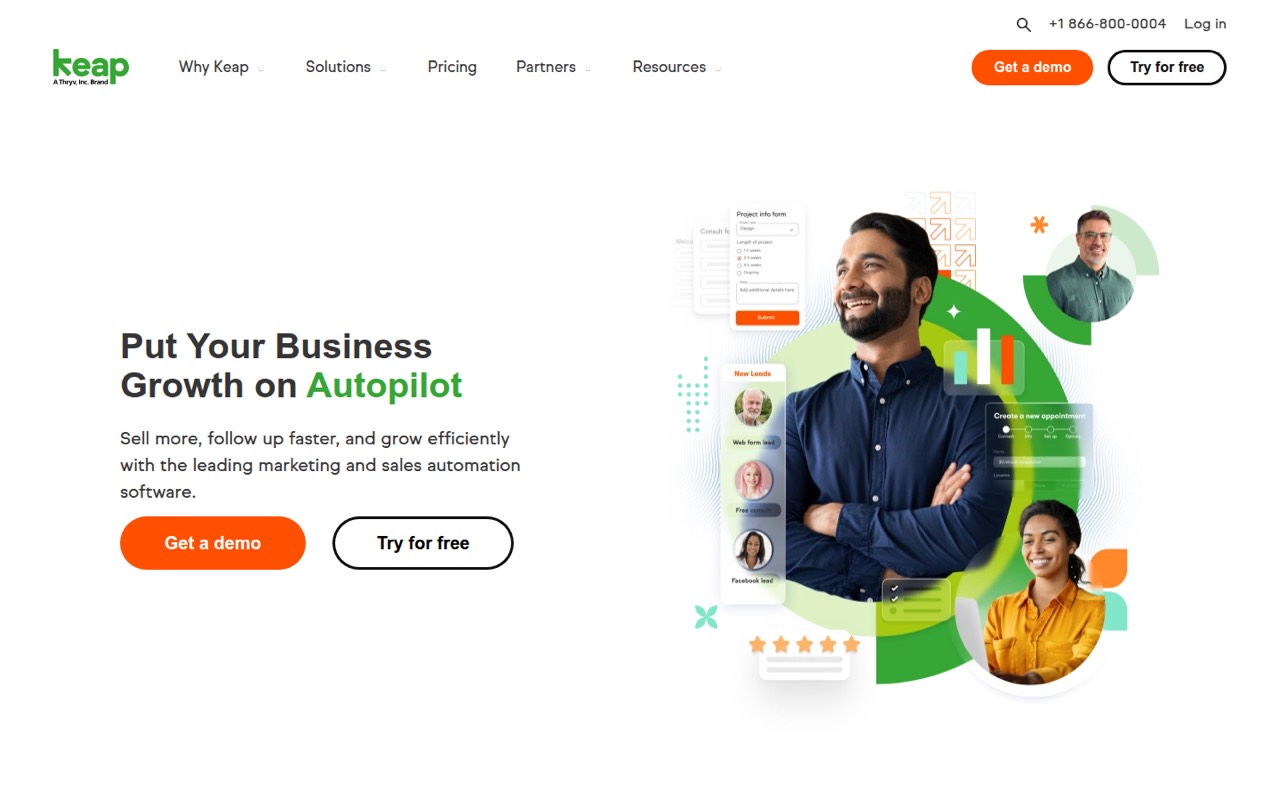
Keap combines contact management with marketing, sales, service, and operations automation. It can suit a small business with complex follow-up needs, but the pricing page lists a $320 monthly starting price and required implementation services.
There’s no free plan, and the vendor doesn’t publish the implementation price or seat allowance. For a budget-conscious team, get a complete quote before deciding whether the combined workflows are worth the cost.
Good fit if
- Businesses with complex lead follow-up
- Teams consolidating sales and marketing
- Small businesses automating customer workflows
Skip it if
- Teams looking for free CRM software
- Businesses needing published per-seat pricing
- Small teams with simple sales processes
ScoresHow it rates
What works
- CRM, marketing, sales, and service automation in one product
- Automates email and text lead follow-up
- Includes pipeline and appointment management
- Supports quotes, invoices, and checkout workflows
- AI assistants and pre-built campaign templates
What doesn't
- No free plan
- Starting price is $320 per month
- Implementation services are required
- Implementation price is not published
- Seat allowance and per-seat costs are not published
01Who Keap is for
Keap is aimed at small businesses that need more than a contact list: it combines CRM with marketing, sales, service, and operations automation. The CRM manages contacts, companies, tags, tasks, and customer activity. Businesses can also use it to capture leads, automate email and text follow-up, manage sales pipelines, schedule appointments, and handle quotes and invoices.
That mix is most relevant when a small team has a defined process to automate, such as routing leads and following up until they book or buy. AI campaign assistants and pre-built templates may help create campaigns, but they don’t make the starting price small. The pricing page lists $320 per month, and required implementation services add a cost the vendor doesn’t publish. Keap may suit a business willing to pay for connected workflows; a team that mainly needs basic contact management should compare the price with its actual process before signing up.
02Keap free plan and trial
Keap does not offer a free plan, and a free trial is not listed. That means there’s no free tier for a solo owner or small team to use indefinitely while deciding whether CRM and automation are worth adopting.
The cheapest listed way in is the Keap plan, starting at $320 per month, or $266.25 per month when billed annually at $3,195. Required implementation services are separate, and the vendor doesn’t publish their price. Ask Keap for a full quote, including the implementation charge, seat allowance, and any messaging needs, before committing. If you only need a place to store contacts or manage a simple pipeline, the lack of a free option makes it harder to justify starting here.
03What a small team pays for Keap
The pricing page lists one plan, Keap, starting at $320 per month. Its annual option is listed as $3,195, equivalent to $266.25 per month. The page doesn’t state a separate monthly-billing price, so treat $320 as the listed monthly starting price and confirm the billing terms with the vendor.
For one person, three people, or five people, the published starting charge is the same reference point: $320 monthly or $3,195 annually. But Keap doesn’t publish the included seat count or per-seat pricing, so we can’t calculate a reliable total for any of those team sizes. Don’t assume the listed price covers all your users; ask for a seat-by-seat quote.
Messaging can add to the bill. Tier 1 includes 500 text messages and 100 voice minutes; overages cost $0.015 per text and $0.01 per voice minute. Optional text tiers start at $24 per month, an extra 500 texts cost $6 per month, and a local number is $10 per month. Implementation is required, but its price isn’t published.
04Getting started with Keap
Keap’s scope includes contact and task management, lead capture, automated email and text follow-up, pipeline management, appointments, and billing workflows. It also lists automation for internal forms and Google review requests. That breadth means a team should decide which processes it actually wants to move into Keap before setup, rather than trying to automate everything at once.
The pricing page says implementation services are required, so this isn’t a purchase to plan around as a free, self-serve setup. The vendor doesn’t publish the implementation price there. The exact setup timeline, learning curve, and seat onboarding process aren’t stated in the pricing details; ask Keap for those specifics and what implementation covers. If your team relies on particular integrations, confirm they’re supported and included before buying. A Reddit commenter praised Keap’s UI, but that alone doesn’t establish how long setup takes.
05When small teams outgrow Keap
Keap may become a poor fit when the price is too high for the work it saves, or when your team can’t get a clear answer about seats and implementation costs. The listed starting price is $320 per month, before any required implementation charge or messaging overages. As you add people, ask whether they need paid seats and what those seats cost; the pricing page doesn’t publish either detail.
Reddit comments show mixed, anecdotal reactions rather than a clear consensus. One r/CRMSoftware poster said they were considering leaving because of Keap’s price, while a poster on r/CRM liked its UI. Another discussion framed Keap as a possible value for a complex setup, but didn’t confirm it as the best choice. If your needs are mostly contact storage and a basic pipeline, consider whether you need Keap’s broader automation. If your workflows are elaborate, get a full quote and check that it covers your team and message volume before switching.
From the threadsWhat users say
The available Reddit comments are mixed and anecdotal. Some posters like Keap’s UI or weigh its value against other CRM costs, while one says the price is prompting them to consider leaving.
I'm thinking about ditching Keap and the price of $349 for something more affordable for my business
I like the UI of Keap a lot
That HubSpot is good too but costs like $4K to set up and around 800-1K/month to do what Keap can for what we need
But yeah, the second you need more than basic automation, you're looking at their Starter or Professional tiers, and then suddenly you're back in Keap territory
Questions people ask
How much does Keap cost per month?
The pricing page lists Keap starting at $320 per month. Annual billing is listed as $3,195, equivalent to $266.25 per month. Required implementation services cost extra, but the vendor doesn’t publish their price. Confirm the full quote and seat allowance before you commit.
Does Keap have a free plan or trial?
Keap has no free plan, and a free trial isn’t listed. The cheapest listed option is the Keap plan at $320 per month. Ask the vendor whether a demo or another way to evaluate the software is available before paying for implementation.
What does Keap do?
Keap combines CRM with marketing, sales, service, and operations automation. It manages contacts and tasks, captures leads, automates email and text follow-up, and supports pipelines, appointments, quotes, invoices, and checkout. It also lists automation for internal forms, reminders, billing follow-up, and Google review requests.
What does Keap include for texting?
Tier 1 includes 500 text messages and 100 voice minutes. The listed overage rates are $0.015 per text and $0.01 per voice minute. Optional text tiers start at $24 per month, and an optional 500-text add-on costs $6 per month. Ask which tier fits your expected volume.
Does Keap charge for implementation?
Implementation services are required, but the vendor doesn’t publish their price on its pricing page. Ask what the service includes, whether it covers your workflows and users, and whether any additional onboarding costs apply before you buy.