
We may earn a commission if you buy through links on this page. It never changes a score or a ranking. How we make money
The bottom line
Keen handles event collection and analytics, but no free tier and a $134/month entry price raise the bar.
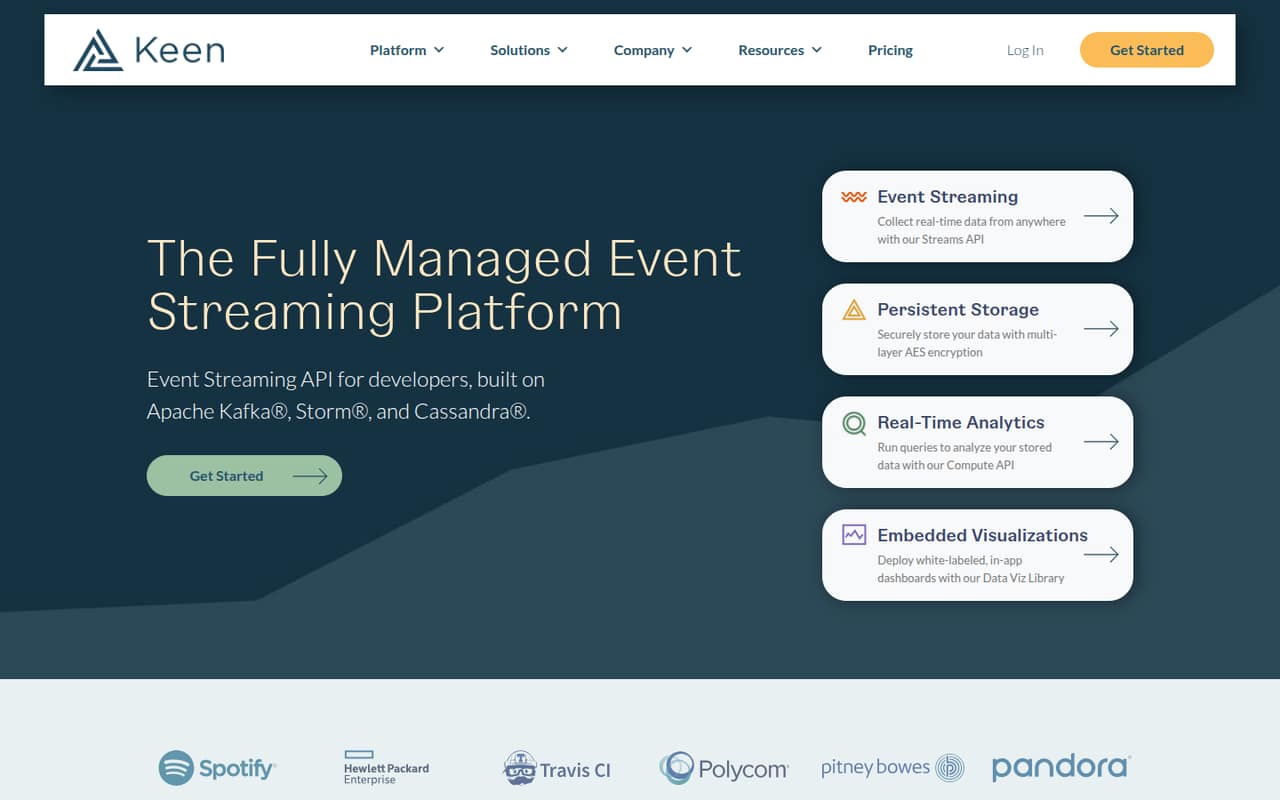
Keen collects, stores, analyzes and visualizes event data through APIs and a managed platform. Its features include real-time streaming, encrypted storage, analytics queries and embeddable dashboards.
The trade-off for a small team is cost: the cheapest plan is Team at $149 per month, or a listed $134 per month with annual pricing. There’s no free plan, and Keen doesn’t publish seat allowances, so confirm how many teammates your plan covers before budgeting.
Good fit if
- Teams building event-driven products
- Companies embedding analytics in apps
- Teams needing managed event infrastructure
Skip it if
- Teams that need a free starting tier
- Small teams with light event volumes
- Buyers who need published seat limits
ScoresHow it rates
What works
- Managed event collection, storage and analytics
- Real-time event streaming through an API
- Two years of data retention on Team
- Embedded, white-labeled dashboards
- Encryption and event enrichment features
What doesn't
- No free plan or published free trial
- Team starts at $149 per month
- Seat allowances are not published
- Overage fees can add to the bill
- Some cached overage units are unspecified
01Who Keen is for
Keen is for teams that need to collect product or business events, query them and show the results inside their own app. It combines event streaming, persistent storage, analytics and embedded dashboards in a managed platform, rather than asking a small team to run that infrastructure itself.
For a team of one to ten, the fit depends less on headcount than on the product job. A small product team building customer-facing analytics, or handling enough event data to need a dedicated platform, may value the APIs and managed setup. A team that only needs basic website analytics may find the $149 monthly Team price difficult to defend. Team includes 250,000 events, 5,000 queries and two years of retention. Keen doesn’t publish a seat allowance, so a founder should confirm whether the plan covers the whole team before comparing its cost with per-user tools.
02Keen free plan and trial
Keen has no free plan, and a free trial is not listed. That means there’s no ongoing free tier for a small team to use while it decides whether event analytics will become part of its workflow.
The cheapest published option is Team: $149 per month, or $134 per month with annual pricing. Its listed limits are 250,000 events and 5,000 queries, with two years of data retention, Data Explorer and Role-Based Access. The listed price is for the plan, not a published per-seat rate; Keen doesn’t publish how many users it covers. Before committing, ask Keen whether the plan can be evaluated in a trial and how its event and query allowances are measured.
03What a small team pays for Keen
Team costs $149 per month, or a listed $134 per month with annual pricing. That’s the same plan price for one, three or five people if the plan covers those users; Keen doesn’t publish a seat allowance or per-seat price. As a simple division—not a confirmed seat rate—that works out to $149 per person for one, $49.67 for three, or $29.80 for five on monthly pricing. At the annual listed rate, the equivalents are $134, $44.67 and $26.80 per person per month.
Team includes 250,000 events, 5,000 queries, two years of retention, Data Explorer and Role-Based Access. Watch the usage charges: event overage is $1 per 5,000 events, and query overage is $5 per 100 queries. Team S3 Streaming costs another $100 per month. Chargify Integration is an add-on, but its price isn’t listed. Cached query overage is listed at $10 and cached dataset overage at $20; Keen doesn’t specify the unit for either.
04Getting started with Keen
Keen’s product description centers on APIs: the Streams API collects real-time events, the Compute API runs queries, and the Data Viz Library supports embedded dashboards. That makes it a better fit for a team with someone comfortable implementing APIs than for a group looking for a no-code analytics tool. Managed infrastructure means the team isn’t responsible for operating the underlying platform, but it still needs to decide what events to send and how to use the results.
Expect engineering work to connect event sources, shape event attributes and add any dashboards the product needs. The product description names Chargify Integration as an optional add-on, but doesn’t list other ready-made integrations or a setup-time estimate. Before buying, ask Keen about SDKs or integrations for your stack, implementation help, and what is included in the plan. The pricing page lists integration services under Custom, so don’t assume they come with Team.
05When small teams outgrow Keen
The first signal to check is usage. Team lists 250,000 events and 5,000 queries; the listed overages are $1 per 5,000 extra events and $5 per 100 extra queries. If your usage is consistently higher, Business raises the listed allowances to 3,500,000 events and 20,000 queries. It costs $699 monthly or a listed $629 per month with annual pricing, and includes S3 Streaming and Custom SSL.
That is a substantial step up from Team, so calculate expected usage before moving plans. Team S3 Streaming is available as a $100 monthly add-on, which may suit a team that needs that feature but remains within Team’s other limits. Both Team and Business list two years of retention. If you need custom event or query limits, enterprise support or integration services, Keen’s Custom plan is the listed route, with pricing set by contract. Seat limits aren’t published, so ask about user capacity as your team grows.
Questions people ask
Does Keen have a free plan?
No. Keen does not list a free plan or free trial. The cheapest published option is Team at $149 per month, or a listed $134 per month with annual pricing. Ask Keen whether it can arrange an evaluation before you commit.
How much does Keen cost for a small team?
Team costs $149 per month, or $134 per month with annual pricing. Those are plan prices, not confirmed per-seat rates. Keen doesn’t publish how many users each plan covers, so ask whether your full team can use one Team subscription.
What does Keen Team include?
The Team plan lists 250,000 events, 5,000 queries, two years of data retention, Data Explorer and Role-Based Access. It costs $149 monthly or a listed $134 per month with annual pricing. Additional usage and add-ons can raise the bill.
When should a team move from Team to Business?
Consider Business if Team’s listed 250,000 events or 5,000 queries don’t cover your needs, or if you need included S3 Streaming or Custom SSL. Business lists 3,500,000 events and 20,000 queries, at $699 monthly or $629 per month with annual pricing.
Does Keen include embedded dashboards?
Yes. Keen lists a Data Viz Library for deploying white-labeled, in-app dashboards. The Team plan includes Data Explorer, while embedded visualizations are a product feature. Confirm with Keen what implementation work or plan requirements apply to your use case.