
We may earn a commission if you buy through links on this page. It never changes a score or a ranking. How we make money
The bottom line
Lasso makes affiliate displays and link management more organized, but its plans are priced by properties, not seats.
Lasso helps creators and publishers add product displays to content and manage affiliate links. Its free plan covers one property and single product displays; paid plans add tables, grids, alerts, analytics, and more properties.
For a small team, the main buying question is whether everyone can work in one property: Lasso does not publish seat pricing in its plan details. Creator is $19 monthly or $190 annually, while the free plan may be enough for a single site with basic display needs.
Good fit if
- Affiliate-focused publishers
- Creators with one main property
- Teams organizing product links
Skip it if
- Teams needing a CRM
- Publishers needing many properties cheaply
- Buyers requiring published seat limits
ScoresHow it rates
What works
- Free plan includes one property
- Creator adds tables and grids
- Link alerts flag broken links
- Pro includes international link localization
- Amazon images and price refreshes
What doesn't
- No seat-based prices are listed
- Free plan has single product displays
- Creator is limited to one property
- Advanced analytics starts with Pro
- Free trial is not listed
01Who Lasso is for
Lasso is for creators and publishers who earn through affiliate recommendations and want product displays and link management in one tool. A solo publisher or a small team working on one site or channel can start with the Free plan or Creator, both of which cover one property. The pricing page lists Creator at $19 monthly or $190 annually.
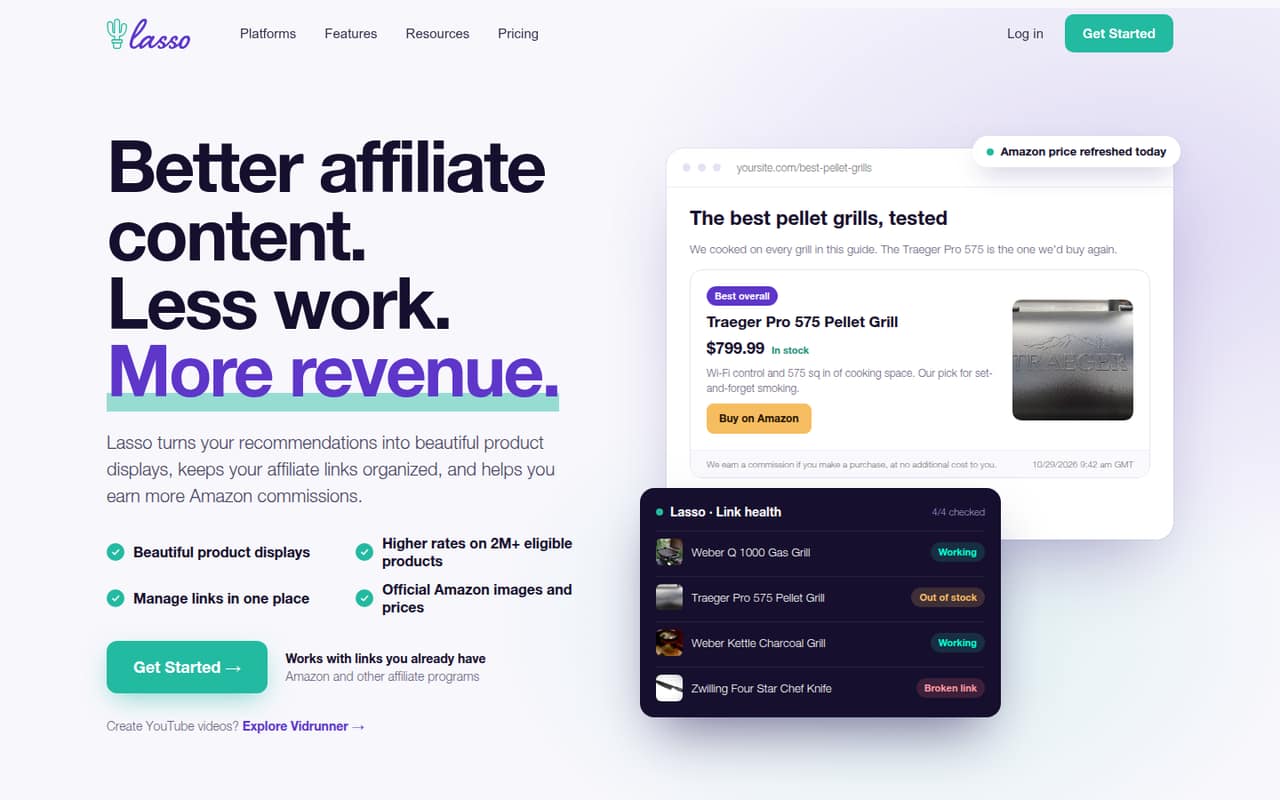
Lasso’s job is practical: add product boxes, tables, or grids to content; organize affiliate links; and keep product information current. Its feature list includes Amazon product data, link alerts, and click analytics on paid plans. The plans are organized around properties, not team size, and Lasso does not list seat limits or per-seat prices. That makes it a better fit when a few people work on the same publishing property than when each person needs a separate account or workspace. Before buying for a team, confirm how many people can access a plan.
02Lasso free plan and trial
The Free plan costs $0 per month and includes one property, single product displays, Amazon images with API, and AI support and docs, according to the pricing page. That is a reasonable starting point for a creator who wants to add basic product displays to one site or channel without adding a subscription.
The plan stops short of the product displays, tables, and grids listed for Creator. Broken link alerts and simple analytics are also listed under Creator, not Free. Lasso does not list a free trial in its pricing details, so the free plan is the way to try the product without paying. If you need tables, grids, alerts, or simple analytics, the cheapest listed option is Creator at $19 monthly or $190 annually.
03What a small team pays for Lasso
The pricing page lists Creator at $19 monthly or $190 annually, equivalent to $15.83 per month. It includes one property. If three people share a single property and account access is suitable, that works out to $6.33 per person monthly, or about $5.28 per person per month on annual billing. For five people, the same plan works out to $3.80 monthly or about $3.17 on annual billing. Those are arithmetic equivalents, not Lasso’s published per-seat prices; the vendor does not list seat limits or seat charges.
For more properties, Pro costs $29 monthly or $289 annually and includes three properties. Studio costs $59 monthly or $549 annually and includes five properties. Pro’s annual rate is $24.08 per month; Studio’s is $45.75. If three people share Pro, the equivalent is $9.67 each monthly or about $8.03 annually. Five people sharing Studio works out to $11.80 monthly or $9.15 annually per person. No add-ons are listed. Confirm account access and any team-seat requirements with Lasso before choosing.
04Getting started with Lasso
Lasso’s listed workflow is focused on publishing: add product displays to content, then import, organize, group, search, or update affiliate links. Its Amazon product data uses official images and automatically refreshes prices, according to the feature description. That gives a small publisher a clear starting point, but the pricing details do not state how long setup takes or list supported integrations beyond the Amazon-related features.
The Free plan includes AI support and docs, while Studio lists team support and priority support. API access appears on Studio, so a team that needs to connect Lasso to another system should check that requirement before choosing a lower tier. The published plan details do not explain onboarding steps or supported platforms. We’d confirm how Lasso fits your publishing platform and how team members access a property before moving affiliate links into it.
05When small teams outgrow Lasso
The first constraint is the property count. Free and Creator each include one property, so a publisher adding separate sites or channels may need Pro, which includes three. Studio includes five; Enterprise lists unlimited properties and custom features and integrations, but its price is not published. Ask Lasso for a quote if you need more than five properties or custom capacity.
Feature needs can also prompt an upgrade. Creator lists broken link alerts and simple analytics; advanced analytics and international link localization appear on Pro. Studio adds team support and API access. Those are clear reasons to move up, but the plan details do not say how many users each tier allows or what extra seats cost. A growing team should confirm access and permissions before treating a property count as a team limit. If you mainly need a CRM or broader team workflow software, Lasso’s published feature set is focused on affiliate content instead.
Questions people ask
Is Lasso a CRM?
Lasso is positioned as an affiliate content and link management tool, not a CRM. Its listed features include product displays, organized affiliate links, Amazon product data, link alerts, and click analytics. If you need customer records or sales pipeline management, confirm whether another product is required.
Does Lasso have a free plan?
Yes. The Free plan is $0 per month and includes one property, single product displays, Amazon images with API, and AI support and docs. Tables, grids, broken link alerts, and simple analytics are listed on Creator or higher plans.
Does Lasso support Amazon products?
Lasso’s feature description says it uses official Amazon images and automatically refreshes product prices. The Free plan lists Amazon images with API. Lasso also says eligible products from more than two million Amazon listings can offer higher commission rates.
How many properties are included in each Lasso plan?
Free and Creator include one property, Pro includes three, and Studio includes five. Enterprise lists unlimited properties, but its price is not published. Check with Lasso if your sites or channels need separate properties or if your team has specific access requirements.
Does Lasso offer a free trial?
A free trial is not listed in Lasso’s pricing details. The vendor does list a $0 Free plan with one property and single product displays. If you need paid features such as tables, grids, alerts, or simple analytics, ask Lasso whether it offers a trial.