
We may earn a commission if you buy through links on this page. It never changes a score or a ranking. How we make money
The bottom line
Strong usage-billing features, but unclear free-plan limits make the budget hard to pin down.
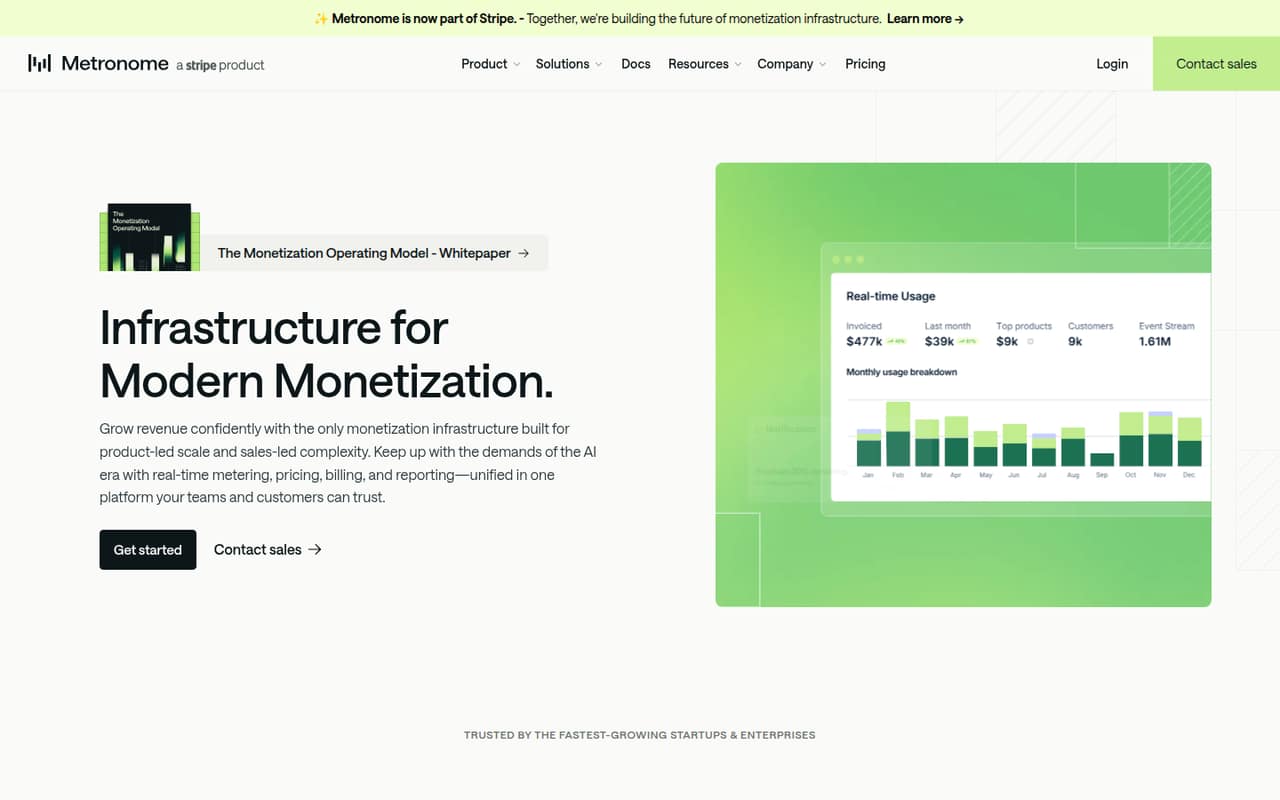
Metronome brings real-time usage metering, flexible pricing, billing, and reporting together for companies with usage-based or complex pricing. It can also give customers a live view of usage and spend, with alerts and limits to help control costs.
The pricing page lists a free plan and a usage-based Starter plan, but not the free plan's limits or a fixed monthly price. Starter costs include 0.8% of billing volume and $0.04 per 1,000 ingest events, so ask the vendor to estimate your bill before signing up.
Good fit if
- Teams launching usage-based products
- Companies with complex pricing models
- Teams needing real-time usage reporting
Skip it if
- Teams with simple invoicing needs
- Buyers needing a published monthly price
- Teams that do not meter usage
ScoresHow it rates
What works
- Real-time usage metering and alerting
- Supports usage, seat, subscription, and hybrid pricing
- Customer dashboard shows usage and spend
- Configurable alerts and limits help manage spend
- Native Stripe integration for Stripe users
What doesn't
- Free-plan limits are not published
- No fixed Starter monthly or annual price
- Total costs depend on usage and billing volume
- Setup effort and timeline are not published
- Several integrations are listed only for Custom
01Who Metronome is for
Metronome is for companies that charge based on usage or need more pricing flexibility than a basic invoice tool offers. The Starter plan is listed for teams launching usage-based products; Custom is aimed at companies scaling revenue or changing pricing. A small product or finance team can use it to measure customer activity, set pricing, bill for it, and review granular billing data.
The platform supports usage-, seat-, subscription-, and hybrid pricing, along with product-led, sales-led, and marketplace motions. That breadth is useful when pricing is part of the product rather than a fixed monthly subscription. It may be more than a team of one to ten needs if all customers pay the same simple fee. The free plan could make it easier to explore, but the vendor does not publish its limits. Before choosing it, ask which features and usage volumes are included and estimate Starter charges against your expected billing volume and ingest events.
02Metronome free plan and trial
The pricing information lists a free plan, but the vendor does not publish its name, usage allowance, feature limits, or the point at which charges begin. It also does not list a free-trial period. That makes it hard to tell whether a small team can use the free option for a live product or only for an initial evaluation.
Starter is the lowest named paid plan. The pricing page lists real-time usage metering and alerting, usage-, seat-, subscription-, and hybrid pricing, and native Stripe integration for Stripe users. Its charges are usage-based: 0.8% of billing volume and $0.04 per 1,000 ingest events. Ask Metronome to clarify the free-plan ceiling and how it counts billable volume before relying on the free tier.
03What a small team pays for Metronome
Metronome does not publish per-seat prices, so a one-person account and teams of three or five do not have a published seat-based total. The pricing page lists Starter charges of 0.8% of billing volume plus $0.04 per 1,000 ingest events. Your bill therefore depends on usage and billing volume, not a stated seat count. The vendor does not publish monthly or annual billing terms, and no fixed starting price is listed.
The page marks a free plan as available, but does not say how much usage or which features it includes. Custom adds Salesforce, NetSuite, and cloud marketplace invoicing integrations, data exports to warehouses and BI tools, a dedicated account manager, enhanced SLAs, and priority support. Its price is not published. The page does not list separate add-on prices. For a small team, the practical next step is to share expected billing volume and ingest events with Metronome and request a written estimate for both Starter and any Custom requirements.
04Getting started with Metronome
Metronome's core job is to measure usage in real time and connect that data to pricing, billing, and reporting. The Starter plan lists real-time metering and alerting, plus a native Stripe integration for Stripe users. That gives a Stripe-based team a named billing integration to ask about on day one. Salesforce, NetSuite, and cloud marketplace invoicing integrations are listed under Custom, as are exports to data warehouses and BI tools.
The vendor does not publish a setup estimate, implementation steps, or a learning-curve rating in the pricing details. We can't say whether a small team can configure it without help. Before buying, ask what engineering work is needed to send usage events, how alerts and limits are configured, and whether onboarding assistance is included in Starter. If your billing stack is not Stripe, confirm which integrations are available at your plan level.
05When small teams outgrow Metronome
Metronome's listed plans do not set a team-size ceiling or describe a seat limit, so there is no published seat threshold at which a small team must upgrade. Instead, the clearest reason to move from Starter to Custom is needing features listed only there: Salesforce, NetSuite, or cloud marketplace invoicing integrations; warehouse and BI exports; a dedicated account manager; or enhanced SLAs and priority support.
The bigger budget concern may arrive before a plan change. Starter charges scale with billing volume and ingest events, while the vendor does not publish fixed monthly or annual costs. That makes forecasting harder as customer usage grows. The free plan's limits are also not published, so teams cannot use the public pricing details to determine when free stops being enough. Ask for volume-based estimates at current and projected usage, plus a clear explanation of plan limits, before a growing product depends on the service.
Questions people ask
What does Metronome do?
Metronome is monetization infrastructure for companies with usage-based or complex pricing. It combines real-time usage metering, pricing, billing, and reporting, and includes a customer dashboard for usage and spend. The platform also lists alerts, spend limits, and tools for filtering and exporting billing data.
Does Metronome have a free plan?
Yes. The pricing information lists a free plan, but the vendor does not publish its limits, included features, or usage allowance. Ask Metronome what is covered and when charges begin before using the free option for a live product.
How much does Metronome Starter cost?
The pricing page lists usage-based charges of 0.8% of billing volume and $0.04 per 1,000 ingest events. It does not publish a fixed monthly or annual price, so the total depends on your activity and billing volume.
Does Metronome charge per seat?
The published pricing lists usage-based charges, not a per-seat price. It does not give a one-person, three-person, or five-person total. Ask the vendor for an estimate based on your expected billing volume and ingest events.
Which integrations are included with Starter?
Starter lists a native Stripe integration for Stripe users. Salesforce, NetSuite, and cloud marketplace invoicing integrations are listed under Custom, along with data exports to warehouses and BI tools. Confirm plan eligibility with Metronome if you need a different connection.