
We may earn a commission if you buy through links on this page. It never changes a score or a ranking. How we make money
The bottom line
Good for straightforward meeting notes; check seat pricing before rolling it out to a team.
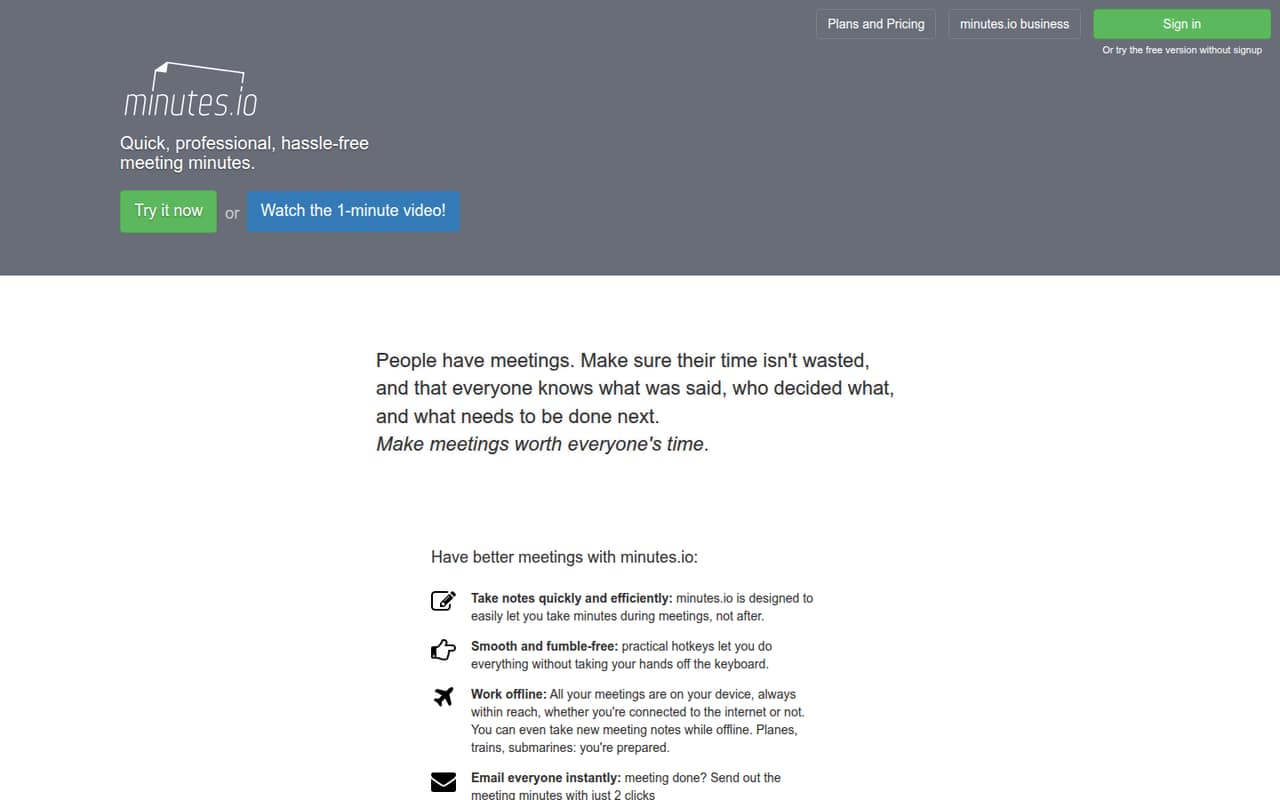
Small teams that want to write decisions and next steps during a meeting may find Minutes AI a good fit. It offers keyboard shortcuts, offline notes, and email sharing, plus a free daily allowance for occasional use.
The free plan is limited to three minutes per day. Time Packs cost $1.99 for 120 minutes, while the Unlimited Subscription is $16.99 monthly or $149.99 annually. The vendor doesn't publish Enterprise / Team pricing or seat limits, so confirm the cost before choosing it for several people.
Good fit if
- People who write minutes live
- Occasional meetings on a tight budget
- Teams sharing notes by email
Skip it if
- Teams needing published seat pricing
- Buyers seeking confirmed calendar integrations
- People expecting documented AI transcription
ScoresHow it rates
What works
- Three free minutes per day
- No credit card required for free plan
- 120-minute Time Pack costs $1.99
- Time Pack minutes never expire
- Supports offline notes and email sharing
What doesn't
- Free plan allowance is only three minutes daily
- Enterprise / Team pricing is by inquiry
- Team seat limits are not published
- Seat-based subscription pricing is not published
- Transcription and integrations are not specified
01Who Minutes AI is for
Minutes AI is for people who want to write meeting minutes as the conversation happens, then share the result. It suits a solo operator or a small team of roughly 1–5 people when the main job is recording attendees, decisions, and next steps—not managing a complicated meeting workflow.
The appeal for a budget-conscious team is the free daily allowance and the $1.99 Time Pack for occasional extra minutes. Keyboard shortcuts are intended to keep note-taking moving, and the product supports offline notes on the device. Afterward, minutes can be sent by email in two clicks.
We would treat it as a focused note-taking tool, not assume it replaces an audio transcription service or connects to a calendar. The vendor doesn't publish Enterprise / Team pricing or limits, so a team that needs shared administration or clear per-seat costs should ask before adopting it.
02Minutes AI free plan and trial
The Free Daily Ticket includes three free minutes per day, and the pricing page lists no credit card requirement. That makes it a low-risk way to try the basic workflow for very short meetings or occasional note-taking. Minutes AI also supports offline notes, keyboard shortcuts, and email sharing as product features.
Three minutes a day is a small allowance for regular meetings. If you need more time occasionally, the Time Packs option starts at $1.99 for 120 minutes, and those minutes never expire. For frequent meetings, the Unlimited Subscription is listed at $16.99 month to month or $149.99 with annual billing. A free trial is not listed. The vendor doesn't publish whether free minutes and purchased minutes have any other usage conditions, so check those terms if your workflow depends on them.
03What a small team pays for Minutes AI
The Free Daily Ticket costs $0 and includes three minutes per day. Time Packs cost $1.99 for 120 minutes as a one-time purchase, with no expiration listed. The Unlimited Subscription costs $16.99 per month, or $149.99 per year, which works out to about $12.50 per month when paid annually.
The vendor doesn't publish whether Unlimited is priced per seat. If each person needs a separate subscription at the listed rate, one person would pay $16.99 monthly or $149.99 annually. Three separate subscriptions would total $50.97 monthly or $449.97 annually; five would total $84.95 monthly or $749.95 annually. Those are arithmetic estimates, not published team quotes.
For occasional extra use, a $1.99 Time Pack may cost less than a subscription, but the vendor doesn't publish how packs apply across multiple people. Enterprise / Team pricing is by inquiry, and its limits aren't published. There are no listed add-ons.
04Getting started with Minutes AI
The stated workflow is straightforward: take minutes during a meeting, capture decisions and next steps, then send the notes by email. Keyboard shortcuts are available, and the product supports taking new notes offline on the device. That suggests a focused note-taking setup rather than a long implementation, though the vendor doesn't publish setup steps or a learning-time estimate.
Email is the sharing method specified in the product details. Calendar, video-meeting, and document integrations aren't listed, so don't plan on those connections without confirming them with the vendor. A small team can decide whether each person needs an account and whether notes should stay on individual devices or be shared by email. The vendor doesn't publish seat limits or team administration details; ask about those before inviting a group.
05When small teams outgrow Minutes AI
The first limit is the Free Daily Ticket's three minutes per day. A team with longer or frequent meetings will need to buy Time Packs or choose the Unlimited Subscription. Packs are an inexpensive one-time option for occasional use, but the published details don't explain whether minutes can be shared across team members.
The next concern is team scale. The vendor lists Enterprise / Team pricing as by inquiry and doesn't publish its limits. It also doesn't state whether the $16.99 monthly subscription is per person, so a growing team can't calculate its real bill from the listed price alone. If your team needs a clear seat count, shared administration, or integrations with its meeting and calendar tools, confirm those requirements with the vendor before committing. If they aren't available, a tool with published team terms may be easier to budget for.
Questions people ask
Is Minutes AI free to use?
Yes. The Free Daily Ticket includes three free minutes per day, and the pricing page lists no credit card requirement. For more time, Time Packs start at $1.99 for 120 minutes, or the Unlimited Subscription is $16.99 monthly.
How much does Minutes AI cost for a team?
The vendor lists the Unlimited Subscription at $16.99 monthly or $149.99 annually, but doesn't publish whether that price is per seat. Enterprise / Team pricing is by inquiry, with limits not published. Ask for a quote that spells out seats and usage.
Do Minutes AI Time Pack minutes expire?
The pricing page says the 120 minutes in a Time Pack never expire. One pack costs $1.99. The vendor doesn't publish whether purchased minutes can be shared among multiple team members, so check that before buying for a group.
Can Minutes AI take notes offline?
Yes. Minutes AI supports taking new notes offline and keeping meetings on the device. The vendor doesn't publish further details about syncing or sharing offline notes, so confirm how notes behave when a device reconnects if that matters to your team.
Does Minutes AI transcribe meeting audio?
The pricing details list unlimited recording on the Unlimited Subscription, but they don't specify whether that includes transcription. The product description focuses on taking minutes during the meeting. Ask the vendor what recording and transcription functions are included.