
We may earn a commission if you buy through links on this page. It never changes a score or a ranking. How we make money
The bottom line
Good frontline communication tools, but unclear prices make the budget hard to judge.
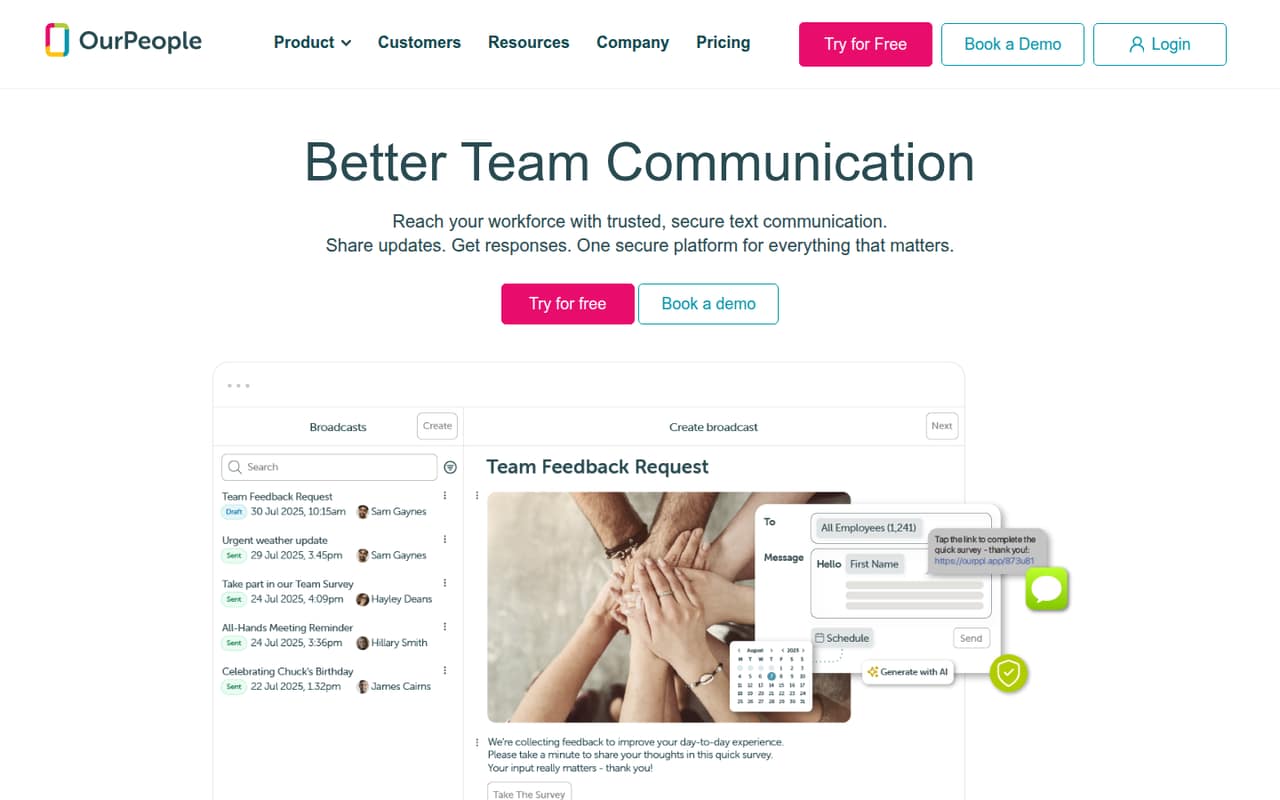
OurPeople brings text messaging, a shared feed, forms, surveys, an intranet, and employee questions into one platform for frontline and deskless teams. It may fit a small business that needs employees to get updates and respond without relying on a desktop workflow.
There’s no free plan. The 14-day trial ends sooner if messaging credits run out, and the pricing listing doesn’t publish plan prices or seat limits. Ask for a quote before deciding whether it fits a tight budget.
Good fit if
- Deskless teams sharing frequent updates
- Frontline employees who prefer texting
- Teams collecting mobile feedback
Skip it if
- Teams requiring a free plan
- Buyers needing a published per-seat price
- Teams that don’t need frontline messaging
ScoresHow it rates
What works
- Text-first updates and two-way messaging
- Employees can reply in a shared inbox
- Mobile-friendly forms and checklists
- Searchable Hub for posts and documents
- Pulse surveys don’t require apps or logins
What doesn't
- No free plan
- Plan prices aren’t published
- Seat limits aren’t published
- Text overage costs aren’t published
- Trial may end when credits run out
01Who OurPeople is for
OurPeople is for businesses with frontline or deskless employees who need a direct way to share updates and hear back. It combines a scrollable communication feed, text and in-app messaging, forms, checklists, pulse surveys, an intranet, and an employee helpdesk. That’s a broad set of jobs for a small team to cover in one platform.
For a team of 1–10, the main fit question is whether employees need text-first communication enough to justify a dedicated tool. A small operation coordinating shifts, tasks, or employee questions may find the mix useful; a team that mainly chats at desks may not need it. The vendor doesn’t publish seat limits, so ask whether your headcount fits Starter before budgeting. Plan prices also aren’t published, which makes this a harder choice for a team watching every subscription. Get a quote based on your team size and expected text volume.
02OurPeople free plan and trial
OurPeople has no free plan. The pricing listing says the free trial lasts 14 days, or until messaging credits run out, whichever comes first. The number of credits included in the trial isn’t published, so ask how much texting you can do before signing up and whether the trial needs a payment method.
After the trial, the listed entry plan is Starter. It includes 5,000 texts and up to one rule-based automation per month, but its price and seat limit aren’t published. That means the cheapest way in is to request Starter pricing from the vendor; there’s no published figure to compare with a small-team budget. Confirm whether the trial’s credit limit is enough to try your real message volume.
03What a small team pays for OurPeople
The pricing listing names three plans but publishes no monthly or annual prices. Starter includes 5,000 texts and up to one rule-based automation; Business includes 10,000 texts and unlimited rule-based automations. Custom is for larger teams and comes with a tailored quote. Seat limits aren’t published for any plan.
So the cost for one person, three people, or five people can’t be calculated, either monthly or annually. The plans list text volumes rather than per-seat prices, but that doesn’t confirm whether the quote changes with headcount. Ask sales for quotes at your current team size and for both monthly and annual billing, if available.
Small teams should also ask about add-ons before choosing. The listing says teams can buy text top-ups or unlimited texting, but prices aren’t published. Overage costs aren’t published either. Get those figures and any usage thresholds in writing; otherwise, it’s difficult to know what a busy month will cost.
04Getting started with OurPeople
The product combines a feed, messaging, forms, surveys, a Hub, and an employee helpdesk. For a small team, the setup work will likely include deciding which channels employees should use, adding the posts or documents they need, and preparing any forms, checklists, and surveys. That is an estimate based on the listed features, not a vendor-published setup timeline.
The vendor doesn’t publish a setup time, onboarding requirements, or a learning curve in the available pricing details. Integrations aren’t listed there either, so ask whether OurPeople connects to the systems your team already uses and whether those connections cost extra. Before rollout, confirm how employees access the platform by text or app, who manages the shared inbox, and whether administrators need training. We can’t verify setup effort or user experience from the published details.
05When small teams outgrow OurPeople
The clearest reason to move up is text volume or automation needs. Starter lists 5,000 texts and up to one rule-based automation; Business lists 10,000 texts and unlimited rule-based automations. A team nearing Starter’s listed limits should ask the vendor when an upgrade is required and what Business costs before relying on the extra capacity.
Headcount could be another trigger, but seat limits aren’t published, so there’s no stated threshold for moving from Starter or Business to Custom. The vendor describes Custom as a tailored plan for larger teams, without publishing its limits or price. Ask about overages, top-up text prices, and whether the quote changes as employees join. If you need a fixed per-seat budget or a published annual price, the current pricing details may not give you enough certainty to plan confidently.
Questions people ask
Does OurPeople have a free plan?
No. The pricing listing says OurPeople offers a 14-day trial, or a trial that ends when messaging credits run out, whichever happens first. The number of credits isn’t published. After the trial, Starter is the listed entry plan, but its price isn’t published; ask the vendor for a quote.
How much does OurPeople cost for a small team?
OurPeople’s monthly and annual plan prices aren’t published, and the listing doesn’t give per-seat costs. It also doesn’t publish seat limits. Request a quote for your headcount and text volume, and ask whether the price changes between one, three, or five employees.
What does the OurPeople Starter plan include?
The pricing listing says Starter includes 5,000 texts and up to one rule-based automation. Its price and seat limit aren’t published. Ask the vendor how it counts texts, what happens if you exceed the allowance, and whether text top-ups are available at a stated price.
Can employees use OurPeople without an app?
The product description says employees can answer pulse surveys by text without an app or login. It also describes text and in-app messaging. Ask the vendor which other features employees can use by text alone, since the available feature details don’t spell out access requirements for every tool.
Does OurPeople charge extra for more texts?
The pricing listing says teams can buy text top-ups or unlimited texting, but it doesn’t publish those prices or overage costs. Before choosing a plan, ask how extra texts are billed, whether limits trigger automatic charges, and what happens when trial credits run out.