
We may earn a commission if you buy through links on this page. It never changes a score or a ranking. How we make money
The bottom line
Useful restaurant feedback and recovery tools, with custom pricing that makes a small-team budget hard to plan.
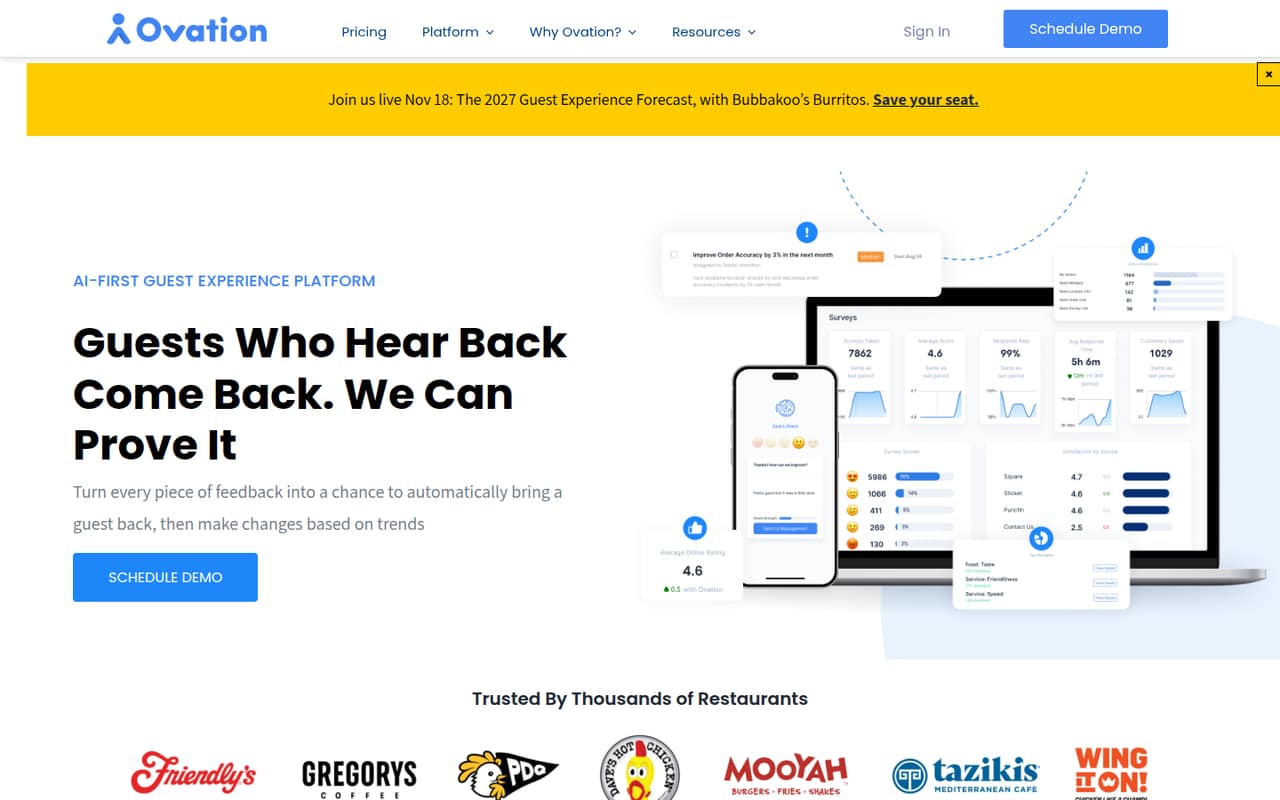
Ovation combines guest surveys, recovery tools, operational insights, reputation management and text marketing for restaurants. That range can suit a small team trying to bring guest feedback and follow-up into one platform.
The catch is the price: Ovation lists custom quotes, not a public starting rate, and its free plan and trial are not listed. Digital Table Touch is quoted by location; the full CX suite has unpublished seat and usage limits. Get a quote before comparing it with a fixed-price alternative.
Good fit if
- Restaurants collecting guest feedback
- Operators managing multiple locations
- Teams coordinating guest recovery
Skip it if
- Teams that need a free plan
- Buyers requiring upfront seat prices
- Businesses outside the restaurant industry
ScoresHow it rates
What works
- Combines guest surveys and recovery tools
- Collects feedback through QR codes and SMS
- Offers location performance and menu analytics
- Includes AI-suggested goals and responses
- Text marketing and Winback tools are available
What doesn't
- No free plan is listed
- No free trial is listed
- Starting prices are not published
- Digital Table Touch is priced by quote
- Full-suite seat and usage limits are unpublished
01Who Ovation is for
Ovation is for restaurant owners and operators who want to collect guest feedback and act on it, rather than juggle separate tools for surveys, recovery and marketing. Its listed features include QR-code and SMS surveys, guest profiles, location and menu analytics, reputation management, and text campaigns.
For a team of 1–10, it may fit when several people share responsibility for guest experience across one or more locations. A small team on a tight budget should get a quote first: Digital Table Touch is priced by location, and Ovation does not publish a starting rate. The Full CX Suite is positioned for restaurants wanting the broader platform, but its seat and usage limits are not published. Ask which package covers your locations, staff and expected survey or campaign volume before committing.
02Ovation free plan and trial
Ovation does not list a free plan, and a free trial is not listed in the pricing information. That leaves no published no-cost way for a small team to try the product before budgeting for it.
The least-expensive named option is Digital Table Touch, which is intended for restaurants starting with digital feedback. The pricing page lists a custom quote based on location count; it does not publish a dollar minimum or specific location limits. Ask Ovation whether it offers a demo, pilot or short-term evaluation, and whether that carries a charge. If you want the wider set of guest experience tools, ask for a separate Full CX Suite quote and confirm what it includes.
03What a small team pays for Ovation
The pricing page lists custom quotes, not a per-seat rate. Digital Table Touch is quoted by location, while the Full CX Suite has no published pricing unit, seat limits or usage limits. Monthly and annual prices are not published, so we cannot calculate a verified cost for one person or a team of three or five. Staff count alone may not determine the quote for Digital Table Touch; ask for pricing based on your locations and intended use.
Retention Marketing is a custom-quote add-on. The pricing information does not give its cost or say which package includes it. Before comparing Ovation with per-seat review tools, request written quotes for your exact location count and team size. Ask whether survey volume, SMS campaigns, added locations or staff access change the price, and whether the quote is monthly or annual. Until Ovation supplies those details, a small team cannot reliably estimate its total cost.
04Getting started with Ovation
Ovation’s listed workflows give a restaurant a practical starting point: choose how to collect feedback, decide how staff should respond to concerns, then determine which operational insights and marketing tools the team needs. Surveys can use QR codes, texts, short SMS forms or longer order-linked surveys. Recovery includes AI responses, templates and special offers.
The vendor does not publish setup time, implementation steps or a learning curve in the pricing information. Integrations and day-one technical requirements are also not published, so we can’t say whether setup requires connecting a POS, ordering system or other software. Ask Ovation what data connections are required for order-linked surveys, which staff need access, and whether onboarding or training costs extra. For a small team, confirm these details before choosing a package.
05When small teams outgrow Ovation
Ovation’s published pricing does not give a clear seat or usage threshold at which a restaurant must upgrade. Digital Table Touch has unpublished location limits, and the Full CX Suite’s seat and usage limits are also unpublished. That makes it hard to forecast the cost of adding locations, staff or more campaigns as a business grows.
A team may need to revisit its plan when it wants features beyond digital feedback, such as the broader operational insights, recovery or marketing tools described for the full platform. The pricing page identifies Full CX Suite and Retention Marketing as custom-quote options, but does not spell out package boundaries or upgrade costs. Ask Ovation for limits and pricing at your expected scale. If it cannot provide a clear total for your locations and usage, compare tools with published tiers before expanding.
Questions people ask
Does Ovation have a free plan?
Ovation’s pricing information does not list a free plan. It also does not list a free trial. Digital Table Touch is the lowest named option, but it requires a custom quote based on location count. Ask the vendor whether it offers a demo or pilot and whether there is a charge.
How much does Ovation cost?
Ovation does not publish a starting price. Digital Table Touch is quoted by location, while pricing for the Full CX Suite is also custom. Monthly and annual rates are not published. Request a quote that accounts for your locations, staff access and expected use.
What is included in Ovation?
Ovation’s listed features include guest surveys, location performance and menu analytics, guest profiles, AI-suggested goals, guest recovery, reputation management and text marketing. Surveys can use QR codes and SMS, including short surveys and longer order-linked surveys. Package-by-package feature boundaries are not published.
Does Ovation work for a restaurant with one location?
Digital Table Touch is quoted by location, so a single-location restaurant can ask for a quote for that setup. Ovation does not publish specific location limits or a minimum price. Confirm which features are included for one location and whether staff access or survey volume changes the quote.
Does Ovation include text marketing?
Ovation lists SMS campaigns and Winback tools for encouraging repeat visits. Retention Marketing is also listed as a custom-quote add-on, but the pricing information does not clarify which package includes each marketing feature. Ask the vendor to itemize campaign tools and any associated costs in your quote.