
We may earn a commission if you buy through links on this page. It never changes a score or a ranking. How we make money
The bottom line
Free to self-host and light on resources, but not a plug-and-play team assistant.
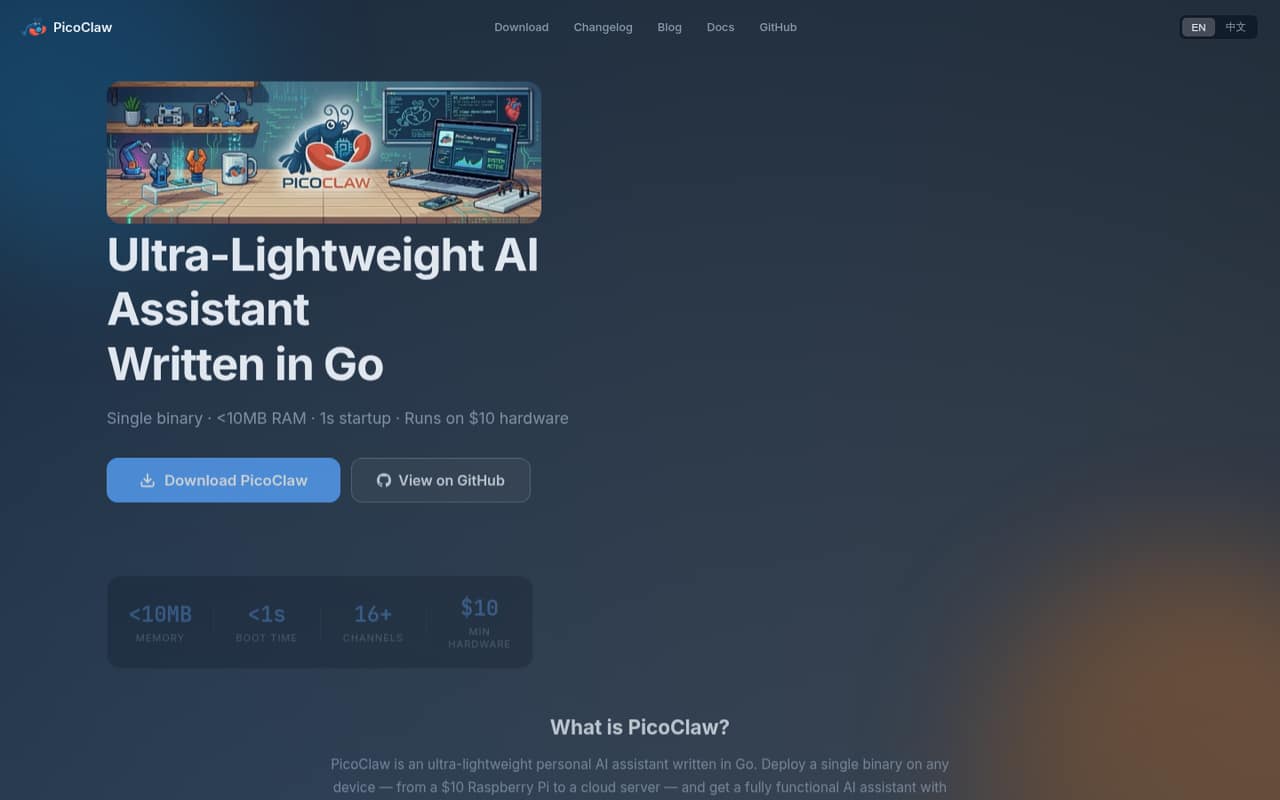
PicoClaw is a free, open-source personal AI assistant that runs as a single Go binary on hardware from Raspberry Pi devices to cloud servers. The homepage says it uses less than 10MB of RAM and starts in under a second; it connects to LLM providers through APIs while keeping conversation history and configuration local.
For a small team, the main cost is provider API usage, which is paid directly to the provider and not priced by PicoClaw. Expect some setup work: a Reddit user described configuring an API key and Telegram, while another reported needing tweaks and workarounds.
Good fit if
- Technical teams on tight budgets
- Self-hosting and Raspberry Pi fans
- Teams automating repeatable tasks
Skip it if
- Teams wanting managed support
- Nontechnical teams avoiding setup
- Buyers needing published seat limits
ScoresHow it rates
What works
- Software is free and MIT-licensed
- Self-hosted on devices or cloud servers
- Homepage lists under 10MB RAM use
- Connects to LLM providers through APIs
- Supports automation and chat-platform gateways
What doesn't
- LLM API charges are extra
- Provider usage costs are not published
- Seat and usage limits are not published
- Setup may require configuration and workarounds
- Support terms are not published
01Who PicoClaw is for
PicoClaw suits a small, technical team—roughly one to ten people—that wants an AI assistant without adding a software subscription. It is self-hosted, free, and open source under the MIT license, so a team can run it on a small Linux device or a cloud server rather than buying a hosted plan.
In plain terms, PicoClaw connects to AI models through provider APIs and keeps conversation history and configuration local. The listed uses include code completion and debugging, drafting content, analyzing sensitive business data, scheduled commands, and bot integrations. Gateway mode connects chat platforms through MCP and a REST API.
This is most attractive if someone on the team is comfortable with configuration and maintaining a self-hosted service. The low listed memory use may help when hardware or server resources are limited. If you need a managed product, published seat controls, or a support commitment, PicoClaw is a harder fit: those terms are not published.
02PicoClaw free plan and trial
PicoClaw has a free, open-source option rather than a time-limited trial. The pricing information lists the Free / Open Source plan at $0 per month, with self-hosting and an MIT license. It does not publish seat or usage limits, so ask the project maintainers what applies to your intended deployment.
The free price covers the software, not the AI model calls. PicoClaw connects to LLM providers through APIs, and the pricing information says users pay those providers directly based on consumption. Those costs are not published by PicoClaw and depend on the provider and usage. There is no paid PicoClaw plan listed as an easier entry point; the cheapest way in is to self-host the free software and budget separately for API usage.
03What a small team pays for PicoClaw
The pricing page lists the Free / Open Source plan at $0 per month. That makes the software cost $0 monthly for one person, $0 for a three-person team, and $0 for five people. At the listed monthly price, annual software costs are $0 for one, three, or five people. PicoClaw does not publish per-seat pricing, and seat limits are not published, so these totals cover software only—not a promise about allowable team size.
The extra bill is LLM API usage. The pricing information says teams pay providers directly based on consumption, but PicoClaw does not publish those costs. There are no listed monthly or annual billing options for the software beyond the free plan. As a budget-conscious buyer, treat the $0 subscription as a starting point, not the full operating cost: choose a provider, check its current rates, and set a usage budget before connecting a team workflow.
04Getting started with PicoClaw
PicoClaw is a self-hosted binary, so expect more setup than with a hosted assistant. One Reddit user described downloading a release for a Raspberry Pi, running the onboarding command, adding an OpenRouter API key and model to the configuration, then setting up a Telegram bot. They used a terminal command for chat or started gateway mode for Telegram.
That report is one user’s route, not a guarantee that every installation follows the same steps. Another commenter said PicoClaw involved more tweaks and workarounds than expected, while a different commenter reported building it locally to run in Termux on an Android tablet. These accounts suggest the learning curve can vary by device and setup.
For day one, plan to select an LLM provider, configure its API access, and choose a chat interface if your team needs one. Check the project’s current instructions for supported platforms and integrations before committing a team workflow.
05When small teams outgrow PicoClaw
PicoClaw may stop fitting when your team needs a polished, centrally managed service rather than a self-hosted assistant. The pricing information does not publish seat or usage limits, paid tiers, support terms, or a managed upgrade path. If you need those details for procurement, ask the project maintainers before rolling it out broadly.
API spending is another growth checkpoint. PicoClaw’s software is free, but model usage is billed by providers and costs are not published by PicoClaw. As more people automate tasks or use code and content features, set provider-side budgets and monitor consumption.
Reddit reports are mixed on setup effort. One user said they abandoned PicoClaw after a couple of days because it needed too many tweaks and workarounds; others described running it on a Raspberry Pi or a low-resource VPS. That points to a tool that can suit technically confident teams, but may frustrate a growing group that wants consistent onboarding and less maintenance.
From the threadsWhat users say
The Reddit discussion is mixed: some users report running PicoClaw on small devices, while another describes extra setup work and gives up. The comments show interest in its small footprint, but do not establish a consistent experience across devices.
I have picoclaw running on an arm64 Raspberry Pi 400
there're a lot of things to tweak and workarounds more than installing openclaw on a debian box
the features were cool, but way too much work to maintain as a home user
Questions people ask
Is PicoClaw free for a small team?
The pricing information lists PicoClaw’s Free / Open Source plan at $0 per month and says the software is MIT-licensed and self-hosted. Seat and usage limits are not published. The software price does not include LLM API calls, which are paid directly to the provider based on consumption.
Does PicoClaw charge per user?
PicoClaw does not publish per-user pricing. Its listed Free / Open Source plan costs $0 per month, and the pricing information does not publish seat limits. For budgeting, the software costs $0 at the listed price, while provider API usage is a separate, variable expense.
What does a team need to run PicoClaw?
PicoClaw is a self-hosted Go binary that can run on devices from Raspberry Pi hardware to cloud servers. It connects to LLM providers through APIs. One Reddit user described setting an API key and model in configuration, then creating a Telegram bot for chat; check current project instructions for your target device.
Does PicoClaw include AI model usage?
No. PicoClaw connects to LLM providers through APIs, and its pricing information says users pay providers directly based on consumption. PicoClaw does not publish those API costs. Check the rates and budget controls of the provider you plan to use before connecting team workflows.
Can PicoClaw connect to chat platforms?
PicoClaw’s listed features include gateway mode for connecting chat platforms through MCP and a REST API. A Reddit user described setting up Telegram with a bot token and then starting gateway mode. Confirm which platforms and setup steps are currently supported in the project’s instructions.
Sources
- PicoClaw homepage
- PicoClaw pricing, compiled via web search from kunavo.com, promptquorum.com, picoclaw.io
- Reddit: What is the best Openclaw alternative?
- Reddit: Anyone tried PicoClaw? An AI assistant that apparently runs on less than $10 hardware
- Reddit: I just installed PicoClaw on my RG35XX Pro and this can be done on the R36S too!
- Reddit: OpenClaw and Friends: Claw, Nano, Zero, Pico… So Many Overlapping Projects, I’m Confused