
We may earn a commission if you buy through links on this page. It never changes a score or a ranking. How we make money
The bottom line
Good planning tools and a limited free tier; small-team costs are hard to pin down.
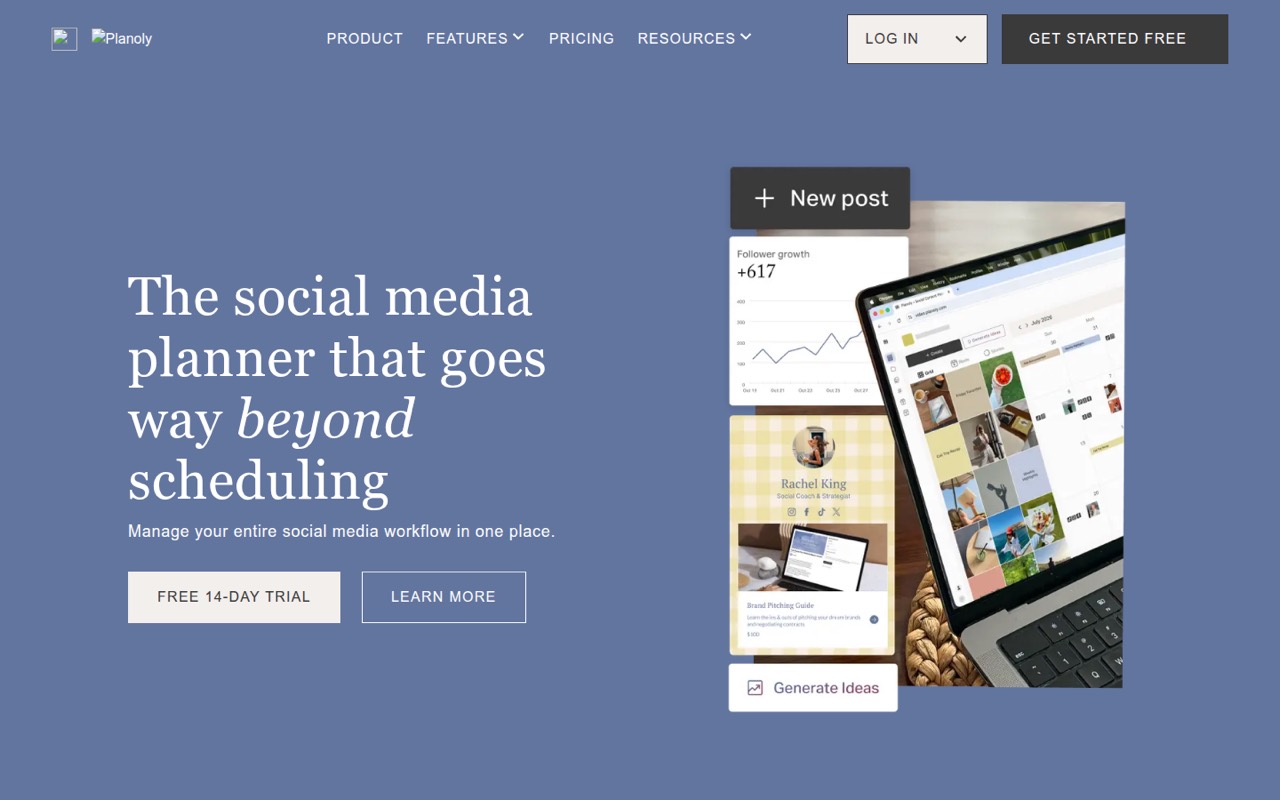
Planoly combines a social calendar, scheduling, content organization, Instagram feed previews, AI-assisted ideas and link-in-bio sales tools. Its free plan allows 10 uploads a month on the mobile app, while Starter starts at $14 a month for one user and one social set.
For a team, the catch is that Growth and Pro monthly prices aren’t listed. Growth includes two users, but adding seats costs extra. Reddit comments discuss social schedulers generally—not Planoly specifically—and raise mixed concerns about video workflows and third-party scheduling.
Good fit if
- Solo social media planners
- Small teams organizing multiple accounts
- Creators who want a feed preview
Skip it if
- Teams needing a known total price
- Desktop-only users on the free plan
- Teams seeking verified video workflows
ScoresHow it rates
What works
- Free plan includes 10 monthly uploads
- Starter includes unlimited uploads
- Calendar brings planned posts into one view
- Feed preview helps plan an Instagram grid
- Link-in-bio supports products, services and bookings
What doesn't
- Free plan is available on the mobile app
- Growth and Pro monthly prices aren’t listed
- Starter covers only one user and social set
- Extra users and social sets add monthly costs
- Reddit discussion raises general scheduler concerns, not Planoly-specific findings
01Who Planoly is for
Planoly is for creators and small teams that need one place to plan, organize and schedule social posts. Its calendar brings planned posts across social channels into one view. Other tools include AI-assisted post ideas, keywords and captions, an Instagram grid preview, DM automation, and a link-in-bio storefront for services, digital products and bookings.
The free plan is a starting point for a solo user who can work within 10 uploads a month and use the mobile app. Starter is the first clearly priced paid option: $14 a month for one user and one social set. Teams of two or more may need Growth or Pro, but Planoly doesn’t list those monthly prices. That makes it harder for a budget-conscious team of three to compare the cost with other schedulers before contacting the vendor. Planoly fits best when social planning and content organization matter more than having a published, predictable team price.
02Planoly free plan and trial
Planoly’s Free plan costs $0 and includes 10 uploads per month. It’s available on the mobile app, so teams that need desktop access should check whether a paid plan fits their workflow. The listed Free inclusions don’t specify user or social-set allowances, so ask Planoly before relying on it for shared team planning.
Planoly also lists a 14-day free trial. The trial’s plan, feature scope and any payment details after it ends aren’t published in the published pricing information; confirm those with the vendor before signing up. If 10 monthly uploads aren’t enough, Starter is the cheapest listed paid plan at $14 a month. It includes one user, one social set, unlimited uploads and Free Link in Bio.
03What a small team pays for Planoly
The listed Starter price is $14 per month for one user and one social set. That works out to $14 per seat for a solo user, with unlimited uploads and Free Link in Bio. Planoly doesn’t list a monthly Growth price, so there’s no published base total for a team of three or five.
Growth includes two users and two social sets. Its listed add-on rate is $5 a month for each extra user, so a three-person team would pay the unknown Growth base price plus $5 monthly for the third seat. A five-person team using Growth would pay that base plus $15 for three extra seats, assuming two social sets are enough. Pro includes six users and six social sets, but its monthly price also isn’t listed. Extra social sets cost $10 each per month on Growth or $8 on Pro.
Annual plans are billed upfront at a discount of up to 15%, but annual prices aren’t listed for every plan. Ask Planoly for the full team quote and billing total before budgeting.
04Getting started with Planoly
Planoly’s listed tools point to a workflow built around adding social content to a calendar, organizing posts and scheduling them. It can auto-publish where supported or send a reminder for native posting. A feed preview lets users arrange an Instagram grid before publishing, while AI-assisted ideas can help with post concepts, keywords and captions.
Planoly doesn’t publish a setup-time estimate in the listed plan details. The amount of work will depend on the accounts, content and team process you need to bring together; confirm supported platforms and account permissions with the vendor before setup. The pricing information also doesn’t spell out onboarding or training. Reddit users discussing social schedulers generally mention confusing experiences and video workflow frustrations, but those comments don’t identify Planoly. A small team should test its own posting workflow during the 14-day trial and confirm which actions require native posting.
05When small teams outgrow Planoly
The first clear limit is the Free plan’s 10 uploads a month. Starter removes the upload cap, but it includes only one user and one social set. A team that needs more seats or accounts will need to price Growth or Pro, and those monthly base prices aren’t listed. Growth charges $5 a month for each added user and $10 for each added social set; Pro charges $3 and $8, respectively. Ask for a complete quote once you know how many people and social sets you need.
A team may also need to look elsewhere if Planoly doesn’t support a required publishing workflow or account type. Confirm that directly with the vendor; the published plan details don’t list full platform compatibility. Reddit comments about schedulers more broadly mention confusing apps, video limitations and concerns that third-party scheduling could affect reach. Those are general user opinions, not reports about Planoly, but they’re a reason to check your own video and native-posting needs before committing.
From the threadsWhat users say
The Reddit discussion is mixed about social schedulers overall, mentioning confusing workflows, video frustrations and a preference for native scheduling. It does not offer a Planoly-specific user verdict.
half of them were super confusing
none of them work as well as I wish they did
Meta is probably still the best I've found for video
Third party schedulers are thought to decrease reach, so stick to the natively schedulers for each app
Questions people ask
Does Planoly have a free plan?
Yes. Planoly’s Free plan costs $0 and includes 10 uploads per month on the mobile app. The listed details don’t specify its user or social-set allowances. If you need unlimited uploads, Starter is listed at $14 per month for one user and one social set.
How does Planoly work?
Planoly brings planning, content organization and scheduling into one place. Its social calendar shows planned posts across channels; other listed features include AI-assisted content ideas, an Instagram feed preview, DM automation and a link-in-bio storefront. It can auto-publish where supported or send reminders for native posting.
Can Planoly publish posts automatically?
Planoly lists post automation that auto-publishes when supported and sends reminders when a post needs to be published natively. The listed information doesn’t spell out which platforms or post types support each method. Check with Planoly about your specific accounts and formats before relying on automatic publishing.
Does Planoly include a link-in-bio page?
Free Link in Bio is included with Starter, Growth and Pro according to the listed plan details. Planoly describes its link-in-bio storefront as supporting sales of services, digital products and bookings. The Free plan’s listed inclusions don’t mention Link in Bio, so confirm its availability if you’re staying on Free.
How do I cancel Planoly?
The cancellation process isn’t described in the listed pricing information. Before starting a paid plan or trial, ask Planoly where to cancel, when cancellation takes effect and whether an annual payment is refundable. Annual plans are billed upfront, so check the terms before choosing annual billing.