
We may earn a commission if you buy through links on this page. It never changes a score or a ranking. How we make money
The bottom line
Good value for up to 10 screens if you can live with the free-plan watermark.
PosterBooking helps a small team schedule and update digital signs from a browser dashboard. Its free plan lists 10 screens, but those screens carry a watermark; Home Basic is $52 per month for 10 screens without one.
For a team managing a handful of TVs, the free tier is a low-cost way to start. Pricing is by screen, not seat, and the vendor does not publish user-seat limits, so check how many staff can manage the account before rolling it out.
Good fit if
- Small teams managing a few screens
- Businesses comfortable with a screen watermark
- Teams scheduling menus and promotions
Skip it if
- Teams requiring published seat limits
- Brands that cannot show a watermark
- Large rollouts needing clear support terms
ScoresHow it rates
What works
- Free plan lists up to 10 screens
- Remote updates from a browser dashboard
- Playlists can be scheduled by screen or group
- Offline playback keeps cached content running
- White-label branding is available
What doesn't
- Free screens carry a watermark
- Home Basic costs $52 monthly
- Extra screens cost $6.49 each monthly
- User-seat limits are not published
- A Google Slides URL caused trouble for one user
01Who PosterBooking is for
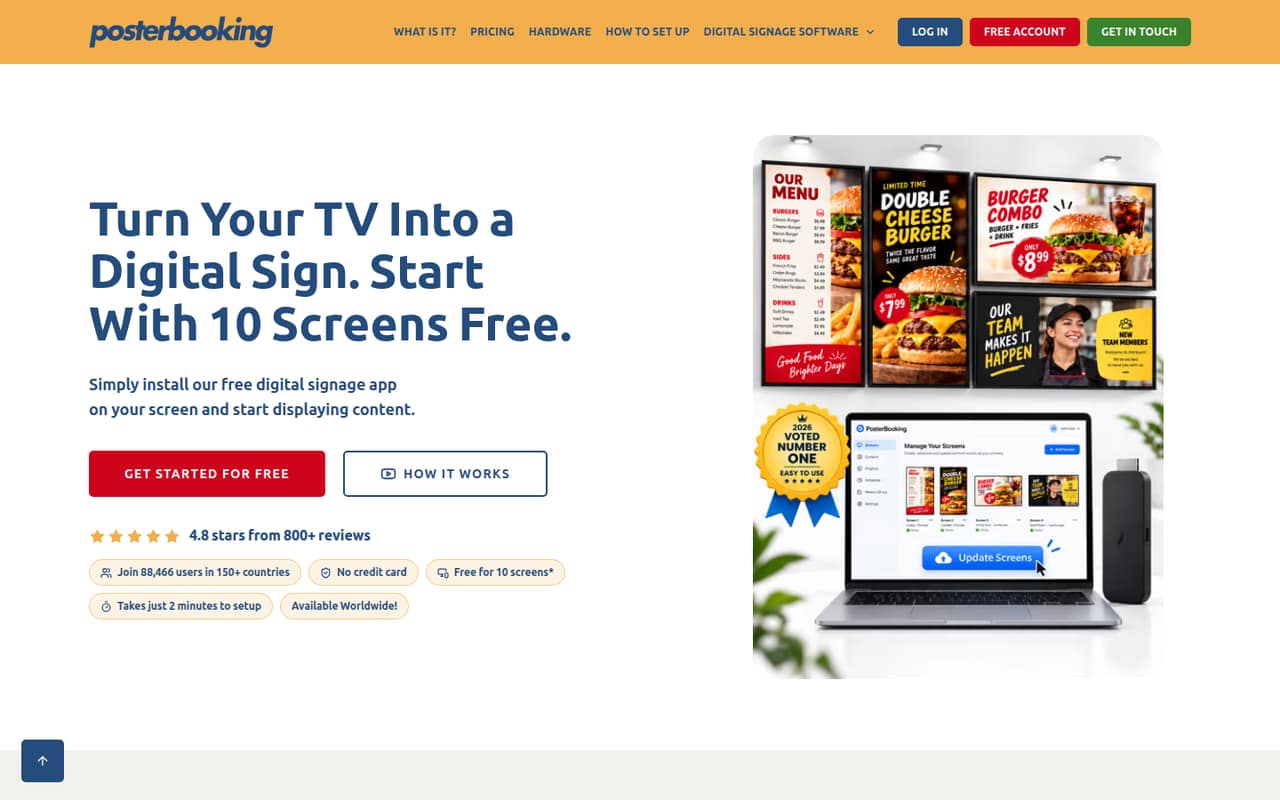
PosterBooking is for a small team that needs to manage TV screens without building a signage system from scratch. Upload images, videos, menus or ads, then use the browser dashboard to manage screens remotely. Playlists and scheduling let you choose what appears and when, while synchronized screens can show content together.
For a one-to-ten-person business, the key question is less about staff count than how many screens you manage. The Free plan lists 10 screens, and Home Basic also covers 10. That makes the free option worth considering for a small shop or office that can accept a watermark; Home Basic is the paid step when that mark is a problem. The pricing is screen-based, not per seat, and the vendor does not publish a user-seat allowance. Ask how many team members can manage the account before choosing it.
02PosterBooking free plan and trial
The pricing page lists Free at $0 per month for up to 10 screens, with a watermark on screens. It also lists a three-month free trial; the page does not explain how that trial relates to the $0 Free plan, so confirm the terms before relying on it. From screen 11, the listed rate is $6.49 per screen per month.
If you need 10 screens without the watermark, Home Basic is $52 per month and includes scheduled playlists. It also lists $6.49 per month for each screen from number 11. Business Pro has a 30-day free trial, but its $520 monthly price and unlimited-screen setup are a much bigger jump for a small team. The vendor does not publish a trial for Home Basic.
03What a small team pays for PosterBooking
PosterBooking prices by screen, not by person. For one person managing one screen, Free costs $0 per month with a watermark; Home Basic costs $52 per month for 10 screens without one. If a team of three or five each manages one screen, those same plan totals apply: $0 on Free or $52 on Home Basic, assuming the screens fit within the included 10. The vendor does not publish user-seat limits, so confirm whether all three or five staff can access the account.
There is no annual price listed. The pricing page says plans are billed monthly, although Home Basic shows $52 beside $69 without identifying the second figure as an annual rate. Ask the vendor to clarify before budgeting. Once a Free or Home Basic account passes 10 screens, each additional screen is listed at $6.49 per month. If you need unlimited screens, Business Pro is $520 monthly; Enterprise Plus is $830 monthly. For most small teams, the watermark—not seat count—is the first cost decision.
04Getting started with PosterBooking
The basic workflow is straightforward in outline: upload content, create playlists, assign them to screens, and schedule when they play from the browser dashboard. The feature list also includes remote updates, synchronized screens and offline playback. The vendor does not publish setup time or detailed onboarding requirements in the available plan information, so we would not assume a particular installation effort.
The main day-one question is whether your content source works as expected. In one Reddit thread, a user could not display a published Google Slides URL in a playlist. A commenter suggested checking whether the URL could be opened from a browser not signed into the Google account. That is a useful access check, not a guarantee that every Slides setup will work. A commenter also says PosterBooking works with Firesticks, but confirm device compatibility for your specific screen and player before buying hardware.
05When small teams outgrow PosterBooking
The first clear limit is 10 screens on Free and Home Basic. Above that, each added screen costs $6.49 per month on either plan. For a business that wants more than 10 screens, Business Pro lists unlimited screens, playlists and storage for $520 monthly—a steep jump if the team only needs a few more displays. Enterprise Plus is $830 monthly and lists unlimited everything, 24/7 unlimited support, a dedicated server and two-factor authentication.
Staff access could also become a decision point: PosterBooking’s user-seat limits are not published, so ask about permissions and account access as more people manage content. Reddit reactions are mixed but include positive reports: one user said they had used the service for a year without problems. Another thread discussed the service no longer being free, while a 90–120-screen buyer was trialing its unlimited-screen Pro package. Those are individual experiences, not a service guarantee.
From the threadsWhat users say
Reddit comments include users who say PosterBooking works well and is cost-effective. Other discussions raise practical concerns about free-plan changes, setup issues with a Google Slides URL and whether the product fits a large rollout.
I use posterbooking, have been for a year, and it's wonderful. Never had a problem with it
It’s been great so far, very cost effective which is a bonus
Now that posterbooking is no longer free is there another service you would recommend?
When I do that, update the playlist, add to screen, I cannae see my content
Questions people ask
Is PosterBooking legit?
PosterBooking has published plans for cloud digital signage, and Reddit users describe using or trialing it. Those reports can help you understand user experiences, but they are not a guarantee of reliability. Before committing, verify current plan terms, device compatibility and support arrangements with the vendor.
Is PosterBooking free?
The pricing page lists a Free plan at $0 per month for up to 10 screens, with a watermark. It also mentions a three-month free trial, but does not explain how the trial relates to the Free plan. Confirm the terms with PosterBooking before planning around the trial.
What does PosterBooking cost for a small team?
The Free plan is $0 monthly for up to 10 screens, with a watermark. Home Basic is $52 monthly for 10 screens without one. Pricing is by screen rather than seat, but the vendor does not publish how many user accounts each plan permits. Additional screens on those plans cost $6.49 per month each.
Does PosterBooking work with Firesticks?
A Reddit commenter says PosterBooking works with Firesticks, but that is a user report rather than a published compatibility guarantee. Check with the vendor about your particular Firestick model, operating system and screen setup before relying on it for a business deployment.
Why might a Google Slides link not display?
A Reddit user reported trouble displaying a published Google Slides URL in a playlist. A commenter suggested opening the URL in a browser that is not signed into the relevant Google account to check whether it is publicly accessible. Verify link permissions and test your content source before rollout.
Sources
- PosterBooking homepage
- PosterBooking pricing page
- Reddit: Help with PosterBooking and Google Slide
- Reddit: Digital signage suggestions, currently trialing PosterBooking
- Reddit: Now that posterbooking is no longer free is there another service you would recommend?
- Reddit: Posterbooking, RiseVision, or Building My Own Digital Signage Software?