
We may earn a commission if you buy through links on this page. It never changes a score or a ranking. How we make money
The bottom line
A strong fit for solo consultants; compare per-seat costs before rolling it out to a team.
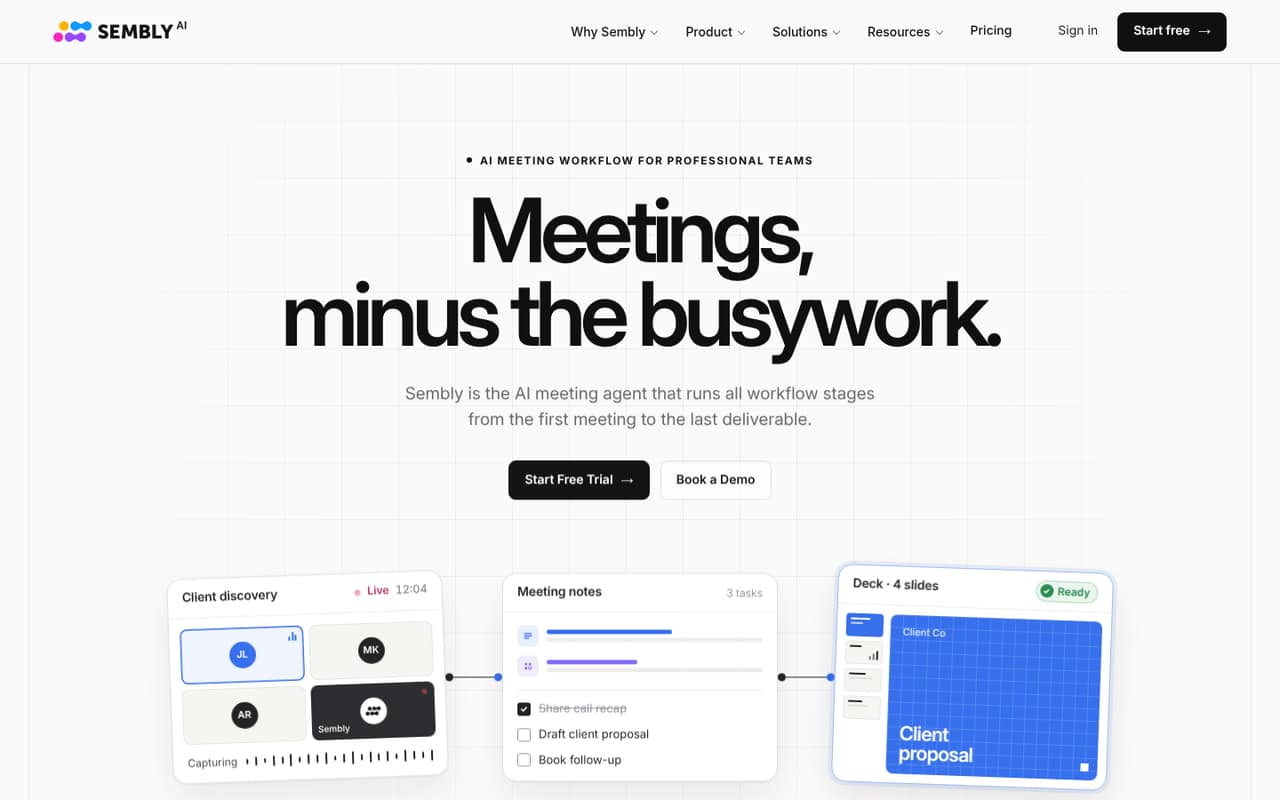
Sembly AI goes beyond meeting notes: it can capture or transcribe conversations, pull out tasks and decisions, and create editable client documents and decks. The free plan is useful for trying the workflow, but its one-user and one-hour monthly limits make it a sampler, not a shared team plan.
For one practitioner, Basic starts at $10 per month when billed annually or $17 month to month. Teams need Pro, which costs $20 per seat monthly on annual billing or $29 month to month. That adds up to $60 or $87 monthly for three people, so check how often your team will use the client-deliverable features before adding seats.
Good fit if
- Solo consultants managing client meetings
- Small teams creating client-ready deliverables
- Teams needing multilingual meeting transcripts
Skip it if
- Teams seeking a free shared workspace
- Light users needing only occasional notes
- Teams unwilling to pay per seat
ScoresHow it rates
What works
- Free plan includes one meeting hour each month
- Basic includes unlimited meeting hours
- Transcribes meetings in 45+ languages
- Extracts tasks, decisions, risks, and key topics
- Exports editable PowerPoint and Word deliverables
What doesn't
- Free plan is limited to one user
- Free plan includes just one meeting hour monthly
- Pro costs $87 monthly for three seats month to month
- Plans have monthly credit limits
- Extra-credit pricing is not published
01Who Sembly AI is for
Sembly AI makes the most sense for a solo consultant or a small client-services team that spends real time turning calls into follow-ups. It records or transcribes meetings, then creates notes, tasks, decisions, and other key points. It can also use meeting context to produce branded proposals, reports, and pitch decks as editable Word or PowerPoint files.
A one-person practice can start on Basic, while a team that wants multiple seats needs to look at Pro or above. The free plan is useful for one person checking whether the meeting-to-deliverable workflow fits, but it is not a shared plan for a 3–10-person team. If all you need is occasional transcripts, paying for several seats may be hard to justify. If calls routinely lead to client documents and assigned follow-ups, Sembly’s broader workflow has a clearer case.
02Sembly AI free plan and trial
The free plan includes one user, one meeting hour per user each month, 750 monthly credits, five clients, five brand packages, and two months of history. That is enough to explore meeting capture and summaries, but the one-hour cap makes it a poor fit for a regular meeting schedule. It also does not give a team several free seats.
Sembly lists a seven-day free trial, but the trial’s plan, limits, and post-trial terms are not published in the pricing details. Ask Sembly what the trial includes before relying on it for a team rollout. A Reddit user described the personal plan as free and said meeting transcripts could be shared by email, link, or with other users; the same commenter suggested a shared workspace for a better team experience.
03What a small team pays for Sembly AI
For one person, Basic costs $17 month to month or $10 per month with annual billing, paid upfront at the annual rate. Basic is listed for one user and includes unlimited meeting hours, 2,500 monthly credits, and one year of history. Pro is the relevant multi-seat plan: it costs $29 per user month to month or $20 per user monthly with annual billing, paid upfront.
At Pro rates, three seats cost $87 monthly or $60 per month on annual billing ($720 upfront for the year). Five seats cost $145 monthly or $100 per month on annual billing ($1,200 upfront). Pro supports up to 40 users and includes 3,000 monthly credits per user, two years of history, multi-meeting AI chat, and advanced search. Sembly says extra credits are available to buy, but does not list their price. The pricing page lists a 10-user minimum for Enterprise, so it is not the obvious next step for a smaller team.
04Getting started with Sembly AI
Sembly’s feature list covers scheduled meeting recording on supported conferencing platforms, plus offline recording through its app. It also lists speaker identification, multilingual transcripts, notes, and task extraction. For calls, a Reddit user described registering with an email and syncing a Google or Outlook calendar; another said automatic joining was available for Microsoft Teams with a corporate or education account. Check which setup applies to your accounts before inviting it to routine meetings.
The basic workflow sounds approachable: connect the calendar or arrange capture, then review the transcript and generated notes. We would still plan time to set up clients and brand packages if you want branded documents, and to review AI-generated tasks and deliverables before sharing them. Sembly’s pricing lists history and monthly credits by plan, so teams should also decide how much meeting material they need to retain and process.
05When small teams outgrow Sembly AI
The first pinch point is meeting volume: Free stops at one hour per user monthly. The next is collaboration. Free and Basic are each listed for one user, so a team that wants multiple paid seats moves to Pro, at $20 per user monthly with annual billing or $29 month to month. Pro’s stated ceiling is 40 users; larger organizations need to ask about MAX or Enterprise. MAX starts at three users, while Enterprise requires at least 10.
Credits can also become a constraint: Pro includes 3,000 monthly credits per user, and Sembly lists additional credits for purchase without publishing their price. Ask the vendor what happens when a workspace runs short. Reddit feedback is limited, but one commenter said recordings and transcripts could be shared with free users and recommended a shared workspace for a better experience. That suggests sharing may bridge some gaps, but it is not the same as having every teammate on a shared paid plan.
From the threadsWhat users say
The small amount of Reddit discussion is mostly practical and positive about free access and sharing. It offers little independent detail about paid plans or day-to-day reliability, so the overall user sentiment is promising but not conclusive.
It's free :)
Sure, any recorded meet and it's transcription can be shared by email, by link or with other users
All those meetings are transcribed, so it makes sense to try to get AI to analyze them, right?
behind the scenes, it’s still real humans involved answering your questions
Questions people ask
How much does Sembly AI cost?
The free plan costs $0 and covers one user and one meeting hour per user monthly. Basic is $17 per month or $10 per month with annual billing. Pro costs $29 per user monthly or $20 per user monthly with annual billing. Annual rates are billed upfront; extra-credit pricing is not published.
What does the Sembly AI free plan include?
The free plan lists one user, one meeting hour per user monthly, 750 monthly credits, five clients, five brand packages, and two months of history. Its meeting-hour allowance is the main limit for regular use. Sembly also lists a seven-day trial, but the trial’s plan and terms are not published.
Can Sembly AI record in-person meetings?
Sembly lists offline recording through its app, which can generate notes, key items, and tasks. It also describes meeting intelligence for online and in-person meetings. Check the app’s current device and recording requirements with Sembly before planning an in-person workflow.
How many languages does Sembly AI transcribe?
Sembly lists transcription in more than 45 languages and says it identifies speakers by name. Language coverage can matter if your team has multilingual calls, but confirm that the specific languages you need are supported before choosing a plan.
Can Sembly AI create client documents?
Yes. Sembly says it can turn meeting context into branded proposals, reports, and pitch decks, with exports as editable Word and PowerPoint files. The number of clients and brand packages depends on the plan, so check those limits if you produce deliverables for many clients.
Sources
- Sembly AI homepage
- Sembly AI pricing page
- Reddit: [Free] Personal Sembly AI assistant for Zoom / Google Meet / MS Teams meetings (recording call, transcript it, bookmarks, notes, sharing, etc).
- Reddit: Self-review due Friday and my brain is literally empty
- Reddit: Hello, world! Sembly AI Support Team is on the line 🙌🏼