
We may earn a commission if you buy through links on this page. It never changes a score or a ranking. How we make money
The bottom line
Supernormal offers useful free meeting tools, but its paid plans lack a clear price.
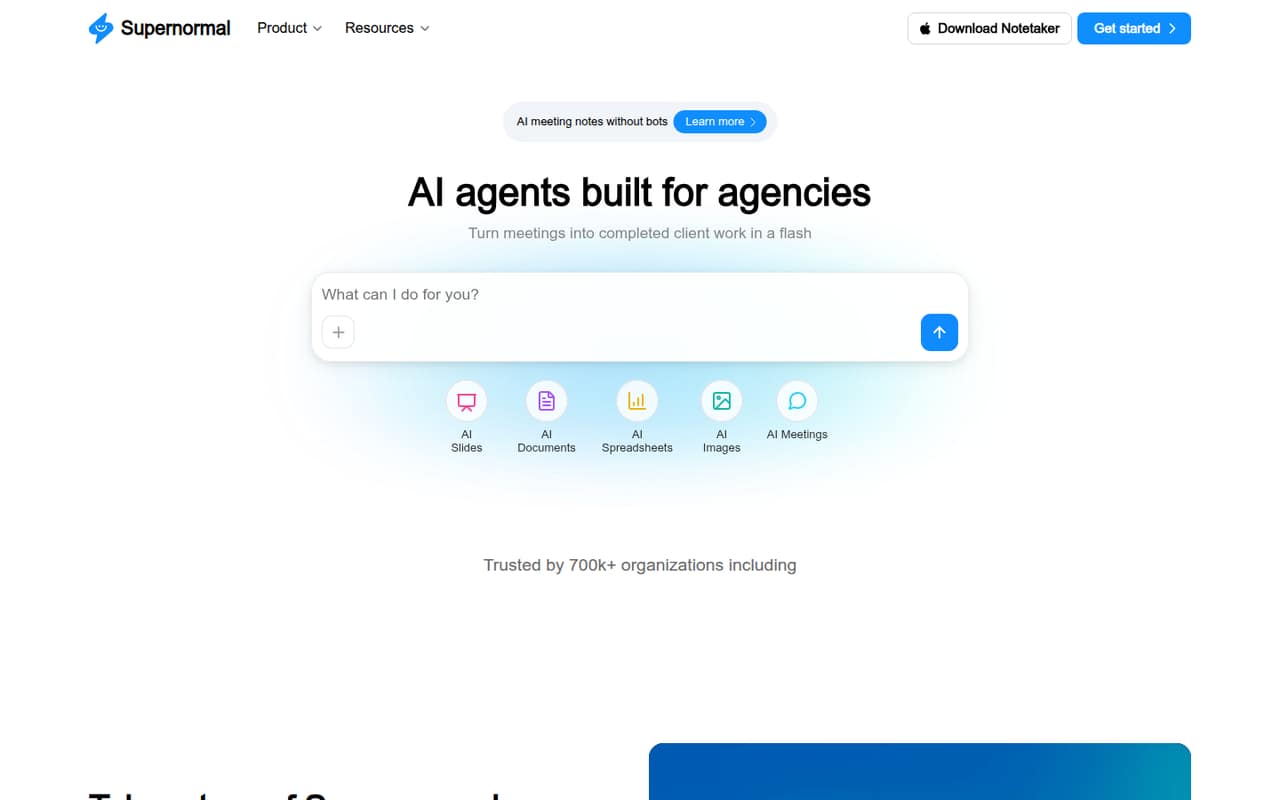
Small teams that turn client calls into follow-up work may get value from Supernormal: it makes meeting notes without bots and can help create documents, slides, spreadsheets, and images. The free plan costs $0 and includes meeting notes, projects, and MCP connections, with credit limits.
The catch is paid pricing. Team and Business are marked annual and display $0/month, but the pricing page lists no separate monthly price or actual annual rate. We’d try the free plan first, then ask the vendor for a written quote before budgeting for several seats.
Good fit if
- Agencies turning calls into client deliverables
- Individuals trying AI meeting notes
- Teams that can work within credit limits
Skip it if
- Teams needing predictable paid pricing
- High-volume AI content production
- Buyers needing detailed setup guidance
ScoresHow it rates
What works
- Free plan costs $0 per month
- Meeting notes are described as bot-free
- Unlimited projects on the Free plan
- Team includes unlimited seats
- Can create slides, documents, spreadsheets, and images
What doesn't
- Team and Business prices aren't stated clearly
- Free plan has limited credits
- Team includes 50 credits per month
- Credit costs for individual tasks aren't published
- No add-ons are listed
01Who Supernormal is for
Small teams do not need another meeting tool unless calls regularly turn into work someone has to write, design, or organize. Supernormal is aimed at that handoff: it creates meeting notes without bots and can turn meetings into client emails, slides, visuals, documents, and insights.
That makes it a plausible fit for a one-to-ten-person agency or service team preparing briefs, proposals, or pitch decks from client conversations. Individuals can start free, while teams that want shared credits have a Team plan with unlimited seats. The catch for a budget-conscious team is that Team’s actual price is not clear on the pricing page, so it is hard to compare the cost for three or five people. We’d use the free plan to see whether the credit allowance fits the work before asking for a paid quote.
02Supernormal free plan and trial
The Free plan costs $0 per month and is aimed at individuals trying meeting notes and AI tools. The pricing page lists five daily credits, 15 monthly credits, meeting notes without bots, unlimited projects, and MCP connections. There is no separate free-trial price listed; the free plan is the way to start.
The main limit is credits. The pricing page does not say how many credits specific tasks—such as making a slide deck or image—use, so we can’t estimate how long the allowance will last for a typical week of client work. It also does not list credit rollover for Free. If several people need to share a pool, compare the Team plan, which lists 50 credits per month and unlimited seats, but whose actual price is not published clearly.
03What a small team pays for Supernormal
The pricing page lists Free at $0 per month. That makes the listed cost $0 for one person, three people, or five people using the Free plan, subject to its individual-plan positioning and credit limits.
Team is marked annual and displays $0/month, but the page gives no separate monthly price or actual annual rate. It lists 50 credits per month, credits shared across projects, and unlimited seats. So the price for one, three, or five Team seats—and a per-seat calculation—cannot be worked out from the listed figures. Business is also marked annual and displays $0/month, with no actual rate shown. Its features include 50 credits per month and admin controls such as SSO and audit logs. The $0 display should not be treated as a confirmed paid-plan price. No add-ons are listed. Before choosing Team or Business, ask the vendor for the total annual cost for your seat count and whether pricing changes with usage.
04Getting started with Supernormal
The product description presents meeting notes as bot-free, so teams looking to avoid adding a visible meeting bot may find the approach appealing. Supernormal also describes templates that can use meeting notes and pull in documents or emails for extra context. That gives a small team a straightforward first job to try: turn a call and its supporting material into a brief, proposal, or follow-up.
The vendor does not publish setup time or a detailed onboarding sequence in the available product and pricing information. It also does not give a full integration list or explain what connection is needed to capture a meeting. We would confirm whether your calendar, meeting platform, and document or email sources are supported before rolling it out. Start with one repeatable workflow and check how quickly it uses credits; task-level credit costs are not published.
05When small teams outgrow Supernormal
The clearest reason to move beyond Free is hitting its credit limits: it lists five daily credits and 15 monthly credits. Team raises the allowance to 50 credits per month, removes daily credit limits, and allows credits to roll over for up to two years. But if your team regularly creates more work than that pool supports, the pricing page does not publish task-level credit costs to help forecast usage.
A growing organization may need Business for SSO, audit logs, data retention, member visibility, or admin controls. Those are the listed differences, not a published increase in credits: Business also lists 50 credits per month. Team and Business prices are not clearly stated, so ask for the cost at your seat count before upgrading. If predictable usage costs matter, get the credit rules and full annual price in writing before relying on Supernormal for frequent client deliverables.
Questions people ask
Is Supernormal free?
Yes. The pricing page lists a Free plan at $0 per month. It includes meeting notes without bots, unlimited projects, MCP connections, five daily credits, and 15 monthly credits. Team and Business are also shown with $0/month, but they are marked annual and have no separate actual price listed.
How many credits does Supernormal include?
The Free plan lists five daily credits and 15 monthly credits. Team lists 50 credits per month, with no daily credit limits and rollover for up to two years. Business also lists 50 credits per month. The vendor does not publish how many credits each task uses.
Does Supernormal charge per seat?
Team includes unlimited seats, but the pricing page does not give a clear paid price or explain whether the plan is billed per seat or another way. Business is also marked annual without an actual rate. Ask the vendor for the total cost for your team size.
Does Supernormal use a meeting bot?
Supernormal describes its meeting notes as working without bots. The vendor's site does not explain the setup or connections required to capture meetings. Confirm with the vendor whether your meeting platform and preferred workflow are supported before rolling it out.
What can Supernormal create from meetings?
Supernormal describes AI-generated meeting notes, slides and pitch decks, documents such as creative briefs and proposals, spreadsheets, and images. Its meeting templates can use notes and pull in documents or emails for extra context. Credit costs for these outputs are not published.