
We may earn a commission if you buy through links on this page. It never changes a score or a ranking. How we make money
The bottom line
Sybill can cut sales admin, but its useful team features get expensive per seat.
A small sales team may not need Sybill if call notes and CRM updates are already quick to handle. Its free plan is a low-cost way to explore AI summaries and deal context, with a monthly summary limit and three months of storage.
For ongoing team use, Pro starts at $30 per user per month with annual billing, or $36 monthly. CRM autofill, deal workspaces, and Slack integration require Business, which costs $90 per user per month with annual billing. That jump makes the fit depend on how much admin the team needs Sybill to take off its plate.
Good fit if
- Sales teams with repetitive follow-up
- Founders managing deals and CRM
- Teams exploring AI sales assistance
Skip it if
- Teams seeking cheap CRM autofill
- Sales teams with no meeting admin
- Buyers needing published setup details
ScoresHow it rates
What works
- Free plan includes unlimited call recordings and transcripts
- Free tier includes 20 AI summaries and briefs monthly
- Pro offers unlimited AI summaries and briefs
- Business includes CRM autofill for 10 fields
- Business includes two-way Slack integration
What doesn't
- Pro and Business pricing is per user
- Business costs $90 per user monthly with annual billing
- SSO is an add-on with no published price
- Free plan stores data for only three months
- Enterprise pricing is custom and not published
01Who Sybill is for
Sybill is for salespeople and small revenue teams that spend too much time on meeting notes, follow-up, and CRM upkeep. A founder or solo seller can start with the free plan; teams of three to five should weigh the per-seat price against the admin work they want to reduce.
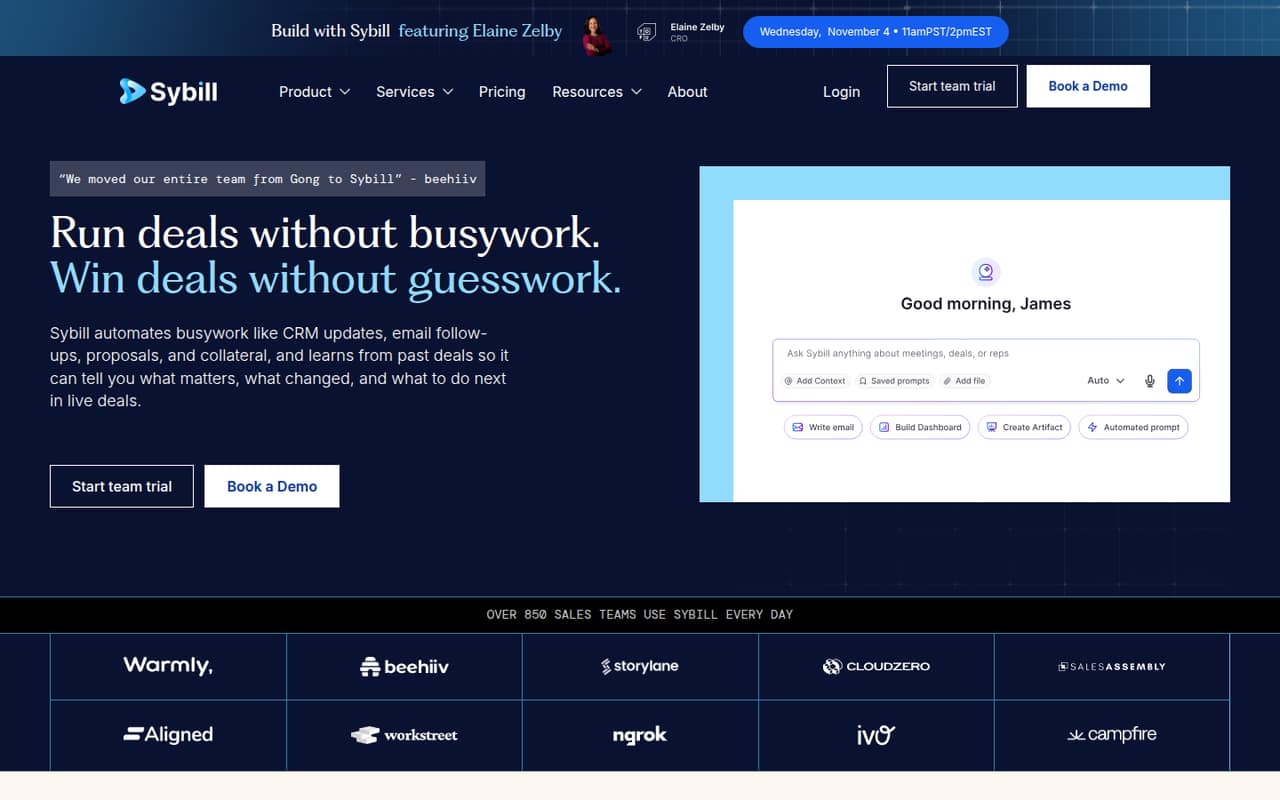
The tool uses sales conversations and deal context to create summaries, prepare meeting briefs, draft follow-up emails, and help answer questions about buyers, blockers, risks, and pipeline health. Pro is aimed at teams automating sales admin. Business adds CRM autofill for 10 fields, a deal workspace, and two-way Slack integration. Those paid features matter if several people need shared deal context or more CRM updates handled for them.
If your team rarely records calls or already has a simple, reliable note-taking routine, Sybill may be more software than you need. Start by checking whether the free plan covers the volume of meetings you actually handle.
02Sybill free plan and trial
Sybill’s Free plan costs $0 per user per month. The pricing page lists 500 credits per week, 20 AI summaries and briefs per month, three months of data storage, and unlimited call recordings and transcripts. The feature details also list 20 meetings per month for Free, so check how that allowance applies to your intended use.
Free is enough to explore summaries and deal context, but it is not an unlimited AI plan. If you need more than 20 summaries and briefs a month, Pro includes unlimited AI summaries and briefs, plus customizable summaries and briefs and meeting summaries pushed to CRM. Pro starts at $30 per user per month with annual billing, or $36 with monthly billing.
Sybill lists a 14-day free trial. The pricing details do not specify which plan the trial covers or its terms, so confirm those with the vendor.
03What a small team pays for Sybill
Pro is the cheapest paid plan for ongoing sales admin automation. The pricing page lists it at $30 per user per month with annual billing, marked 17% off, or $36 per user per month with monthly billing. That works out to $90 per month for three seats or $150 for five seats on annual pricing; monthly billing is $108 or $180, respectively.
Business is $90 per user per month with annual billing, or $108 with monthly billing. Three seats come to $270 per month on annual pricing or $324 monthly. Five seats cost $450 or $540 per month, respectively. Business is the tier that adds CRM autofill for 10 fields, API and MCP access, two-way Slack integration, and a deal workspace.
The pricing page lists SSO as an optional add-on, but the price is not published. Enterprise is custom-priced. No seat minimum is listed, so ask Sybill whether minimums or other charges apply before committing. The figures above are per-month totals from per-seat rates; confirm billing terms with the vendor.
04Getting started with Sybill
Sybill does not publish a setup-time estimate in the pricing details. Plan for some evaluation before a team depends on it: decide which calls and deal details it should handle, and confirm how its CRM updates fit your existing workflow. The exact setup steps and supported CRM connections are not specified in the available product details, so ask the vendor what is needed for your CRM before buying.
The feature list gives a few useful starting points. Pro can push meeting summaries to CRM. Business adds autofill for 10 fields and a two-way Slack integration; API and MCP access are also listed for that plan. The documentation and pricing details do not name specific CRM products or explain configuration steps, so we would verify compatibility and permissions directly.
A solo seller can explore Free first. For a team rollout, test the summaries and CRM workflow with the people who will use them, then confirm whether the plan supports the integrations you need.
05When small teams outgrow Sybill
The first limit to watch is Free’s 20 AI summaries and briefs per month, alongside three months of data storage. Teams that need more can move to Pro, which lists unlimited AI summaries and briefs and unlimited data storage. Its per-user price means costs rise with every seat: five users pay $150 per month at the annual rate or $180 with monthly billing.
A different upgrade pressure appears when the team wants CRM autofill, a shared deal workspace, or two-way Slack integration. Those features are listed on Business, not Pro. At five seats, Business costs $450 per month with annual billing or $540 with monthly billing, so teams should confirm that those workflow gains justify the jump.
Enterprise may fit revenue teams that need unlimited credits, unlimited CRM autofill, migration support, or a dedicated account manager. Its price is custom. If your team needs a specific CRM connection, setup guarantee, or seat minimum clarified, ask Sybill before scaling rather than assuming those details.
Questions people ask
Is Sybill free?
Yes. Sybill has a Free plan at $0 per user per month. It lists 500 credits per week, 20 AI summaries and briefs per month, three months of data storage, and unlimited call recordings and transcripts. The feature details also list 20 meetings per month for Free.
How much does Sybill cost for a small team?
Pro costs $30 per user per month with annual billing or $36 with monthly billing. Three Pro seats total $90 or $108 per month, respectively. Business costs $90 per user with annual billing or $108 monthly, before any optional add-ons.
What does Sybill Pro include?
Pro lists 2,500 credits per week, unlimited AI summaries and briefs, unlimited data storage, customizable summaries and briefs, and meeting summaries pushed to CRM. It costs $30 per user per month with annual billing or $36 with monthly billing.
Does Sybill update a CRM automatically?
Business lists CRM Autofill for 10 fields. Pro includes meeting summaries pushed to CRM, but the plan details do not list CRM Autofill for Pro. Confirm your CRM’s compatibility and the setup requirements with Sybill before subscribing.
Does Sybill offer a free trial?
Sybill lists a 14-day free trial. The pricing details do not specify which plan the trial applies to or its terms. Ask Sybill whether the trial includes the features you want to evaluate and what happens when it ends.