
We may earn a commission if you buy through links on this page. It never changes a score or a ranking. How we make money
The bottom line
Good asset variety and a free starting point; confirm licensing and team access before scaling.
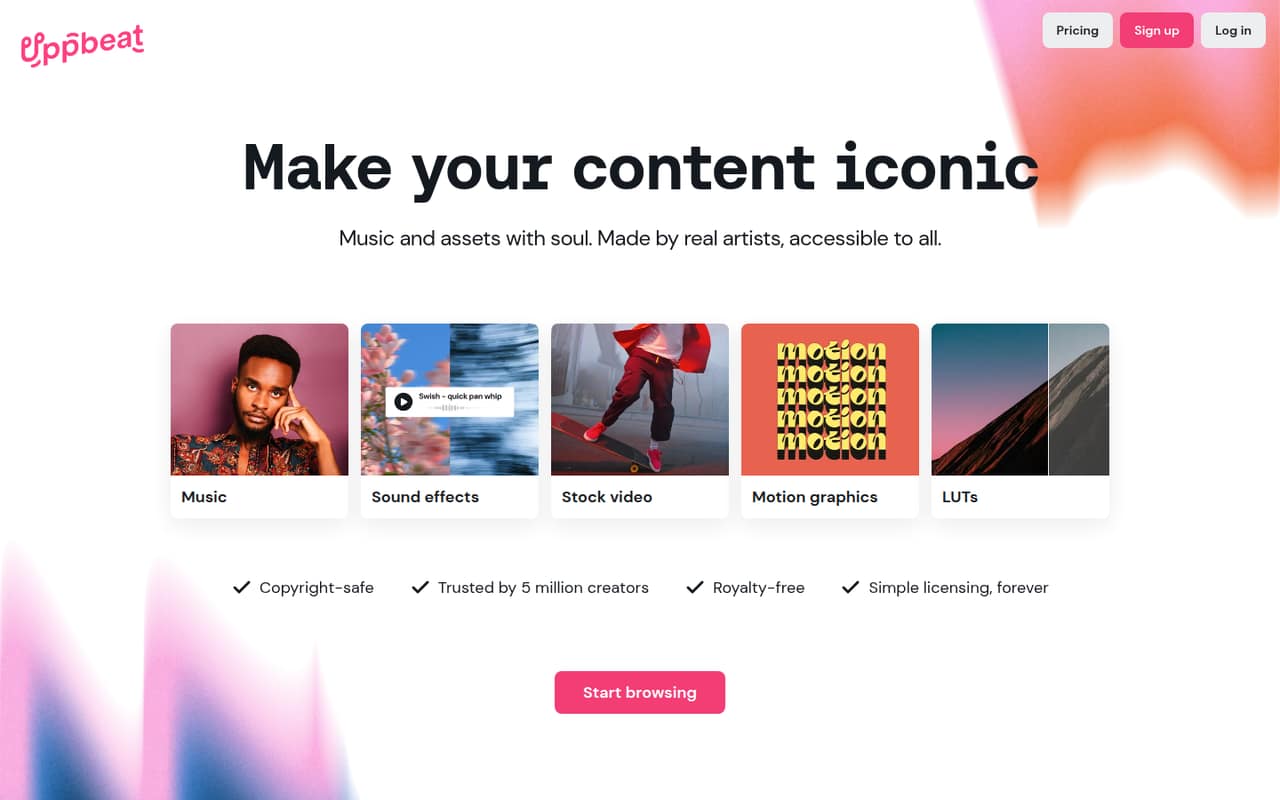
Uppbeat combines royalty-free music and sound effects with stock video, motion graphics and LUTs on higher plans. Its free plan is useful for sampling, while Essentials is the cheapest paid option for unlimited music and effects.
For a team, the key question is licensing and access: the listed prices are monthly plan prices, but seat counts and per-seat rates aren’t published. Reddit users describe useful safelisting and claim-release help, alongside occasional copyright-claim confusion.
Good fit if
- Solo video creators
- Teams needing varied creative assets
- YouTube channels using licensed music
Skip it if
- Teams needing published seat pricing
- Creators seeking unlimited free downloads
- Buyers needing broadcast licensing prices
ScoresHow it rates
What works
- Free plan offers three downloads
- Essentials includes unlimited music and sound effects
- Creator adds video, motion graphics and LUTs
- Safelisting covers up to ten channels on Pro
- Uppbeat staff share a claim-release process
What doesn't
- Free downloads are limited
- Per-seat pricing and seat limits aren’t published
- Business prices exclude tax
- Safelisting channel allowance varies by plan
- Reddit users report occasional copyright-claim confusion
01Who Uppbeat is for
Uppbeat is for creators who need music and sound effects, and for small teams that also want stock video, motion graphics and LUTs in one library. A solo creator can start free or pay $6.99 a month, billed yearly, for Essentials. Creator is the first listed tier that adds stock video and motion graphics, at $8.99 a month with annual billing.
For a team of one to ten, Uppbeat may be a handy asset source, but don’t assume one plan covers every teammate. The pricing lists monthly plan prices, not seat counts or per-user rates. Business is the tier listed for organizations, brands and teams, at $34.99 a month when billed yearly; the number of users included isn’t published. Ask Uppbeat how team access and licensing work before budgeting. This is a library, not a project-management or editing tool.
02Uppbeat free plan and trial
The Free plan costs $0 and includes three free downloads, individual use and use on your own channels. It’s a sensible way to see whether the music and assets fit your videos before taking on another subscription. A free trial isn’t listed.
The free tier stops well short of unlimited access: the paid plans list unlimited music and sound effects, while Free lists only three downloads. A Reddit commenter says free downloads are single-use and require a new license for another video. Another Reddit user, identifying as Uppbeat staff, described three credits at signup followed by one new credit each month. Because that cadence differs from the plan summary, check the current free-credit rules before planning a regular publishing schedule.
03What a small team pays for Uppbeat
The cheapest paid plan is Essentials: $6.99 per month with annual billing or $8.99 month to month. It includes unlimited music and sound effects and safelisting for one YouTube channel. Creator costs $8.99 yearly-billed or $12.99 month to month, adding stock video up to 1080p, motion graphics, LUTs and safelisting for three channels.
For a simple illustration, if three people each needed their own Creator plan, the listed rates add up to $26.97 a month with annual billing or $38.97 month to month. For five people, that would be $44.95 or $64.95. These are arithmetic examples, not published team quotes: Uppbeat doesn’t publish per-seat pricing or say how many people a plan includes. Business, listed for teams and organizations, costs $34.99 monthly equivalent with annual billing or $59.99 month to month, excluding tax. There are no listed add-ons. Ask Uppbeat to confirm seats and permitted use before treating Business as a team-wide price.
04Getting started with Uppbeat
A creator can start with the free plan’s three downloads, then add a track to a video and follow the license instructions. Reddit users describe adding an Uppbeat credit or safelisting a YouTube channel. A Reddit commenter says the credit code goes in the video description; Uppbeat staff point users with a claim to a claim-release tool where they can submit the video URL.
Safelisting is the main setup task for teams publishing to YouTube: the listed allowances are one channel on Essentials, three on Creator and ten on Pro or Business. The precise setup steps and any integrations beyond YouTube aren’t detailed in the available information, so confirm them with Uppbeat if your workflow depends on a particular editor or platform. A Reddit user mentions using Uppbeat assets with iMovie, and another says they resubscribed to Creator for DaVinci Resolve transitions and motion graphics. That’s user commentary, not a complete compatibility list.
05When small teams outgrow Uppbeat
The first pressure point is asset access: Essentials covers music and sound effects, but stock video, motion graphics and LUTs start at Creator. The second is YouTube channel coverage. Essentials lists one safelisted channel, Creator three, and Pro and Business ten. If you need more channels, ask Uppbeat about the right plan or custom licensing rather than assuming you can add channels à la carte.
The bigger scaling question is who can use the subscription. The pricing doesn’t publish a seat count or per-seat rate, so teams should confirm whether Business covers their whole group and how shared projects are licensed. Reddit users report that claims can still require action when credit details are missing or a channel hasn’t been safelisted; Uppbeat staff direct users to a claim-release tool. If you need broadcast, streaming, radio or cinema rights, the listed option is Custom licensing, with pricing available by contacting Uppbeat.
From the threadsWhat users say
Reddit sentiment is mixed but generally practical: creators praise the selection and safelisting, while others question the value or report claim confusion. Uppbeat staff responded in threads with licensing and claim-release guidance.
Pretty good selection IMO
Each track you downloaded for free is single use only
Giving credit will not remove it
If you’ve used an Uppbeat credit in the description of your video or safelisted your channel, you can enter your video URL into the tool
Questions people ask
What does Uppbeat include?
Uppbeat offers royalty-free music and sound effects. Creator, Pro and Business also list stock video, motion graphics and LUTs. Stock video is capped at 1080p on Creator and up to 4K on Pro and Business. The plans also vary in how many YouTube channels can be safelisted.
Does Uppbeat have a free plan?
Yes. Free costs $0 and lists three downloads, individual use and use on your own channels. It doesn’t list unlimited music or sound effects. A Reddit user identifying as Uppbeat staff described credits refreshing monthly, so check the current credit rules before relying on a regular supply.
Does Uppbeat use AI music?
Uppbeat describes its music as made by real artists. Its AI-use policy isn’t specified in the plan details, so ask Uppbeat directly if you need a formal statement about how music is created or whether AI tools are used in production.
What happens if I get a copyright claim?
Reddit users describe resolving claims by following the track’s credit instructions or using Uppbeat’s claim-release tool. Uppbeat staff say users can submit a video URL through that tool if they used an Uppbeat credit or safelisted their channel. Follow the license instructions for each download.
Can I use Uppbeat on more than one YouTube channel?
The listed safelisting limits vary by plan: one channel on Essentials, three on Creator and ten on Pro or Business. Free lists use on your own channels but doesn’t specify a safelisting allowance. Ask Uppbeat about additional channels or other licensing needs.