
We may earn a commission if you buy through links on this page. It never changes a score or a ranking. How we make money
The bottom line
Good coverage for social work, but the $99 entry plan only includes two users.
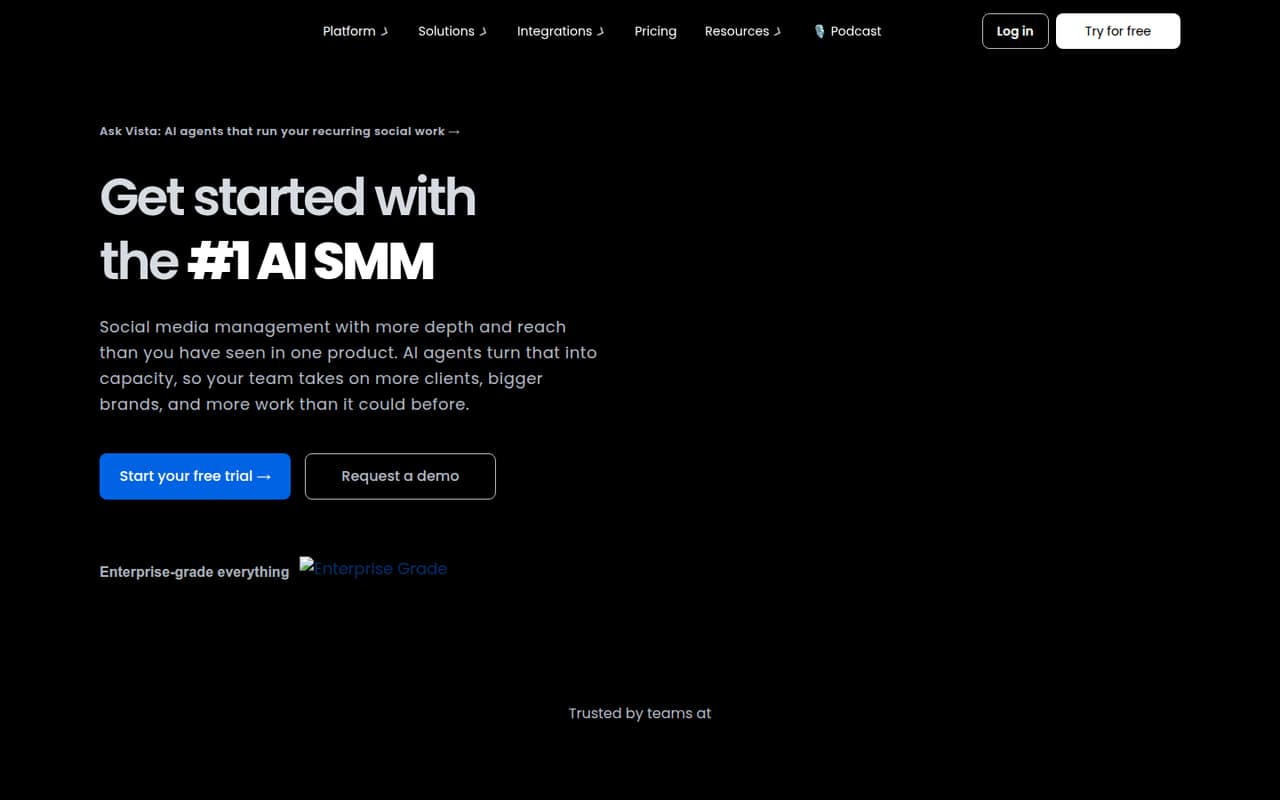
Vista Social brings publishing, an inbox, analytics, listening and project tasks into one social media management platform. Its Professional plan starts at $99 monthly for two users, and there is no free plan—just a 14-day trial.
That can work for a small team replacing several social tools, but costs rise quickly as you add seats or paid extras. Reddit comments are positive about collaboration and AI features, though one user cautions that reporting needs can outgrow a lightweight workflow.
Good fit if
- Small teams managing multiple profiles
- Teams combining posts and engagement
- Agencies wanting shared social workflows
Skip it if
- Teams that need a permanent free plan
- Five-person teams needing predictable seat costs
- Teams needing deep reporting at a low price
ScoresHow it rates
What works
- Publishing, engagement and reporting in one platform
- Professional includes 15 profiles and two users
- Unlimited post scheduling on Professional
- AI credits are included with paid plans
- Projects and tasks sit alongside social work
What doesn't
- No free plan
- Professional is limited to two users
- Five-user pricing requires a custom extra-seat quote
- Listening and X integration cost extra
- Annual prices require upfront yearly billing
01Who Vista Social is for
Vista Social suits a small business or social team that has outgrown spreadsheets and wants to handle publishing, comments, messages and reporting in one place. It can also fit an agency managing several brands, though the right plan depends on how many profiles and people need access.
The Professional plan is the entry point for professionals and small teams: $99 month to month, or $79.17 per month when billed annually. It includes two users, 15 social profiles, 1,000 AI credits per month and unlimited post scheduling. That’s a meaningful starting bundle if two people share the work. A team of three needs Advanced at $199 monthly, while five users need Scale plus a custom-priced extra seat. We’d compare that total with the cost of the tools it would replace before signing up.
02Vista Social free plan and trial
Vista Social has no free plan. The pricing page lists a 14-day free trial, but it does not publish the trial’s user, profile or feature limits. Ask the vendor to confirm what you can access during the trial, especially if you need to test several profiles or invite teammates.
After the trial, the cheapest listed option is Professional: $99 per month with monthly billing, or $950 per year billed annually. It includes two users, 15 social profiles, 10,000 DM contacts, 1,000 AI credits per month and unlimited post scheduling. So it’s not a low-cost way for one person to try a permanent free scheduler; it’s a paid plan with room for a second teammate. Use the trial to check that the workflow fits before committing.
03What a small team pays for Vista Social
For one person, the cheapest plan is still Professional: $99 monthly or $950 annually, which works out to about $79.17 per month. The plan includes two users, so the same base price covers a second person. The annual option saves 20% compared with monthly billing, per the pricing page.
A three-person team needs Advanced, listed at $199 monthly or $1,910 per year—about $66.33 monthly per included user, or $53.06 on the annual rate. For five people, Scale starts at $449 monthly or $4,310 annually. It includes four users, so the fifth seat is extra and its price is customizable; the exact five-person total is not published. Scale’s base cost averages $112.25 per included user monthly, before that extra seat.
Extras can change the bill: social, web and news listening is $75 monthly, X integration is $29 monthly, and additional profiles and users have customizable pricing. Listening to your own profiles is free.
04Getting started with Vista Social
Plan for some initial setup: connect the social profiles you want to manage, decide who needs access, and organize how posts, messages and reports fit into your team’s workflow. Vista Social also includes project and task management through Vista Work, so teams wanting to use that alongside publishing may need to agree on where work gets tracked.
The vendor does not publish a setup-time estimate in the information available, so we wouldn’t assume the tool is ready to use in minutes. The listed features cover planning and scheduling posts, a unified inbox for messages, comments and reviews, analytics, listening and AI tools including Ask Vista and MCP. One Reddit commenter describes the interface as simple and says the workflow supports client work, while another says the AI features helped with reporting agents. Try the trial with your actual profiles and team roles before moving recurring work over.
05When small teams outgrow Vista Social
The first hard limit is seats. Professional includes two users; Advanced includes three; and Scale includes four. A growing five-person team must buy Scale and ask for a custom price on the extra user. Advanced may also become necessary when you need its custom fields and smart scheduling, while Scale adds white-label reports and a dashboard.
Costs can rise if your team needs paid listening or X integration, and the free trial does not replace a permanent free tier. The listed plan details also don’t spell out a complete feature-by-feature comparison, so ask the vendor about any workflow requirement that matters before upgrading.
Reddit feedback is mostly encouraging about collaboration and AI, but it’s not unanimous. One commenter warns that similar tools can hit a wall when reporting needs become more demanding than scheduling. If your team needs deeper analysis or predictable pricing for many seats, check whether the next plan—or another tool—fits before adding more work to the platform.
From the threadsWhat users say
The Reddit comments we found are mixed but lean positive: a small-business poster chose Vista Social for its balance of simplicity, collaboration and analytics, and commenters praise its workflow and AI. A separate commenter cautions that reporting expectations can outgrow tools built around simpler social work.
The worflow is good and the Ai features helps a lot
we tried a similar setup for a small b2b team and it saved time at first, then hit a wall once reporting questions started coming in
We just switched from sprout to vista and I’m really excited about the ai features!
Questions people ask
Is there a free version of Vista Social?
No. Vista Social does not list a free plan. It offers a 14-day free trial, but the trial’s profile, user and feature limits are not published. The cheapest listed paid plan is Professional, at $99 monthly or $950 per year.
How much does Vista Social cost?
Professional costs $99 monthly or $950 annually. Advanced is $199 monthly or $1,910 annually, and Scale is $449 monthly or $4,310 annually. Enterprise pricing is not published. Annual billing is advertised with 20% savings.
How many users are included in Vista Social Professional?
Professional includes two users and 15 social profiles. If you need three users, Advanced includes three users and costs $199 monthly or $1,910 annually. Additional user pricing is customizable, so ask Vista Social for a quote if your team needs more seats.
Does Vista Social include social listening?
Vista Social lists listening as a feature, but listening across social, web and news is a $75 monthly add-on. Tracking your own profiles is free. Check with the vendor to confirm which listening capabilities fit your workflow and plan.
What does Vista Social include besides scheduling?
The platform lists a unified inbox for messages, comments and reviews, analytics and reporting, listening, AI tools including Ask Vista and MCP, and Vista Work for projects and tasks. Professional also includes unlimited post scheduling.
Sources
- Vista Social homepage
- Vista Social pricing page
- Reddit: Best social media scheduler? Which tools actually save time for small teams?
- Reddit: Which is the best social media management tool right now?
- Reddit: Vista Social Review: A Modern Alternative to Buffer & Later for Creators, Agencies, and Affiliates 🚀
- Reddit: Anyone here using Vista Social for content workflows, not just scheduling?