
We may earn a commission if you buy through links on this page. It never changes a score or a ranking. How we make money
The bottom line
A useful prospecting toolkit if website technology matters enough to justify $250 a month for one user.
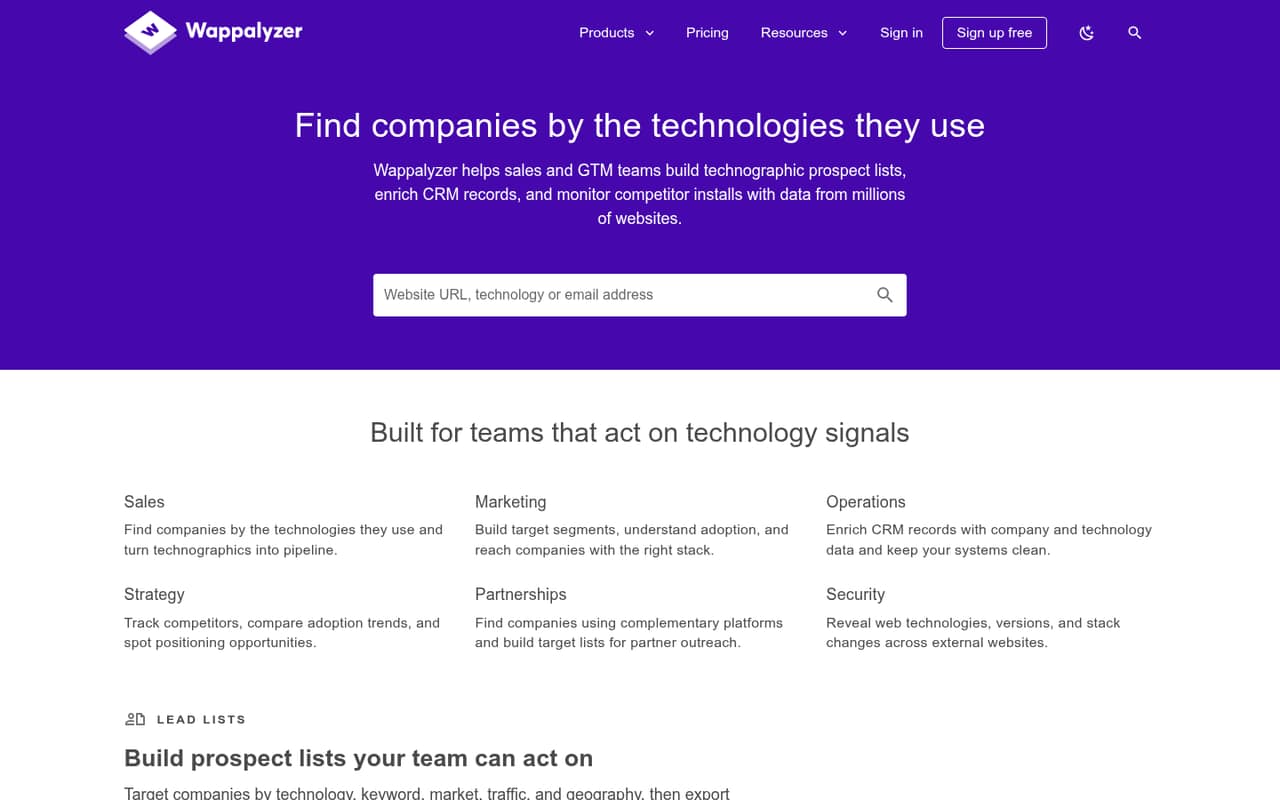
Wappalyzer helps teams find companies by the technologies on their websites, build prospect lists, enrich CRM records and monitor site changes. Its free plan offers a small taste, but paid prospecting starts at $250 monthly for one user.
Good fit if
- Sales teams targeting specific technologies
- Teams enriching CRM company records
- Prospecting across multiple website technologies
Skip it if
- Teams needing many free lookups
- Solo buyers with tight budgets
- Teams seeking published setup guidance
ScoresHow it rates
What works
- Free plan includes 50 monthly technology lookups
- Lead lists filter by technology and market
- Email verification is included on paid plans
- Business plan covers five users
- Website alerts track changes to sites
What doesn't
- Pro starts at $250 monthly for one user
- Free plan limits lookups to 50 monthly
- Three-seat pricing is not listed
- API credit bundle pricing is not published
- Supported CRM integrations are not listed
01Who Wappalyzer is for
Wappalyzer is for sales and go-to-market teams that want to find prospects based on the software their websites use. You can filter lead lists by technology, keyword, market, traffic and geography, then export prospects. It also offers company and contact data, bulk domain analysis, CRM enrichment and alerts when websites change.
For a one-person team, the free plan can help with occasional research, but its 50 monthly technology lookups are limited. The cheapest paid plan is Pro, at $250 monthly for one user, so it fits better when technology-based prospecting is a regular part of sales work. Teams of three have no listed three-seat tier; the five-user Business plan is the next option. If your team only needs to check a few websites now and then, the free allowance may be enough. If you need to build and refresh prospect lists across several technologies, the paid plans offer more room.
02Wappalyzer free plan and trial
The free plan includes 50 technology lookups per month, 50 email verifications per month, five website alerts and free sample lead lists. That gives a small team a way to try basic website research and alerts without a subscription. The plan does not list CRM enrichment, bulk analysis or a larger allowance for building prospect lists.
The main stopping point is volume: a team researching more than 50 sites in a month will need a paid plan. Pro lists one user, two technology targets, 5,000 technology lookups and 5,000 email verifications for $250 monthly, or $207.50 per month with annual billing. A separate free trial is not listed. If you only need occasional lookups, start with free; if you need recurring prospecting, the cheapest paid entry is Pro.
03What a small team pays for Wappalyzer
The pricing page lists Pro at $250 monthly for one user, or $207.50 per month with annual billing. That annual rate works out to $2,490 for a year. Pro includes two technology targets and 5,000 monthly technology lookups and email verifications.
There is no listed three-seat plan. For a three-person team, Business is the next tier: it covers five users for $450 monthly, or $373.50 per month with annual billing. That is $150 per included seat at the monthly rate, or $74.70 per included seat per month annually. If only three people use it, the effective cost per active user is $150 monthly or $124.50 at the annual rate. A five-person team pays the same plan price, with the full five seats available. Business includes unlimited technology targets, 20,000 lookups, 20,000 email verifications and 20,000 API credits. The pricing page says annual billing saves 17%. API credit bundles are available, but their price is not published.
04Getting started with Wappalyzer
For basic research, the workflow is clear: look up a website’s technologies and company details, or use filters to build a prospect list. Teams can also analyze domain lists in bulk, verify emails and set website alerts. Those tasks do not suggest a complicated starting process, but the vendor does not publish setup time or a detailed learning curve in the pricing information.
CRM enrichment is listed as a feature, but supported CRM products and connection steps are not published. Before buying, ask the vendor whether your CRM is supported and what setup or data mapping it requires. The same applies if you need to connect through the API: Business lists 20,000 API credits, while API credit bundles are available at an unpublished price. For a small team, we would confirm those details before making Wappalyzer part of a daily sales workflow.
05When small teams outgrow Wappalyzer
The first constraint is volume. Free stops at 50 monthly technology lookups, while Pro raises that to 5,000 but only includes one user and two technology targets. Teams that need more seats or want to target multiple technologies will need Business, which starts at $450 monthly and includes five users. The pricing page lists Enterprise at $850 monthly for 25 or more users and higher limits.
A small team may also outgrow the product if its CRM is unsupported, or if it needs API credits beyond its plan and the add-on price does not fit its budget. Ask the vendor about integrations, setup and extra credits before upgrading. Reddit discussion offers limited direct product feedback: one commenter says people have needed an alternative since Wappalyzer went commercial. Another cautions that technology popularity figures should be treated as anecdotal and may miss some sites. That makes it sensible to verify important prospect data before relying on it.
From the threadsWhat users say
Reddit mentions Wappalyzer as a familiar website-technology checker, but offers little direct evaluation of its paid prospecting features. Comments are mixed: one user treats its technology data cautiously, while another points to its commercial shift as a reason to seek alternatives.
I use BuiltWith/Wappalyzer like you
treat it as a fun anecdote
Ever since wappalyzer went commercial, we've needed something like this
you can try getting data on techleads.fyi for leads
Questions people ask
What does Wappalyzer do?
Wappalyzer identifies technologies used by websites and helps sales and go-to-market teams find companies using those technologies. It also offers lead lists, company and contact data, bulk domain analysis, CRM enrichment, email verification and alerts for website changes.
Is Wappalyzer free?
Yes. The free plan includes 50 technology lookups and 50 email verifications per month, five website alerts and free sample lead lists. A separate free trial is not listed. The free lookup allowance may be limiting for teams doing regular prospect research.
How much does Wappalyzer cost for one user?
The pricing page lists Pro, its one-user plan, at $250 per month. Annual billing brings the listed monthly equivalent to $207.50, or $2,490 for a year. Pro includes two technology targets and 5,000 technology lookups and email verifications.
How much is Wappalyzer for a small team?
Business is the listed option for five users, at $450 monthly or $373.50 per month with annual billing. There is no listed three-seat plan, so a three-person team would pay for the five-user Business tier. Its listed allowances include 20,000 technology lookups, email verifications and API credits.
Does Wappalyzer integrate with my CRM?
Wappalyzer lists CRM enrichment as a feature, but supported CRM products and connection steps are not published in the pricing details. Ask the vendor whether your CRM is supported, what setup it requires and whether enrichment is included in your chosen plan before purchasing.
Sources
- Wappalyzer homepage
- Wappalyzer pricing page
- Reddit: What browser extensions do you use to quickly check a site?
- Reddit: According to Wappalyzer, Nuxt is the 7th most popular web framework
- Reddit: I built a faster, free, open source alternative to Wappalyzer for developers
- Reddit: Cheaper alternative to builtwith & wappalyzer - techleads.fyi