
We may earn a commission if you buy through links on this page. It never changes a score or a ranking. How we make money
The bottom line
A capable blog CMS with a strong free tier; Pro costs $16 per user monthly.
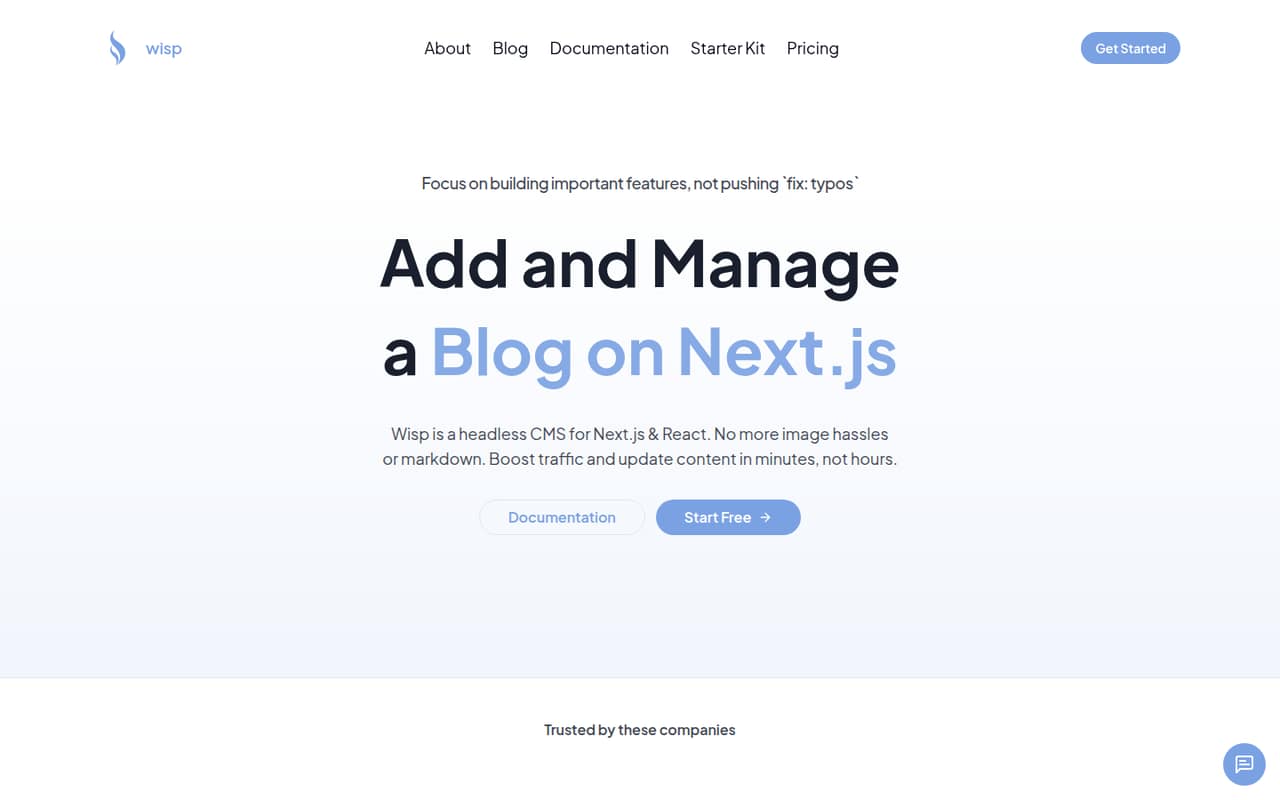
Wisp is a headless CMS for adding and managing a blog on a Next.js or React site. It offers a visual editor, content and image delivery through a global CDN, and SEO features including metadata, sitemaps, and JSON-LD.
The Free Forever plan includes unlimited blogs and posts, with attribution required and a fair-use policy. Pro is $16 per user per month and removes attribution. For a small team, the key question is whether the free plan’s terms work for your site before paying per seat.
Good fit if
- Small Next.js site owners
- Teams wanting a visual editor
- Budget-conscious blog projects
Skip it if
- Teams requiring published usage limits
- Sites needing no attribution for free
- Teams avoiding per-user pricing
ScoresHow it rates
What works
- Free plan includes unlimited blogs and posts
- Visual editor does not require Markdown skills
- Works with Next.js and React
- Content and images use a global CDN
- SEO features include metadata, sitemaps, and JSON-LD
What doesn't
- Free plan requires attribution
- Free plan is subject to a fair-use policy
- Pro costs $16 per user each month
- Annual Pro pricing is not published
- Indie Hacker Pass price is not published
01Who Wisp is for
Wisp is for a solo creator or a small team building a blog into a Next.js or React site. It manages posts separately from the site itself: the team writes and formats content in Wisp, then delivers it to the website. That setup fits teams that want a blog without building their own publishing interface.
The visual editor is aimed at people who would rather format posts without Markdown skills. Wisp also offers a Next.js SDK and TypeScript types, plus blog starters or the option to integrate with an existing Next.js site. Its content and images are served through a global CDN, and its SEO features include metadata, sitemaps, and JSON-LD.
For a tight budget, the Free Forever plan is a useful place to start if attribution is acceptable. A team that needs attribution removed should budget for Pro at $16 per user monthly. Wisp does not publish a specific team-size limit.
02Wisp free plan and trial
Free Forever costs $0 and includes unlimited blogs and posts, along with all core features, per Wisp’s pricing page. The two catches are attribution and a fair-use policy. The pricing page does not spell out the fair-use thresholds, so teams expecting heavy use should ask Wisp what applies before relying on the free tier.
Wisp’s 14-day free trial is listed with Pro, which costs $16 per user per month. Pro removes attribution, adds early access to new features, and includes priority email support. The trial is a way to try Pro; it is not a separate plan with a published seat allowance. For a hobby project or a blog that can carry attribution, Free Forever is the cheapest option. If attribution is a dealbreaker, Pro is the listed route.
03What a small team pays for Wisp
The pricing page lists Pro at $16 per user per month. That works out to $16 monthly for one person, $48 for three, or $80 for five, before any taxes or other charges. Those are monthly totals based on the listed per-user price; Wisp does not publish an annual Pro price, so there is no verified annual discount to include.
Free Forever costs $0 and includes unlimited blogs and posts, but requires attribution and is subject to a fair-use policy. The pricing page does not publish a seat limit for the free plan, so ask Wisp how team access works before planning around multiple editors.
The Indie Hacker Pass includes Pro features for one user and lifetime access to current and future features. Its price is not published on the vendor's site, and availability is limited. No add-ons are listed. For a small team, the practical paid-plan cost is therefore Pro’s per-seat rate; the main extra consideration on free is whether attribution and fair use fit your needs.
04Getting started with Wisp
Wisp offers two starting points: choose a blog starter or integrate it with an existing Next.js site. Its Next.js SDK and TypeScript types are intended for that integration, while the visual editor gives writers a way to format posts without Markdown skills. Wisp also describes support for React sites.
A developer will need to connect the CMS to the site; a team starting from a blog starter may have a different setup path than one adding Wisp to an existing project. Wisp does not publish a setup-time estimate in the available plan details, so we would not assume this is a no-code installation. The learning curve should be lighter for writers using the visual editor, but integration still depends on the site and developer experience. Before committing, check Wisp’s current setup instructions and confirm which starter or integration path fits your stack.
05When small teams outgrow Wisp
The clearest reason to move from Free Forever to Pro is needing to remove attribution. Pro also adds early access to new features and priority email support. Its $16-per-user monthly price can add up as more people need access: three seats cost $48 per month, and five cost $80. Wisp does not publish annual Pro pricing in the listed plan details.
The free tier includes unlimited blogs and posts, but its fair-use policy is not quantified on the pricing page. That makes it harder to predict whether a high-traffic site or a larger publishing operation will remain within the free plan’s terms. Wisp also does not publish a free-plan seat limit or specific thresholds for fair use. Before your team grows, ask Wisp about those boundaries and whether every collaborator needs a paid seat. If the answers or per-user costs no longer fit, compare other CMS options before moving.
Questions people ask
What does Wisp cost?
Wisp’s Free Forever plan costs $0 and includes unlimited blogs and posts, with attribution required and a fair-use policy. Pro costs $16 per user per month. The pricing page does not publish annual Pro pricing. The Indie Hacker Pass is a lifetime plan for one user, but its price is not published in the listed plan details.
Does Wisp have a free trial?
Yes. Wisp lists a 14-day free trial with Pro. Pro costs $16 per user per month and includes no attribution, early access to new features, and priority email support. The pricing page does not specify a trial seat limit, so ask Wisp if more than one teammate needs access during the trial.
What does Wisp’s free plan include?
Free Forever includes unlimited blogs and posts and all core features. Wisp’s pricing page also lists an attribution requirement and a fair-use policy. It does not publish the fair-use thresholds or a free-plan seat limit, so confirm those details with Wisp if your site or publishing team is growing.
Can I use Wisp with React?
Wisp describes itself as a headless CMS for Next.js and React. Its listed features include a Next.js SDK and TypeScript types, as well as blog starters or integration with an existing Next.js site. Check Wisp’s current setup instructions to confirm the right approach for your React project.
How do I remove Wisp attribution?
Wisp lists Pro as the plan with no attribution required. It costs $16 per user per month and also includes early access to new features and priority email support. Free Forever requires attribution, so check the current plan terms with Wisp before publishing if you need to remove it.