
We may earn a commission if you buy through links on this page. It never changes a score or a ranking. How we make money
The bottom line
Workik bundles project context and engineering workflows, but the five-seat Team plan has no published price.
Small engineering teams may not need Workik if a general AI assistant already handles their coding questions. Workik’s pitch is broader: gather project context, plan and work on tasks, test changes, and keep engineering documentation current.
The free Trial covers a small amount of use, while Starter costs $25 monthly or $15 per month with annual billing and includes unlimited users. Reddit reactions are mixed, including concerns about AI code quality and API-key safety alongside one positive report of day-to-day use.
Good fit if
- Small engineering teams with shared workflows
- Developers maintaining engineering documentation
- Teams already comfortable with AI tools
Skip it if
- Teams needing published seat pricing
- Developers avoiding third-party AI tools
- Projects requiring proven code quality
ScoresHow it rates
What works
- Free Trial supports up to three users
- Starter includes unlimited users
- Starter includes unlimited requests with your API key
- Task workflows cover planning, coding, and testing
- Documentation can update as code changes
What doesn't
- Trial has only 10 signup requests
- Trial flow runs drop to 20 monthly
- Team plan seat price is not published
- Named integrations and setup effort are not published
- Reddit feedback includes code quality and API-key concerns
01Who Workik is for
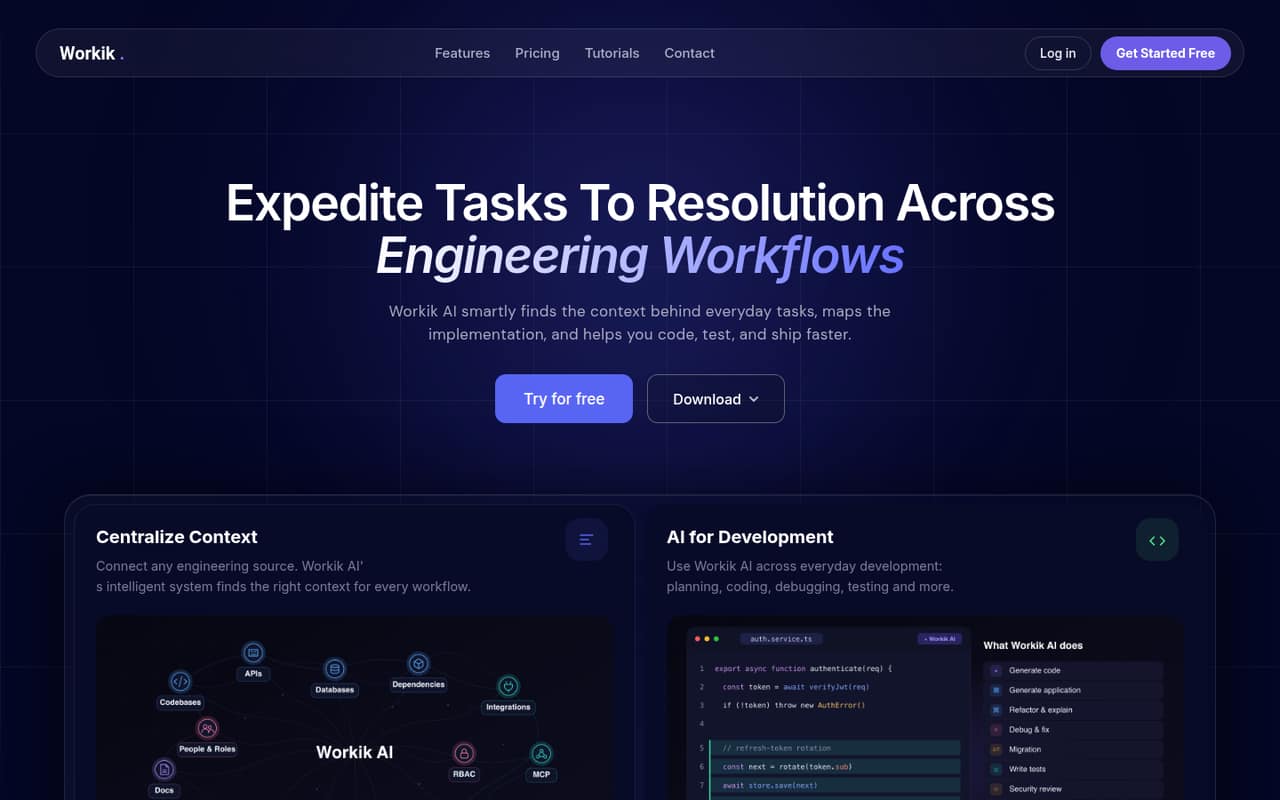
Workik is aimed at engineering teams that want AI help across a task, not just suggestions while writing code. It can gather project context, turn work into plans and subtasks, help with coding and debugging, add tests, and prepare pull requests. It also generates engineering documentation and updates it as code changes.
For a team of one to five, Starter is the clearest paid option: the pricing page lists unlimited users, 30 million standard AI tokens, 5,000 knowledge base files, and 1,000 flow runs. That may fit a small team willing to put project context and several engineering steps into one tool. If you only need occasional code answers, Workik may be more than you need; one Reddit commenter says they would rather use a general assistant directly. Workik’s extra value depends on whether its project context and workflows solve a real team problem.
02Workik free plan and trial
Workik’s free Trial gives you 10 requests upon signup, with no daily requests, and 50 flow runs upon signup. The plan then lists 20 flow runs monthly, 100 knowledge base files, unlimited AI tokens with your API key, and up to three users. That is enough to explore the core workflow with a small group, but the request allowance is small and the flow-run limit is modest.
The Trial is not the same as an open-ended free plan: its request allowance is limited, and its flow capacity is capped. If those limits get in the way, Starter is the cheapest listed paid plan. It costs $25 per month or $15 per month with annual billing, and includes unlimited AI requests with your API key. The vendor doesn’t publish a separate free-trial duration.
03What a small team pays for Workik
For one person, Starter costs $25 month to month or $15 per month with annual billing; that annual rate works out to $180 for 12 months. The pricing page lists unlimited users on Starter, so the listed plan price is the same for a three-person or five-person group: $25 monthly, or $15 per month with annual billing. It is a plan price, not a per-seat rate.
Starter includes 30 million standard AI tokens, 5,000 knowledge base files, and 1,000 flow runs. If you need advanced AI tokens, Premium lists 60 million standard and 8 million advanced tokens, for $50 monthly or $30 per month with annual billing. Workik also lists a Team plan for shared workspaces, role-based permissions, analytics, and centralized billing. It requires at least five seats, but the vendor doesn’t publish its per-seat price, so ask for a quote before budgeting. Separate custom-token add-on pricing is not published.
04Getting started with Workik
Workik’s basic workflow depends on connecting engineering sources so it can find project context. The vendor describes planning, coding, debugging, testing, and documentation features, but doesn’t publish a setup estimate or name specific integrations in the plan details. A small team should confirm that its code and project tools are supported before treating setup as a quick switch-on.
One Reddit commenter says they keep Workik installed in VS Code and use its desktop app, but that is an individual report rather than a setup guide. The vendor’s described workflow suggests that teams will need to provide project context and decide which tasks to route through Workik. How much configuration that takes is not published. If your team plans to use its own API key, check with Workik how the key is handled and what access the connected sources grant.
05When small teams outgrow Workik
The first ceiling is the Trial: its 10 signup requests, 100 knowledge base files, and 20 monthly flow runs can make it a short evaluation rather than a lasting team plan. Starter raises those listed limits to 5,000 files and 1,000 flow runs, but offers standard tokens rather than the advanced-token allowance listed on Premium. Premium costs $50 monthly or $30 per month with annual billing.
Teams may also outgrow Starter’s lack of published shared-billing and role-permission details. Workik lists those features on Team, but the plan requires five seats and its per-seat price isn’t published. Ask for a quote before planning a five-person rollout. Reddit comments are divided: one user reports using Workik for development tasks and documentation, while others question AI code quality or sharing an API key with a third party. Those concerns are reasons to validate the workflow and security terms before expanding use.
From the threadsWhat users say
Reddit feedback is mixed and sparse: one commenter reports useful day-to-day development and documentation work, while others question AI coding quality or trust in a third-party tool. Treat those posts as individual opinions, not evidence of typical results.
wouldnt want to put my openai api key into anything filthy
AI are good at doing small, simple pieces of code, but once your project gets complex it'll become completely unusable
I have been using Workik for my Development purpose and it has helped me in my day to day task
it's probably dogshit like most of these AI startups / code assistant
Questions people ask
Does Workik have a free plan?
Workik lists a free Trial with 10 requests upon signup, 50 flow runs upon signup, 20 monthly flow runs, 100 knowledge base files, and up to three users. It also includes unlimited AI tokens when you use your own API key. The vendor doesn’t publish a Trial duration.
How much does Workik cost for a small team?
Starter costs $25 per month or $15 per month with annual billing, and the plan lists unlimited users. A three- or five-person group therefore pays the same listed Starter plan price. Workik’s separate Team plan requires at least five seats, but its per-seat price is not published.
What does Workik help engineering teams do?
Workik gathers engineering context and helps teams plan tasks, code, debug, test, and prepare work to ship. It can generate engineering documentation and update it as code changes. The vendor also describes completing tasks and preparing pull requests as part of its coding assistance.
Can I use my own API key with Workik?
Yes. The Trial lists unlimited AI tokens with your API key, and Starter lists unlimited AI requests with your API key. The pricing details do not explain API-key handling. Ask Workik how it stores or uses your key and what permissions connected engineering sources require.
When should a team upgrade from Starter?
Consider Premium if your team needs the advanced-token allowance listed on that plan: 8 million advanced tokens, alongside 60 million standard tokens. Consider Team if you need shared billing, role-based permissions, or team analytics. Team requires at least five seats, and the vendor doesn’t publish its per-seat price.