We may earn a commission if you buy through links on this page. It never changes a score or a ranking. How we make money
A small team needs backup software if losing a laptop, server, or work files would interrupt business. But you may not need a large recovery platform: start with the devices and data you actually need to protect. MSP360 is our first pick to compare for its free plan and $1.67 starting price; GoodSync and AOMEI Backupper are other low-entry options. Check the license math before multiplying a starting price by your headcount. Some tools charge by computer or workstation, while others use shared storage or workload limits. Free plans may also be personal-use only.
Quick picksThe shortlist
 MSP360MSP360Best for small teams · $1.67/mo
 GoodSyncGoodSyncBest for workstations · $2.50/mo
 AOMEI BackupperAOMEI BackupperBest free PC backup · $3.33/mo
 CrashPlanCrashPlanBest low-cost coverage · $2.50/mo
 IDrive BusinessIDrive BusinessBest shared storage · $13.99/mo
 EaseUS Todo BackupEaseUS Todo BackupBest for a few PCs · $3.33/mo
 Backblaze Business BackupBackblaze Business BackupBest for Mac and PC · $6.95/mo
 Veeam Data PlatformVeeam Data PlatformBest free workload tier · Free
 Macrium ReflectMacrium ReflectBest Windows recovery · $4.17/mo
 Carbon Copy ClonerCarbon Copy ClonerBest for Mac teams · Custom
01Compared at a glance
| Tool | Score | From | Free plan | Trial |
|---|---|---|---|---|
| MSP360MSP360 | 7.0 | $1.67/mo | Yes | 15 days |
| GoodSyncGoodSync | 6.5 | $2.50/mo | Yes | 15 days |
| AOMEI BackupperAOMEI Backupper | 6.5 | $3.33/mo | Yes | — |
| CrashPlanCrashPlan | 6.5 | $2.50/mo | No | 14 days |
| IDrive BusinessIDrive Business | 6.8 | $13.99/mo | No | — |
| EaseUS Todo BackupEaseUS Todo Backup | 6.8 | $3.33/mo | Yes | Yes |
| Backblaze Business BackupBackblaze Business Backup | 5.8 | $6.95/mo | Yes | — |
| Veeam Data PlatformVeeam Data Platform | 6.8 | Free | Yes | — |
| Macrium ReflectMacrium Reflect | 7.1 | $4.17/mo | No | 30 days |
| Carbon Copy ClonerCarbon Copy Cloner | 8.1 | Custom | No | 30 days |
02The picks, in detail
- Best for small teamsMSP360MSP360
The pricing lists a free plan and a $1.67 starting price, and MSP360 is aimed at budget-conscious Windows desktop backups and mixed storage destinations. That makes it a sensible first comparison for a small office. The starting price is not a full-team quote: confirm storage and support costs, plus how commercial licenses are counted, before rolling it out.
What works
- Free plan includes up to 5 TB of local backup
- Windows desktop plan starts at $2.50 per computer monthly equivalent
- Supports local, network, NAS, and third-party cloud storage
What doesn't
- Managed Backup prices and usage limits aren’t published
- Monthly billing prices aren’t published for Backup Pro
- Storage charges may sit outside the backup plan price
- Best for workstationsGoodSyncGoodSync
GoodSync lists a free plan and a $2.50 starting price, with options for workstation backup, folder syncing, and mixed computer and NAS environments. That covers common small-office needs without starting at an enterprise price. Its commercial license has a recurring cost for each workstation, so total the licenses for every computer you plan to protect.
What works
- One-way backup and two-way sync jobs
- Real-time, periodic, and scheduled automation
- Supports Windows, Mac, Linux, and NAS
What doesn't
- Free plan is limited to home use
- Free plan allows only 3 jobs and 100 files
- Commercial workstation licenses are billed yearly
- Best free PC backupAOMEI BackupperAOMEI Backupper
AOMEI Backupper has a free personal tier and a $3.33 starting price. It suits teams with one-PC backup, drive cloning, or upgrade needs, but the free tier is personal and the business license is per PC. Before choosing it for company devices, ask the vendor which license covers your use and calculate the cost for each computer.
What works
- Free Standard plan covers one personal PC
- Backs up systems, partitions, disks, and files
- Includes drive cloning and OS migration
What doesn't
- Free Standard is for personal use
- Monthly billing prices are not published
- Free-trial duration is not published
- Best low-cost coverageCrashPlanCrashPlan
CrashPlan lists a $2.50 starting price and covers several workloads, including laptops and Microsoft 365. It has no free plan, but its low entry price makes it worth comparing if you need broader coverage than a single-PC tool. The vendor advises having a second way to restore critical data, so include that in your recovery plan and budget.
What works
- One console covers endpoints, servers, and cloud workloads
- Small-business plans start at $2.50 per user monthly
- Endpoint plans include unlimited cloud storage and versioning
What doesn't
- No free plan; the trial lasts 14 days
- Small-business rates are billed annually
- Microsoft 365 and Google plans pool 50 GB per user
- Best shared storageIDrive BusinessIDrive Business
IDrive Business starts at $13.99, has no free plan, and allows unlimited users to share one storage allowance. It also covers several device types, servers, and NAS, which may suit a small team protecting more than just laptops. Check the entry tier’s storage allowance carefully: a shared pool can be convenient, but there is little room at that tier.
What works
- Unlimited users on every listed Business tier
- Backs up computers, phones, servers and NAS
- Retains up to 30 previous file versions
What doesn't
- No free plan or published free trial
- 500 GB tier has no listed monthly price
- Overuse costs $0.50 per GB monthly
- Best for a few PCsEaseUS Todo BackupEaseUS Todo Backup
EaseUS Todo Backup offers free personal backup coverage and lists a $3.33 starting price. Its fit is strongest when a team needs to protect a few Windows PCs on a budget. Business use means budgeting for a license for every PC, so do not assume the personal free plan covers company computers. Confirm the commercial license cost before deployment.
What works
- Free edition covers one PC for personal use
- Backs up system, disk, and file data
- Homepage describes one-click backup and instant recovery
What doesn't
- Free edition is for personal use
- Paid licenses are priced per PC or server
- Monthly billing prices are not published
- Best for Mac and PCBackblaze Business BackupBackblaze Business Backup
Backblaze offers automatic, unlimited cloud backup for Mac and PC computers, and lists a $6.95 starting price with a free plan. That makes it a straightforward option to investigate for teams with both operating systems. The small-team price is not published, so ask for a quote covering your computers and clarify what the free plan includes before comparing total cost.
What works
- Automatic backup of computer files
- Unlimited cloud backup
- Supports both Macs and PCs
What doesn't
- Per-computer price isn't published
- Small-team totals can't be calculated
- Free B2 storage isn't a Backup plan
- Best free workload tierVeeam Data PlatformVeeam Data Platform
Veeam’s free option covers up to 10 workloads, which could suit a small team with a limited set of systems to protect. Paid pricing is not published; the vendor asks buyers to get a workload-based quote. It is aimed at varied and hybrid environments, so ask about setup effort and the paid cost before relying on the free tier as your long-term plan.
What works
- Free Community Edition covers up to 10 workloads
- Protects cloud, Kubernetes, SaaS, identity, and on-premises workloads
- Paid tiers come in workload packs
What doesn't
- Paid prices aren't published in the pricing notes
- Licensing is workload-based, not per seat
- Paid workload caps aren't published
- Best Windows recoveryMacrium ReflectMacrium Reflect
Macrium Reflect is aimed at Windows businesses that need system recovery and image deployment. Its listed starting price is $4.17, and it offers a 30-day trial rather than a free plan. That gives a small team a short evaluation window, but not an ongoing free option. Check how many licenses you need and whether the product’s setup suits your available IT time.
What works
- Creates complete system images for backup and recovery
- Rapid Delta Restore restores only changed data blocks
- Supports a wide range of Windows versions
What doesn't
- No permanent free plan is listed
- Workstation licenses are billed annually upfront
- Three workstation seats cost $195 per year
- Best for Mac teamsCarbon Copy ClonerCarbon Copy Cloner
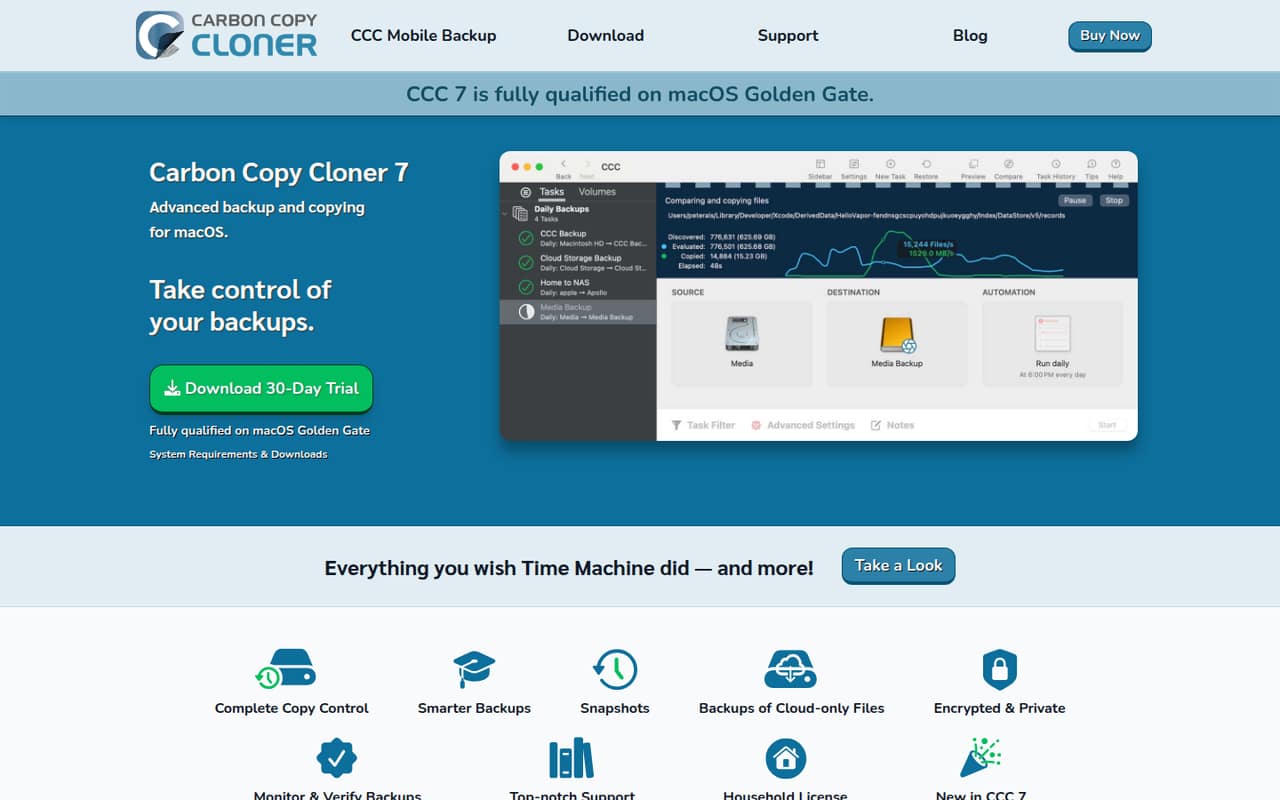
Carbon Copy Cloner is built for Mac-heavy teams that need scheduled backups or help moving data to new Macs. The vendor lists a one-time charge of $49.99 for each business computer. That per-Mac cost can be easier to budget than a recurring fee, but there is no listed free plan or starting price. Compare the total license cost for every Mac you need to cover.
What works
- Customizable scheduled backup tasks
- Searchable snapshots for earlier file versions
- Can restore files or migrate Mac data
What doesn't
- No free plan; trial lasts 30 days
- Commercial licenses are priced per computer
- Monthly and annual billing are not published
03How we chose
We ranked these tools for teams of 1–10, not for large IT departments. We weighed whether there is a free plan, what the published starting price says, and whether the listed license model or limits could change the cost for several devices. We also considered the intended workloads and any stated learning-curve clues when judging setup fit. Vendor documentation and Reddit user reports can help buyers check setup friction and common snags, but neither replaces a quote or a clear answer about license limits. Where small-team pricing is not published, we say so rather than guess.
04Work out the real cost for your team
Treat a starting price as a reason to ask questions, not as the amount your whole team will pay. First count the computers, servers, or other workloads you need to protect. Then ask whether licensing is per user, computer, workstation, or workload. For example, EaseUS Todo Backup and AOMEI Backupper require business users to budget per PC, while GoodSync has a recurring commercial workstation cost. IDrive Business allows unlimited users to share a storage allowance, so check whether the included storage fits your data. MSP360 says to confirm storage and support costs. If a vendor does not publish a small-team price, request a quote for your actual device count. Ask what happens when you add devices or exceed a plan limit, and get the renewal price in writing before committing.
05Check setup and recovery before committing
Match the tool to the data you would need to restore first. A few Windows PCs, a Mac-heavy team, shared files, and a server do not all call for the same setup. Check the vendor’s documentation for the steps to install the software, choose backup sources, set a schedule, and restore a file or a whole system. Ask how long the first setup is likely to take and whether you need an IT administrator. Before buying, clarify retention limits, storage destinations, and what support is included; these details can affect both effort and cost. Plan a restore check using a noncritical file so the team knows where to go when something is missing. If a tool’s free tier is personal-use only or limited by workloads, confirm the business terms before putting company data on it.
Questions people ask
What is the best free backup software for a small team?
MSP360 is our first option to compare because it lists a free plan and targets budget-conscious desktop backups. Veeam’s free tier covers up to 10 workloads, but paid pricing requires a quote. Check the free plan’s business-use terms and limits before storing company data.
How much does backup software cost for a small team?
Published starting prices in this list range from $1.67 for MSP360 to $13.99 for IDrive Business, but a starting price is not necessarily a team total. GoodSync charges recurring commercial workstation licenses, and AOMEI and EaseUS business use means budgeting per PC. Ask for a quote when team pricing is unclear.
Should a small business use a personal free plan?
Only if the vendor’s terms allow business use. EaseUS Todo Backup’s free coverage is personal, and AOMEI Backupper’s free tier is personal too. Both call for a business license for company computers. Confirm eligibility with the vendor before using a personal tier for work data.
What should a small team back up first?
Start with the computers and business data that would cause the most disruption if lost. Then check whether you also need to protect servers, NAS, or cloud workloads. Match the tool to those needs, and make sure the team knows how to restore a file or system.