
We may earn a commission if you buy through links on this page. It never changes a score or a ranking. How we make money
The bottom line
Good coverage and low entry prices; confirm storage and support costs before rolling it out.
A small team that only needs local backup for standalone computers may be fine with MSP360 Backup Free. For Windows desktops, MSP360 Backup Pro starts at an annual rate equivalent to $2.50 per computer per month; cloud storage costs may be separate.
MSP360 also sells a managed platform for MSPs, combining backup, remote access, RMM, and ticketing. Its breadth is appealing, but Managed Backup pricing and usage limits aren’t published, and one Reddit user reported a slow support response.
Good fit if
- Budget-conscious Windows desktop backups
- MSPs managing multiple backup services
- Teams needing mixed storage destinations
Skip it if
- Teams wanting published all-in pricing
- People who need cloud storage included
- Teams relying on fast support responses
ScoresHow it rates
What works
- Free plan includes up to 5 TB of local backup
- Windows desktop plan starts at $2.50 per computer monthly equivalent
- Supports local, network, NAS, and third-party cloud storage
- Covers Windows, macOS, Linux, servers, and virtual machines
- Managed Backup includes MSP360 Tickets at no charge
What doesn't
- Managed Backup prices and usage limits aren’t published
- Monthly billing prices aren’t published for Backup Pro
- Storage charges may sit outside the backup plan price
- Free plan is limited to standalone machines and local backup
- A Reddit user reported waiting two weeks for support
01Who MSP360 is for
MSP360 fits a small business or MSP that wants backup options without paying for a large all-in-one suite by default. The pricing page lists a Windows desktop plan at an annual rate equivalent to $2.50 per computer per month, while MSP360 Backup Free covers standalone machines with local backup.
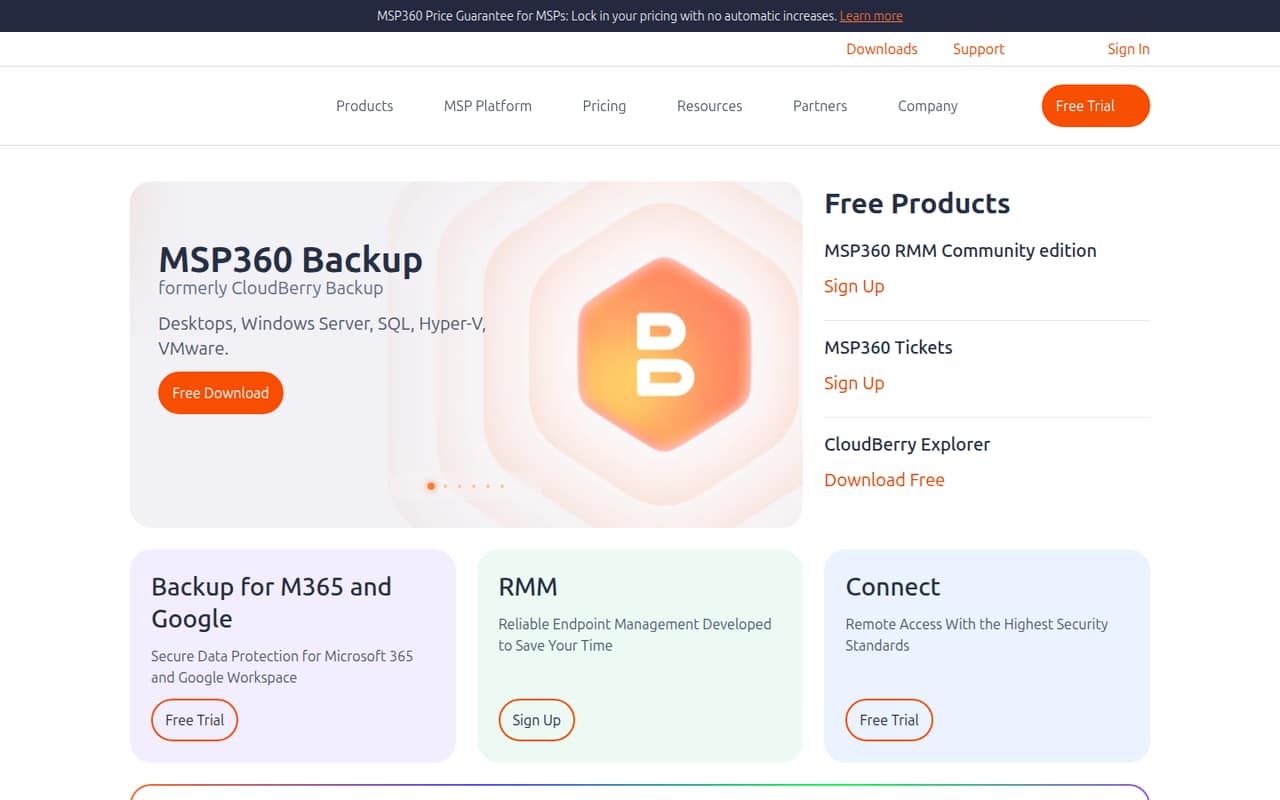
The product’s feature list spans Windows, macOS, Linux, SQL Server, Hyper-V, VMware, and Proxmox. Storage can go to third-party cloud providers, local drives, network shares, NAS, or MSP360 Storage. For MSPs, MSP360 Managed Backup brings backup, RMM, remote access, and ticketing into one management console; the pricing page lists MSP360 Tickets as included free. That breadth is useful if you manage several kinds of customer systems. If you only need a basic backup for one personal computer, the free tier may be enough. If you need a known total cost across several customers, ask for a Managed Backup quote first.
02MSP360 free plan and trial
MSP360 Backup Free costs $0 and includes up to 5 TB of local backup for standalone machines, according to the pricing page. That makes it a practical starting point for a personal workstation or a small test setup, but it is not presented as a managed multi-device plan. The listed inclusion is local backup; don’t assume cloud storage is part of the free offer.
MSP360 also advertises a free trial, but the duration isn’t published for most products. The listed exception is MSP360 Backup Pro - macOS, which has a 15-day free trial. For a Windows desktop that needs more than the free plan’s standalone local backup, the cheapest listed paid option is MSP360 Backup Pro - Windows Desktop at $2.50 per computer per month when billed annually. Check storage charges and trial terms with MSP360 before committing.
03What a small team pays for MSP360
The pricing page lists MSP360 Backup Pro - Windows Desktop at $2.50 per computer per month when billed annually. That works out to $30 a year for one computer, $90 a year for three, or $150 a year for five. Those figures are annual commitments expressed as monthly equivalents; monthly prices aren’t published. MSP360 Backup Free is $0 for standalone machines with up to 5 TB of local backup.
Those desktop figures don’t price cloud storage. MSP360 supports third-party cloud storage and its own MSP360 Storage, but storage rates aren’t listed here, so ask for the full bill before choosing a destination. Other annual equivalents include $9.17 per Windows Server per month and $15 per system per month for MSP360 Backup Pro - Ultimate. For MSPs, MSP360 Managed Backup has no published price or seat and usage limits; buyers are directed to a cost calculator or quote. Legacy perpetual-license maintenance and paid technical support are optional costs to check if they apply to your setup.
04Getting started with MSP360
MSP360’s listed coverage makes the first setup decision less about team size and more about what you need to protect: a Windows desktop, server, database, virtual machine, or Microsoft 365 or Google Workspace account. You’ll also need to choose a destination. The product supports third-party cloud storage, local drives, network shares, NAS, and MSP360 Storage.
We’d budget time to map those systems and destinations before rollout, especially if you’re managing customer environments through MSP360 Managed Backup. That is a practical planning step, not a claim about a measured setup time: MSP360 doesn’t publish setup-duration figures here. The managed console groups backup, RMM, remote access, and ticketing, while tickets can be created manually or from backup and RMM alerts. A Reddit user praised MSP360’s ability to write to local disks and cloud destinations, but another described a problem involving Backblaze B2 costs and an unanswered support request. Test your chosen destination and confirm support terms before relying on it.
05When small teams outgrow MSP360
The first pressure point is likely to be visibility into the full bill. MSP360 Backup Pro prices are listed annually, monthly prices aren’t published, and the Managed Backup page doesn’t publish seat or usage limits. Third-party storage is supported, but the backup plan price alone may not show what your chosen storage destination will cost. Ask for a quote that includes your devices, storage, and any support needs before expanding.
A second pressure point is operational confidence. One Reddit user said MSP360 had affected their Backblaze B2 backup costs and that support had not responded to a request for two weeks. That is one account, not a measure of typical service. In another Reddit thread, a budget-conscious MSP user said they had no real complaints, while noting they had not faced a live disaster recovery scenario. As your team grows, make sure your own restore process, destination costs, and support expectations are clear; consider moving on if MSP360 can’t meet them.
From the threadsWhat users say
Reddit sentiment is mixed. One MSP user described MSP360 as a budget-friendly choice without major complaints, while another reported a B2 cost issue and a delayed support response.
We've been using MSP360 (formerly Cloudberry) for our more budget conscious clients. I don't have any real complaints
MSP360 has done something that has messed up my Backblaze cloud backup destination. B2 says the higher costs are because of how MSP360 is writing to the storage
MSP360 support has not responded in 2 weeks to my request for help
That's where MSP360 has always shined for me
MSP360 in the news
Questions people ask
What does MSP360 Backup Free include?
The pricing page lists MSP360 Backup Free at $0 for standalone machines, with up to 5 TB of local backup. It doesn’t list cloud storage as part of the free plan. Check with MSP360 if you need details about features beyond the listed local backup allowance.
How much does MSP360 cost for a small team?
MSP360 Backup Pro - Windows Desktop is listed at $2.50 per computer per month when billed annually: $30 a year for one computer, $90 for three, or $150 for five. Monthly prices aren’t published, and storage costs may be separate.
Does MSP360 include cloud storage?
MSP360 supports third-party cloud storage and MSP360 Storage, as well as local drives, network shares, and NAS. The listed Backup Pro prices don’t state that storage is included, so ask MSP360 for storage pricing and a complete quote.
Does MSP360 offer a free trial?
MSP360 advertises a free trial, but the duration isn’t published for most products. MSP360 Backup Pro - macOS has a listed 15-day free trial. Confirm the trial length and any product-specific terms before signing up.
What does MSP360 Managed Backup include?
MSP360 Managed Backup is aimed at MSPs managing backup services. Its platform combines backup, RMM, remote access, and ticketing in one console, and MSP360 Tickets are listed as included free. The price and seat and usage limits aren’t published.