
We may earn a commission if you buy through links on this page. It never changes a score or a ranking. How we make money
The bottom line
Strong Mac backup features, with a one-time $49.99 charge for each business computer.
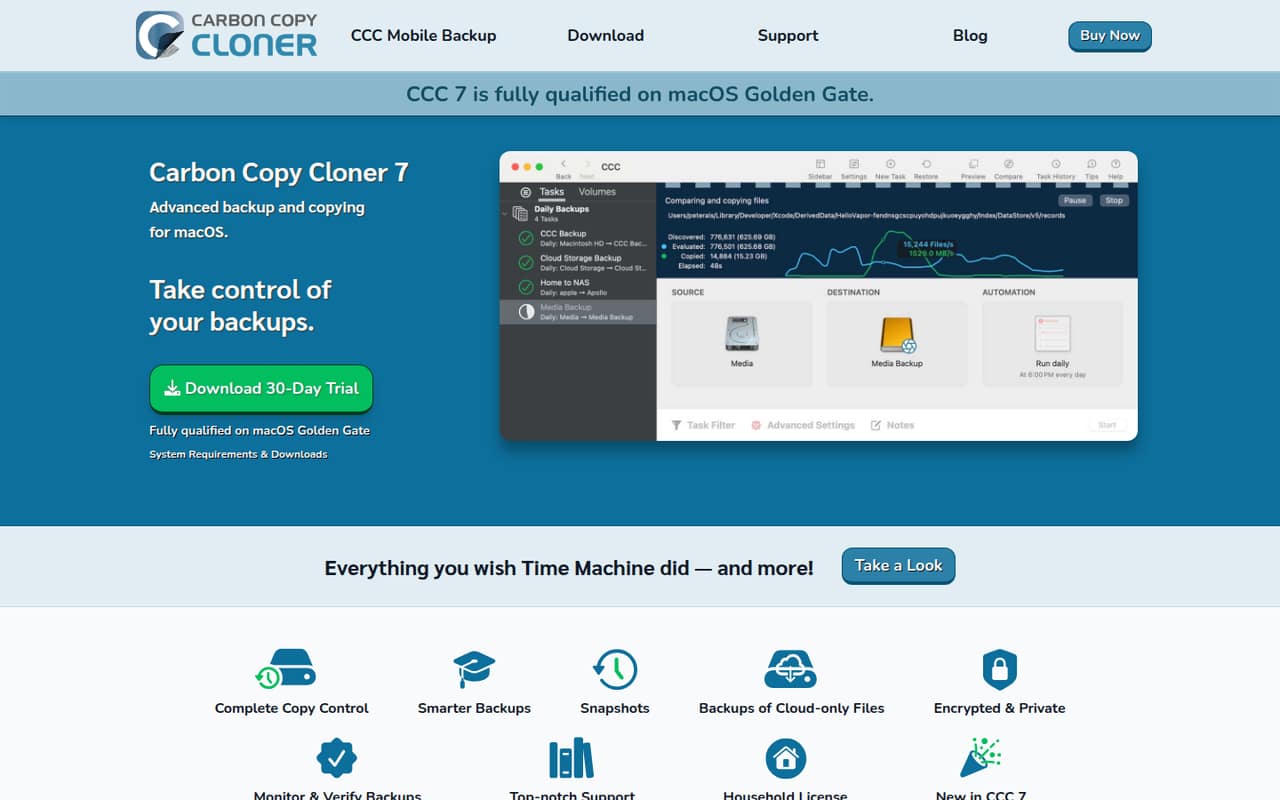
Carbon Copy Cloner 7 is macOS software for scheduling backups, restoring files or Macs, and moving data to a new Mac. It adds searchable snapshots, backup verification, encryption, and options for choosing what gets copied and when.
There’s no free plan, but the 30-day trial gives a team time to evaluate it. Commercial use starts at $49.99 per computer, paid once. Reddit commenters are generally positive about CCC, though the per-computer cost may feel steep for a small team.
Good fit if
- Mac-heavy teams needing scheduled backups
- Teams migrating data to new Macs
- Small businesses wanting per-Mac licenses
Skip it if
- Teams needing a free backup tool
- Businesses with mostly non-Mac computers
- Teams seeking published monthly billing
ScoresHow it rates
What works
- Customizable scheduled backup tasks
- Searchable snapshots for earlier file versions
- Can restore files or migrate Mac data
- Backup verification and health checks
- One-time commercial license pricing
What doesn't
- No free plan; trial lasts 30 days
- Commercial licenses are priced per computer
- Monthly and annual billing are not published
- Cloud services supported are not named
- Pricing above 50 commercial licenses is not published
01Who Carbon Copy Cloner is for
Carbon Copy Cloner is for small teams that run Macs and want control over scheduled backups, restores, or moves to new computers. It copies selected files to a chosen destination, can capture searchable snapshots, and can help restore files or migrate data to another Mac. Backup verification and encryption add options for teams that want to check copies or protect backup drives.
For a team of one to ten people, the key budget question is how many computers need a commercial license: CCC’s business license is per computer, not per team. At $49.99 each before volume pricing, it’s a manageable one-time cost for a few Macs, but not a shared team subscription. The pricing page lists a separate household license for non-commercial use; businesses should use the commercial license. If you only need a simple occasional copy, CCC’s scheduling and recovery features may be more than you need.
02Carbon Copy Cloner free plan and trial
CCC has no free plan. The pricing page lists a 30-day free trial, so a small team can evaluate the software before paying. After the trial, the cheapest business option is the Corporate & Institutional License at $49.99 per computer, paid once. The Personal & Household License also costs $49.99, but it is for non-commercial use in one household, not a company.
CCC Mobile Backup has a separate free allowance: transfers of up to 100 files. After that, unlimited backups cost $2.99 per destination type. That limited add-on allowance is not a free CCC plan for Mac backup. If your team needs a permanent no-cost option, a commenter on r/mac suggested rsync scripts as a free, open-source route, but that involves creating your own script rather than buying CCC.
03What a small team pays for Carbon Copy Cloner
The Corporate & Institutional License is $49.99 per computer for one or more licenses, paid once. One business Mac costs $49.99; three cost $149.97. At five or more licenses, the listed volume rate is $43.75 each, so five computers cost $218.75. The pricing page lists further discounts at 10, 15, 20, and 25 licenses. A price for more than 50 licenses is not published.
There’s no monthly-versus-annual comparison: CCC lists one-time perpetual purchases, not monthly or annual billing. These amounts are upfront costs, not recurring seat fees. The Personal & Household License is also $49.99 one time and covers all computers in one household, but only for non-commercial use. CCC Mobile Backup is free for transfers up to 100 files, then $2.99 per destination type for unlimited backups. Optional Corporate Software Maintenance is listed, but its price is not published.
04Getting started with Carbon Copy Cloner
Plan to choose what you want copied, where the backup should go, and when the task should run. CCC’s listed features include scheduled and customizable backups, searchable snapshots, backup verification, encryption, restores, and Mac migration. That makes it more configurable than a one-click file copy, so leave time to decide which data and destinations each task should cover.
The feature description says CCC can temporarily download cloud-only files from supported syncing services for local backup, but it doesn’t name those services. Confirm compatibility with your team’s provider before relying on that workflow. For day one, identify the Macs and backup destinations you want to cover, then check whether the cloud-file feature supports your service. CCC backups use a non-proprietary format, according to the product details. Reddit commenters praise CCC’s features, but the discussions don’t provide a consistent account of setup time.
05When small teams outgrow Carbon Copy Cloner
The clearest scaling limit is licensing: commercial use is charged per computer. Three Macs cost $149.97, while five cost $218.75 at the listed volume rate. Discounts continue at higher license counts, but the price for more than 50 licenses isn’t published. Teams planning a larger rollout should ask the vendor for a quote and confirm what support or management options fit their deployment.
CCC may also be a poor fit if the team needs a free tool, recurring monthly billing, or backups for computers outside macOS. The Pro License is meant for IT professionals supporting client computers, not as a shortcut for a company-wide rollout: its terms exclude permanent client installations, scheduled backups, and mass deployments. Reddit discussion is mostly favorable: commenters call CCC worth the price and praise its features, while one original poster described the price as hefty. That cost concern matters more as the number of Macs grows.
From the threadsWhat users say
Reddit sentiment leans positive, with users praising CCC’s features and long-term usefulness. Price is the main concern raised, while another commenter recommends a free script-based option for people willing to build their own workflow.
seriously pay the $40 for it. The app has been going for years and always supports the latest version
CCC all the way more features and totaly worth it
I really like Carbon Copy Cloner for detecting changes and cloning archives and folders, but the $40 price tag is a bit hefty in my opinion
If you want a free and open source alternative, read about rsync and create your own script to run at intervals and copy your modified files
Questions people ask
How much does Carbon Copy Cloner cost for a business?
The Corporate & Institutional License costs $49.99 per computer as a one-time purchase. Three computers cost $149.97. The listed price drops to $43.75 each for five or more licenses, or $218.75 for five. The pricing page doesn’t publish monthly or annual billing prices.
Does Carbon Copy Cloner have a free plan?
No. CCC has a 30-day free trial, after which a business needs a Corporate & Institutional License at $49.99 per computer. CCC Mobile Backup separately allows free transfers of up to 100 files; unlimited backups cost $2.99 per destination type.
Can I use one Carbon Copy Cloner license on several business Macs?
The commercial license is per computer, so each business Mac needs its own license. The Personal & Household License covers all computers in one household for non-commercial use; it isn’t the business license. For five or more commercial licenses, the listed price is $43.75 each.
Can Carbon Copy Cloner restore files or move data to a new Mac?
Yes. CCC’s listed capabilities include restoring files or Macs and copying data to a new Mac. It also offers searchable snapshots so you can look for earlier file states by name. The product details describe these as backup and migration features.
Does Carbon Copy Cloner back up cloud-only files?
CCC can temporarily download cloud-only files from supported syncing services for local backup. The service names aren’t published in the pricing details, so confirm that your provider is supported before making it part of your backup plan.
Sources
- Carbon Copy Cloner homepage
- Carbon Copy Cloner pricing, compiled via web search from bombich.com, mackeeper.com
- Reddit: Best alternatives for Carbon Copy Cloner?
- Reddit: Carbon Copy Cloner or SuperDuper! - Which do you prefer for creating installable full mac system backups on a recurring schedule, and why?
- Reddit: Would a WD My Passport Ultra 6TB External Hard Drive be fine for Carbon Copy Cloner?
- Reddit: Tusk: Carbon Copy Cloner meets NeoFinder. Back up your files across drives and never lose track of them