
We may earn a commission if you buy through links on this page. It never changes a score or a ranking. How we make money
The bottom line
Promising test coverage; unclear pricing makes it a tough small-team buy without a quote.
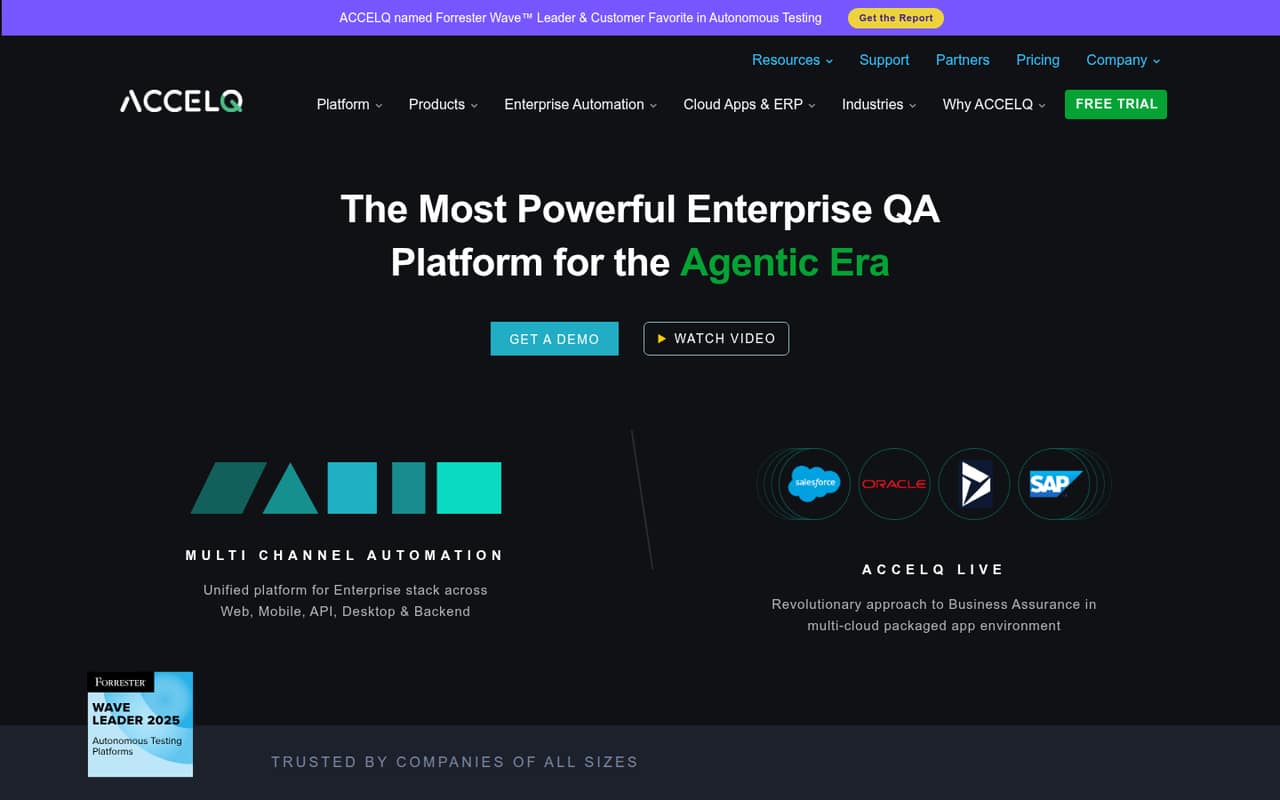
ACCELQ is built for teams that want no-code automation across web, mobile, API, desktop, packaged apps, and backend systems. Its feature range is appealing, but the vendor doesn’t publish automation prices or seat limits, so a small team can’t estimate its bill upfront.
There is a free-for-life plan for individual manual testers, not a clearly priced free automation plan for a team. We’d ask for a quote and a scoped trial before committing.
Good fit if
- Teams testing across several app types
- Manual testers working with automation engineers
- Organizations needing business-process-based testing
Skip it if
- Teams needing predictable seat costs
- Solo testers seeking free automation
- Teams prioritizing coding skill portability
ScoresHow it rates
What works
- No-code automation is the central approach
- Covers web, mobile, API, and desktop testing
- Includes packaged-app automation
- Supports quality work from design through change management
- Free-for-life option for individual manual testers
What doesn't
- Automation plan prices aren’t published
- Seat limits aren’t published for team plans
- Free manual plan’s other limits aren’t published
- Trial duration isn’t published
- A Salesforce user reported slow runs and restart issues
01Who ACCELQ is for
ACCELQ is aimed at QA teams that need to automate tests across more than one kind of application. The vendor describes no-code automation for web, mobile, API, and desktop apps, plus packaged apps and backend systems. Its business-process focus may suit teams testing connected workflows rather than one isolated screen.
For a team of 1–10, the fit depends less on headcount than on whether that range of coverage solves a real testing problem. A small team with manual testers and automation engineers may value the collaboration and quality-lifecycle tools. A solo tester or a team with one simple web app may find the enterprise scope and unknown bill hard to justify. ACCELQ lists a free-for-life plan for individual manual testers, but its team automation plans have no published prices or seat limits. We’d treat it as a shortlist option for teams with a clear cross-channel need and budget room to get a quote.
02ACCELQ free plan and trial
The free option is AUTOMATE Manual – Individuals. ACCELQ lists it as free for life for an individual user; other limits aren’t published. That makes it an entry point for one person doing manual testing, not evidence of a free team automation plan.
For web, mobile, and API automation, as well as manual testing for teams, ACCELQ lists free trials. The trial duration and plan limits aren’t published, and the vendor doesn’t publish prices for these plans. ACCELQ Unified also has no published price or seat limit in the available plan details. Before signing up, ask which features the trial includes, whether it has usage or seat caps, and whether your target apps are supported. For a small team, the free individual manual plan is the cheapest known way in; its scope is narrower than automated testing.
03What a small team pays for ACCELQ
The pricing page lists AUTOMATE Web, AUTOMATE Mobile, AUTOMATE API, AUTOMATE Manual – Teams, ACCELQ Unified, and Enterprise, but the vendor doesn’t publish monthly or annual prices or team seat limits. So we can’t calculate a reliable bill for one, three, or five people—or compare monthly with annual billing. Ask ACCELQ for both billing options and a written quote for your exact seat count and testing channels.
The only stated free price is AUTOMATE Manual – Individuals, free for life for one user. Enterprise lists unlimited execution agents and one-year test-result retention; on-premises deployment requires a minimum 10-license subscription. That minimum may matter if a small team needs on-premises deployment, but the license price isn’t published.
ACCELQ Cloud Lab for web and mobile is an execution-infrastructure add-on. Its price and limits aren’t published either. Ask whether it is required for your intended cloud testing, what it costs, and whether any setup or support fees apply. Until ACCELQ supplies those details, a few-seat budget is unknown.
04Getting started with ACCELQ
ACCELQ presents the product as no-code, which may lower the coding barrier for creating tests, but that doesn’t tell a small team how much setup or training it will take. The vendor’s available plan details don’t publish onboarding effort, trial duration, integration requirements, or setup fees. We’d ask for a guided walkthrough using one representative business process and your actual application types before estimating the work.
The feature list covers web, mobile, API, desktop, packaged apps, and backend systems, but specific integrations and their setup steps aren’t stated. Confirm that your applications and test environments are supported, and ask what the team needs to configure on day one. Manual testing collaboration is part of the stated feature set, so include both manual testers and automation engineers in the evaluation.
One Reddit poster said they had used ACCELQ three years earlier and thought it was “pretty good,” but that isn’t a current setup guide. Plan for a vendor conversation to fill in the practical details.
05When small teams outgrow ACCELQ
The first pressure point may be the bill, not the feature set. ACCELQ doesn’t publish team prices or seat limits, so a growing group can’t forecast the cost of adding testers or compare it with another tool without a quote. Teams that need on-premises deployment should also account for Enterprise’s minimum 10-license subscription; the price is not published.
A second pressure point is run experience. In one r/salesforce thread, a user said ACCELQ was slow for their team and reported trouble restarting a script after failure. That is one team’s account, not a general performance finding, but it is a good reason to test execution speed and recovery with your own scenarios before expanding use. Another QA professional said working mostly with a licensed tool such as ACCELQ made it harder to find new job opportunities because they lacked Selenium experience. Teams that value transferable coding skills may want to weigh that concern. Ask about export options, test maintenance, and the cost of extra seats before your suite or team grows.
From the threadsWhat users say
The limited Reddit discussion is mixed: one user recalled a positive experience, while a Salesforce team reported slow runs and restart problems. Those comments are individual accounts, not enough to establish typical performance or support quality.
My team supports web and mobile apps but also SAP, Salesforce, PeopleSoft
I used to test using AccelQ 3 years ago and it's pretty good
We currently use Accelq but its very slow and takes lot of time to complete the run
I have mostly worked on a licensed tool(ACCELQ) and have not gained much experience in Selenium
Questions people ask
How much does ACCELQ cost?
ACCELQ’s monthly and annual prices for its automation and team plans aren’t published, and seat limits aren’t published either. The AUTOMATE Manual – Individuals plan is listed as free for life for one user. Ask ACCELQ for a quote covering your seat count, testing channels, billing term, and any required add-ons.
Does ACCELQ have a free plan?
Yes. ACCELQ lists AUTOMATE Manual – Individuals as free for life for an individual user. Other limits aren’t published, and this listing doesn’t establish that team automation is free. ACCELQ also lists free trials for several plans, but the vendor doesn’t publish their duration or limits.
What can ACCELQ automate?
ACCELQ describes automation across web, mobile, API, and desktop applications, as well as packaged apps and backend systems. The vendor also describes business-process-focused testing and tools for managing quality from test design through change management. Confirm support for your specific applications and environments with ACCELQ.
Does ACCELQ require coding?
ACCELQ describes its automation as no-code, with the goal of creating and scaling test automation without coding. That description doesn’t establish how much configuration, training, or technical help a particular implementation needs. Ask for a walkthrough of a representative test and confirm what skills your team will need to maintain it.
Does ACCELQ offer on-premises deployment?
ACCELQ lists on-premises deployment under Enterprise, with a minimum 10-license subscription. The vendor doesn’t publish the price for that plan in the available pricing details. If your team needs on-premises deployment, ask for the full license cost and confirm which features, execution agents, and support are included.
Sources
- ACCELQ homepage
- ACCELQ pricing, compiled via web search from conversiongems.com, bug0.com, accelq.com, thetoolregister.com, tuskr.app
- Reddit: Codeless Automation Tools - help!
- Reddit: Low-code/no-code test automation tool
- Reddit: Tool for Automation Testing
- Reddit: QA Automation Engineer with 5 years of experience- Should I switch to Dev role?