
We may earn a commission if you buy through links on this page. It never changes a score or a ranking. How we make money
The bottom line
A capable Apple email client for individuals, not a shared inbox for a growing team.
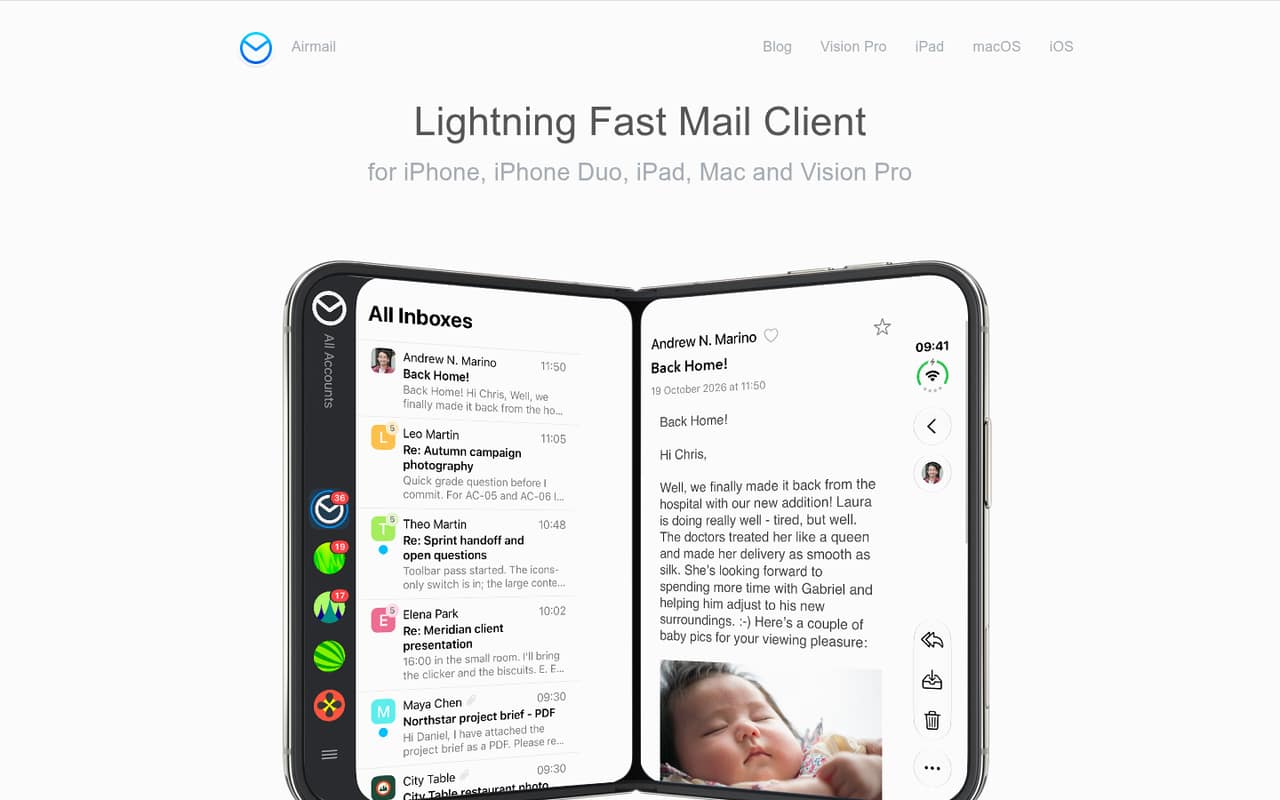
Airmail brings multiple email accounts, a unified inbox, snoozing, scheduled sending, and privacy controls to Apple devices. The free plan covers one account; managing multiple accounts means paying for Airmail Pro.
For a small team, the key question is whether each person needs a customizable Apple email client or whether you need shared inboxes and team workflows. Airmail is a better fit for the first job. Reddit reactions to subscription changes and pricing have been mixed to negative.
Good fit if
- Apple-only teams with separate inboxes
- People managing multiple email accounts
- Users who want local privacy controls
Skip it if
- Teams needing shared inbox workflows
- People who need Windows or Android
- Teams avoiding recurring software costs
ScoresHow it rates
What works
- Supports Gmail, iCloud, Exchange, Office 365, Outlook, IMAP, and POP3
- Unified inbox can exclude selected accounts
- Includes snoozing and scheduled sending
- Privacy Mode blocks tracking pixels and automatic image loading
- Airmail Pro works across Apple devices synced through iCloud Drive
What doesn't
- Free plan is limited to one account
- Pro pricing has a published range
- Airmail for Business price is not published
- Business plan excludes push notifications
- Reddit users report frustration with subscription and feature changes
01Who Airmail is for
Airmail is for people who want to manage their own email on Apple devices, rather than a team that needs one shared customer-support inbox. It runs on iPhone, iPad, Mac, Apple Watch, and Vision Pro, and supports accounts from Gmail, iCloud, Exchange, Office 365, Outlook, IMAP, and POP3.
For a one-to-five-person business, it can suit a team where each person has separate email accounts and wants controls such as snoozing, scheduled sending, and a unified inbox. Airmail Free covers one account; Airmail Pro is the plan for multiple accounts. That makes the budget question fairly simple: is the extra account management worth a subscription for each person who needs it? Airmail’s listed features focus on individual email management, so teams that need shared ownership of messages or coordinated inbox workflows should check those needs before choosing it.
02Airmail free plan and trial
Airmail Free costs $0 per month and is limited to one email account. The plan lists basic inbox management and basic email functionality, so it can be enough if each person only needs one account and is happy with the basic toolset.
The limit matters as soon as someone wants to manage a work address and a second inbox in the same client: Airmail Pro is the plan for multiple accounts. Pro includes a free trial, but the trial duration is not published. The pricing listing does not give a separate trial price or duration, so check the current offer before signing up. For a small team that needs multiple accounts, Pro is the cheapest listed plan; Airmail for Business is a separate single-purchase option for companies and educational institutions, but its price is not published.
03What a small team pays for Airmail
Airmail Pro is listed at $5.99 per month or $2.50 per month when billed annually, which is about $29.99 per year. The billing note also shows a wider range: $5.99–$9 monthly and $29.99–$49.99 annually. Check the price offered at checkout, since the published figures vary.
Using the listing’s lower prices, one person pays $5.99 month to month or about $30 a year. Assuming one Pro license per person, three people pay $17.97 monthly or about $90 annually; five pay $29.95 monthly or about $150 annually. At the top of the published range, those annual totals could reach about $150 for three and $250 for five. Pro is licensed per Apple ID across Apple devices synced through iCloud Drive, and Family Sharing is supported. Airmail for Business is a single purchase, but its price and seat maximum are not published. Push notifications are not included in that plan.
04Getting started with Airmail
Setup starts with adding the email accounts you want to use. Airmail lists support for Gmail, iCloud, Exchange, Office 365, Outlook, IMAP, and POP3, covering common personal and work email services. The app is available on iPhone, iPad, Mac, Apple Watch, and Vision Pro.
For a one-person setup, the main choice is whether to keep accounts separate or use the unified inbox. Airmail lets users exclude accounts from that combined view, and its tools include snoozing, scheduled sending, and Smart Inbox filtering for newsletters and other distractions. Privacy Mode processes data locally, blocks tracking pixels, and stops images loading automatically.
The vendor does not publish a setup-time estimate or a learning-curve guide. A small team should allow time for each person to connect accounts and set inbox preferences. If a company wants centralized licensing and remote deployment, Airmail for Business lists MDM deployment tools.
05When small teams outgrow Airmail
Airmail may stop being the right fit when your team needs a shared inbox, coordinated message ownership, or a single place to manage team email processes. Its listed features center on managing separate accounts, and the pricing information does not describe seats for a shared team workspace. Airmail for Business offers centralized licensing and MDM remote deployment, but its seat maximum and price are not published; ask the vendor before budgeting for a larger rollout.
The other pressure point is recurring cost. Pro is per Apple ID, so a team’s bill rises with each person who needs multiple accounts. Reddit users have also complained about subscription changes and losing features they had previously paid for. One Reddit thread included a complaint about a $120 annual price, but that user-reported figure is not the current listed Pro price. Teams should compare the checkout price and included features before committing.
From the threadsWhat users say
Reddit reactions are mixed, with some users valuing Airmail as an alternative to the default mail app and others objecting to subscription changes. Complaints focus on pricing and changes to previously available features.
$120 a year is insane for a mail app imo
They’ve since switched to a subscription based model so I just deleted the app
when said subscription model removes basic functionality for current users
Airmail was never the perfect mail app, but it’s always been the closest to perfect for me
Questions people ask
Is Airmail free?
Yes. Airmail Free costs $0 per month and includes basic inbox management and basic email functionality. It is limited to one account, so people who want to manage multiple accounts need Airmail Pro. The Pro free-trial duration is not published.
How much does Airmail Pro cost?
The pricing listing gives Airmail Pro as $5.99 per month or $2.50 per month when billed annually, about $29.99 a year. Its billing note also lists ranges of $5.99–$9 monthly and $29.99–$49.99 annually, so confirm the price shown at checkout.
Which email providers does Airmail support?
Airmail lists support for Gmail, iCloud, Exchange, Office 365, Outlook, IMAP, and POP3. Airmail Free is limited to one account, while Airmail Pro is the plan for managing multiple accounts.
Which devices can I use Airmail on?
Airmail is listed for iPhone, iPad, Mac, Apple Watch, and Vision Pro. Airmail Pro is licensed per Apple ID across Apple devices synced through iCloud Drive. The listed platforms are Apple devices; Windows and Android support is not listed.
Does Airmail for Business include push notifications?
No. Airmail for Business lists centralized licensing and MDM remote deployment tools, but push notifications are not included. Its price and seat maximum are not published, so ask the vendor for those details before planning a company-wide rollout.