
We may earn a commission if you buy through links on this page. It never changes a score or a ranking. How we make money
The bottom line
A capable free scheduler for small teams; expect per-seat costs for reminders and other paid features.
Appointlet is worth considering if your team needs a straightforward way for clients to book meetings. The free plan covers up to five members and 25 meetings a month, with one scheduling page.
Premium starts at $9 per member/month with annual billing, or $12 monthly. That buys features including automated reminders, payment collection, and removing Appointlet branding. One Reddit thread raises a concern about a missing confirmation email, but it doesn't establish a broader reliability problem.
Good fit if
- Small teams with modest booking volume
- Client-facing appointment scheduling
- Teams wanting a free starting point
Skip it if
- Teams needing many free booking pages
- High-volume booking on a free plan
- Buyers who need published Enterprise pricing
ScoresHow it rates
What works
- Free plan allows up to five members
- Free plan includes 25 meetings monthly
- Booking links and website embeds
- Premium includes automated reminders
- Works with four listed video platforms
What doesn't
- Free plan is limited to one scheduling page
- Free plan caps meetings at 25 monthly
- Premium costs per member
- Enterprise pricing is not published
- A Reddit user reported a missing confirmation email
01Who Appointlet is for
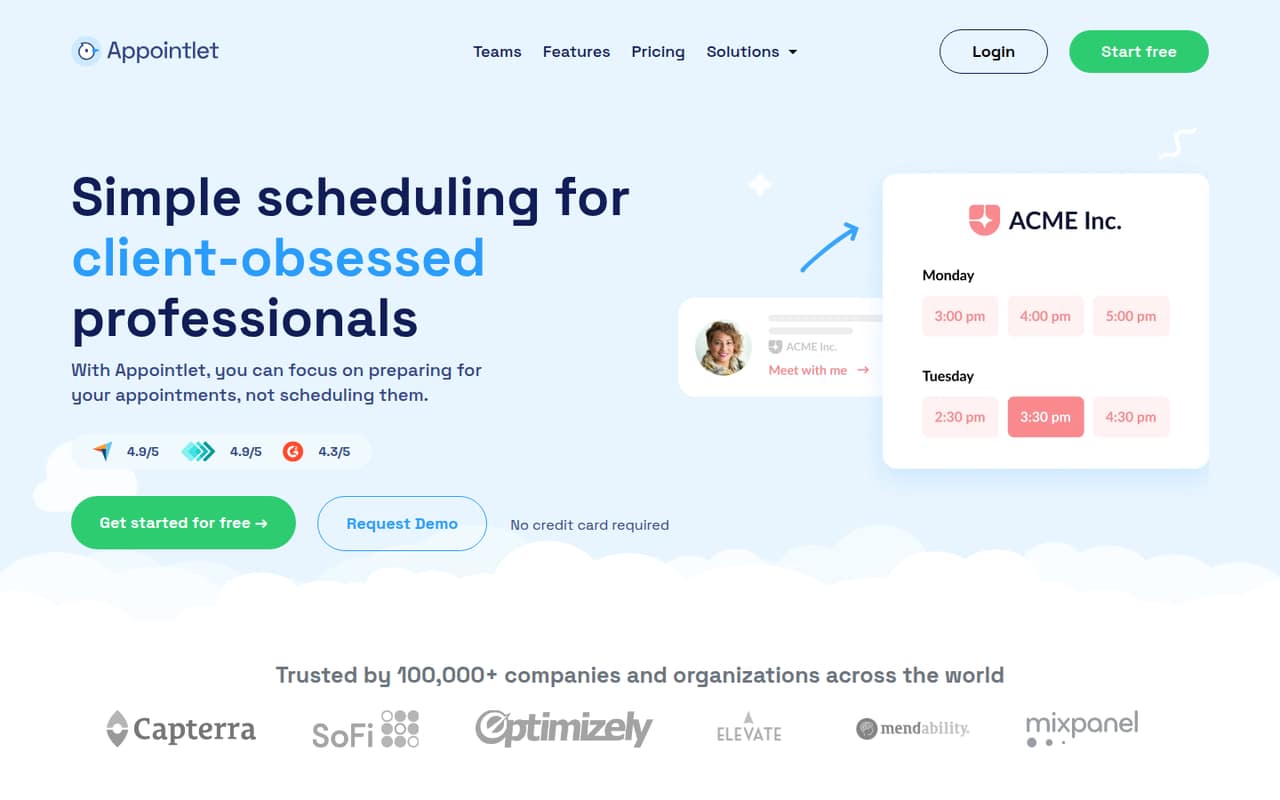
Appointlet is for professionals and small teams who want clients to book meetings without a chain of emails. A booking link lets clients pick a time; teams can also put a booking form on a website, sync a calendar, and manage availability. The feature set includes options for team bookings, group meetings, and letting clients choose a team member.
The free plan fits a solo operator or a small team of up to five members with no more than 25 meetings a month. That makes it a sensible place to start if you have a limited budget and one main booking page. A team of three to five can also try it without a subscription before deciding whether Premium's reminders, payment collection, and other paid features are worth the per-member cost. If you need more than one free scheduling page or expect heavier booking volume, check the plan limits before committing.
02Appointlet free plan and trial
The pricing page lists a Free plan at $0 for up to five members and 25 meetings a month. It includes one scheduling page and integrations with Zoom, Google Meet, Microsoft Teams, and Webex. Appointlet also offers booking links, website booking, calendar sync, and page customization as product features; the pricing list doesn't spell out which of those are restricted by plan.
The Free plan's clear limits are its meeting allowance and single page. Automated reminders, manual booking confirmation, payment collection, Zapier and webhooks, and removing Appointlet branding are listed under Premium instead. A free trial isn't listed. If your team needs those paid features, Premium is the cheapest listed way in, starting at $12 per member/month billed monthly or $9 with annual billing.
03What a small team pays for Appointlet
The pricing page lists Premium at $12 per member/month with monthly billing or $9 per member/month with annual billing, which it describes as 25% savings. For one person, that's $12 monthly or $108 for a year billed annually. A three-person team pays $36 per month or $27 per month on the annual rate—$324 billed for the year. For five people, it's $60 monthly or $45 per month on the annual rate—$540 billed for the year.
The Free plan costs $0 but stops at five members, 25 meetings a month, and one scheduling page. Premium adds automated reminders, manual booking confirmation, payment collection, Zapier and webhooks, and the option to remove Appointlet branding. No add-ons are listed. Enterprise includes priority support, quarterly account reviews, and advanced security measures, but its price isn't published. Ask the vendor for a quote if those organization-level features are on your list.
04Getting started with Appointlet
A basic setup means deciding when you're available, connecting a calendar, configuring a booking page, and sharing its link or adding it to your website. The page can be customized with a color, logo, welcome message, and form fields. Those are manageable steps for a small team, though the vendor doesn't publish a setup-time estimate.
For day-one meetings, the pricing page lists Zoom, Google Meet, Microsoft Teams, and Webex integrations on the Free plan. Appointlet also describes calendar sync, but the listed details don't name calendar providers. Check that your calendar connection and meeting platform fit your team's workflow before relying on it. In one Reddit thread, a person who booked through a link said the confirmation email had not arrived; commenters suggested checking spam or contacting the company. That is a useful reason to verify the confirmation process during setup, not proof of a general issue.
05When small teams outgrow Appointlet
The first pressure point is volume: Free allows up to 25 meetings a month and one scheduling page. Teams that exceed either limit, or have more than five members, should check Premium's per-member pricing. The plan listing doesn't state a Premium member or meeting cap, so ask the vendor if your team is planning for a larger booking load.
A second reason to upgrade is needing automated reminders, manual confirmation, payment collection, Zapier and webhooks, or a booking page without Appointlet branding. Those are listed under Premium, not Free. Organizations that need priority support, quarterly account reviews, or advanced security may need Enterprise; its price isn't published, so request a quote. One Reddit thread describes a booking confirmation page appearing without the expected email. It doesn't show a pattern, but teams that depend on confirmation emails should check that flow and have a fallback contact method.
From the threadsWhat users say
The Reddit discussion offers a limited, mixed signal: one person reported not receiving a booking confirmation email, while commenters offered basic troubleshooting suggestions. It doesn't establish whether the issue is common or how Appointlet support handles it.
I haven't received any such email yet
Check your spam folder? Call the company you’re interviewing with?
Can you contact appointlet?
They'll be online on Monday at the earliest
Questions people ask
How much does Appointlet cost?
Appointlet's Free plan costs $0 and covers up to five members, 25 meetings a month, and one scheduling page. Premium costs $12 per member/month with monthly billing or $9 per member/month with annual billing. Enterprise pricing isn't published; contact the vendor for a quote.
What does Appointlet's free plan include?
The pricing page lists up to five members, 25 meetings per month, one scheduling page, and Zoom, Google Meet, Microsoft Teams, and Webex integrations. The Free plan's listing doesn't specify whether every general feature, such as calendar sync, is available on that plan, so confirm any must-have before you rely on it.
Does Appointlet send automated reminders?
Automated reminders are listed as a Premium feature. Premium also includes manual booking confirmation, payment collection, Zapier and webhooks, and removing Appointlet branding. If reminders are essential, budget for the per-member plan rather than assuming they're part of Free.
Can clients book through my website?
Yes. Appointlet supports website booking with an inline or pop-up embed, as well as shareable booking links. Its booking page can be customized with a color, logo, welcome message, and form fields. Check the plan details with the vendor if you need to know whether a specific option is included in Free.
Which video meeting tools does Appointlet support?
The Free plan's pricing listing names Zoom, Google Meet, Microsoft Teams, and Webex integrations. Appointlet also describes calendar sync, but the listed details don't name calendar providers. Confirm compatibility with your team's calendar and meeting setup before rolling it out.