
We may earn a commission if you buy through links on this page. It never changes a score or a ranking. How we make money
The bottom line
A capable free starting point for small teams that don’t mind some JavaScript and setup work.
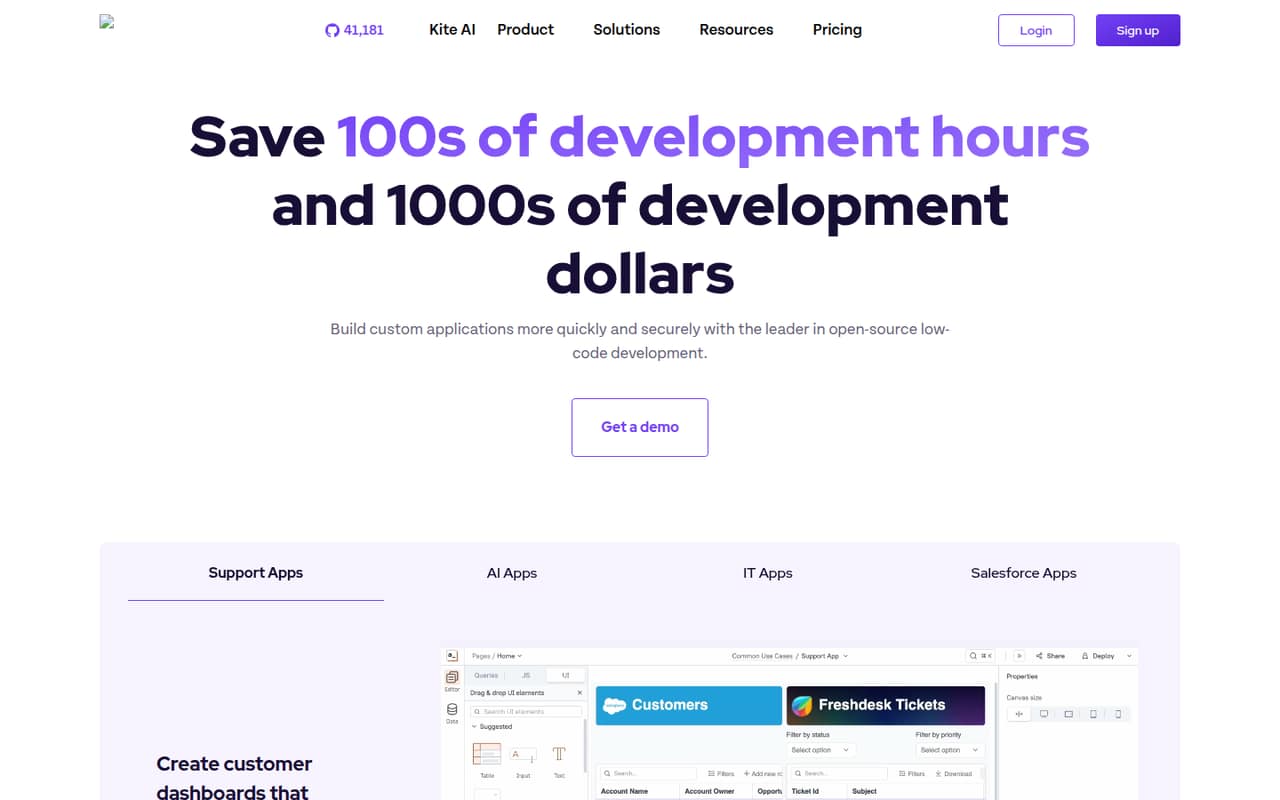
A small team doesn’t need Appsmith unless it has internal tools to build and maintain. For teams that do, the free cloud plan covers up to five users, and the open-source platform can also be self-hosted. Drag-and-drop widgets handle the interface; JavaScript and data connections give developers room to customize it.
The main budget jump is Business: $15 per user per month, so three seats cost $45 and five cost $75 monthly. That’s straightforward for a few developers, but plan for setup effort if you self-host and check integration needs before building around them.
Good fit if
- Small teams building internal tools
- Developers who want JavaScript control
- Teams needing self-hosting options
Skip it if
- Teams wanting a no-code-only builder
- Teams needing unsupported integrations
- Businesses avoiding infrastructure setup
ScoresHow it rates
What works
- Free cloud plan includes up to five users
- Community edition is available for free
- Connects to databases, SaaS tools, and APIs
- Git workflows support branches and deployments
- Self-hosting includes air-gapped deployment options
What doesn't
- Business costs $15 per user monthly
- Free cloud plan has only three Git repos
- Self-hosting can involve infrastructure setup
- Some advanced options are paid add-ons
- AI-assisted coding may still need developer review
01Who Appsmith is for
Appsmith suits a small, developer-led team building internal business apps: CRUD screens, dashboards, or interfaces that connect to company data. The pricing page lists a free cloud plan for up to five users, which makes it a reasonable first stop for a founder or a team of three to five people watching software costs. Business is the paid step when the team needs more collaboration features or premium integrations.
The product combines drag-and-drop widgets with JavaScript customization, and it connects to databases, SaaS tools, and REST or GraphQL APIs. That makes it more flexible than a form builder, but it also means a developer will likely be part of the work. A Reddit commenter described the JavaScript editor as useful for complex apps, while noting the simpler drag-and-drop experience. Teams that want to avoid code or infrastructure work may find the learning curve hard to justify.
02Appsmith free plan and trial
The Free cloud plan costs $0 and includes up to five users, five workspaces, three Git repositories, three standard access roles, and Google SSO, per the pricing page. That is enough room for a small team to build and organize a few apps, though the three-repository limit could matter if you separate projects into different repos.
Appsmith also lists a free Community plan for its open-source low-code platform. The pricing page does not list the Community plan’s user, workspace, or repository limits, so ask Appsmith if those details affect your deployment. Self-hosting is available, including air-gapped deployments. A 15-day trial is listed, but the trial’s scope is not published. For a small team that can work within the Free cloud limits, there is no need to start with a paid plan.
03What a small team pays for Appsmith
Business is the cheapest listed paid plan for a small team: $15 per user per month. That works out to $15 monthly for one user, $45 for three, and $75 for five. These are monthly totals using the listed per-user price; the pricing page does not list annual prices or discounts. Business is billed monthly by credit card, and users are billed for the full month if included at any point in the billing cycle. Developer seats have no additional charge.
Business includes up to 99 users, unlimited workspaces, Git repos, and environments, plus workflows, reusable packages, premium integrations, and email and chat support. Enterprise is listed at $2,500 per month for 100 users, starts at 100 users, and is typically billed annually; no annual price or discount is listed.
Two add-ons may matter as requirements grow: air-gapped edition and managed cloud hosting on dedicated servers. The pricing page does not publish either price, so ask for a quote before budgeting for them.
04Getting started with Appsmith
The builder uses drag-and-drop widgets, but Appsmith also supports JavaScript, HTML, CSS, and external libraries. That gives developers room to tailor an app, while making the product less of a pure no-code option. Appsmith does not publish a typical setup time, so allow for time to connect data, shape the interface, and learn the editor rather than assuming a working app appears in minutes.
For a day-one project, the listed data connections cover databases, SaaS tools, and REST or GraphQL APIs. Git workflows support repository sync, branches, change review, and CI/CD deployment. Teams can use cloud hosting or run Appsmith in their own infrastructure. In an older Reddit discussion, a self-hosting user objected to an install script and its telemetry; an Appsmith representative pointed to a Docker Compose setup and explained the telemetry. If your team has strict deployment rules, check the current setup docs and telemetry details before choosing self-hosting.
05When small teams outgrow Appsmith
The first clear ceiling is the Free cloud plan: it stops at five users, five workspaces, three Git repos, and three standard access roles. A team that needs Business features or more cloud users moves to $15 per user per month. Business is listed for up to 99 users; Enterprise starts at 100 users and costs $2,500 per month for 100 users, typically with annual billing. Air-gapped deployment and dedicated managed cloud hosting are add-ons with unpublished prices.
The other limit may be fit, not seats. In an older Reddit discussion, users asked about native Prometheus and InfluxDB integrations, and an Appsmith representative said they were not available then. That is not a current feature check, so confirm your required connectors with Appsmith. Reddit users have also raised self-hosting setup and telemetry concerns, while others praised the product’s flexibility. If the team wants a no-code-only workflow or cannot support its deployment needs, compare other approaches before adding paid seats.
From the threadsWhat users say
Reddit comments show both enthusiasm for Appsmith’s flexibility and reservations about setup and the learning curve. The comments include company-affiliated replies, so treat praise as user discussion rather than independent proof.
Love the product and the flexibility it provides our business
Appsmith has a simpler UX(drag and drop) for building, JS editor(complex apps need code)
I actually don't trust this application anymore
I honestly feel like it’s easier to just learn Python than go through dozens of low code or no code tools with typically dubious documentation and support
Questions people ask
Is Appsmith free for a small team?
Yes. The Free cloud plan costs $0 and includes up to five users, five workspaces, three Git repos, three standard access roles, and Google SSO. Appsmith also lists a free Community plan for its open-source platform, but the pricing page does not list its specific usage limits.
How much does Appsmith cost for three or five users?
Business is $15 per user per month. That makes three users $45 monthly and five users $75 monthly. The pricing page does not list annual prices or discounts. Business users are billed for a full month if they are included at any point during the billing cycle.
Can I self-host Appsmith?
Yes. Appsmith says any edition can run in your own infrastructure, including air-gapped deployments. The pricing page lists air-gapped edition as an add-on but does not publish its price. Check the current setup documentation and ask Appsmith about costs and deployment requirements before committing.
Does Appsmith offer a free trial?
The pricing information lists a 15-day trial but does not specify which plan or features it covers. Ask Appsmith to confirm the trial’s scope and whether it requires payment details before you plan a team evaluation.
What does Appsmith Business include?
Business costs $15 per user per month and is listed for up to 99 users. It includes unlimited workspaces, Git repos, and environments, plus workflows, reusable packages, premium integrations, and email and chat support. The pricing page also says developer seats have no additional charge.
Sources
- Appsmith homepage
- Appsmith pricing page
- Reddit: Appsmith VS Retool VS Budibase or something else. What are your choices?
- Reddit: Appsmith (v1.7.10) - Self-hosted solution for building Internal Tools, CRUD Apps, Dashboards, and more - Now ships with Native Airtable Integration 🎉
- Reddit: An alternative to appsmith?
- Reddit: For AI agents, forget Appsmith, Buildship, n8n, Retool, Zapier, Budibase, or coding your entire AI agent with OpenAI retriever plugin +/or Chroma DB/Weaviate/Pinecone; what you want is using no/low-code AI automation/agent platforms directly: AgentHub, VectorShift, RelevanceAI, StackAI, or Flowise?