
We may earn a commission if you buy through links on this page. It never changes a score or a ranking. How we make money
The bottom line
Good appointment coverage for small businesses, though there’s no free plan and extras add up.
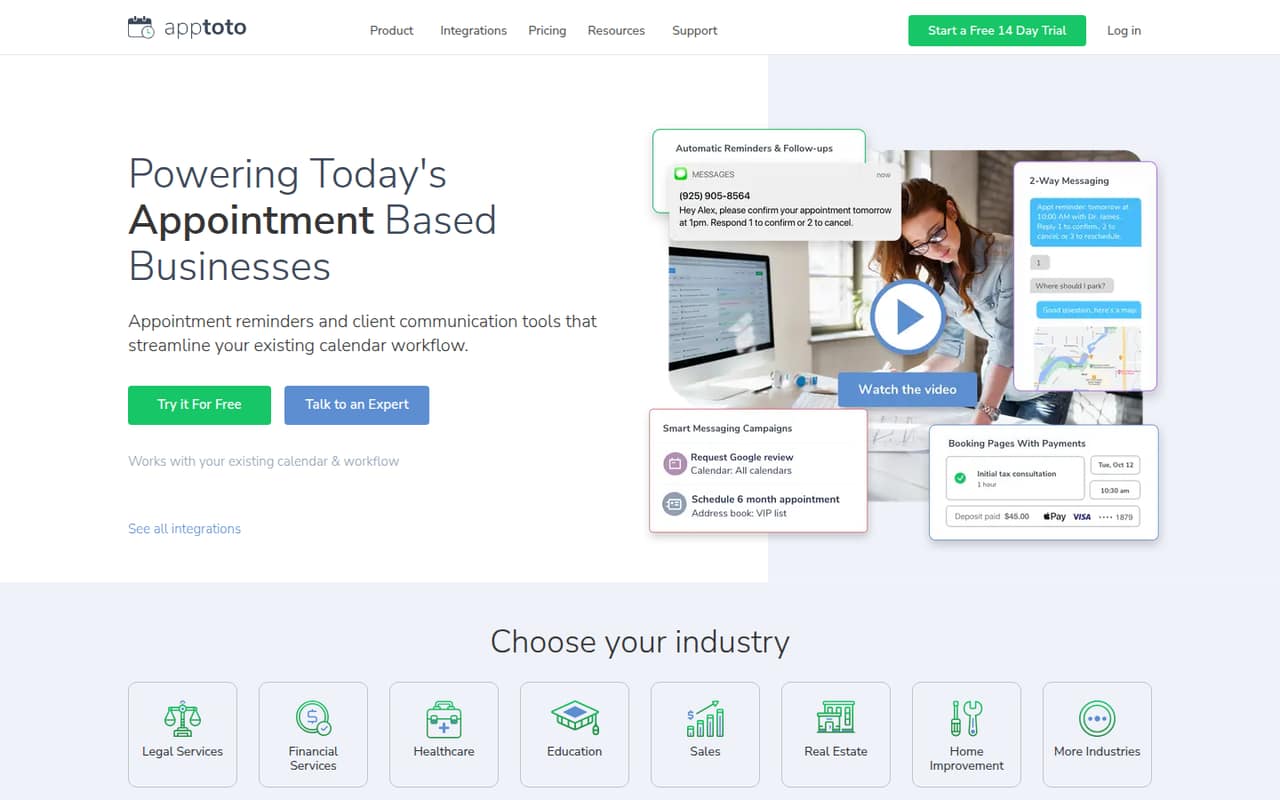
Apptoto brings appointment reminders, online booking, two-way messaging, payments, campaigns, and review requests together around a business’s existing calendar workflow. Clients can confirm, cancel, or reschedule, with replies able to update the calendar.
There’s no free plan. Standard starts at $30 per month for one user and calendar, or $23.10 per month with annual billing. A 14-day trial gives a small team a way to evaluate it before paying.
Good fit if
- Appointment-based service businesses
- Teams that need automated reminders
- Businesses taking appointment payments
Skip it if
- Teams looking for a free plan
- Businesses without scheduled appointments
- Teams needing published setup details
ScoresHow it rates
What works
- Automates confirmations, reminders, and follow-ups
- Clients can book, cancel, or reschedule
- Supports text, email, and phone reminders
- Includes two-way client messaging
- Offers payments, campaigns, and review requests
What doesn't
- No free plan
- Standard starts at $30 monthly
- Additional users cost $10 each
- Automated message overages cost extra
- HIPAA plan starts with 16 calendars or users
01Who Apptoto is for
Apptoto is for appointment-based businesses where missed visits, manual reminders, or back-and-forth booking messages take up staff time. A solo operator can use it, and a small team of three or five can add users to the Standard plan. The product is built around an existing calendar workflow, so it’s aimed at businesses that already schedule appointments rather than teams looking for a general project calendar.
It handles automated confirmations, reminders, and follow-ups by text, email, or phone. Clients can book one-on-one or group appointments using real-time availability, then confirm, cancel, or reschedule. The business can also continue two-way messages, run campaigns, request reviews, and collect appointment payments. That breadth may suit a clinic, salon, or other service business that wants these tasks in one tool. For a team that only needs occasional reminders, the monthly cost may be hard to justify.
02Apptoto free plan and trial
Apptoto doesn’t offer a free plan. The pricing page lists a 14-day free trial, but it doesn’t specify the trial’s feature limits, whether a payment method is required, or what happens to data when the trial ends. Ask Apptoto to confirm those points before building your workflow around the trial.
The cheapest listed paid option is Standard: $30 per month for one user and calendar, or $23.10 per month with annual billing. Standard includes unlimited manual messages and unlimited booking pages. Automated messages are subject to credit allowances and possible overage charges, so unlimited manual messaging shouldn’t be read as unlimited automated reminders. For a solo business, the trial is the only no-cost way in; for a team, add the $10 charge for each additional user when estimating the paid cost.
03What a small team pays for Apptoto
The pricing page lists Standard at $30 monthly for one user and calendar, or $23.10 per month with annual billing. That makes a one-person account $30 month to month or $277.20 for a year billed annually. Each additional user costs $10. Using that listed add-on, three people come to $50 monthly or an estimated $43.10 per month equivalent on annual billing ($517.20 a year). Five people come to $70 monthly or an estimated $63.10 per month equivalent annually ($757.20 a year). Confirm how additional-user charges are billed before choosing annual payment.
Reputation Management is an optional add-on: $39 monthly or $30 per month billed annually, and it adds 200 automated message credits per month. Automated message overages cost $0.12 per credit when enabled. International messaging costs extra, uses twice the credits, and has no published price. Premium Setup also costs extra, but its fee isn’t published. HIPAA is $208 monthly and starts with 16 calendars or users, which is a steep entry point for a small team.
04Getting started with Apptoto
Apptoto is designed to work with a business’s existing calendar workflow, so the first practical question is whether your current calendar is supported and how it connects. The product description doesn’t name specific calendar integrations or explain the setup steps. Ask Apptoto to confirm compatibility and whether appointments sync both ways before signing up.
A sensible rollout would include connecting the calendar, setting availability and booking options, choosing reminder timing and channels, and deciding how staff will handle client replies. Those are planning steps, not a claim that setup is automatic. You’ll also want to check how automated message credits are counted and whether your expected volume could trigger overages. Apptoto offers Premium Setup for a one-time fee, but the price isn’t published. The exact learning curve and setup time aren’t published either, so a small team should use the 14-day trial to confirm the workflow fits before committing.
05When small teams outgrow Apptoto
A small team may outgrow Standard when the per-user cost, message charges, or compliance needs stop fitting its budget. Standard starts with one user and calendar, and each additional user costs $10. That’s $50 monthly for three people and $70 for five at the listed month-to-month rates, before optional services or automated-message overages. If the team’s messaging volume is high, the $0.12 per-credit overage can become another cost to watch when overages are enabled.
HIPAA messaging may be necessary for some businesses, but the listed HIPAA plan starts at $208 per month with 16 calendars or users, even if the team needs fewer seats. Larger organizations or those needing custom integrations or support can contact sales for Enterprise/custom pricing. That plan is available beyond 25 users or 3,750 automated message credits, and includes single sign-on and a custom BAA. A growing team should compare the higher plan cost with its actual compliance and integration requirements before upgrading.
Questions people ask
What is the best app for appointment reminders?
The best fit depends on whether you need reminders alone or a wider appointment workflow. Apptoto combines confirmations and reminders with online booking, two-way messaging, payment collection, campaigns, and review requests. Its Standard plan starts at $30 per month for one user and calendar, and there’s no free plan.
How does Apptoto work?
Apptoto works with a business’s existing calendar workflow to manage reminders and appointments. Clients can book from real-time availability, confirm, cancel, or reschedule, and their replies can update the calendar. Businesses can also send follow-ups and continue text or email conversations with clients.
Does Apptoto have a free plan?
No. Apptoto lists a 14-day free trial, but no ongoing free plan. The cheapest listed paid option is Standard at $30 per month for one user and calendar, or $23.10 per month with annual billing. Ask Apptoto about trial limits and payment requirements.
Can clients cancel or reschedule through Apptoto?
Yes. Apptoto lets clients confirm, cancel, or reschedule appointments, and client replies can update the calendar. The product also offers online booking based on real-time availability. Confirm the specific calendar connection and appointment rules you need with Apptoto before adopting it.
Does Apptoto charge for automated messages?
Automated messages use message credits, and the pricing lists overages at $0.12 per credit when enabled. International messaging costs extra, uses twice the credits, and has no published price. Standard includes unlimited manual messages, which is different from unlimited automated reminders.