
We may earn a commission if you buy through links on this page. It never changes a score or a ranking. How we make money
The bottom line
A broad, free backend toolkit; check Cloud pricing and resource limits before you commit.
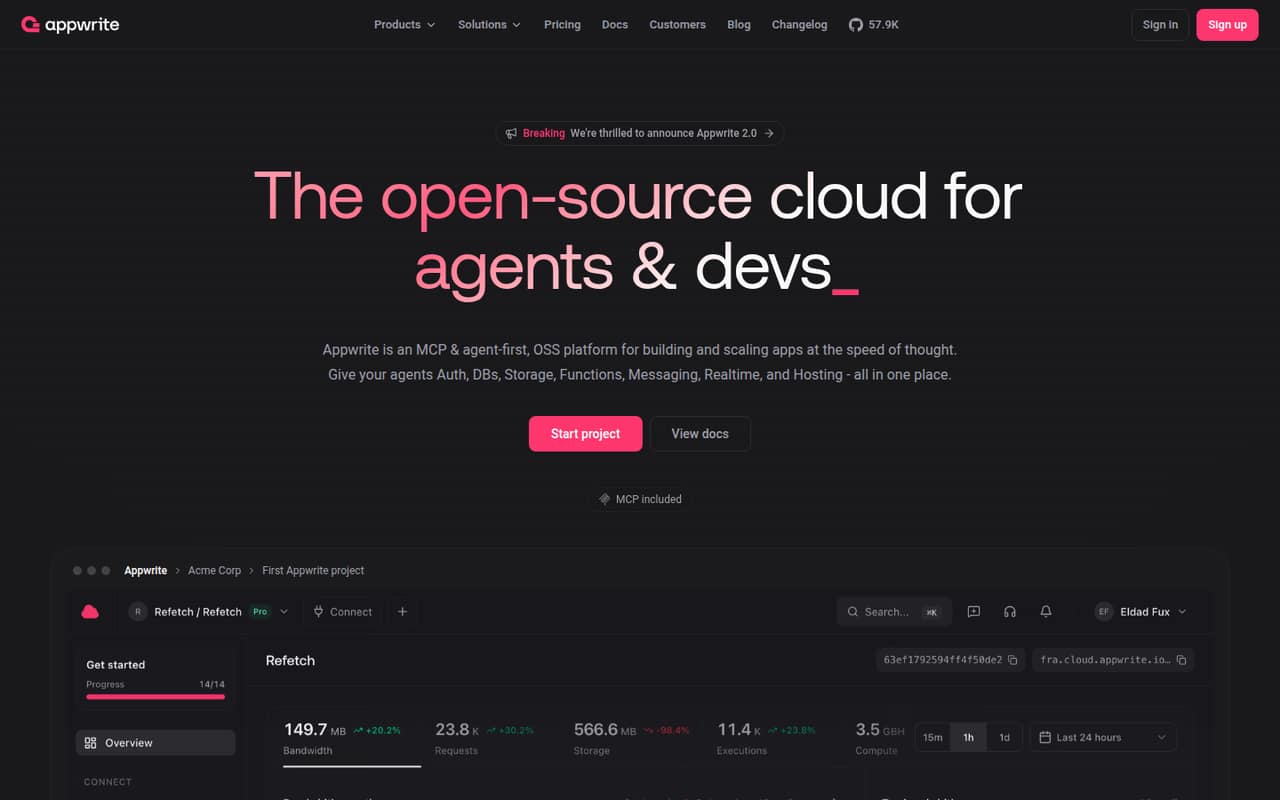
Appwrite brings authentication, databases, storage, functions, hosting and messaging into one open-source backend platform. The Free plan costs $0 and includes all platform services, but projects freeze at resource limits and the vendor does not publish the limits in the published pricing details.
For a small team, that makes Appwrite worth considering for a new app or prototype, especially if self-hosting is on the table. The pricing page lists Pro but not its subscription price, so we can’t calculate a paid team budget from the published figures here. Database compute can add a separate monthly cost.
Good fit if
- Small teams building app backends
- Developers who want self-hosting
- Projects needing several backend services
Skip it if
- Teams needing a known paid budget
- Nontechnical teams avoiding server setup
- Apps that cannot tolerate resource freezes
ScoresHow it rates
What works
- Free plan includes all platform services
- Offers both Cloud and self-hosted environments
- Authentication supports several sign-in methods
- Includes databases, storage and serverless functions
- One service handles email, SMS and push
What doesn't
- Free resource limits are not specified here
- Pro subscription price is not listed
- Projects freeze when they hit resource limits
- Database compute can add monthly charges
- Reddit users report function reliability concerns
01Who Appwrite is for
Appwrite suits a small developer team building an app that needs a backend without stitching every service together. It combines authentication, databases, file storage, serverless functions, frontend hosting and messaging. The platform is open source, with both Cloud and self-hosted environments, so teams can choose a managed service or take on their own hosting.
For a team of one to ten, the Free plan makes it possible to start without a subscription fee. That is useful for a prototype or an early product, but the pricing page says projects freeze at resource limits. It does not list those limits in the published pricing details, so check current thresholds against your expected use before relying on the free tier. Appwrite is aimed at developers and AI agents; a team without technical capacity to build and maintain an app backend may find it a poor fit.
02Appwrite free plan and trial
Appwrite’s Free plan costs $0 per month and includes all platform services, according to the pricing page. The page says usage limits reset each billing cycle and projects freeze when they reach resource limits. It does not publish the specific resource allowances in the pricing details available here, so we can’t tell you how many users, requests or files the free plan will cover. Check the current limits for your project before launch.
A free trial is not listed. The Free plan is the lowest-cost way in, and self-hosting is another option for teams prepared to run the open-source platform themselves. The pricing page lists Pro as the paid plan, but does not publish its subscription price. That makes it hard to budget for the point where a free project needs more resources.
03What a small team pays for Appwrite
For one person, three people or five people, the listed Free plan total is $0 per month. The pricing page does not list a per-seat charge, a Pro subscription price, or annual billing details for either subscription, so we can’t provide a reliable paid total for a small team. Ask Appwrite what Pro would cost for your organization and whether team membership changes the bill.
Dedicated database compute is priced separately per database each month. The listed tiers start at $10 for Starter, then $20 for Standard and $49 for Standard Plus; higher tiers go up to $4,099 for Scale Max. The pricing page says $10 of database compute credits are included monthly. High availability replicas cost the full compute tier price per replica, and point-in-time recovery costs 20% of base compute. Read/write overage and storage rates are not shown on the vendor’s site. For a small team, these unknowns matter more than seat math until you know which resources your app will use.
04Getting started with Appwrite
Appwrite is built for developers, so expect some technical work to connect your app to its backend services. Your team will need to choose Cloud or self-hosting, then decide which services it needs: authentication, a database, storage, functions, Sites or messaging. The product supports email, SMS, OAuth, anonymous sessions and magic URLs for authentication; its database options include Appwrite databases and managed PostgreSQL and MySQL.
For a first version, keep the scope narrow: set up sign-in, the database and any required file storage, then add functions or notifications as the app needs them. Self-hosting also means your team takes responsibility for running its environment. A Reddit commenter who said they had self-hosted for nearly three years reported no significant problems, while another commenter raised concerns about Cloud functions timing out, particularly on cold starts. Those are individual reports, not a guarantee of either experience.
05When small teams outgrow Appwrite
The first clear reason to move beyond Free is hitting a resource limit: the pricing page says projects freeze at the limit, with usage limits resetting each billing cycle. Since the page does not list the actual allowances in the published pricing details, estimate your usage and confirm the thresholds before putting a production app on the plan. Pro may be the next step, but its subscription price is not published there.
Database needs can also change the bill. Dedicated compute starts at $10 per database per month, with separate charges for high availability replicas and point-in-time recovery; read/write overage and storage rates are not shown. Ask for a full estimate if your app depends on those resources. Reddit feedback is mixed: some users praise self-hosting, while comments mention Cloud function timeouts and console server errors. Growing teams should test their key workflows and get pricing in writing before switching a live app.
From the threadsWhat users say
Reddit sentiment is mixed: some users like Appwrite’s features and report stable self-hosting, while others describe Cloud functions or console errors. A few commenters also question whether recent pricing works for smaller organizations.
I've never encountered a significant problem, despite being a novice at server administration
functions are super unreliable. They randomly time out and it's been like that ever since the beginning
Very not like it. Glad selfhosting is still an option
I personally like appwrite's features, update speed, and community
Questions people ask
How much does Appwrite cost?
The pricing page lists a Free plan at $0 per month. It lists Pro but does not publish the subscription price or annual billing details. Dedicated database compute is priced separately, starting at $10 per database per month, and some add-ons cost extra.
What does the Appwrite free plan include?
The pricing page says Free includes all platform services and that usage limits reset each billing cycle. Projects freeze when they reach resource limits. The specific resource allowances are not listed in the pricing details here, so check Appwrite’s current limits before choosing it for a live app.
Can I self-host Appwrite?
Yes. Appwrite offers self-hosted environments as well as Cloud, and the platform is open source. Self-hosting avoids relying solely on the managed Cloud environment, but your team will need to handle its own hosting and operations.
What services does Appwrite provide?
Appwrite brings together authentication, databases, storage, functions, Sites and messaging. Its authentication options include email, SMS, OAuth, anonymous sessions and magic URLs. Storage includes file controls, while messaging supports email, SMS and push notifications.
Is Appwrite suitable for production?
It can be, but fit depends on your app and how you run it. A Reddit commenter reported stable self-hosting, while others described Cloud function timeouts and console errors. Confirm the current resource limits, test the workflows your app relies on, and ask Appwrite about costs before launch.