
We may earn a commission if you buy through links on this page. It never changes a score or a ranking. How we make money
The bottom line
Archer covers connected GRC needs, but unpublished pricing makes small-team budgeting difficult.
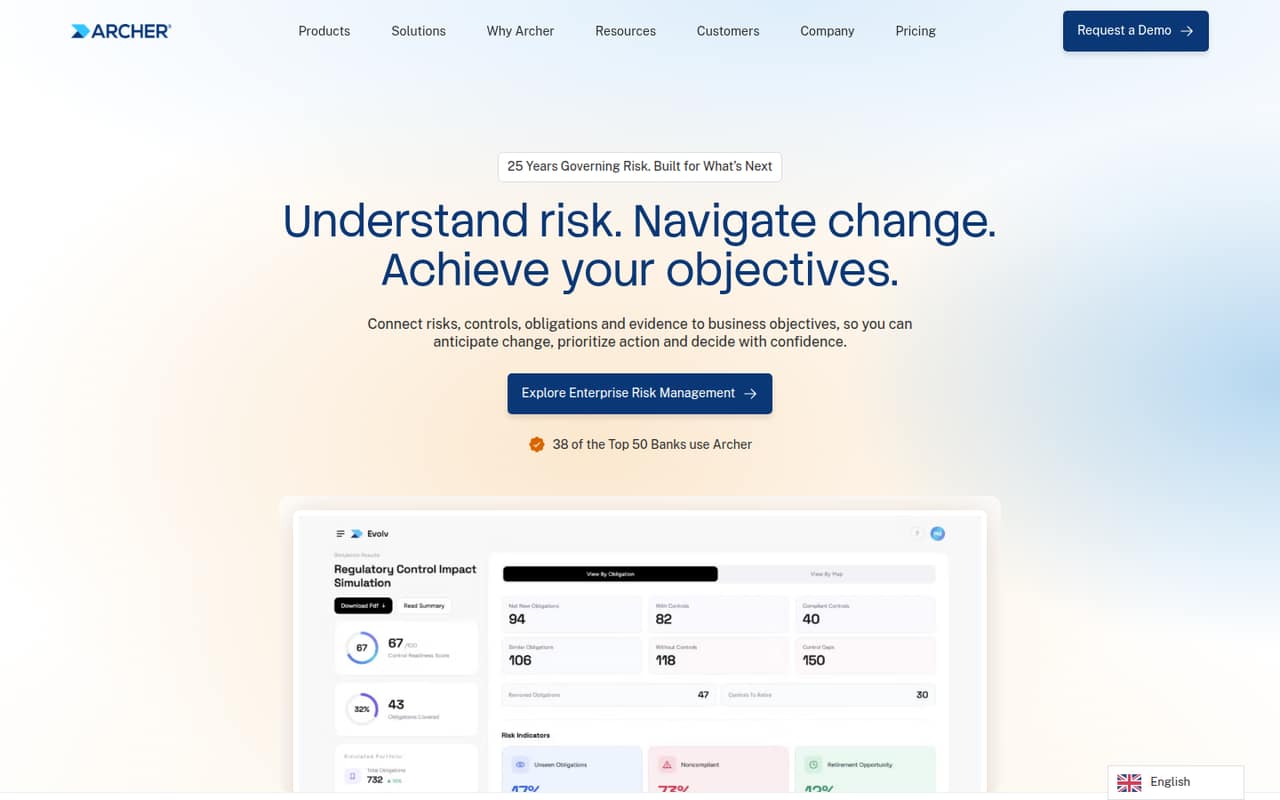
Archer connects risks, controls, obligations and evidence to business objectives, with offerings across enterprise risk, IT and security risk, third-party risk, compliance and audit. Its features include regulatory monitoring, AI-assisted obligation extraction, control mapping, scenario analysis and risk quantification.
For a team of 1–10, the main hurdle is the buying process: the pricing page lists custom quotes, with no published starting price, seat limits or usage limits. There’s no free plan, and a trial isn’t listed. Ask for a quote that spells out seat costs, deployment, setup and any add-ons before deciding.
Good fit if
- Regulated organizations managing connected risks
- Teams tracking obligations and controls
- Organizations needing audit trails
Skip it if
- Teams needing a free GRC tool
- Buyers requiring published seat prices
- Small teams wanting a simple setup
ScoresHow it rates
What works
- Connects risks, controls, obligations and evidence
- Covers enterprise, IT, third-party, compliance and audit risks
- Monitors regulatory changes
- Uses AI to structure regulatory obligations
- Available as SaaS or on-premises
What doesn't
- No free plan is listed
- Trial availability is not published
- Pricing is custom and unpublished
- Seat and usage limits are not published
- Setup effort and integrations need vendor confirmation
01Who Archer is for
Archer is built for organizations that need to manage governance, risk and compliance across connected teams. Its offerings cover enterprise risk, IT and security risk, third-party risk, compliance and audit. In plain terms, it links risks and obligations to controls and evidence, so teams can track how requirements relate to business objectives.
For a team of 1–10, Archer is most relevant when regulatory work is a central responsibility and separate spreadsheets or point tools make it hard to follow changes and retain evidence. A small team with a limited software budget may find the buying process difficult: the pricing page lists custom quotes and publishes neither a starting price nor seat limits. The homepage says Archer Evolv is available as SaaS or on-premises. Ask the vendor which deployment and package suit your team before budgeting; the public pricing information doesn’t establish what a few seats would cost.
02Archer free plan and trial
The pricing information lists no free plan. It doesn’t publish whether a free trial is available, so ask Archer directly rather than counting on a no-cost way to evaluate the platform. The public materials also don’t specify a trial length, feature limits or whether a trial requires a sales conversation.
The cheapest listed way in is a custom quote; there’s no published entry-level plan or price. Before agreeing to a sales process, ask whether Archer offers a guided evaluation, what features it includes, and whether your team can use sample data or needs to prepare its own. Also confirm what happens to evaluation data afterward. For a 1–10 person team, get the quote in writing with the number of seats, deployment option and any implementation or add-on costs spelled out.
03What a small team pays for Archer
Archer’s pricing page lists custom, quote-based pricing and does not publish a starting price. That means the public price for one person, three people or five people is unknown; there’s no reliable per-seat calculation to give. Monthly and annual billing terms are also unpublished, so we can’t compare a monthly bill with an annual commitment.
The pricing information doesn’t list paid plan names, seat limits, usage limits or add-ons. It also doesn’t say whether SaaS and on-premises deployments have different prices. For a small team, ask for separate quotes for one, three and five users, and request the total cost for both monthly and annual billing if offered. Confirm whether implementation, training, support, extra usage or additional modules cost more. Until Archer provides those details, the cost for a few seats—and which package is the cheapest workable option—remains unknown.
04Getting started with Archer
Archer’s public description explains what the platform manages, but doesn’t publish a setup timeline, implementation steps or training requirements. We can’t estimate how many hours a small team should set aside. The breadth of its GRC offering makes it sensible to clarify who will configure the system and maintain its risk, obligation and control records before signing.
The vendor's site doesn’t list integrations, so a small team should ask which connections are available for its existing systems and whether those require extra fees or technical work. Ask for a walkthrough of a typical workflow: tracking a regulatory change, turning it into an obligation, mapping it to a control and retaining evidence. Also confirm whether the quoted package includes onboarding and ongoing support. Those answers will make the likely setup effort clearer than the public materials do.
05When small teams outgrow Archer
Archer’s public pricing doesn’t publish seat or usage limits, so there’s no stated threshold at which a team must upgrade. It also doesn’t list add-on prices or explain how the cost changes as a team grows. That makes it hard to forecast a move from a few users to a larger group without a vendor quote.
The bigger question may be fit rather than a published limit. A team could need to revisit its package as it expands from one GRC function into areas such as third-party risk, compliance or audit, all of which Archer says it covers. Before committing, ask what happens when you add users, modules, evidence volume or another deployment option, and whether those changes require a new contract. If your team mainly needs a lightweight tracker, compare the work and cost against simpler options before taking on a custom-priced platform.
Questions people ask
How much does Archer cost for a small team?
Archer’s pricing page lists custom, quote-based pricing, but no starting price or per-seat rate. Monthly and annual terms, seat limits and usage limits aren’t published either. Ask the vendor for quotes covering your exact number of users and deployment choice.
Does Archer have a free plan or trial?
The pricing information lists no free plan. It doesn’t publish whether a trial is available, how long one would last or what it would include. Ask Archer whether it offers an evaluation and whether onboarding or access to particular features costs extra.
What does Archer do?
Archer is a governance, risk and compliance platform that connects risks, controls, obligations and evidence to business objectives. Its offerings cover enterprise risk, IT and security risk, third-party risk, compliance and audit, with features such as regulatory monitoring and audit trails.
Can Archer run on-premises?
Archer’s homepage says Archer Evolv is available as SaaS or on-premises. The public pricing information doesn’t say whether the deployment options have different costs or requirements. Ask the vendor which option fits your organization and what each would cost.
What should a small team ask Archer before buying?
Request a quote for your exact seat count and ask about monthly and annual billing, deployment, implementation, training and support. Confirm any module or usage charges, available integrations, and what happens to the price as you add users or expand your GRC needs.