
We may earn a commission if you buy through links on this page. It never changes a score or a ranking. How we make money
The bottom line
Strong mockup and video range; unclear free-plan limits and seat terms call for a pricing check.
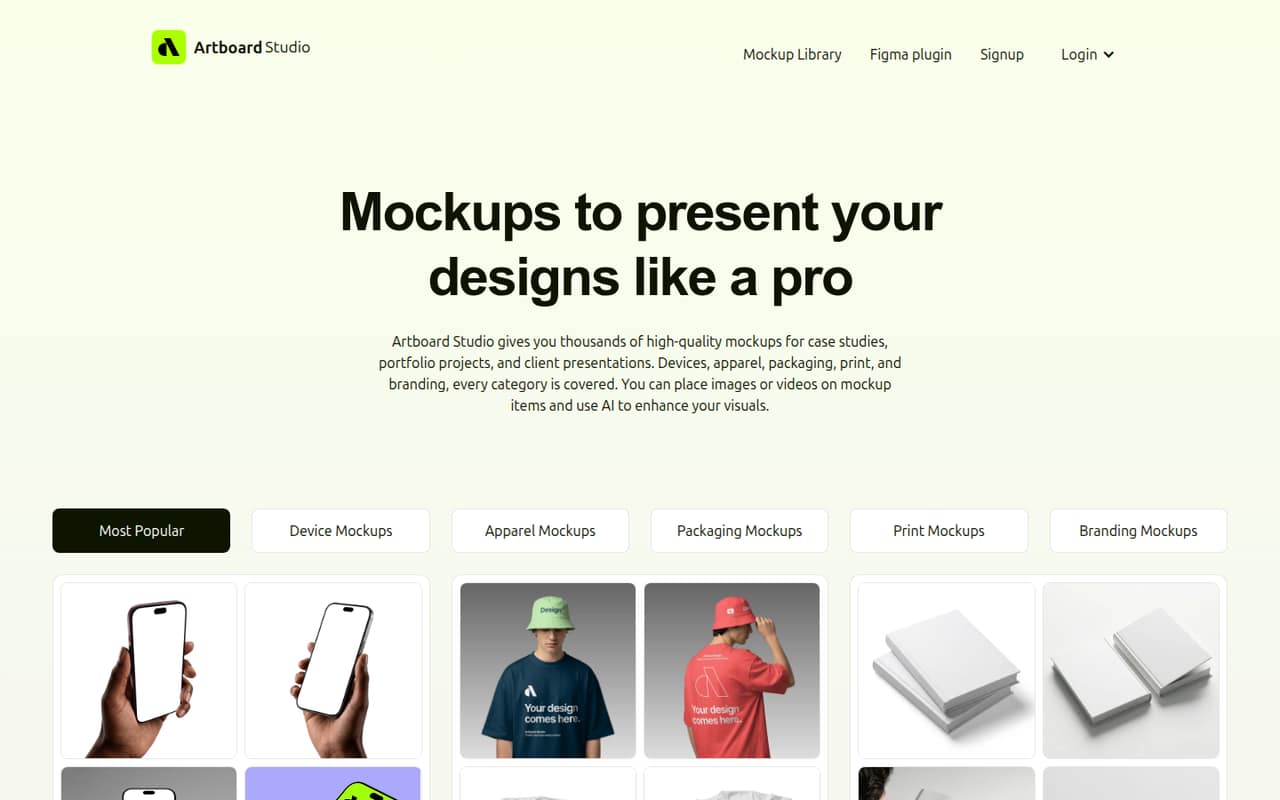
Artboard Studio gives small teams a browser-based way to apply designs to mockups, make video mockups, and export presentation-ready images. Its library spans devices, apparel, packaging, print, and branding, with AI mockup generation and a Figma plugin as extras.
There is a free plan, but its included features and limits aren't specified in the pricing listing. Paid plans start at $9 per month when billed annually; monthly prices and team seat terms aren't published. We’d confirm those details before budgeting for several people.
Good fit if
- Small teams making client mockups
- Designers needing video mockups
- Figma users building presentations
Skip it if
- Teams needing clear free-plan limits
- Buyers requiring monthly billing
- Teams needing confirmed seat pricing
ScoresHow it rates
What works
- 5,000+ mockups across several categories
- Image and video mockup workflows
- Exports include PNG, JPEG, and WEBP
- Figma plugin offers library access
- $129 one-time Lifetime Mockup option
What doesn't
- Free-plan inclusions and limits aren't specified
- Monthly prices for Lite and Pro aren't published
- Team seat terms aren't published
- Pro is needed for unlimited image and video exports
- A Reddit user reported Safari plugin trouble
01Who Artboard Studio is for
Artboard Studio suits a one-to-five-person design team that regularly needs polished product visuals, client presentations, or portfolio mockups without building every scene from scratch. It’s a browser-based editor for placing images or videos onto device, apparel, packaging, print, and branding mockups. The listed library has more than 5,000 options, and the tool also offers AI mockup generation.
For a small team, the appeal is having image and video mockups in one place, with image exports in PNG, JPEG, or WEBP and video exports in MP4 or WEBM. A Figma plugin can bring mockup-library access, 3D models, and animations into Figma. That makes it worth considering if mockups are a recurring part of your work. If you only need an occasional static visual, start with the free plan and verify its export limits before switching the whole team.
02Artboard Studio free plan and trial
Artboard Studio lists a free plan at $0 per month. The pricing listing doesn't specify what it includes, how many exports it allows, or whether it limits mockup access, so we can't say whether it covers a complete small-team workflow. The vendor also doesn't list a free-trial period.
Treat the free plan as a way to check whether the editor and mockup styles fit your work, not as a confirmed long-term plan for a team. Before relying on it, ask the vendor about export caps, watermarks, commercial-use terms, and whether multiple people can use the same account. If you need a paid plan, Lite is the lowest listed option at $9 per month with annual billing; its monthly price isn't published.
03What a small team pays for Artboard Studio
The pricing listing shows Lite at $9 per month and Pro at $19 per month, both with annual billing. For one person, that works out to $108 a year on Lite or $228 a year on Pro. Monthly billing prices aren't published. Pro lists unlimited image and video exports; the Lite listing doesn't specify included features.
If each person needs an individual plan, three people would cost $27 per month equivalent on Lite ($324 a year) or $57 per month equivalent on Pro ($684 a year). For five, that becomes $45 per month equivalent on Lite ($540 a year) or $95 per month equivalent on Pro ($1,140 a year). Those are per-person calculations, not confirmed team prices: the vendor doesn't publish seat terms, so ask whether it offers team billing or shared access. The listing also shows a $129 one-time Lifetime Mockup option and no add-ons.
04Getting started with Artboard Studio
The core editor runs in a browser, so the described workflow is to choose a mockup, place your image or video, adjust the background, and export. The product also lists a Figma plugin for accessing mockups, 3D models, and animations inside Figma. We don't have a documented setup time or learning curve to quote, so teams should try a representative project before buying seats.
A Reddit user said the plugin worked in Brave on a MacBook but not in Safari on an iPad or MacBook. That is one person's report, not a confirmed compatibility list, but it makes a browser check sensible before building a workflow around the plugin. For day one, decide whether the team will use the browser editor, the Figma plugin, or both, then check the vendor's current browser and account requirements.
05When small teams outgrow Artboard Studio
The clearest reason to move up from the free plan is export volume: Pro lists unlimited image and video exports. But the pricing listing doesn't spell out the free or Lite export caps, so ask the vendor where those plans stop before estimating when an upgrade will be necessary. A team may also outgrow the tool if it needs a published team-seat price, monthly billing, or plan details that are easy to budget around; those terms aren't listed.
The product is focused on mockups, presentations, and related image and video exports. If your team needs a broader design workflow, compare it with your existing tools before adding another subscription. Reddit discussion is limited and mixed: one commenter praised Artboard's motion and animation, while a user reported the Figma plugin failed in Safari and worked in Brave on a MacBook. Check the plugin in your own setup before making it central to a growing team's process.
From the threadsWhat users say
The small amount of Reddit discussion is mixed. One commenter liked Artboard's motion and animation, while a user reported a Safari problem with the Figma plugin.
best design library (very high quality) and easy of use
This is very good in Artboard :)
On safari (iPad and MacBook) it does not work
I don't see clear winner
Questions people ask
Does Artboard Studio have a free plan?
Yes. Artboard Studio lists a free plan at $0 per month. The pricing listing doesn't specify its included features, export allowance, or other limits, so confirm those details with the vendor before treating it as a long-term plan for your team.
How much does Artboard Studio cost for a small team?
Lite is listed at $9 per month and Pro at $19 per month, both with annual billing. If each of three people needs a plan, that equals $27 or $57 per month, respectively. Team seat terms and monthly billing prices aren't published, so ask the vendor to confirm your actual quote.
What is included in Artboard Studio Pro?
The pricing listing identifies unlimited image exports and unlimited video exports for Pro. It lists the plan at $19 per month with annual billing. Other plan features aren't specified in the listing, and a monthly billing price isn't published.
Can Artboard Studio make video mockups?
Yes. Artboard Studio lets users apply videos to mockup surfaces and export video mockups as MP4 or WEBM files. Pro lists unlimited video exports. The listing doesn't specify video export limits for the free or Lite plans, so check those before choosing a plan.
Does the Artboard Studio Figma plugin work in Safari?
A Reddit user reported that the plugin did not work in Safari on an iPad or MacBook, but did work in Brave on a MacBook. That's an individual report, not a vendor compatibility statement. Test it in your team's browser and confirm current support with Artboard Studio.
Sources
- Artboard Studio homepage
- Artboard Studio pricing, compiled via web search from artboard.studio, zekaiwork.com, dupple.com, softwareadvice.com.au
- Reddit: Need to choose tools from: Artboard Studio vs Glorify vs Linearity vs Kittl. Please advice
- Reddit: What’s up with Artboard Studio Mockup?
- Reddit: Artboard Studio is it good?
- Reddit: What’s up with Artboard Studio Mockup