
We may earn a commission if you buy through links on this page. It never changes a score or a ranking. How we make money
The bottom line
Avochato can fit a small messaging team, but usage fees and add-ons need a close look.
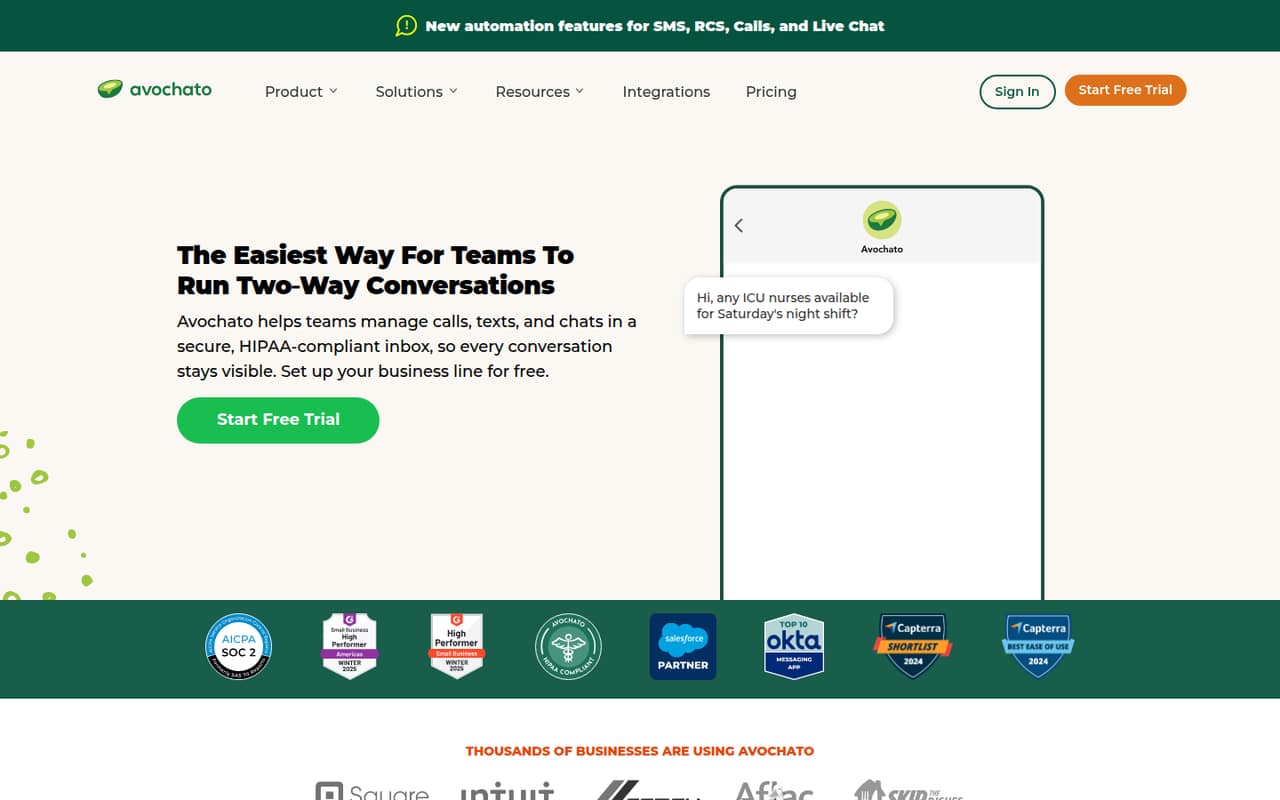
Avochato brings business calls, texts, and chats into a shared inbox, with broadcasts, automation, analytics, and AI agents among its advertised features. For a small team, the Pay as you Go plan has no monthly platform fee, but US and Canada messaging costs $0.08 per segment.
That can be a reasonable way to start if your team stays under 2,000 segments a month. It is not a free messaging plan, and Standard starts at $210 monthly plus usage. Check the cost of extra users, Avo AI, and Salesforce features before choosing.
Good fit if
- Small teams sharing customer conversations
- Teams handling calls and texts
- Businesses with modest message volume
Skip it if
- Teams looking for free messaging
- High-volume teams on tight budgets
- Salesforce users avoiding add-on costs
ScoresHow it rates
What works
- Shared inbox for calls, texts, and chats
- Five users included on Pay as you Go
- No monthly platform fee on Pay as you Go
- Supports SMS and MMS broadcasts
- Custom plan offers volume discounts above 15,000 segments
What doesn't
- Pay as you Go messages still incur segment charges
- Standard starts at $210 monthly before usage
- Only one phone number/inbox on Pay as you Go
- Additional users cost $42 monthly each
- Salesforce pricing is not published
01Who Avochato is for
Avochato is for small teams that need several people to handle customer calls, texts, and chats together. Its shared inbox lets teammates view, assign, and continue conversations in one place. The product also lists two-way texting, voice calls, live chat, SMS and MMS broadcasts, automation, analytics, and AI agents.
For a team of one to five, Pay as you Go is the lowest-cost entry point if monthly volume stays under 2,000 segments. It includes five users and one phone number/inbox, with no platform fee, but US and Canada segments cost $0.08 each. That makes it easier to try a shared workflow without a fixed platform charge, not a way to send messages for free.
Avochato may fit teams that value a shared customer inbox more than a standalone texting tool. Teams that rely on Salesforce should check the separate purchase requirements and pricing before treating the integration as part of their budget.
02Avochato free plan and trial
Avochato does not list a free plan, and its pricing information does not publish a free trial. Pay as you Go is the cheapest way in: the pricing page lists a $0 monthly platform fee, five included users, and one included phone number/inbox. US and Canada messaging is billed at $0.08 per segment, so the plan is not free to use once you send messages.
That entry plan is intended for teams under 2,000 segments monthly. Above that volume, Avochato lists Standard at $210 per month plus $0.03 per US or Canada segment. If you want to assess the tool before paying, ask Avochato whether it offers a trial or guided evaluation; the pricing page does not state trial terms.
03What a small team pays for Avochato
The pricing page lists Pay as you Go at $0 monthly for the platform, plus $0.08 per US or Canada segment. One, three, or five users all fit within the five included seats, so the fixed platform cost is $0 for each team size; the actual bill depends on messaging volume. Annual billing is offered and the page says it saves 18%, but it does not show the annual plan prices.
Standard lists a $210 monthly platform fee and $0.03 per US or Canada segment, with five users and five phone numbers/inboxes included. That fixed fee works out to $210 per active seat for one person, $70 each for three, or $42 each for five, before message charges. Additional users are listed at $42 per month each.
The optional Avo AI add-on is listed at $8 per month for Pay as you Go and $213 per month for Standard. Salesforce features and integrations require a separate purchase, with prices not published. Ask for a quote that includes those extras if your workflow depends on them.
04Getting started with Avochato
Avochato describes a shared inbox for calls, texts, and chats, alongside automation, analytics, and AI agents. That gives a small team a clear idea of the main workflow: bring customer conversations into one place, then share or assign them. The vendor does not publish a setup-time estimate or a detailed learning-curve rating, so we would not assume onboarding is instant.
Before signing up, decide who needs access, whether one phone number/inbox is enough, and how many monthly segments you expect. If Salesforce is part of your day-one workflow, confirm which features require the separate purchase and what they cost. The pricing page lists that purchase requirement but does not publish its price. Avochato also highlights HIPAA-compliant communication on its homepage; teams with compliance requirements should confirm the specific coverage and setup with the vendor.
05When small teams outgrow Avochato
The first pressure point is message volume. Pay as you Go is listed for teams under 2,000 monthly segments, with each US or Canada segment billed at $0.08. Standard is the listed option above that level: it charges $210 per month plus $0.03 per segment. Because the platform fee is fixed, check your expected total bill rather than assuming the higher-volume plan will automatically cost less.
The next limit is seats. Both Pay as you Go and Standard include five users; extra users are listed at $42 per month each. Pay as you Go also includes one phone number/inbox, while Standard includes five. A team that needs more users or numbers should ask about the full cost before expanding.
For organizations sending more than 15,000 segments monthly or needing higher API throughput, Avochato lists a Custom plan with volume discounts. Its price is not published, so growing teams will need a quote. Salesforce costs are also separate and unpublished.
Avochato in the news
Questions people ask
How does Avochato work?
Avochato gives teams a shared inbox for business calls, texts, and chats. Teammates can view, assign, and continue customer conversations there. The product also lists two-way texting, SMS and MMS broadcasts, live chat, automation, analytics, and AI agents.
How much does Avochato cost?
Pay as you Go has a $0 monthly platform fee and costs $0.08 per US or Canada segment. Standard is $210 monthly plus $0.03 per segment. Both plans include five users; extra users are listed at $42 per month each.
Does Avochato have a free plan or trial?
Avochato does not list a free plan. Pay as you Go has no monthly platform fee, but messages are billed by segment. The pricing page does not publish trial terms, so ask Avochato directly if you need a trial or evaluation.
Does Avochato integrate with Salesforce?
Avochato lists Salesforce features and integrations, but says they require a separate purchase. The vendor does not publish their price on the pricing information reviewed here. Ask which Salesforce capabilities are included in the purchase and request a total quote.
What is included with Pay as you Go?
Pay as you Go includes five users and one phone number/inbox, with no monthly platform fee. It is listed for teams under 2,000 monthly segments. US and Canada segments cost $0.08 each, so message usage adds to the bill.