
We may earn a commission if you buy through links on this page. It never changes a score or a ranking. How we make money
The bottom line
Choose Axure RP for realistic, logic-heavy prototypes—not the lowest-cost team workflow.
Axure RP is for teams that need prototypes to behave like working software: it supports conditions, variables, interactive forms, sortable data, and adaptive views. That depth can help with UX testing and documentation, but users on Reddit describe a learning curve and collaboration tradeoffs.
The pricing page lists Pro at $29 per user per month and Team at $49. A three-person team pays $87 monthly on Pro or $147 on Team; the free plan’s limits aren’t published, and annual prices aren’t listed.
Good fit if
- UX teams testing complex workflows
- Teams documenting product requirements
- Prototyping forms and data tables
Skip it if
- Teams needing a low-cost shared workspace
- Designers who want a short learning curve
- Teams requiring centralized design systems
ScoresHow it rates
What works
- Conditional logic and variables
- Interactive forms and dynamic content
- Adaptive views for desktop, tablet, and phone
- Unlimited prototypes on Pro
- Team plan includes co-authoring and revision history
What doesn't
- Team collaboration costs $49 per user monthly
- Free-plan limits aren’t published
- Annual prices aren’t listed
- Users describe the interface as intimidating
- A commenter says Axure lacks dev-ready handoff
01Who Axure RP is for
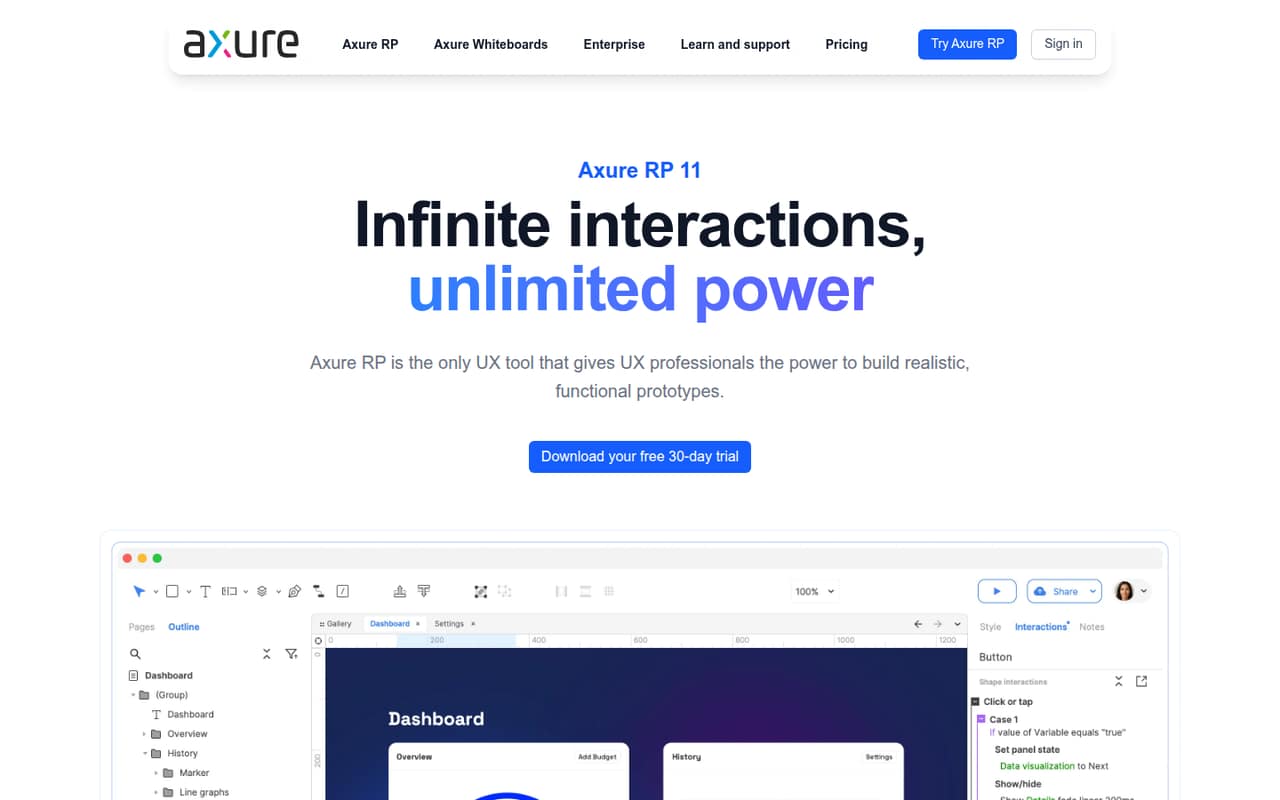
Axure RP is for UX professionals who need a prototype to do more than show screens. You can use event triggers, conditions, and variables to make forms, multi-state panels, and sortable or filterable tables behave like a real product. It also supports adaptive views, UX documentation, and developer handoff with redlines, assets, and CSS inspection.
For a small team of one to five, it makes most sense when realistic interactions or detailed requirements are central to the work. A solo user can start with Pro at $29 per month; shared-file work calls for Team at $49 per user monthly. That is a meaningful subscription for a budget-conscious team, especially when the project only needs simple click-through mockups. Reddit users praise Axure’s logic-based prototyping, while others say they use whatever tool their company has adopted. It is a specialist tool, not an automatic fit for every design team.
02Axure RP free plan and trial
The pricing page lists a free plan, but does not publish its name, features, project limits, or whether it supports collaboration. That makes it hard to tell whether the free option is enough for a real team workflow. Ask Axure what the plan includes before relying on it for shared files or client work.
The pricing page does not list a free trial. The cheapest published paid plan is Axure RP Pro at $29 per user per month. Pro includes unlimited prototypes, unlimited reviewers, unlimited Cloud projects, advanced prototyping, wireframes, diagrams, and documentation. For a team that needs co-authoring, revision history, or team project hosting on Cloud, the listed plan is Team at $49 per user per month. Monthly and annual subscriptions are available, but annual prices aren’t published.
03What a small team pays for Axure RP
The pricing page lists Axure RP Pro at $29 per user per month and Team at $49 per user per month. For one person, that is $29 for Pro or $49 for Team. A three-person team pays $87 monthly on Pro or $147 on Team. For five people, the totals are $145 and $245 per month, respectively.
Pro covers unlimited prototypes, reviewers, and Cloud projects, plus advanced prototyping, wireframes, diagrams, and documentation. Team includes everything in Pro, along with co-authoring, revision history, and team project hosting on Cloud. So the practical dividing line is whether your team needs shared-file collaboration, not just more seats.
Annual subscriptions are available, but the pricing page lists no annual prices, so we can’t give a reliable annual total. Monthly subscriptions are available online. No paid add-ons are listed. Enterprise pricing is custom and is aimed at organizations needing features such as user management, single sign-on, a company domain for internal members, or private and on-prem security.
04Getting started with Axure RP
Plan for a learning curve if your team is new to logic-based prototyping. Axure’s feature set includes event triggers, conditions, variables, dynamic content, adaptive views, documentation, and handoff tools. That gives teams room to build detailed prototypes, but there is more to learn than drawing screens and linking them together. One Reddit commenter calls Axure intimidating; another recommends working through the documentation and YouTube tutorials.
For day one, decide whether you need interactive behavior, documentation, or both, then build a small example around that job. The product supports UX documents such as flow diagrams, customer journeys, wireframes, notes, and specifications. The published feature information does not name integrations, so we wouldn’t plan a workflow around a specific connection without checking with Axure. If teammates need to work on shared files, the pricing page puts co-authoring and revision history in Team, not Pro.
05When small teams outgrow Axure RP
The first upgrade trigger is collaboration. Pro is listed at $29 per user monthly; co-authoring, revision history, and team project hosting require Team at $49 per user. That difference adds $20 per seat each month: $60 for three people or $100 for five. Check whether those features are useful across the whole team before moving every seat to Team.
A different growing-team concern is keeping shared design patterns consistent. A commenter on r/FigmaDesign said the lack of centralized UI, style, and interaction support made maintaining a design system difficult. Another commenter said Axure does not create dev-ready handoffs. Axure lists redlines, design assets, and CSS inspection for handoff, but teams wanting designs to flow directly into a centralized system should confirm that workflow fits their needs. If your projects need complex logic, Axure may remain useful; if collaboration and shared design standards dominate, reassess the fit as the team grows.
From the threadsWhat users say
Reddit sentiment is positive about Axure’s deep prototyping features, especially logic and realistic interactions. The tradeoffs users mention include learning curve, collaboration, and maintaining shared design patterns.
Axure is really good for prototyping
It’s great when you need logic based prototypes
Only biggest drawback of axure is not complex or outdated UI but ability to share and collabrate
The total lack of any centralized UI/Style/Interaction support just was killing us
Questions people ask
What is Axure RP used for?
Axure RP is UX software for creating interactive prototypes without code. Its features include event triggers, conditions, variables, dynamic content, and adaptive views. It also supports wireframes, flow diagrams, customer journeys, notes, specifications, team feedback, and developer handoff.
Do people still use Axure RP?
Yes. Reddit users describe using Axure for complex prototypes, usability testing, and product specifications. Sentiment is mixed on whether it is the right choice for every team: some praise its logic and interactivity, while others say they follow their company’s chosen tool or prefer stronger collaboration.
How much does Axure RP cost?
The pricing page lists Pro at $29 per user per month and Team at $49 per user per month. A three-person team pays $87 monthly on Pro or $147 on Team. Annual subscriptions are available, but annual prices aren’t listed. Enterprise pricing is custom.
Does Axure RP have a free plan?
The pricing page lists a free plan, but does not publish its features or limits. It also does not list a free trial. If you need a known paid starting point, Pro costs $29 per user per month and includes unlimited prototypes, reviewers, and Cloud projects.
What does Axure RP Team add over Pro?
Team includes everything in Pro, plus co-authoring, revision history, and team project hosting on Cloud. The listed price is $49 per user per month, compared with $29 for Pro. If your team only needs individual prototyping, Pro is the cheaper option.