
We may earn a commission if you buy through links on this page. It never changes a score or a ranking. How we make money
The bottom line
Usage-based communication charges, little published product detail, and a retirement concern to investigate.
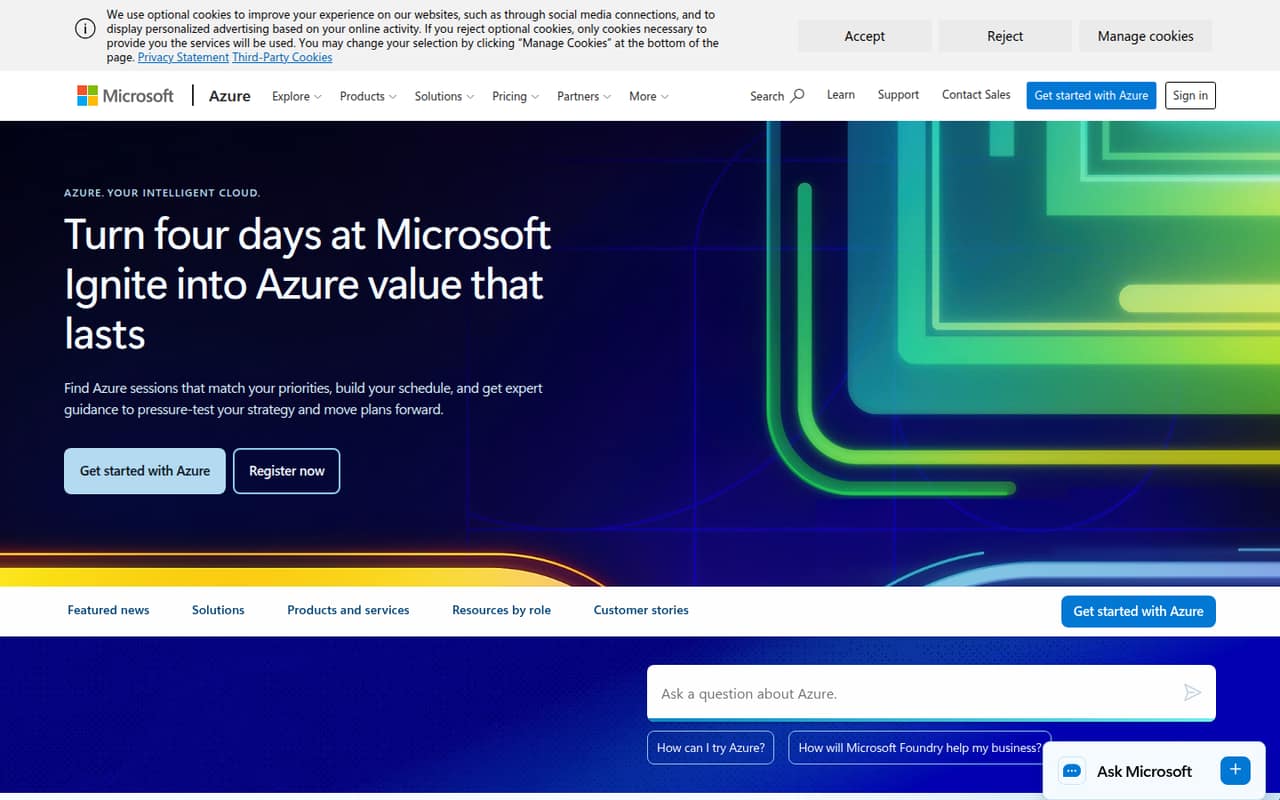
A small team does not need Azure Communication Services unless it has a specific communications workload to build. The pricing page lists usage charges for services including chat, SMS, email, and calling, but the Azure homepage does not explain the product’s features or intended users.
There is no fixed subscription price or per-seat rate to compare. That can suit a team with light, variable usage, but setup information is hard to assess from the available vendor material. Reddit users also report confusion and discuss Microsoft’s announced retirement of most offerings by September 30, 2028, so check the current service status before building around it.
Good fit if
- Teams already building on Azure
- Variable communication workloads
- Buyers comfortable with usage billing
Skip it if
- Teams wanting a simple seat price
- Buyers needing clear setup guidance
- Teams seeking long-term email certainty
ScoresHow it rates
What works
- No fixed recurring fee is listed
- Billing is based on consumption
- Job Router has 0–100 free jobs monthly
- Several communication usage rates are published
- A $200 Azure Free Account credit is listed
What doesn't
- The homepage does not explain the service
- No per-seat cost is published
- Many phone and SMS rates are unpublished
- Reddit users report setup and documentation frustration
- Reddit users discuss a September 2028 retirement
01Who Azure Communication Services is for
Azure Communication Services may suit a small team that is already building on Azure and wants to pay for communication usage rather than buy a fixed number of seats. The pricing lists charges for items such as chat messages, email, calling, and routed jobs. That makes the cost depend on what your product or service sends and uses, not whether you have three or ten employees.
For a team of one to ten, the budget case is strongest when usage is modest or hard to predict. There is no published monthly subscription price to absorb during quiet periods. But this is not an easy recommendation for a nontechnical team shopping for a ready-to-use communications app: the Azure homepage does not describe the service, its users, or its features. We would first confirm the exact service you need, its current availability, and the likely usage bill with Microsoft before planning a build.
02Azure Communication Services free plan and trial
Azure Communication Services does not list a free plan. The pricing lists a $200 Azure Free Account credit, but its duration is not published. That is account credit, not a stated ongoing free allowance for every ACS service, so check the Azure Free Account terms and which charges the credit can cover before relying on it.
There is one specific allowance in the listed pricing: Job Router includes 0–100 jobs per month free. Beyond that, the listed charge is $0.01 per job routed. The pricing also says qualifying Microsoft 365 users get free Teams API/SDK interactions, but it does not publish the qualifying-user or usage limits. The cheapest way in is therefore usage-based Pay-As-You-Go, with no fixed recurring fee—not a predictable free tier for a whole team.
03What a small team pays for Azure Communication Services
The pricing lists one Pay-As-You-Go plan, with no monthly or annual subscription price and no per-seat rate. For a simple illustration, Voice and Video Calling over IP is listed at $0.004 per user minute. At 100 user minutes per person in a month, one person would pay $0.40, three people $1.20, and five people $2.00 for that usage. These are usage examples, not seat prices or a full bill; annual billing is not listed.
Other listed rates include $0.0008 per chat message sent, $0.00025 per email sent plus $0.00012 per MB transferred, and $0.0025 per Messaging Connect message. Call recording costs vary by recording type, from $0.0012 per minute per participant for unmixed audio to $0.01 per minute for mixed audio and video. Phone-number leasing and many SMS and PSTN rates vary or are not published on the main page. Ask for the rates that match your countries, channels, and expected volume before estimating a team budget.
04Getting started with Azure Communication Services
The Azure homepage does not describe Azure Communication Services or explain how a small team sets it up. It also does not state which integrations are available. The pricing mentions Teams API/SDK interactions for qualifying Microsoft 365 users, but does not explain eligibility or setup steps. We would confirm the required Azure account, implementation work, and any dependencies with Microsoft before assigning an engineer or budgeting a launch.
Reddit feedback is mixed but flags friction: one commenter said the service was “poorly documented,” and another said it was “so awful to set up” that they used another service. Those are individual reports, not a measure of every team’s experience, but they are worth factoring in. For a small team, plan for technical evaluation rather than assuming this is a ready-to-switch-on communications tool. Ask for current documentation and a working setup path for the specific service you intend to use.
05When small teams outgrow Azure Communication Services
The first pressure point is not a published seat limit: there is no per-seat plan or stated seat cap. Instead, teams need to watch rising usage, variable rates, and charges that are not published on the main page, including PSTN calling and several SMS options. Once usage grows, forecast the relevant channels and countries rather than treating the small illustrative rates as a whole-team price.
A more serious reason to move may be product continuity. Reddit users discuss Microsoft’s announcement that most Azure Communication Services offerings will retire on September 30, 2028, and several commenters describe having to consider another migration. One commenter said a prior migration to ACS had worked fine but mentioned Terraform issues. Treat those posts as user reports, and verify which specific services are affected and the current migration guidance with Microsoft. If your business depends on ACS Email or another affected service, make a transition plan before growth makes the move harder.
From the threadsWhat users say
Reddit sentiment is mostly uneasy, especially among users discussing the announced retirement and the work of migrating again. Some commenters say ACS worked, while others report poor documentation or setup friction.
Oh, use it for emails. Always seemed poorly documented, but it does work well
Ha! We tried to use it, then it was so awful to set up we used SMTP2GO
We moved a bunch of services to HVE and then they made it internal only. Then we moved to ACS. Wtf
Any other suggestion for Voice, SMS, and Email in one platform other than Twilio? It worked fine but constant terraform issues
Questions people ask
What is Azure Communication Services?
Azure Communication Services is an Azure offering with usage-based charges listed for communication services such as chat, email, and calling. The Azure homepage does not explain its features or intended users, so confirm the exact services available and suitable for your use case with Microsoft.
Is Azure Communication Services being deprecated?
Reddit users discuss Microsoft’s announcement that most Azure Communication Services offerings will retire on September 30, 2028. Check Microsoft’s current retirement and migration guidance for the specific ACS services you use; the scope may differ by service.
How much does Azure Communication Services cost?
The pricing lists Pay-As-You-Go with no fixed recurring fee or per-seat price. Charges depend on usage: for example, Voice and Video Calling over IP is listed at $0.004 per user minute. Several phone, SMS, and PSTN rates vary or are not published on the main page.
Does Azure Communication Services have a free plan?
No free plan is listed. The pricing lists a $200 Azure Free Account credit, with duration not published, and a specific Job Router allowance of 0–100 jobs per month free. Qualifying Microsoft 365 users also get free Teams API/SDK interactions, but limits are not published.
Is Azure Communication Services easy to set up?
The Azure homepage does not explain setup steps or integrations. Reddit users give mixed reports, including comments about poor documentation and difficult setup. Ask Microsoft for current documentation and a setup path for the specific ACS service you plan to use.