
We may earn a commission if you buy through links on this page. It never changes a score or a ranking. How we make money
The bottom line
Good capture and editing tools, but no free plan and per-PC licenses add up.
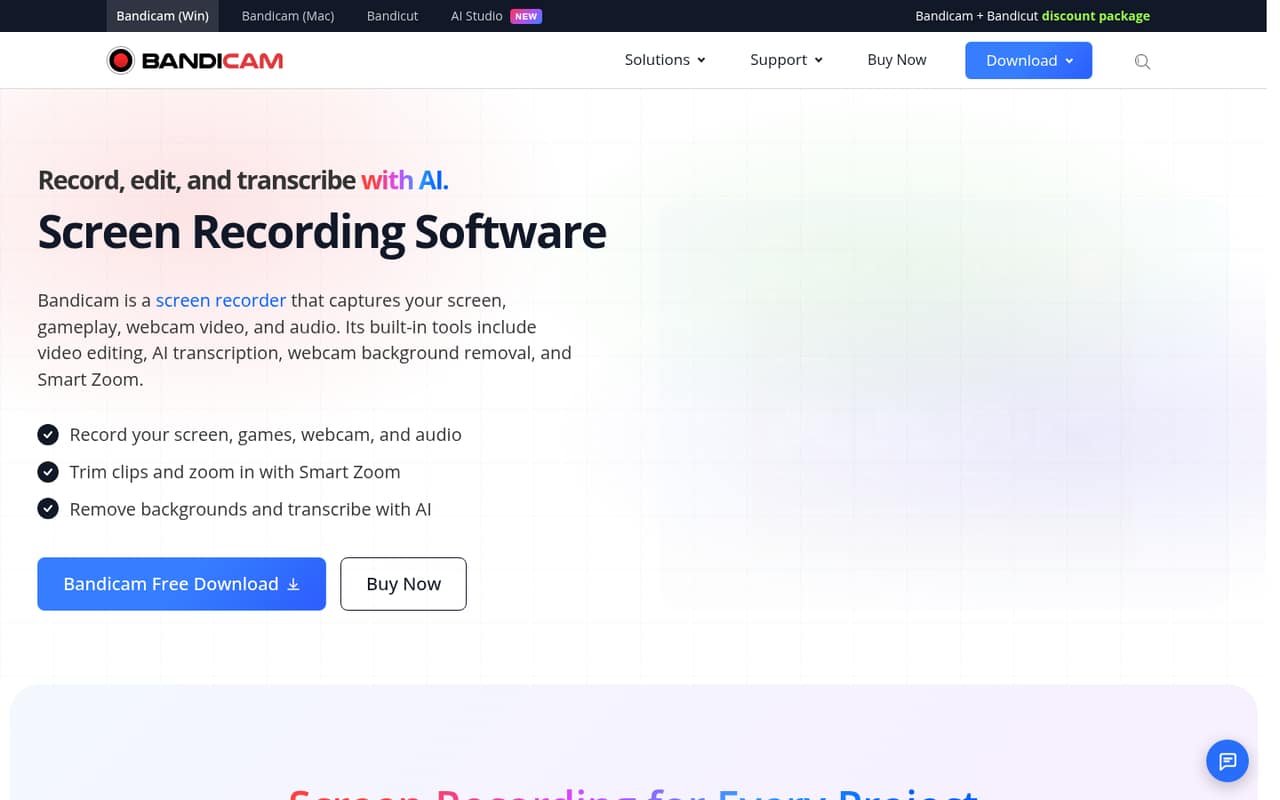
Bandicam records screens, gameplay, webcams, and audio, with editing, transcription, background removal, and Smart Zoom listed among its tools. It fits teams that want capture and editing in one product, not teams looking for a free recorder.
There’s no free plan or trial listed. Personal licenses start at $33.26 per year for one PC; commercial licenses start at $49.46 per year for one PC, so a small business should budget for each computer.
Good fit if
- Small teams recording tutorials
- Gameplay and webcam capture
- Teams needing transcription
Skip it if
- Teams that need free recording
- Businesses seeking one shared license
- Teams needing published integrations
ScoresHow it rates
What works
- Captures screens, gameplay, webcams, and audio
- Includes editing and Smart Zoom
- AI transcription is listed
- Paid plans have no time limit or watermark
- Paid annual plans include updates and support
What doesn't
- No free plan or free trial listed
- Commercial licenses are priced per PC
- Annual billing is listed, not monthly
- Additional PC license prices are not published
- Setup time and integrations are not published
01Who Bandicam Screen Recorder is for
Bandicam is a fit for a solo creator or a small team of one to ten people that needs to capture screen activity, gameplay, webcam video, or audio. It records those sources and lists tools for trimming clips, highlighting moments with Smart Zoom, removing or replacing a webcam background, and turning recordings into text.
The budget question is whether the recording happens for personal or commercial use. The pricing page lists a one-PC personal annual license at $33.26 per year and a one-PC business annual license at $49.46 per year. For a business, that per-PC price matters more than the low monthly equivalent: a three-person team needs to budget for three computers, not one shared team plan. Bandicam is less suitable if your first requirement is free recording, since no free plan or trial is listed. It may still be worth considering if your team values capture, editing, and transcription in one tool.
02Bandicam Screen Recorder free plan and trial
The pricing page lists no free plan and no free trial. That makes Bandicam a paid purchase from the start, rather than a tool a small team can keep using at no cost. Reddit users discussing the recorder mention OBS as a free alternative, but that is their opinion, not a Bandicam plan feature.
The cheapest listed option is Personal Annual, 1 PC, at $33.26 per year for non-commercial use. For commercial recording on one PC, Business Annual, 1 PC costs $49.46 per year. Both paid annual licenses include free updates and technical support, and list no recording time limit or watermark. If your team needs to check the workflow before paying, ask the vendor about current purchase or evaluation options; a trial is not listed.
03What a small team pays for Bandicam Screen Recorder
For commercial use, the pricing page lists Business Annual, 1 PC at $49.46 per year, or $4.12 per month as a yearly equivalent. Monthly billing is not listed. At that per-PC rate, three computers cost $148.38 per year ($12.36 per month equivalent), and five cost $247.30 per year ($20.61 per month equivalent). These totals are the listed annual price multiplied by the number of PCs; they are not monthly-billed prices.
For personal, non-commercial use, Personal Annual, 1 PC is $33.26 per year, or $2.77 per month as a yearly equivalent. That is $99.78 per year for three PCs and $166.30 for five. A two-PC business license is listed at $95.92 per year. Bandicam + Bandicut packages are also listed at $49.97 for personal use and $79.33 for business, but the page shows one-year or perpetual options without a separate price for each option. Additional PC licenses are available; their prices are not published.
04Getting started with Bandicam Screen Recorder
The listed workflow is easy to understand: choose a screen, window, gameplay, or external video source, capture webcam or audio if needed, then edit or transcribe the recording. The feature list also includes Smart Zoom for highlighting key moments and webcam background removal. That gives a small team a clear picture of the main jobs the product handles, though it does not establish how long setup takes.
The vendor does not publish a setup-time estimate or an integration list in the product details available here. We would check with the vendor about any connections your team needs before buying, rather than assume Bandicam fits your existing workflow. The Reddit comments include one user who likes the interface, while another prefers OBS because it is free and has features ready to use. Treat those as individual opinions, not a guarantee about your team’s learning curve.
05When small teams outgrow Bandicam Screen Recorder
The clearest scaling cost is the per-PC license. A growing business recording on five PCs pays $247.30 per year at the listed Business Annual, 1 PC rate; additional PC licenses are available, but their price is not published. The business two-PC license costs $95.92 per year, so ask the vendor how additional machines should be licensed before expanding.
Teams may also outgrow Bandicam if they need a free starting point or want published details about setup and integrations before committing. Its listed tools focus on recording, editing, transcription, and webcam effects; confirm with the vendor whether it covers any team workflows you require. Reddit reactions are mixed: one commenter says the interface and quality work well for them, while another says they would rather use OBS because it is free. That makes a team’s budget and recording needs central to the decision.
From the threadsWhat users say
The small amount of Reddit discussion is mixed. One commenter praises the interface and quality, while another favors a free alternative.
works great for me . I like their easy interface and quality
I'd rather use OBS, as for me, it is free
People still use bandicam? I didn’t know it was still 2011, good ol days
And pretty much has everything right out the box
Questions people ask
Does Bandicam have a free plan or trial?
The pricing page lists neither a free plan nor a free trial. The cheapest listed license is Personal Annual, 1 PC, at $33.26 per year for non-commercial use. For commercial recording on one computer, Business Annual, 1 PC is listed at $49.46 per year.
What can Bandicam record?
Bandicam lists screen, specific-window, gameplay, webcam, and external video source recording. It can also record computer sound and microphone audio. The product feature list includes editing and transcription tools for recordings.
Can Bandicam record a webcam along with a screen?
Yes. Bandicam lists webcam overlay, which lets you record your face alongside screen activity or gameplay. Its feature list also includes removing, blurring, or replacing the webcam background.
Does Bandicam include editing and transcription?
The product lists video editing, including trimming recordings and using Smart Zoom to highlight key moments. Its AI transcription tool converts recordings into text for subtitles, notes, or scripts. The pricing details do not list separate charges for those features.
How much does Bandicam cost for commercial use?
Business Annual, 1 PC is listed at $49.46 per year, equivalent to $4.12 per month when spread across the year. Business Annual, 2 PCs is listed at $95.92 per year. The pricing page does not list monthly billing.