
We may earn a commission if you buy through links on this page. It never changes a score or a ranking. How we make money
The bottom line
A capable free SQL client; budget for paid seats if your team needs shared workspaces or AI.
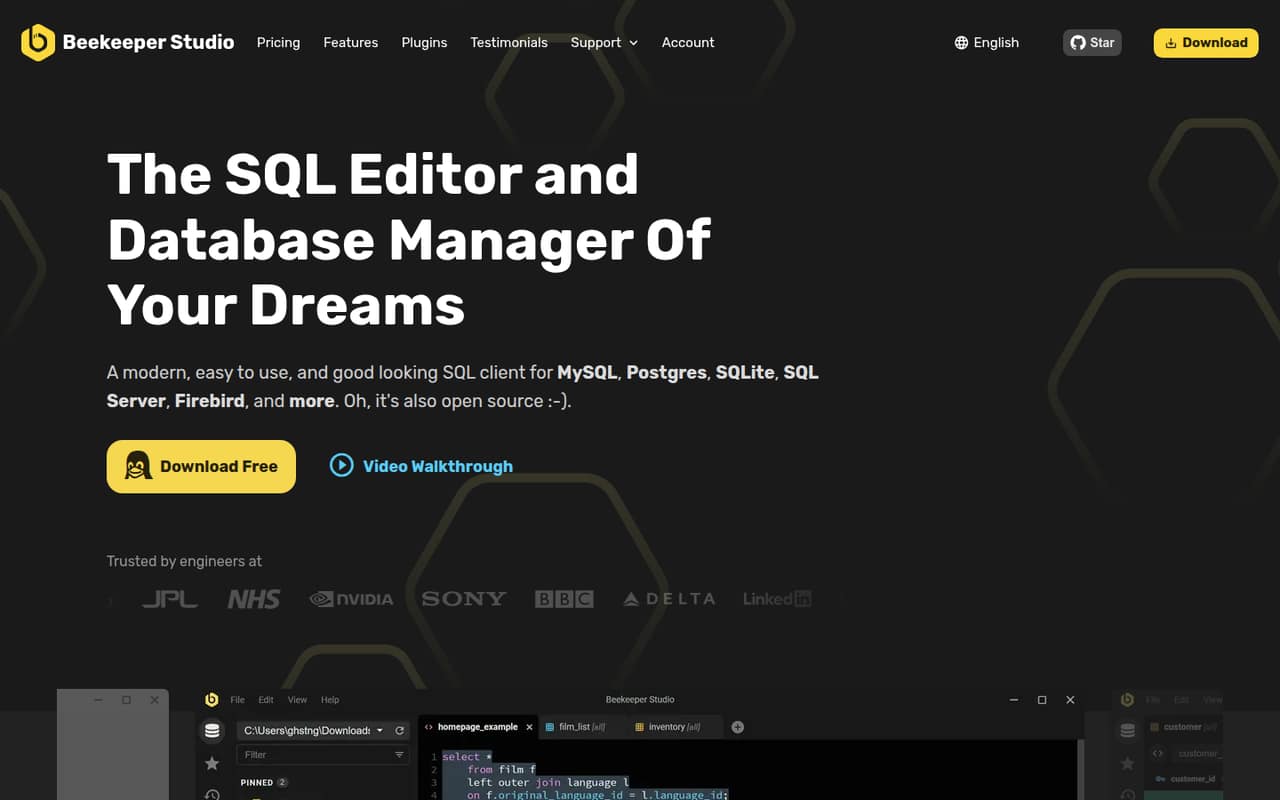
A small team that needs to query and edit databases can start with Beekeeper Studio’s free Community plan, which lists unlimited connections, queries, and tabs. The app also offers a visual table editor, import and export, and an SQL editor with autocomplete.
For paid features, the cheapest plan is Indie at $9 per user/month with annual billing, or $18 monthly. Cloud workspaces and AI Shell require Professional, at $14 per user/month annually. Reddit comments praise the interface, but some users report missing features or have different tastes in database tools.
Good fit if
- Small teams querying databases
- Budget-conscious individual database users
- Teams wanting shared SQL workspaces
Skip it if
- Teams needing free data imports
- Teams requiring SSO on a low budget
- Database specialists needing every advanced feature
ScoresHow it rates
What works
- Free plan lists unlimited connections, queries, and tabs
- Visual table editing alongside an SQL editor
- Indie includes JSON sidebar and import/export
- Professional includes cloud workspaces and AI Shell
- Annual billing starts at $9 per user/month
What doesn't
- Free plan does not list import/export
- Cloud workspaces require the $14 annual Professional plan
- Indie is limited to one device per user
- Community support options are not detailed in the pricing
- Reddit users report missing features and mixed interface opinions
01Who Beekeeper Studio is for
Beekeeper Studio is for people who need a desktop tool to connect to databases, write SQL, and browse or edit table data. For a 1–10-person team, it can be a sensible fit if a few people handle database work and the rest do not need seats. The Community plan lists unlimited connections, queries, and tabs, while paid plans add features such as import/export, AI Shell, and shared cloud workspaces.
The SQL editor has syntax highlighting and table-aware autocomplete, and saved queries and connections can be organized into folders. A spreadsheet-like view lets users edit cells, while the table creator handles structures, indexes, and foreign keys without writing SQL. Teams can also create tables from CSV and export filtered data in several formats.
We would start with Community for occasional queries, then price out paid seats if database work is a regular team responsibility. The vendor lists common database support, but the specific database list is not published on the vendor's site.
02Beekeeper Studio free plan and trial
The Community plan is free and lists unlimited connections, queries, and tabs, with support for common databases. That makes it a useful starting point for a student, solo user, or small team that mainly needs to run queries and inspect data. The pricing page does not list a tab limit.
The free-plan list does not include the JSON sidebar, import/export, AI Shell, or cloud workspaces. Indie adds JSON Sidebar and import/export; Professional adds AI Shell and cloud workspaces. If your team needs those features, the cheapest listed entry is Indie at $9 per user/month with annual billing, or $18 per user/month billed monthly. The pricing lists a 14-day free trial, but does not specify which plan or features the trial covers. Check the terms before relying on it.
03What a small team pays for Beekeeper Studio
The pricing page lists three paid plans, all priced per user. Indie is $18 per user/month billed monthly or $9 with annual billing. That is $18 or $9 per month for one person, respectively. Indie includes two users per license and one device per user, so check with the vendor how license assignment works for your team.
At the listed per-user rate, three Indie seats cost $54 monthly or $27 per month on annual billing ($324 for the year). Five seats cost $90 monthly or $45 per month annually ($540 for the year). These totals are seat-price arithmetic, before any taxes or fees.
If you need cloud workspaces or AI Shell, Professional is the relevant tier: $28 per user/month monthly or $14 annually. Three seats work out to $84 monthly or $42 per month annually; five are $140 monthly or $70 per month annually. Professional lists a 20-user license. Business costs $35 monthly or $18 annually per user and adds SSO cloud DB auth and air-gapped support. No add-ons are listed.
04Getting started with Beekeeper Studio
The basic job is connecting to a database, then using the SQL editor or table view to work with its data. The editor supports syntax highlighting and table-aware autocomplete; saved queries and connections can be arranged into folders. For simple query work, that is a fairly direct feature set. The vendor does not publish an expected setup time in the pricing details, so we would not promise a same-day rollout without checking your database and access requirements.
The vendor lists support for common databases, but does not specify the full connection and authentication requirements here. Confirm that your database is supported and that your team can provide the necessary access details before rolling it out. If you want AI Shell, it works with a connected AI model and can explore schemas and run SQL with permission; the model setup requirements are not published in the plan details.
Reddit feedback on the interface is mixed: some users call it simple and nice, while another found the interface difficult to use. Try the free plan with your own workflow before paying for a team.
05When small teams outgrow Beekeeper Studio
The first reason to upgrade is usually a feature, not a seat count. Community does not list import/export, and teams that want synced connections and saved queries in shared folders need Professional’s cloud workspaces. AI Shell is also on Professional. That moves the bill from free to $14 per user/month annually or $28 monthly.
A team that needs SSO cloud DB auth or air-gapped support is looking at Business, listed at $18 per user/month annually or $35 monthly. Professional includes a 20-user license; Business lists unlimited users. These are clear points to reassess costs as more teammates need access.
Feature fit may be another trigger. In one Reddit thread, a database user said Beekeeper Studio was nice but lacked features they needed. Another commenter said traditional RAISE NOTICE debugging did not work for them. Those are individual reports, not a complete feature audit, but teams with specialized workflows should test those tasks before committing. The vendor does not publish a full list of feature gaps in the plan details.
From the threadsWhat users say
Reddit sentiment is mixed but leans positive on the product’s approachable feel. Some users praise its interface, while others prefer different tools or say it lacks features they need.
Simple and nice UI
Beekeeper Studio (nice but missing some features I need)
I have nothing to suggest, I just want to thank you for making a fantastic RDBMS tool
Might be the worst interface I have seen in a very long time
Questions people ask
What is Beekeeper Studio used for?
Beekeeper Studio is an SQL client and database manager for connecting to, querying, and editing databases. It includes an SQL editor, table browsing and editing, a table creator, and data import and export. Paid plans add features such as AI Shell and cloud workspaces.
How much does Beekeeper Studio cost?
Community is free. Indie costs $18 per user/month billed monthly or $9 with annual billing. Professional costs $28 monthly or $14 annually per user, and Business costs $35 monthly or $18 annually. The pricing page lists these rates in US dollars.
Is Beekeeper Studio free?
Yes. The Community plan is free and lists unlimited connections, queries, and tabs, plus support for common databases. Import/export, AI Shell, and cloud workspaces are not listed as Community inclusions. The pricing page also lists a 14-day trial but does not specify which plan it applies to.
Is Beekeeper Studio worth it for a small team?
It can be a good value if your team mainly needs to query databases: Community is free and does not list connection or query caps. If you need import/export, Indie starts at $9 per user/month annually. Shared cloud workspaces and AI Shell require Professional, starting at $14 per user/month annually.
Can I use Beekeeper Studio commercially?
The pricing page describes Community as free to use, and the product is described as open-source. The commercial-use terms are not published in the plan details, so check the applicable license or ask the vendor before using it for a business workflow.
Sources
- Beekeeper Studio homepage
- Beekeeper Studio pricing page
- Reddit: Fellow DEs — what's your go-to database client these days?
- Reddit: Beekeeper Studio - Open Source SQL Editor and Database Manager
- Reddit: What feature should I add next to Beekeeper Studio?
- Reddit: I highly recommend you guys try Beekeeper Studio, a underrated SQL/Database editor with GUI