
We may earn a commission if you buy through links on this page. It never changes a score or a ranking. How we make money
The bottom line
BigMarker covers a lot, but custom pricing and no free plan make it hard to budget.
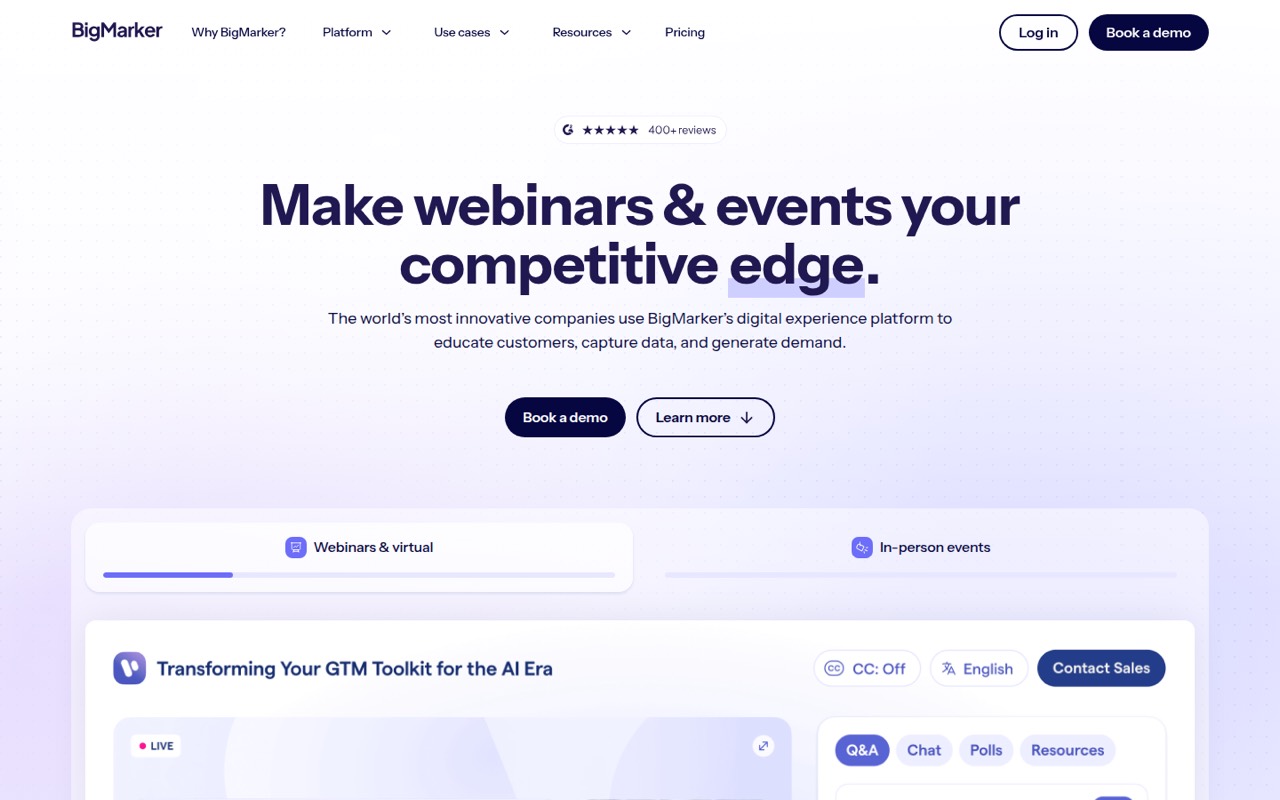
BigMarker brings webinars, event registration, engagement tools, on-demand video, and eLearning into one platform. Its Webcast Basic plan lists one host and up to 1,000 live attendees, but the vendor doesn’t publish a price or offer a free plan.
For a small team watching costs, that makes the buying decision harder: you’ll need a quote to know what one host—or a few hosts—will cost. One Reddit thread praised BigMarker’s UI and registration pages, while also weighing CRM integration needs.
Good fit if
- Teams running recurring webinars
- Marketers capturing CRM audience data
- Organizations combining events and courses
Skip it if
- Teams that need a free webinar tool
- Buyers who need public, fixed pricing
- Occasional hosts on a tight budget
ScoresHow it rates
What works
- Webcast Basic lists one host and 1,000 live attendees
- Unlimited registrants are listed for webcast plans
- Includes chat, Q&A, polls, and reactions
- Supports virtual, hybrid, and in-person event programs
- Offers on-demand hubs and eLearning options
What doesn't
- No free plan or published free trial
- Webcast plan prices require a custom quote
- Three- and five-host costs aren’t published
- Setup time and learning curve aren’t published
- Specific CRM integrations aren’t named
01Who BigMarker is for
BigMarker is aimed at marketers, event teams, and customer education or L&D groups that need more than a meeting link. It brings webinars, virtual and hybrid events, on-demand video hubs, and eLearning courses into one platform. Registration, audience engagement, and CRM data capture are part of the pitch.
For a team of one to ten, it makes the most sense if webinars or events are a regular part of the work—and if the team wants tools such as polls, Q&A, calls to action, breakout rooms, or scheduled Simulive playback. Webcast Basic lists one host and up to 1,000 live attendees, so a small team with one regular presenter could start there. But the price is custom-quoted, and extra products such as Media Hub or eLearning may have separate costs. If you run only occasional, straightforward webinars, the breadth may be more than you need; ask for a quote before setting a budget.
02BigMarker free plan and trial
BigMarker doesn’t list a free plan, and a free trial isn’t published. That means there’s no no-cost tier to use as a long-term home for a small webinar program, and you can’t check the platform against your needs through a published trial offer.
The cheapest listed way in is Webcast Basic, which is custom-quoted. The pricing details list one host license, up to 1,000 live attendees, unlimited registrants, up to nine shared webcams, and up to 100 on-demand storage videos. The vendor doesn’t publish its price, so “cheapest” here means the entry-level webcast plan, not a known low-cost option. Ask whether a trial, demo environment, or short-term license is available, and get the complete quote before committing.
03What a small team pays for BigMarker
BigMarker doesn’t publish monthly or annual rates: the listed plans are custom-quoted. So we can’t give a grounded dollar cost for one person or calculate the cost for three or five seats. Webcast Basic lists one host license; Webcast Professional lists up to four; Webcast Enterprise lists up to 100. Ask the vendor for quotes matching your host count and billing term, and confirm whether host licenses map directly to your team’s users.
For a small webinar program, Webcast Basic is the listed entry point: it includes up to 1,000 live attendees, unlimited registrants, up to nine shared webcams, and up to 100 stored on-demand videos. Professional raises the listed limits to four hosts, 10,000 attendees, 64 shared webcams, and 500 videos. Add-ons include Registration, Event Licenses, Media Hubs, and eLearning Platforms; their prices aren’t published. Virtual/Hybrid Event Licenses are billed per event, with volume pricing available. Ask whether the quote bundles the tools you need or charges for them separately.
04Getting started with BigMarker
BigMarker doesn’t publish a setup time or a stated learning curve. The amount of configuration will depend on which parts you use: a basic webcast is a narrower job than building a multi-step registration flow, setting up ticketing and payments, or creating an on-demand hub. Registration can include conditional logic, and engagement options include chat, Q&A, polls, reactions, calls to action, and breakout rooms.
For day one, decide who hosts, what registration information you need, and whether audience data must reach your CRM. BigMarker describes CRM profile enrichment and CRM syncing, but doesn’t name specific CRM integrations in the available feature details. One Reddit thread shows a small operation weighing CRM connections through Zapier when comparing webinar tools; it doesn’t confirm BigMarker’s specific integration options. Ask the vendor which CRMs and sync methods your team can use, and what configuration is required.
05When small teams outgrow BigMarker
The first upgrade trigger may be host capacity. Webcast Basic lists one host, while Professional lists up to four and Enterprise up to 100; the vendor doesn’t publish prices for those steps. Basic also lists up to 1,000 live attendees, compared with 10,000 for Professional and 500,000 for Enterprise. If your audience or host count grows, get a quote for the next tier before assuming the upgrade fits your budget.
You may also need a different package as your program expands into ticketed events, media hubs, or eLearning. BigMarker lists those as separate products or add-ons, but their prices and some usage limits aren’t published. Ask for the total cost and limits across the features you plan to use. In one Reddit thread, a small operation weighing webinar tools said it was leaning toward competitors because they integrated with its CRM via Zapier. That isn’t evidence BigMarker lacks a suitable connection; it’s a reason to verify your exact CRM workflow before you build around the platform.
From the threadsWhat users say
The available Reddit discussion offers one clear positive note on BigMarker’s UI and registration pages. Other comments focus on CRM connections and familiarity with competing tools, so the overall sentiment is limited and mixed.
Has nice UI/UX and registration pages
We right now are leaning toward GTW and ZW since they integrate with our CRM via Zapier
I just like zoom as the vast majority is familiar with it at this stage, relatively simple to use, never really lets you down
We don't like ZW won't let you remove "Zoom" branding no matter the price tier
Questions people ask
Does BigMarker have a free plan?
BigMarker doesn’t list a free plan, and a free trial isn’t published. Its listed entry-level webcast option is Webcast Basic, which requires a custom quote. Ask the vendor whether it can offer a trial or demo environment before you commit to a paid plan.
How much does BigMarker cost for a small team?
BigMarker’s pricing page lists custom quotes rather than monthly or annual rates. Webcast Basic lists one host, and Professional lists up to four, but the vendor doesn’t publish prices for either. Request quotes for your host count and confirm whether the price changes with billing term or selected features.
What is included with Webcast Basic?
The listed Webcast Basic package includes one host license, up to 1,000 live attendees, unlimited registrants, up to nine shared webcams, and up to 100 on-demand storage videos. The plan is custom-quoted, and the vendor doesn’t publish a monthly or annual rate.
Can BigMarker connect to my CRM?
BigMarker describes CRM profile enrichment and syncing audience data to a CRM. The specific CRM connections and sync methods aren’t named in the available feature details, so ask the vendor about your CRM, the data fields it can sync, and whether a connector or third-party tool is needed.
Can BigMarker run events beyond webinars?
Yes. BigMarker is described as covering virtual and hybrid events, in-person events, on-demand video hubs, and eLearning courses, alongside webinars. Event registration and ticketing, Media Hub, and eLearning options are listed separately, so confirm which package or add-on your event program requires.